
1:00
Meet Notion Mail
Notion · Productivity · Apr 2025
Framer · Oct 2025 · 1:04 · AI-annotated
Framer’s 1:04 launch film runs 24 scenes, about 2.7 s each. The product is on screen from the first frame and 2 features are revealed. The call to action lands at 0:46 (73% in), over a voiceover. The video is built as a clean dark-UI walkthrough: a type line reframes upward into the marketplace, a fast montage of rounded icon cards establishes the library, then the cursor drives step-by-step demos of copying, pasting, and recoloring. Pacing moves from slow title holds to quick card cuts and settles into longer, cursor-led takes; signature moves are the upward reframe from text to interface, the slow zoom-and-crop on grids, and the live hue swap on the canvas.
Is this your launch? to your site or press kit.
Notion · Productivity · Apr 2025
Spline · Design · Oct 2026
Spline · Design · Aug 2026
On a black background, a centered line of gray sans-serif words fades in one after another, listing the marketplace sections and ending on the new name. The pace is slow and even, with no other elements present.
On-screen text: “Templates Plugins Components Vectors”
Techniques: Kinetic type
Camera: Static
A black screen holds one centered line of small light-gray words, Templates Plugins Components Vectors, spaced evenly. The line fades in gently and stays still, with no other element or motion.
On-screen text: “Templates Plugins Components Vectors”
Camera: Static
A line of four category labels sits centered on black, then the frame reframes upward as a dark marketplace screen fades in below, the labels settling into the top navigation bar above a grid of cards.
Camera: Pull out
A dark Framer marketplace page fades in from a ghosted overlay, revealing a grid of colorful icon-pack thumbnails under the active Vectors tab. The view then zooms in slowly, enlarging the grid and cropping the lower row.
Techniques: UI zoom
Camera: Static
A pale rounded square card floats centered on a black field, holding a four-by-six grid of small black abstract icons: stars, gears, spirals, dot clusters and geometric marks. The card eases slightly larger as the clip runs.
Camera: Static
A white rounded card sits centered on a black field, packed with a grid of black line icons. The icons then give way to a dense pattern of colorful hand-drawn figures exercising, with teal, yellow and red accents. The card stays locked in place while the content swaps.
Camera: Static
A yellow rounded card on a black background holds four flat line illustrations in a two-by-two grid: a scooter courier, a person rating a phone with five stars, two people handing over a box, and a person opening a box with stars. The card holds still.
Camera: Static
A dark rounded panel on black holds a grid of white pixel icons. Colorful pixel sushi sit across the grid, then fade as the glyphs scramble and settle, resolving into clean white vector line icons.
Techniques: Morph
Camera: Static
A white rounded panel on a black field holds a repeating pattern of line-drawn people, laptops, coffee, plants and luggage in teal, coral and yellow. The pattern drifts slowly across the panel.
Camera: Static
A cyan rounded card centered on a black field holds a 7-by-6 grid of small dark blue pixel icons, including arrows, calendars, a cursor and a GIF tag. The card sits still, filling the frame without motion.
Camera: Static
A rounded cream card sits centered on black, filled with a seven by five grid of flat vector avatars. Each portrait is a cartoon bust in orange, purple or black with bold black outlines, varied in hair, hats and accessories. The grid holds still for the duration.
Camera: Static
A flat purple rounded panel sits centered on a black field, holding a four-by-six grid of solid black floral and plant glyphs. The frame is locked off and static, presenting the icon set as a flat illustration.
Camera: Static
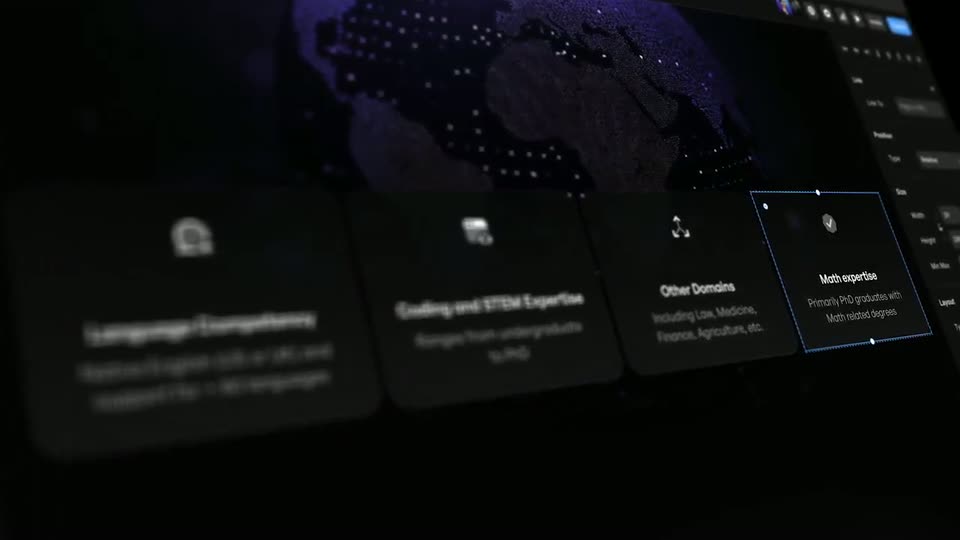
A row of dark profile cards sits in 3D perspective over a dotted world map. A blue dashed selection box hops from card to card, pulling focus to each title as the camera drifts right.
Techniques: 3D mockup
Camera: Push in
A dark Framer marketplace page for the Kitchen and Food vector set holds still. A cursor glides down from the page center to the white Copy Vectors button, hovers, and clicks, flipping the label to Copied Vectors.
Techniques: Cursor demo
Camera: Static
A dark Framer marketplace page for a Kitchen and Food vector set is shown, a hand cursor hovers the Copied Vectors button, and two illustrated preview cards sit at the bottom.
Techniques: Cursor demo
Camera: Static
A design canvas on a cream background shows a bold headline above two content cards. A blue selection box with corner handles opens over the right card as a green leaf vector pops into it, while a cursor arrow hovers just beside the leaf.
Techniques: Cursor demo
Camera: Static
A design-tool canvas displays a marketing layout with a two-line headline and two feature cards. A small green leaf vector sits inside a blue selection box with corner handles, and the frame pans right to bring the dark inspector panel into view.
Camera: Pan
The Framer editor fills the frame. A canvas on the left holds a selected artichoke icon beside a 24/7 delivery services card, while the dark properties panel on the right scrolls downward. A mouse pointer tracks the panel as it moves.
Techniques: Cursor demo
Camera: Static
A design tool screen: a left canvas holds a card with a food icon, a right panel shows an icon grid. A cursor clicks grid icons, swapping the canvas icon from artichoke to steamer to tree to breadboard, then drags a hue slider to recolor the breadboard edge live.
Techniques: Cursor demo
Camera: Static
A dark interface shows a grid of white line icons; a cursor right-clicks the Vex set in the left panel, opens a context menu, selects Copy URL, and a toast confirms the copy.
Techniques: Cursor demo
Camera: Static
A dark dashboard screen shows a blue New Vector Set button at the top right. The cursor clicks it, and a modal form slides in from the left. Fields fill in as a URL is typed and two icon thumbnails drop into the Visuals slot, then the panel dims.
Techniques: Cursor demo
Camera: Pull out
A dark Framer marketplace page for the Vex vector icon set fades in from black and scrolls up slowly. Header, title, description and a stats row sit above two panels: a grid of small line icons on the left, six larger icons on the right.
Camera: Pull out
A dark Framer marketplace grid of vector icon packs scrolls slowly downward, revealing rows of colorful icon sets, sushi, kitchen, and pixel art, beneath a fixed top navigation bar. The page then fades to black.
Camera: Static
A small white geometric logo, built from two offset angular blocks, sits centered on a pure black field. The mark holds perfectly still for the full clip, serving as the closing sign-off.
Camera: Static