1:04

OpusClip - With OpusClip, 300M+ clips have already turned raw video into social
Opus Clip · Aug 2026
Wondersearch · 0:16 · AI-annotated
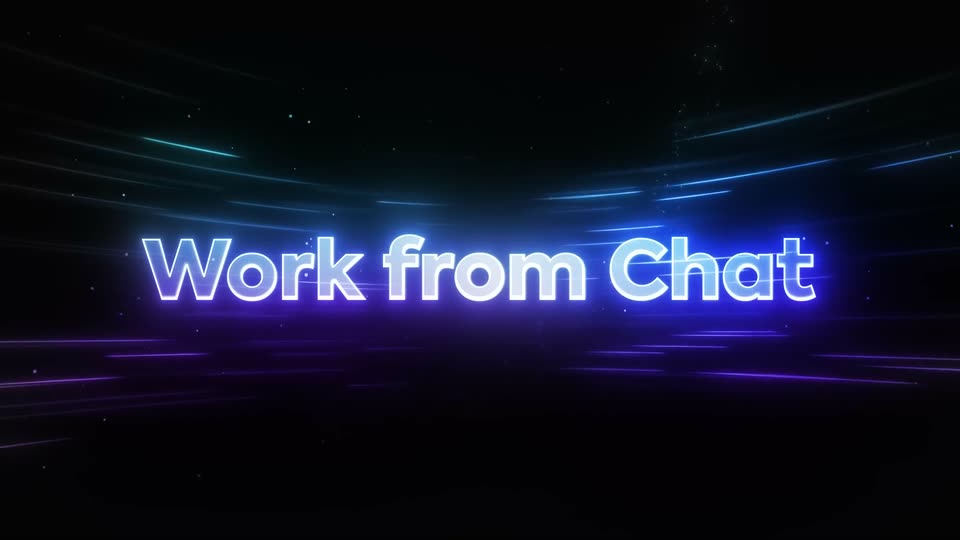
Wondersearch’s 0:16 launch film runs 14 scenes, about 1.2 s each. The product shows up at 0:04 and 2 features are revealed. The call to action lands at 0:14 (86% in). Dark, near-black stage with glowing white headlines and a single warm gold accent, built from flat terminal and file-list UI cards that slide, blur and resolve in fast ~1 second beats over a 100 bpm pulse. The structure is a tight problem-to-reveal arc: state the pain, pose the question, merge two panels into the WonderDrive logo card, then fire off two one-beat feature demos before a logo lockup end card, with signature moves of blur-to-sharp text reveals, a vertical light-beam merge, and a gl扫
Is this your launch? to your site or press kit.
Opus Clip · Aug 2026
ClickUp · Productivity · Sep 2024
Lantern AI · B2B
A glowing headline reveals line by line above two side-by-side terminal windows on a dark background. The left terminal types a command as the right one lists a file path and a saved checkmark.
On-screen text: “Claude Code can't see what Codex just wrote.”
Techniques: Kinetic type, Split screen
Camera: Static
A glowing two-line headline sits above two flat terminal windows placed side by side, the left framed in red showing an error and the right framed in gold showing a saved file.
On-screen text: “Claude Code can't see what Codex just wrote.”
Camera: Static
A dark scene shows a glowing white headline at the top, the word copy in yellow. Below, three code-editor cards labeled Your Mac, Claude Code, and Codex slide in from left to right, each displaying a code line with a different yellow price value.
On-screen text: “Every agent works on its own copy.”
Camera: Static
A dark background holds a white headline with a yellow highlight on the word copy. Below, three UI cards with code snippets sit side by side, divided by red hash icons.
On-screen text: “Every agent works on its own copy.”
Camera: Static
Two 3D-tilted file panels, Claude Code and Codex, slide in from a blurred, duplicated state and settle side by side under a glowing white headline. Each panel gains a new orange-highlighted row, launch-plan.md.
On-screen text: “What if they shared one?”
Techniques: 3D mockup
Camera: Static
A glowing white headline hovers above a dark file list. A vertical beam of light with scattered square particles runs down the center of the panel, then dims and dissolves.
On-screen text: “What if they shared one?”
Techniques: Particles
Camera: Static
A dark file-list panel labeled WonderDrive sits beneath a glowing white headline. The panel resolves from a soft blur with a vertical light streak down its center, settling into a sharp view of four file rows with sync-status badges on the right.
On-screen text: “One drive.”
Techniques: Light sweep
Camera: Static
A white butterfly logo sits above the title WonderDrive on a black background. The letterforms reveal footage playing inside them from left to right, then the tagline and a row of colored squares fade in below.
On-screen text: “WonderDrive”, “One drive for you and every agent.”
Techniques: Masking
Camera: Static
A black frame holds the white WonderDrive wordmark with a small butterfly mark above and the tagline plus a rainbow dotted line below, then a fast zoom punches into the wordmark, blurring it.
On-screen text: “WonderDrive”, “One drive for you and every agent.”
Camera: Static
Locked-off black frame holding three product cards in a row: Claude Code, WonderDrive, and Codex, each with a small audio waveform. The glowing headline settles at the top center while the cards brighten and align.
On-screen text: “One drive for you and every agent.”
Techniques: 3D mockup
Camera: Static
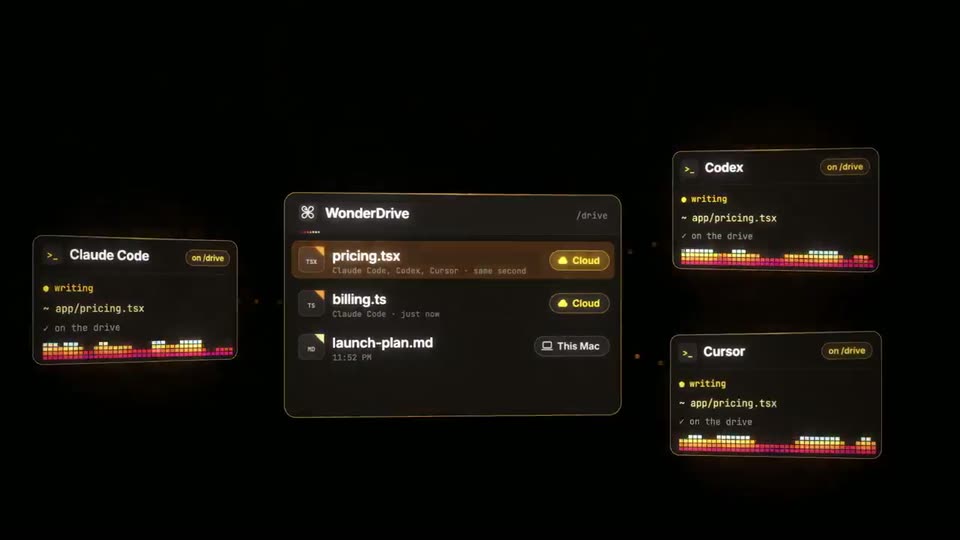
A glowing yellow headline blurs into place at the top of a black frame. Below it, four flat terminal cards (Claude Code, WonderDrive, Codex, Cursor) sit in a row linked by dotted lines, the Cursor card's text and bar chart filling in.
On-screen text: “Same second.”
Techniques: Kinetic type
Camera: Static
A dark search screen shows a glowing “One search.” headline at the bottom that sharpens from a soft blur. In the search bar above, the placeholder text fades out as “pricing deck” types in letter by letter behind a blinking caret.
On-screen text: “One search.”
Camera: Static
A dark search panel lists four pricing files, then the view zooms into the selected document, revealing a Pricing heading and a three-column bar chart in pink and orange gradients. A glowing white headline sits at the bottom.
On-screen text: “Semantic retrieval built in.”
Techniques: UI zoom
Camera: Static
A glowing white four-loop butterfly logo sits centered on black as a thin horizontal light streak crosses it. The wordmark WonderDrive fades in below with a rainbow gradient bar, followed by Coming soon. and the URL. A glint sweeps across the logo.
On-screen text: “WonderDrive”, “Coming soon.”, “wondersearch.com”
Techniques: Light sweep
Camera: Static