0:21

Music fans: Introducing Actions for your Google Assistant
Google · AI · Jan 2018
Wondering’s 0:23 launch film runs 8 scenes, about 2.9 s each. The product is on screen from the first frame. The call to action lands at 0:20 (88% in). The video plays as a run of centered cards on a flat cream field, each cut landing on a single element fading in so the flow reads as one continuous interaction. Pacing is slow and even, built on letter-by-letter typing, the blob mascot's small wiggle, and staggered checkmarks and topic cards filling the frame.
Is this your launch? to your site or press kit.
Google · AI · Jan 2018
EveryApp · B2B · Nov 2026
Beluga · B2B · Jul 2026
A small dark brown blob with two white eyes sits centered on a cream field. It grows slightly and shifts up as the bold wordmark “Wondering” and the gray tagline “Duolingo for Anything” fade in beneath it.
On-screen text: “Wondering”, “Duolingo for Anything”
Camera: Static
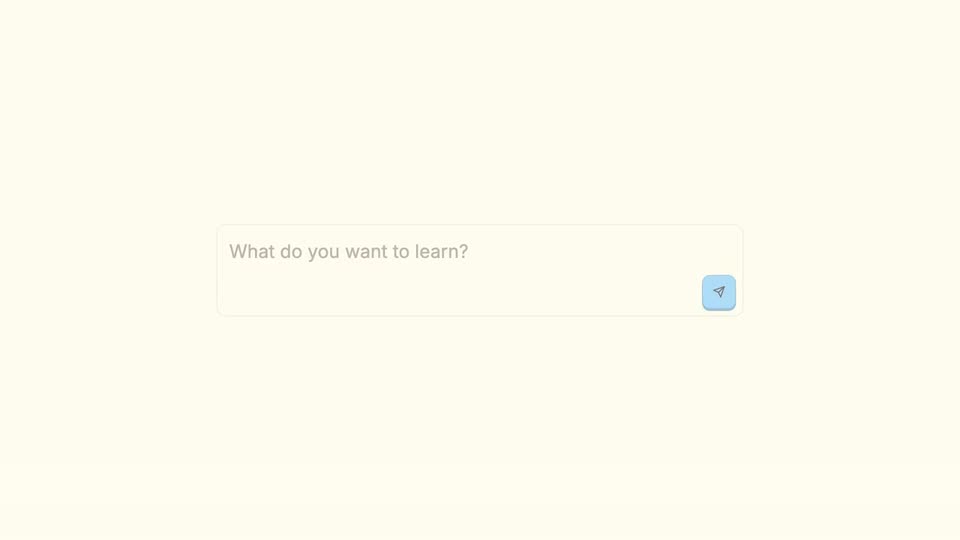
A dark brown blob logo with two white eyes sits above the wordmark Wondering and the tagline Duolingo for Anything on a cream background. It cuts to a rounded input field with the placeholder What do you want to learn? and a light blue send button.
On-screen text: “Wondering”, “Duolingo for Anything”
Camera: Static
A rounded chat input on a cream background types a prompt letter by letter across three lines. The box grows as each line is added, then the text fades to gray and the caret disappears.
Techniques: Kinetic type
Camera: Static
A white rounded chat bubble sits on a cream background, cycling through short prompt lines, then a reply, while a small dark brown blob mascot with two white eyes wiggles beneath it. The bubble fades out, leaving the mascot centered.
Camera: Static
A small dark brown blob mascot with two white eyes sits centered on a cream field, then moves to the top as a course dashboard fades in below it, listing two lesson sections with blue checkmarks and gray lock icons.
Camera: Push in
A course curriculum view for LLMs shows two sections. The Foundations section transitions from two to three completed lessons with blue checkmarks appearing. The Training section shows two completed lessons and one locked item, with text shifting vertically and overlapping during the change.
On-screen text: “LLMs: From Theory to Application”, “1. Foundations”, “2. Training & Practice”
Techniques: Kinetic type
Camera: Static
A centered brown line sits on cream, then a grid of illustrated topic cards fades in behind a bolder, larger headline. Each card pairs a small isometric scene with a label, filling the frame.
On-screen text: “That was just one topic.”, “Imagine what else you could learn.”
Camera: Static
On a plain cream background, a dark brown star logo with two white dots sits left of the bold line Go to wondering.app. A smaller gray line For Early Access fades in beneath it. The frame stays locked off.
On-screen text: “Go to wondering.app”, “For Early Access”
Camera: Static