0:40

Romàn - We just open-sourced our entire outbound team. Introducing the @Goji
Gojiberry · Sep 2026
Wondering’s 0:33 launch film runs 22 scenes, about 1.5 s each. The product is on screen from the first frame and 6 features are revealed. The call to action lands at 0:09 (28% in), over a voiceover. A weekly ship log built as a fast montage: host announcements in a golden autumn forest cut to locked-off laptop and phone demos, one feature per beat at roughly 40 cuts per minute. Signature moves are the blob mascot popping over faces, hand-drawn doodle accents, and lowercase white captions that track the voiceover line by line.
Is this your launch? to your site or press kit.
Gojiberry · Sep 2026
Wispr Flow · Nov 2026
Proto · B2B · Nov 2026
Films whose music sounds like this one, voice left out
ElevenLabs · Electronic
Databento · Modern electronic / Corporate
A locked-off wide shot of two people standing in an autumn forest with red and yellow foliage and a small pond. A dark blob with two white eyes pops over their faces while the headline fills in and small doodle shapes drift at the frame edges.
On-screen text: “Here's”, “everything we shipped”, “this week on Wondering”
Techniques: Kinetic type
Camera: Static
A dark blob logo with a face morphs and blinks at the center of a cream-to-blue gradient, ringed by floating hand-drawn science doodles. The wordmark and tagline fade in below, with an App Store badge at the bottom.
On-screen text: “Wondering”, “the Duolingo for learning anything”, “Download on the App Store”
Techniques: Morph
Camera: Static
A real laptop sits on a desk in a loft office, its screen showing an isometric 3D map of Kyoto centered on Kiyomizu-dera temple. A left info panel holds the temple history text and a blue button, while a small cursor hovers near a tree. The background stays blurred and still.
Techniques: 3D mockup
Camera: Static
A hand holds a phone tilted toward the camera in a dim room with leafy plants behind. The screen shows a quote sharing view, and a thumb taps the display as the frame brightens.
Camera: Static
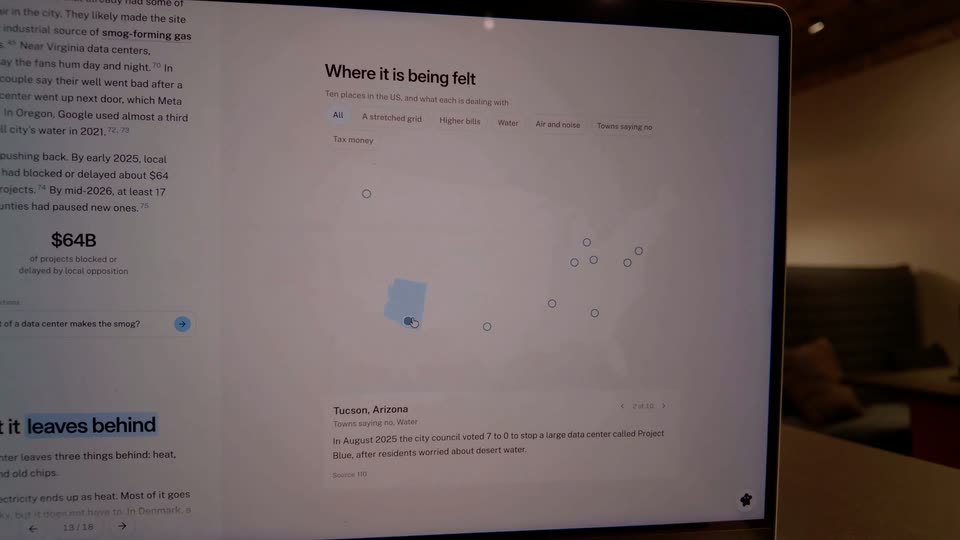
An angled laptop in a dim room shows an article with a US map, filter tabs, and a cursor resting on a highlighted state. The caption 'First, we create' holds at the bottom of the frame.
On-screen text: “First, we create”
Camera: Static
A man in a black cap and turtleneck holds a small furry microphone near his chest while a woman in a black scarf stands beside him, both framed against sunlit autumn trees. The locked-off shot carries white captions along the bottom edge.
On-screen text: “First, we create”, “all the best courses”
Camera: Static
A laptop at an angle displays the Wandering course page in a dim room. The page scrolls down, moving the heading up and bringing a row of course cards into view, while a small white caption sits at the bottom center.
On-screen text: “all the best courses”, “to help you think”
Techniques: 3D mockup
Camera: Pull out
A dim room, a laptop screen at an angle shows the Wondering page: a 3D swan illustration beside a paper stack, the Black Swan title below, while the caption more clearly sits low and Create fades in beside it. The frame is locked off.
On-screen text: “more clearly”, “Create”
Techniques: Kinetic type
Camera: Static
Two hosts stand in a sunlit autumn forest, the man in a black cap holding a small clip mic, the woman raising a fist. A white URL overlay sits at lower left with a smaller caption beneath, both locked to the static handheld frame.
On-screen text: “wondering.app/clear-thinking-courses”, “Check out here”
Camera: Static
A woman in a black jacket and scarf holds a small microphone with a fur windscreen and speaks to camera in a sunlit autumn grove. A man in all black and a cap leans in behind her on the right. White subtitle captions appear at the bottom center over the locked-off shot.
On-screen text: “wondering.app/”, “clear-thinking-courses”, “Check out here”, “Second is the MCP”, “is now connected”
Camera: Static
A flat browser window of a chat app sits over a blurred green landscape. The empty chat fills with a black prompt bubble and a response about a canvas, while large gray caption words swap at the bottom, “to Canvas” then “so you can use”.
On-screen text: “is now connected”, “to Canvas”, “so you can use”
Camera: Static
A light infinite-canvas app fills the frame, its node cards linked by thin lines over a blurred nature backdrop. The view pulls back to reveal more nodes while a hand cursor hovers center, and white captions fade up at the bottom.
On-screen text: “the MCP to visualize”, “We also launched”
Techniques: Kinetic type
Camera: Pull out
A man in a black cap and round glasses holds a small lavalier mic and speaks to camera in a sunlit autumn forest, a woman in a dark coat and scarf standing behind him. The frame is locked off while a white caption scales in at the bottom.
On-screen text: “We also launched”
Techniques: Kinetic type
Camera: Static
A tablet on a desk displays an interactive essay on data centers, pairing left-aligned text with an isometric model of a campus. The page scrolls down through sections while the model updates, and white captions appear at the bottom.
On-screen text: “We also launched”, “a beautiful interactive essay”, “and are exploring”
Camera: Static
A laptop on a desk shows a 3D isometric map of Kyoto with low-poly buildings and trees, a history card on the left. The map shifts from bright daylight to a dark night view with lit windows. A white caption sits at the bottom over a blurred loft background.
On-screen text: “Bring in the power”, “and are exploring”
Camera: Static
A tilted laptop screen fills the frame in a blurred office, showing the app over a low-poly 3D city map. A flat card titled Gion holds body text with geiko and maiko highlighted, an open definition tooltip, and a hand cursor hovering. A white caption sits at the bottom.
On-screen text: “different learning modalities”
Camera: Static
A laptop on a desk in a softly blurred room is filmed in close-up and locked off. Its screen shows a 3D map of Kyoto with an info card and a blue button, beside a chat panel. Only the bottom caption changes.
On-screen text: “different learning modalities”, “We've been seeing”
Camera: Static
Selfie-style handheld shot in a sunlit autumn forest: a woman in a black jacket holds a small furry microphone and speaks to the camera, a man in a cap and glasses stands behind her. White subtitle lines change at the bottom of the frame.
On-screen text: “We've been seeing”, “a lot of our users”, “take screenshots”, “to share on social media”
Camera: Static
A hand holds a phone showing an article about Inkling 2 Mini with a flow diagram; the screen scrolls up to reveal a share bar and a small tooltip, while a white caption sits at the bottom.
On-screen text: “to share on social media”, “and so now we've added”
Camera: Static
A hand holds a smartphone upright in a dark night setting with blurred plants and a building behind. The screen shows a post titled “Share what you learned” with body text and a circular diagram, while the thumb rests near the bottom controls. The frame stays locked and the phone remains still.
On-screen text: “an easy way to do that”
Camera: Static
A man in a black cap and glasses holds a small microphone to his mouth while a woman beside him gives two thumbs up in a sunlit autumn forest. A flat green Android robot icon pops in over his face, then disappears, as white captions swap along the bottom.
On-screen text: “And Android just completed”, “a Play Store review”, “We are ready”
Camera: Static
A woman in a dark scarf crouches in an autumn garden holding a small microphone and waves, while a man in a long coat and cap waves from behind a small pond. White captions appear at the bottom, then a large white 'wondering.app' shows centered.
On-screen text: “Alrighty that's it”, “for this week”, “you next week”, “wondering.app”
Camera: Static