0:44

shubham - Introducing Agnost AI. The first infrastructure that lets your AI age
Agnost AI · May 2026
WishUpon’s 2:00 launch film runs 34 scenes, about 3.5 s each. The product shows up at 0:17 and 4 features are revealed. There is no explicit call to action. Teal and pastel flat-lay product film that opens on a scrolling icon grid, names the problem with a heart keychain, then demos the app through a held iPhone over styled desk props. Each feature is introduced by a single large white caption, the pace is steady at about eight cuts per minute, and the signature move is the phone locked in frame while the background props and pastel panels slide at different speeds.
Is this your launch? to your site or press kit.
Agnost AI · May 2026
Dream Labs · Oct 2026
Clueso · B2B · Aug 2026
Films whose music sounds like this one, voice left out
HillStar · Cinematic orchestral
Inversion Semiconductor · Orchestral, Cinematic
Async · Ambient, minimalist piano
A flat grid of small white 3D icons, scissors, heart, ornament, headphones, gift box, spade, on a teal field scrolls slowly left while two lines of white text fade in at the center.
On-screen text: “YOU ADD ITEMS”, “TO YOUR WISH LIST FOR LATER”
Techniques: Kinetic type
Camera: Pan
A teal grid of tiny monochrome product icons sits behind white centered text. The text clears and a white card holding a red toy car unfolds into a 3D laptop on a desk, its screen showing a shopping page.
On-screen text: “YOU ADD ITEMS”, “TO YOUR WISH LIST FOR LATER”
Techniques: 3D mockup, Morph
Camera: Static
A hand with teal nails rests on a laptop trackpad at a bright white desk. The screen shows a shopping page with a red 3D car; a red heart scales up over the car while the page heading pulses. The camera stays locked off.
Camera: Static
A person types on a keyboard and moves a mouse in front of a computer monitor. On the screen, a red heart keychain morphs into a flat red heart icon.
On-screen text: “Shopping”
Techniques: Morph, 3D mockup
Camera: Static
A hand holds a white phone against a blurred cafe backdrop, its screen showing a shopping app with a pink flower product and a price tag. A finger taps the lower half of the screen while the interface stays still.
Camera: Static
Two hands hold a white tablet against a blurred beach backdrop with a distant windsurfer. The right index finger taps the screen, and a red heart pops in over the black lamp image on the product page.
Camera: Static
A pink heart keychain lies flat on a teal surface while two lines of white text fade in across the frame. The shot then pulls back, revealing a grid of small objects, a toy car, plant, keyboard, flowers and watch, arranged around the keychain.
On-screen text: “BUT IT'S HARD TO KEEP”, “TRACK OF WHAT AND WHERE YOU SAVED IT”
Camera: Pull out
Top-down flat-lay on a teal surface. Scattered small props fade in and out around the frame edges while centered white text swaps from a two-line sentence to 'WE'VE GOT IT', the props settling into a gift box, handbag and newspaper.
On-screen text: “BUT IT'S HARD TO KEEP TRACK OF WHAT AND WHERE YOU SAVED IT”, “WE'VE GOT IT”
Camera: Pull out
A top-down teal flat lay frames a small phone at center, surrounded by mint headphones, pink blossoms, a gift box, wallet and handbag. White centered headline text wipes from WE'VE GOT IT FOR YOU to THE UNIVERSAL WISH LIST, then the layout crops into a rounded card on white.
On-screen text: “WE'VE GOT IT”, “FOR YOU”, “THE UNIVERSAL WISH LIST”
Techniques: Kinetic type, Masking
Camera: Static
A teal rounded-square app icon with a white W mark sits centered on a pale gray background. The teal wordmark WISHUPON fades in beneath it, holds, then the lockup fades out and a light blue rounded card fades in at center.
On-screen text: “WISHUPON”, “mobile”, “How o. en de”, “THE UNIVERSAL”, “WISH LIST”, “0”
Camera: Static
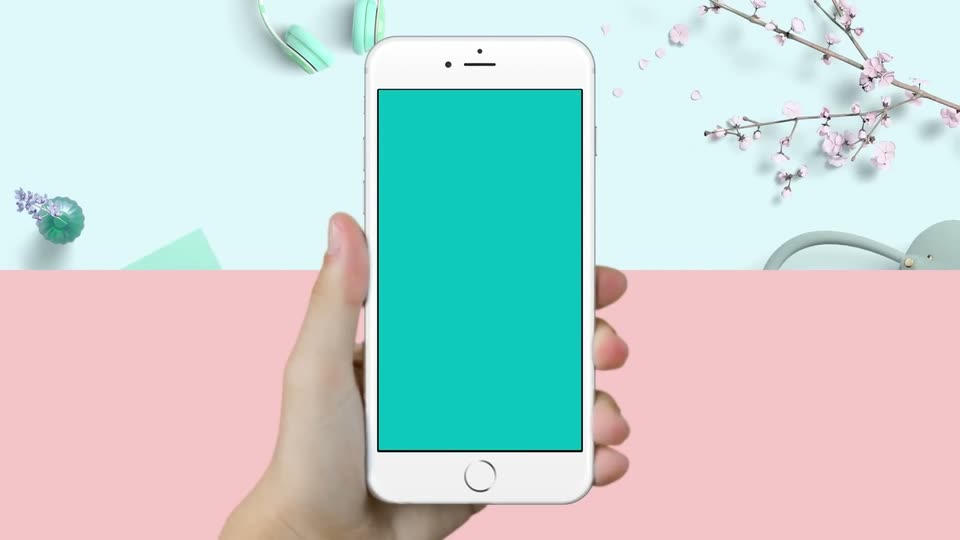
A hand holds a white phone over a pastel flat-lay of mint headphones, cherry blossoms, a gift box and a handbag. The caption Shopping fades in across the frame, then the screen shows a teal splash with a white W logo, then the app home view with a bottom toolbar.
On-screen text: “Shopping”
Camera: Static
A hand holds a white phone over a pastel blue and pink table set with mint headphones and a blossom branch. The app screen loads a shop list, a second finger scrolls it, taps the search bar, types a query, and a fashion store page loads and scrolls.
Camera: Pull out
A hand holds a white phone showing the ASOS app grid against a pastel flat lay of mint and pink panels. Cherry branches, mint headphones and a potted plant sit still while a mint handbag and a printed page slide in from the right.
Camera: Static
A hand holds a white phone over a teal-and-yellow flat-lay with an envelope and handbag. The ASOS app fills the screen while a large white “Wish” word sits behind the phone. The screen fades to gray, then returns as a finger taps the app.
On-screen text: “Wish”
Camera: Static
A hand holds a white phone over a mint and yellow desk with a gift box and handbag. The finger taps search, types Duckhead on the ASOS site, and selects a teal umbrella from the results, opening its product page with an orange add-to-bag bar.
Techniques: Cursor demo
Camera: Static
A hand holds a white smartphone showing an ASOS product page with a teal umbrella photo, an orange ADD TO BAG button and a teal Wish it! bar. A thumb enters from the bottom and taps the Wish it! button.
Techniques: Cursor demo
Camera: Static
A hand holds a white phone over a mint-and-yellow flat-lay set with a gift box and handbag. On screen, a finger taps the ASOS app: a product popup opens, the finger taps Wish it, a Saved toast appears, then the screen slides to a wish-list page.
Techniques: Cursor demo
Camera: Static
A hand holds a white phone showing a wishlist app over a pastel flat-lay of envelopes and a blossom branch. A white panel wipes up from the bottom to reveal the headline, then wipes down to return to the phone.
On-screen text: “Collect Wish list”
Techniques: Masking
Camera: Static
A hand holds a white phone over a peach and lavender flat-lay with mint headphones and a blossom branch. A white title spans the phone, then the blank screen fills with a list of shop icons and a bottom bar.
On-screen text: “Collect Wish list”
Camera: Static
A hand holds a white iPhone in 3D perspective against a peach and lavender backdrop. The screen shows a list of saved apps, then scrolls to a list of saved products with prices as the thumb taps the toolbar tabs.
Techniques: 3D mockup
Camera: Static
A hand holds a white phone over a pastel flat-lay with headphones and blossom branches. A finger scrolls a wishlist of product cards up and down, then taps the umbrella entry, opening a detail page with a teal umbrella and a Buy button.
Techniques: Cursor demo
Camera: Static
A hand holds a white iPhone in a locked-off close-up, its screen showing an ASOS product page for the Original Duckhead Umbrella. A finger taps the star-rating row near the Rate this button. The background is a flat peach and lavender field with a teal shape and a flowering branch.
Camera: Static
A hand holds a white iPhone against a peach and lavender backdrop with mint headphones and blossom branches. A finger swipes five tag icons to rate, the screen flips to a teal umbrella product page, then a swipe slides into a scrolling wishlist list.
Techniques: Cursor demo
Camera: Static
A hand holds a white phone showing the wishlist app, centered over a pastel flat-lay of paper, blossom branches, mint headphones and a teal clutch. The background props slide at different speeds while the phone stays locked in place.
Techniques: Parallax
Camera: Static
A hand holds a white smartphone centered over a teal and peach flat-lay with a gift box and handbag. The screen shows a wishlist list, then fades to blank gray while the white caption fades out.
On-screen text: “Receive Sales Alerts”
Camera: Static
A hand holds a white iPhone steady in front of a mint-and-white set with a gift box and handbag. A notification banner slides down from the top of the home screen, then a thumb rises at the bottom edge.
Camera: Static
A finger swipes left across a smartphone home screen held by two hands, beneath a WISHUPON notification banner. The phone rests over a mint-and-white desk with a teal envelope and paperclip.
Camera: Static
A hand holds a white iPhone over a flat-lay desk with a teal gift box and wallet. A finger taps the home screen as a teal rectangle wipes up across the display, covering the app icons.
Techniques: Masking
Camera: Static
A hand holds a white phone steady in the center of a flat-lay set with a teal gift box and clutch. The teal screen shows a white logo, then switches to a product page with a clutch photo and a Buy button.
Camera: Static
A hand holds a white phone displaying an asos product page in a price-tracking app. The current price field at the bottom changes from Loading.. to £245.00. The background splits a mint panel above a white desk holding a paperclip and a printed card.
Camera: Static
A hand holds a white phone showing a price-tracking app with an ASOS clutch bag listing and a teal Buy button, then a teal color wash fades over the frame.
Camera: Static
On a flat teal field, three stacked lines of white text assemble in the center. The middle line scales up while the bottom line fades in to full opacity beneath it.
On-screen text: “COLLECT AND”, “SAVE YOUR WISH”, “A UNIVERSAL WISHLIST”
Techniques: Kinetic type
Camera: Static
On a flat teal field, three white lines read COLLECT AND SAVE YOUR WISH, A UNIVERSAL WISHLIST. The middle line scales down, then the text clears and a small white rounded-square icon with a teal mark pops in at center and grows.
On-screen text: “COLLECT AND”, “SAVE YOUR WISH”, “A UNIVERSAL WISHLIST”
Techniques: Kinetic type
Camera: Static
A white rounded-square icon with a teal W mark sits centered on a flat teal field. The word WISHUPON fades in beneath it in thin white letters, then the frame holds locked on the sign-off.
On-screen text: “WISHUPON”
Camera: Static