1:35
What's Figma? [2019]
Figma · Design · Oct 2019
Agnost AI · May 2026 · 0:44 · AI-annotated
Agnost AI’s 0:44 launch film runs 42 scenes, about 1.1 s each. The product shows up at 0:31 and 1 feature is revealed. There is no explicit call to action; a voiceover carries the film. The film strings one sentence together across 2 to 3 second cuts, alternating flat gray type cards, glitched live action clips and small bordered video windows, then hard cuts to black for the problem and to a red pixel field for the product. Signature moves are word by word type builds with chromatic aberration, stacked repeated captions, and halftone or dot matrix title cards that snap between textures.
Is this your launch? to your site or press kit.
Figma · Design · Oct 2019
Simular AI · Sep 2026
A hazy city street with the Empire State Building in the distance; pedestrians cross the intersection and a yellow taxi drives past as the sentence builds word by word in white type across the frame.
On-screen text: “Every era invents a new way to”
Techniques: Kinetic type
Camera: Static
A centered rectangular frame cycles through historical stone reliefs and a dark profile holding a glowing object, while the caption Interact. holds below. The stacked headline above reads Every era invents a new way to, with new way scaling in.
On-screen text: “Every”, “era invents a”, “new way”, “to”, “Interact.”
Techniques: Kinetic type
Camera: Static
A vintage black typewriter holding a handwritten letter sits centered on a pale gray field, then the view cuts to a tight close-up of its round white keys. The caption Interact. stays fixed below the image throughout.
On-screen text: “Interact.”
Camera: Static
A white chat card with emoji bubbles sits on a gray field, captioned by a small centered word. The card clears as the word scales up to dominate the frame while two black label chips, POWER OFF and FEED CHECK, pop in at opposite corners.
On-screen text: “Interact.”
Techniques: Kinetic type
Camera: Static
A close-up of a vintage toggle-switch panel holds the white word Interact. as it scales up, then cuts to a man seen from behind threading a film projector, then to a black-and-white Wright Flyer image with CRT scan lines. A running timecode sits at the bottom.
On-screen text: “Interact.”, “00:09:29:24”
Camera: Static
A close-up of a CRT monitor shows a blurred photo inside a window, with a small centered inset of a vintage biplane. The frame is locked, bordered in red, and carries a static timecode.
On-screen text: “00:09:29:24”
Camera: Pan
On a pale gray grid background, the line “Desktop was” slides in at center with chromatic aberration fringing. A pixelated cursor arrow with rainbow glitch edges drifts from the top-left corner toward the text.
On-screen text: “Desktop was”
Techniques: Kinetic type
Camera: Static
A pixelated desktop screen shows a browser article on the right and a blurred hand reaching for a laptop on the left, with a white cursor in the center. The headline slides across with RGB color fringing as the frame glitches and zooms.
On-screen text: “Desktop was”, “Clicks”
Techniques: Kinetic type, Cursor demo, UI zoom
Camera: Static
Split screen: a warm close-up of a hand holding a device on the left, a pixelated screen on the right that cuts from a note line to a blue click icon above a Search button. A white arrow cursor and the word Clicks sit on the dividing line.
On-screen text: “Clicks”
Techniques: Split screen
Camera: Static
A light gray panel wipes in from the left, its edge shaped like a white cursor arrow, covering a dark pixelated search icon. The black headline builds from “mobile” to “mobile was” on the plain background.
On-screen text: “mobile was”
Techniques: Masking, Kinetic type
Camera: Static
A light gray frame holds a short clip of a phone on a rotating stand that flips from its camera back to its screen, centered between the static words mobile was on the left and taps on the right.
On-screen text: “mobile was”, “taps”
Camera: Static
A centered line reads “Now it's” on a flat light gray field while the word after it cycles, forming “language,” then a string of binary digits, then five emojis, then a new word that begins as “out.”
On-screen text: “Now it's language”, “Now it's 010101001”, “Now it's out”
Techniques: Kinetic type
Camera: Static
A centered line of black sans text on a pale gray background reads “but language is Hard”; the word “Hard” jumps to a heavier weight and larger size, then holds the emphasis for the rest of the beat.
On-screen text: “but language is Hard”
Techniques: Kinetic type
Camera: Static
A black line-drawn head in profile sits on light gray, its skull packed with a mosaic of small photos and colored shapes. The word Hard holds still to the right. A red, blue-dotted shape with a yellow edge wipes in from the left, opening a cutout over the eye.
On-screen text: “Hard”
Techniques: Masking
Camera: Static
A flat split layout: the left red panel holds a blue head silhouette filled with black squiggly lines that scales up, revealing a smaller white head cutout at its center. The right gray panel keeps the word Hard static in black.
On-screen text: “Hard”
Camera: Static
A light gray frame holds a small rectangular clip of a person's mouth on the left. The headline same words overlays the clip in white, while ten different meanings sits to the right in black and gray. The layout stays locked in place.
On-screen text: “same words ten different meanings”
Camera: Static
Close-up photos of mouths, a broad smile at the top, a tongue sticking out at left, a grin at bottom right, slide into a collage on a light gray background while the still caption spans the center.
On-screen text: “same words ten different meanings”
Camera: Static
A man in a dark suit sits with his head bowed, face hidden in shadow, in front of a bright window. The still caption “same words ten different meanings” holds as “I'm fine” slides in on the right.
On-screen text: “same words ten different meanings”, “I'm fine”
Techniques: Kinetic type
Camera: Static
A man's face fills the left of a dark, desaturated forest close-up, distorting and glitching between frames. A white caption, “I'm fine,” slides in on the right while the locked-off frame holds on his strained expression.
On-screen text: “I'm fine”
Camera: Static
A desaturated close-up of a bespectacled man in an office, hand at his mouth, speaking. On the right, three stacked white lines read “I'm fine”, the third sliding in to complete. The camera stays locked off on his face.
On-screen text: “I'm fine”, “I'm fine”, “I'm fine”
Techniques: Kinetic type
Camera: Static
A curly-haired man shouts off-frame in a cold blue-green outdoor shot, the camera locked off. On the right, a white caption stacks the phrase line by line as the final line slides in.
On-screen text: “I'm fine”, “I'm fine”, “I'm fine”, “I'm fine”
Techniques: Kinetic type
Camera: Static
A woman in a white neck brace looks down then lifts her head with a faint smile in a cold blue-tinted close-up. On the right, the phrase I'm fine stacks in white bold lines, a new line sliding in.
On-screen text: “I'm fine”, “I'm fine”, “I'm fine”, “I'm fine”, “I'm fine”
Techniques: Kinetic type
Camera: Static
On a light grid, 'and' sits beside a sliding stack of five glitched 'I'm fine' lines. The text reflows into 'and you have done it too' beside a dark bubble reading 'make it shorter, make it more human'. The bubble condenses into overlapping pills showing 'this is too long'.
On-screen text: “I'm fine”, “and you”, “have done it too”, “make it shorter, make it more human”, “this is too long”, “stop with the em-dashes”
Techniques: Kinetic type, Morph
Camera: Static
On a gray grid, a dark rounded blob holds two lines of white text, then the text blurs and the blob stretches into a rectangular window that fills with an office video clip. The word 'forget it' scales in over the footage.
On-screen text: “don't sound like AI”, “this is too long”, “forget it”
Techniques: Kinetic type, Morph
Camera: Static
A small office clip with a thin orange border and a slight glitch sits centered on a gray grid background. A person in a white shirt works at a desk between cubicles. White quoted text scales up over the footage while the frame stays locked off.
On-screen text: ““forget it””
Techniques: Kinetic type
Camera: Static
A plain light gray field holds a centered monospace sentence that builds word by word. The line reads But why isn't any of it, then getting and better? land on a second line at opposite ends, left and right.
On-screen text: “But why isn't any of it getting better?”
Techniques: Kinetic type
Camera: Static
A gray card shows the black question while a white line, Because they cant understand you, sits centered over it. The card cuts to black, then a huge gray until now slides in from the left behind the white line.
On-screen text: “But why isn't any of it getting better?”, “Because they cant understand you”, “until now”
Techniques: Kinetic type
Camera: Static
The lowercase phrase “until now” sits centered on a solid black background. The white type is static and locked off for the short duration, with a faint gray offset shadow behind the letters.
On-screen text: “until now”
Camera: Static
A dark chat screen shows a white heading above a rounded input panel. The heading and the panel's text and pill buttons swap to a second state in a brief transition.
Camera: Static
A light product screen cross-fades to a dark theme as a bold headline types out word by word inside a card. Below it, an agent pill and a model dropdown open, listing options with toggles.
On-screen text: “Agnost.ai understands what your users actually want.”
Techniques: Kinetic type
Camera: Static
A close-up of a chat input box types out 'Agnost.ai understands what your users actually want.' word by word beneath the Grok logo, then cuts to a crowd at an event where the caption 'And makes that improvement' types in.
On-screen text: “And makes that improvement”
Techniques: Kinetic type
Camera: Static
A dim office crowd cheers around a standing man holding a paper, while white text types in across the center of the frame.
On-screen text: “And makes that improvement”
Techniques: Kinetic type
Camera: Static
On black, a white halftone panel widens from a small block to near full width while the word Prompts. scales up in bold black type. A faint echo of the word trails right during the expansion, and a small static caption line holds at the top.
On-screen text: “Prompts.”, “And makes that improvement”
Techniques: Kinetic type
Camera: Static
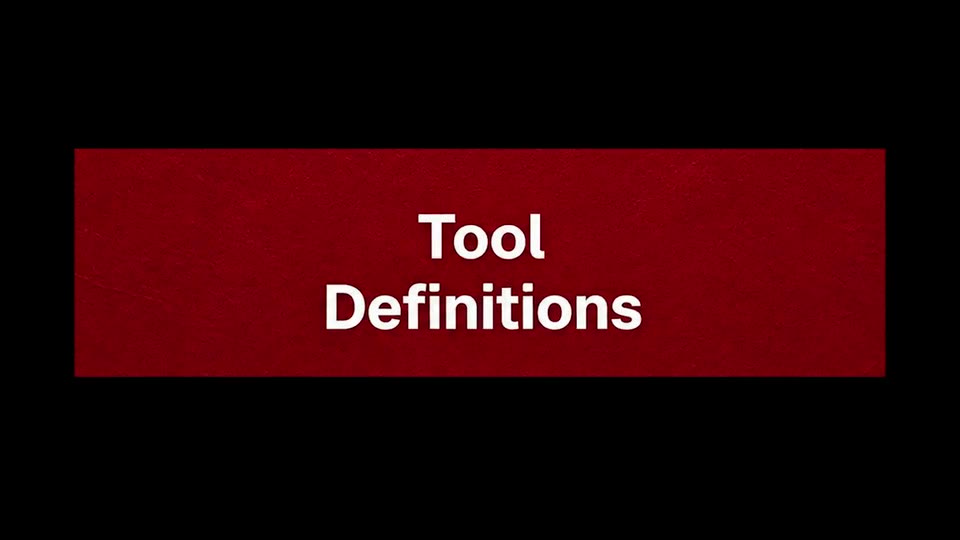
A red banner on a black field holds the white title Tool Definitions. The banner scales up while the lettering shifts from a solid fill to a dotted outline.
On-screen text: “Tool Definitions”
Techniques: Kinetic type
Camera: Static
A black title card holds the words Tool Definitions in a white pixelated font, centered and scaling briefly against the dark background.
On-screen text: “Tool Definitions”
Techniques: Kinetic type
Camera: Static
A dot-matrix title “Tool Definitions” scales gently on a white woven-texture card. The scene cuts to a green knit rectangle on black, where “Agent Behaviour” sits in the same pixel type, held still.
On-screen text: “Tool Definitions”, “Agent Behaviour”
Techniques: Kinetic type
Camera: Static
A pixel-art Windows 95 window on a blue field shows the title Agent Behaviour; its chrome and beveled border dissolve into a flat tan crosshatched panel on black while the text stays fixed.
On-screen text: “Agent Behaviour”
Techniques: Morph
Camera: Static
A plain light-gray card. The headline types in word by word on the left in bold black sans. On the right, a small rectangular window cycles through short clips of a white-headed humanoid robot talking with people.
On-screen text: “Your agent gets smarter with every conversation.”
Techniques: Kinetic type
Camera: Static
The word Infrastructure in white and cyan sans sits centered over a red field of black pixel squares, dots, and vertical lines that flicker and shift between frames.
On-screen text: “Infrastructure”
Camera: Static
A tilted 3D mockup of the ADMIST AI website pans left across a red field of black K letters and dots, revealing a second page. Large grey lowercase text holds center over the moving mockup.
On-screen text: “for self-improving”
Techniques: 3D mockup, Parallax
Camera: Static
Three overlapping browser mockups of the Agnost AI site sit on a red backdrop patterned with black dots and plus marks. A large brushed-chrome word 'Agents' floats centered in front of them. The layout holds still for the brief clip.
On-screen text: “Agents”
Camera: Static
On a light gray background, a circular mark of concentric pastel rings sits left of the black wordmark AGNOST AI, which scales in and settles from a glitched, offset state into a clean lockup.
Techniques: Kinetic type
Camera: Static