
0:10
Explore
00:00:00 / 01:01:14
- Length
- 1:01
- Scenes
- 22 · 2.8 s avg
- Product on screen
- 0:22
- Features shown
- 4
- Voiceover
- Yes
- Views
- 130K on X
as of November 18, 2026
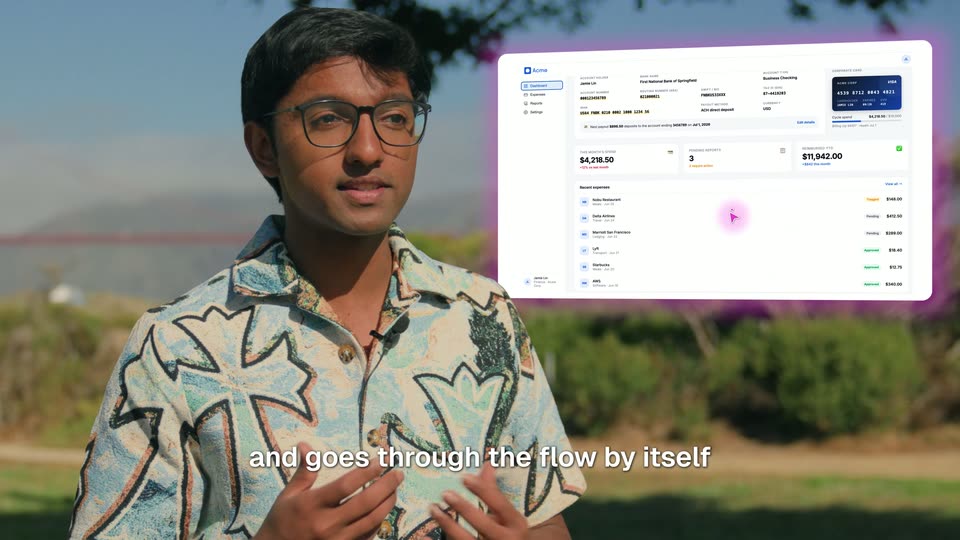
Clueso’s 1:01 launch film runs 22 scenes, about 2.8 s each. The product shows up at 0:22 and 4 features are revealed. There is no explicit call to action; a voiceover carries the film. A locked-off talking-head host in a sunny park carries the entire script, while UI elements scale in from the frame edges as overlay cards, floating product panels, and full-screen editor shots that swap on each spoken beat. The style is defined by fast cuts at ~98 BPM, a purple accent glow on every floating panel, red highlight ripples for emphasis, and bold sans captions pinned to the bottom.
Footage neededEstimated needs: 2 capture groups — your screens or recordings · 1 official logo — reused across the film · 15 filmed passages — shoot, supply or replace
Is this your launch? to your site or press kit.
More like this

Similar soundtrack
Films whose music sounds like this one, voice left out
1:14
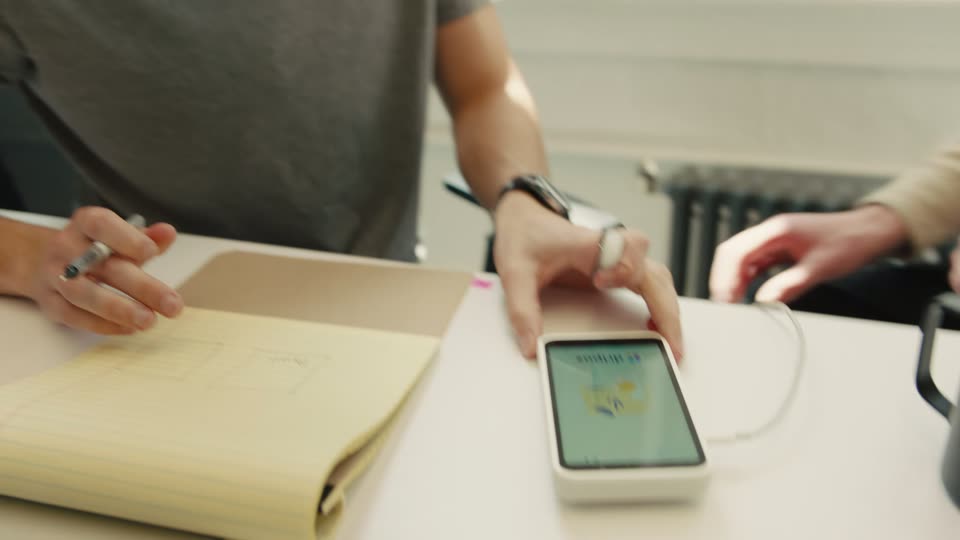

Introducing Stripe Reader S700
Stripe · Upbeat electronic
0:45

3:25
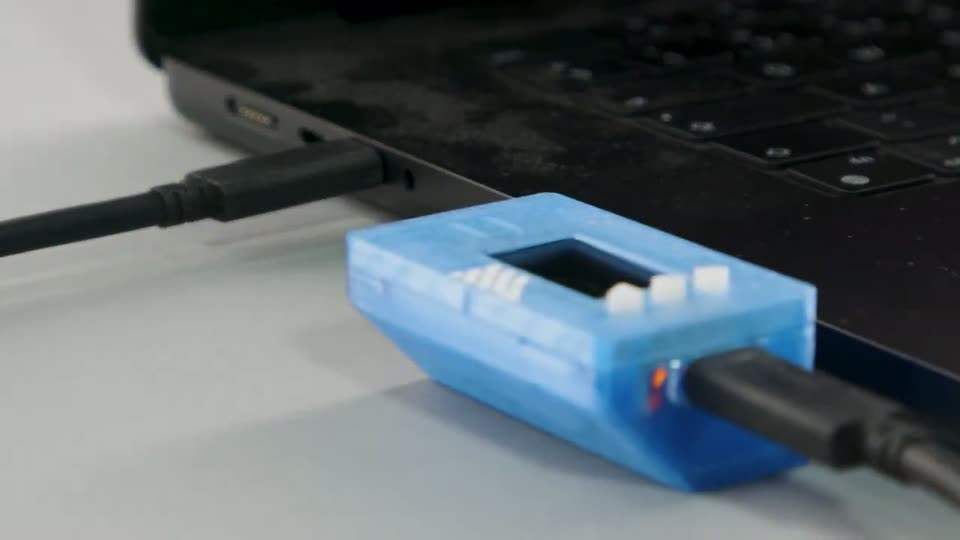

PostHog - Introducing... DeskHog! DeskHog is an open-source, 3D printed, pal
Posthog · Upbeat electronic
Akash Anand - We just killed Loom and Screen Studio. Clueso agent can capture any, scene by scene
· 22 scenes as text
01 · Hook · 0:00–0:03
A man in a patterned shirt speaks to camera in a sunny park, the Golden Gate Bridge behind him. The white headline We just KILLED pops in centered over his chest, then two purple circular icons appear at his sides, a sunburst left and a ring right.
On-screen text: “We just KILLED”
Camera: Push in
02 · Problem · 0:03–0:06
A man in glasses and a patterned shirt stands in a sunny field, speaking to camera in a locked-off medium close-up and gesturing with one hand. Green trees and a blue sky fill the background. White subtitles appear at the bottom of the frame.
On-screen text: “Until now,”, “whenever you needed a screen”, “recording of your product,”
Camera: Static
03 · Problem · 0:06–0:08
A man in glasses and a patterned shirt stands in a sunny park, the Golden Gate Bridge behind him, speaking to a locked-off camera while someone walks a dog in the background. White captions read across the bottom of the frame.
On-screen text: “recording of your product,”, “this is how your afternoon”, “would look like.”
Camera: Push in
04 · Problem · 0:08–0:10
A man in a patterned shirt talks to camera in a park, Golden Gate Bridge behind. A white rounded card scales up to fill the frame, then the title “Script” and the line “ACME, Pro” appear on it.
On-screen text: “would look like.”, “You'd set up the screen,”
Camera: Static
05 · Problem · 0:10–0:11
A white rounded card overlays a sunlit outdoor shot of a person standing in a grassy field. Inside the card, a bold Script heading and several document lines type in sequentially, while a white outlined caption sits at the bottom edge.
On-screen text: “write out a script,”, “Script”, “ACME — Product Walkthrough (v1)”, “Runtime: ~60s”, “Tone: Friendly, clear, easy to follow”, “VO: In this quick walkthrough, I'll show you how to track your team's spend in ACME.”, “[Screen: ACME d”
Techniques: Kinetic type
Camera: Static
06 · Problem · 0:11–0:12
A man in glasses and a patterned shirt stands outdoors, the Golden Gate Bridge behind him, framed inside a black rounded card. He gestures with both hands while speaking. White captions sit at the bottom of the card, a red circle highlighting the word hair.
On-screen text: “make sure your hair looks perfect,”, “and rehearse the cursor movements”
Camera: Static
07 · Problem · 0:12–0:22
A man in a floral shirt and glasses speaks in a park, Golden Gate Bridge behind him, subtitles at the bottom. At 6s a white panel listing reports slides in right; a cursor clicks Export CSV, a red ripple flashes, the panel tints pink. At 9s the shot cuts wider.
On-screen text: “and rehearse the cursor movements”, “and click through everything”, “perfectly while narrating it in sync.”, “And if you fumble just one step,”, “you'd have to start over.”, “But now you can simply tell”
Techniques: Cursor demo
Camera: Pan
08 · Product intro · 0:22–0:30
A man in a patterned shirt and glasses stands in a sunlit field, the Golden Gate Bridge behind him, speaking to camera and gesturing. The frame is locked off while white subtitle lines swap at the bottom of the screen.
On-screen text: “But now you can simply tell”, “Clueso Agents”, “what you want to record,”, “and it creates your video for you.”, “It opens”, “the right screens on your product”
Camera: Static
09 · Feature reveal · 0:30–0:32
A man in a floral shirt and glasses speaks outdoors on the left. On the right, a floating product interface panel switches from a dashboard to an account settings page, a cursor moving through the flow, the panel edged in a pink glow.
On-screen text: “the right screens on your product”, “and goes through the flow by itself”, “at a clean human pace”
Techniques: Cursor demo
Camera: Static
10 · Feature reveal · 0:32–0:36
A man in glasses and a patterned shirt stands outdoors and speaks to camera, locked-off framing. A white app panel floats at right, switching from an Account settings view to an Expenses list as a cursor clicks the menu. White subtitles sit at the bottom.
On-screen text: “at a clean human pace”, “and records it all for you.”
Techniques: Cursor demo
Camera: Static
11 · Feature reveal · 0:36–0:37
A presenter in a patterned shirt stands before the Golden Gate Bridge while a tilted video editor UI scales up from the bottom edge, rising to fill the frame. A white caption sits centered over the shot throughout.
On-screen text: “Then it edits the video”
Techniques: 3D mockup
Camera: Static
12 · Feature reveal · 0:37–0:39
A video editor screen fills the frame: transcript panel left, the Acme logo on a blue radial gradient in the center preview, timeline along the bottom. A white caption with black outline at the bottom updates as the view zooms slightly inward.
On-screen text: “Then it edits the video”, “with perfectly timed zoom-in effects,”
Techniques: UI zoom
Camera: Static
13 · Feature reveal · 0:39–0:40
A video editor canvas shows an Acme expense dashboard that dissolves into an AI scan view with a receipt and extracted data fields. A cursor hovers over the New expense button, then the receipt. A caption sits centered at the bottom.
On-screen text: “with perfectly timed zoom in effects,”
Techniques: Cursor demo
Camera: Static
14 · Feature reveal · 0:40–0:44
The tool's canvas shows an Acme expense app AI scan screen, dimmed by a dark overlay. A yellow spotlight opens over the receipt and a blue one over the extracted data panel, brightening the UI as subtitles run along the bottom.
On-screen text: “and even add spotlights”, “to direct attention towards important”, “UI elements.”, “Finally, it polishes”
Techniques: Masking
Camera: Static
15 · Feature reveal · 0:44–0:46
A man with glasses and a patterned shirt talks to camera in a medium shot, set against a soft-focus backdrop of trees and sky. He lifts both hands to gesture as white subtitles roll along the bottom of the frame.
On-screen text: “Finally, it polishes”, “the rest of your video with captions,”
Camera: Static
16 · Feature reveal · 0:46–0:47
A screen recording of a video editor shows an expense app's AI scan page: a receipt sits left while the Extracted data panel fills in merchant, amount, date, tax and currency fields, then pops up as a floating card over a dimmed background with a confidence banner. A demo caption with a blue highlight bar reads across the preview.
On-screen text: “the rest of your video with captions,”, “Finally, it polishes”
Techniques: Masking
Camera: Static
17 · Feature reveal · 0:47–0:49
A static close-up of a transcript video editor: the left panel lists recording steps with highlighted keywords, a timeline sits at the bottom, and a preview on the right shows the Acme logo. White outlined captions at the bottom swap between two phrases.
On-screen text: “the rest of your video with captions,”, “AI, voiceovers, and animations”
Camera: Static
18 · Feature reveal · 0:49–0:52
A young man in glasses and a patterned shirt stands outdoors against a soft-focus backdrop of trees and hills, speaking to camera in a locked-off medium shot. White captions change at the bottom of the frame as he talks and gestures with one hand.
On-screen text: “AI, voiceovers, and animations”, “while keeping everything on brand.”, “And all it takes is just one prompt.”
Camera: Static
19 · Feature reveal · 0:52–0:53
A man in a patterned shirt and glasses stands in a grassy park with the Golden Gate Bridge behind him, speaking to camera. A purple rounded-square icon with a white chat-and-sparkle glyph scales up over his chest as a white cursor arrow points at it.
On-screen text: “And all it takes is just one prompt.”
Camera: Static
20 · Feature reveal · 0:53–0:58
A man in a patterned shirt talks to camera in a grassy field, the Golden Gate Bridge behind him. A pale lavender prompt bar with an “Ask anything...” field and an “Ask Permission” chip floats across his chest, then disappears. White captions run along the bottom.
On-screen text: “And all it takes is just one prompt.”, “Every other screen recording”, “tool makes you do the recording.”
Camera: Push in
21 · Feature reveal · 0:58–0:59
A man with glasses in a patterned shirt stands in a grassy park, the Golden Gate Bridge behind him, speaking to camera and gesturing with both hands. White subtitles appear at the bottom of the locked-off frame.
On-screen text: “tool makes you do the recording.”, “Clueso Agents don't.”
Camera: Static
22 · Outro · 0:59–1:01
On a black background, the white Clueso logo lockup sits centered. The wordmark scales down and disappears, leaving the small square icon alone in the middle of the frame.
On-screen text: “Clueso”, “Clueso Agents don't.”
Techniques: Kinetic type
Camera: Static