1:05
Explore
Introducing Whop Ads
Whop · May 2026 · 0:27 · AI-annotated
- Length
- 0:27
- Scenes
- 15 · 1.9 s avg
- Product on screen
- 0:00
- Features shown
- 4
- Voiceover
- Yes
00:00:00 / 00:27:58
Whop’s 0:27 launch film runs 15 scenes, about 1.9 s each. The product is on screen from the first frame and 4 features are revealed. There is no explicit call to action; a voiceover carries the film. The video is built as a chain of short blur-to-focus beats: a title card, then a single connector line that draws the money loop across the frame, alternating abstract pill diagrams with live dashboard UI, and closing on a circular flywheel and the logo lockup. Pacing is quick and rhythmic at about 123 BPM, with blur-in and blur-out transitions, count-up numbers, and a red accent reserved for key words and the dollar motif.
No filming indicatedEstimated needs: 2 capture groups — your screens or recordings · 1 official logo — reused across the film · 6 graphic passages — draw or supply
Is this your launch? to your site or press kit.
More like this
0:56


Meet Firefly Video Model | Adobe
Adobe · Feb 2025
1:06

Perplexity - Introducing Brain in Computer. Brain is a continuously learning memo
Perplexity · AI · Jun 2026
Introducing Whop Ads, scene by scene
· 15 scenes as text
01 · Product intro · 0:00–0:01
On a near-black background, the centered headline resolves from a soft blur into sharp focus, with “Whop Ads” set in orange. The frame stays locked and still once the text settles.
On-screen text: “Introducing Whop Ads”
Techniques: Kinetic type
Camera: Static
02 · Feature reveal · 0:01–0:02
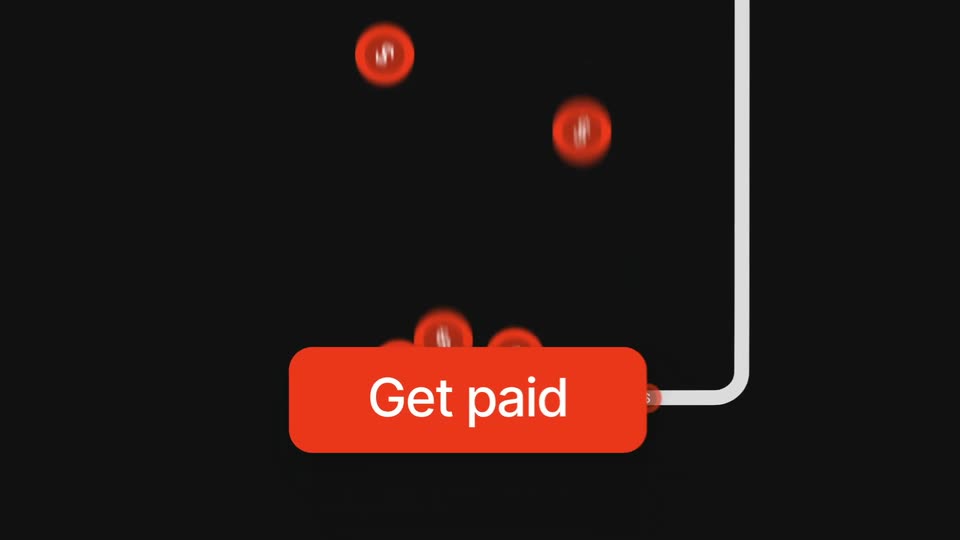
A red rounded button reading Get paid sits low on a black field and scales up. Blurred red coins stamped with a dollar sign fall from the top in a stream. A thin white rounded line frames the right edge.
On-screen text: “Get paid”
Techniques: Kinetic type, Particles
Camera: Static
03 · Feature reveal · 0:02–0:03
A red Get paid tag and a red dollar node sit on a black background, linked by a line. The view tracks to the node and a grey Settlement pill as the red connector extends downward.
On-screen text: “Get paid”, “Settlement”
Techniques: Kinetic type
Camera: Static
04 · Feature reveal · 0:03–0:04
On a black field, a horizontal line, red left of a red dollar node and white right, glides up and left, revealing a vertical white edge that forms a rounded corner. Below it, light pills reading Settlement and Withdraw slide left and blur out of frame.
Camera: Pan
05 · Feature reveal · 0:04–0:08
On a black field, red and white lines link a dollar node to a red “Run ads” pill. The headline “Instantly reinvest your revenue” fades in above with the last word in red, then the view pulls back to reveal the line curving upward.
On-screen text: “Run ads”, “Instantly reinvest your revenue”
Techniques: Kinetic type
Camera: Pan
06 · Feature reveal · 0:08–0:09
A dark “Connect your accounts” panel sharpens from blur to full focus at center, revealing three Meta rows and a blue Continue button as a hand cursor hovers over it. At the bottom, a red line with a dollar badge drops away, its white connector line retracting.
Techniques: Cursor demo
Camera: Static
07 · Feature reveal · 0:09–0:09
A dark account-connection panel sits centered, listing connected Meta rows and a blue button under a hand cursor. The headline Leverage Meta at enterprise level slides in above in white and red. A blurred infinity logo and red line appear at right, a red loop trails below.
On-screen text: “Leverage Meta at enterprise level”
Techniques: Kinetic type, Cursor demo
Camera: Static
08 · Feature reveal · 0:09–0:10
A dark UI layout slides left: a connect-accounts card with a hand cursor on its blue button, the white Meta infinity logo on a red line, and a comment card with a camera icon sharpening into focus on the right. The white-and-red headline slides across the top.
On-screen text: “Leverage Meta at enterprise level”
Techniques: Parallax
Camera: Pan
09 · Feature reveal · 0:10–0:16
A red-accented headline resolves in over a dark field while a funnel of impressions, clicks and leads animates across the center, then the frame cuts to a dashboard where a cursor opens a metric dropdown and a spend line chart draws in.
On-screen text: “and distribute across all major platforms soon”, “Monitor your performance”
Techniques: Kinetic type, Cursor demo
Camera: Pull out
10 · Feature reveal · 0:16–0:17
A dark analytics dashboard fills the frame, the spend panel zooms in as the breadcrumb text slides and the total scales up, then the view settles on a projected gross profit line chart with green figures and a stats column on the right.
Techniques: UI zoom
Camera: Push in
11 · Feature reveal · 0:17–0:19
A dark dashboard shows a white breadcrumb path and a gray label above a green profit figure that counts up from $39,853.75 to $58,434.07, while a pale green area chart climbs to the right; the frame blurs out at the end.
Camera: Pull out
12 · Other · 0:19–0:20
A black card holds the centered line Spend money to make money. The first phrase is white, the second is red, and the whole line scales into focus on a locked frame.
On-screen text: “Spend money to make money”
Techniques: Kinetic type
Camera: Static
13 · Other · 0:20–0:25
Three orange pill labels, Run ads, Grow reach, and Get paid, slide into place around a circle of white curved arrows on a black background. A small glowing dot with a dollar sign travels the loop, lighting up as it passes each stage.
On-screen text: “Run ads”, “Get paid”, “Grow reach”
Techniques: Kinetic type
Camera: Pull out
14 · Outro · 0:25–0:26
On a dark background, a circular flow diagram of three orange pill labels (Run ads, Grow reach, Get paid) joined by white curved arrows slides, then the frame cuts to the centered white Whop wordmark with its orange heart mark.
On-screen text: “Run ads”, “Grow reach”, “Get paid”, “Whop”
Camera: Push in
15 · Outro · 0:26–0:27
The red Whop symbol and white wordmark sit centered on a black field. The wordmark briefly overlaps before settling into a clean lockup, then holds still.
On-screen text: “Whop”
Camera: Static