0:29
Browserbase - Computer use is finally reliable. It just needed a real harness. Now
Browserbase · Jun 2026
Webflow · Aug 2015 · 1:28 · AI-annotated
Webflow’s 1:28 launch film runs 26 scenes, about 3.4 s each. The product shows up at 0:24 and 4 features are revealed. There is no explicit call to action; a voiceover carries the film. The video is a wireframe drawing system: thin strokes assemble interfaces on pale and charcoal fields, then snap, blur or morph between states on a steady mid-tempo pulse. Signature moves are stroke-draw reveals, blur-to-sharp focus shifts and dots traveling along connection lines, with the bicycle and mountain placeholders recurring as content stand-ins.
Is this your launch? to your site or press kit.
Browserbase · Jun 2026
Apple · Hardware · Jun 2025
A small black crosshair sits centered on a plain off-white field. It contracts as a thin square outline forms around its center, the crosshair lines extending past the square edges while the whole mark shrinks slightly.
Techniques: Morph
Camera: Static
A blue square on a design canvas is selected with a dashed outline; its corners round and a gradient fill fades in while the side panels update, then the view pulls back to reveal the full app window.
Techniques: Morph, UI zoom
Camera: Pull out
A flat browser-window wireframe draws itself in on a pale background. A green logo box and dashed nav fade in, then a triangle, square and circle with caption lines, all rendered as thin blue-green strokes that complete over the clip.
Camera: Pull out
A line-art wireframe grid of outlined UI blocks, a blue play circle, a green map pin and a small square logo sits on a pale field. The view pans and zooms across the components, then blurs and fades to empty.
Camera: Push in
A wireframe of a webpage assembles with green, teal and blue connection lines drawing from a stacked icon box on the left, gradient fills and dots sliding along the lines. It then cuts to a design-tool canvas with a left toolbar, two side panels and three blue circles.
Camera: Pull out
A pale design canvas holds three cyan circle outlines, the left one inside a selection box with corner handles and a slider panel with shape icons below it. The frame shifts up to reveal a top toolbar and a blue rectangle outline.
Techniques: UI zoom
Camera: Static
A thin-line wireframe of a browser window, with circles, rectangles and dashed text bars in gray and blue, sits on a pale gray field. The mockup zooms out and settles toward the center while a second window outline with dashed selection boxes glides behind it.
Techniques: UI zoom
Camera: Pull out
A pale field of faint line-art code snippets and UI wireframes drifts across the frame at varying speeds. A central browser wireframe shrinks toward the middle as the view pulls back, while labels for php, CSS, html and xml float at different depths.
Techniques: Parallax
Camera: Pull out
A blurred collage of faint code lines and language labels sits on a pale background, then the background fades to dark gray as the lowercase word webflow blurs into the center.
On-screen text: “webflow”
Camera: Pull out
A dark grid of thin line-art wireframes (image, chart, link, play, toggle, text boxes) holds the white webflow wordmark at center. The elements snap from a soft blurred state into a crisp locked layout.
On-screen text: “webflow”
Camera: Pull out
A dark grid of outlined UI component icons, including an image placeholder, line chart, play button and link, frames the white webflow wordmark at center. The layout holds still, then blurs and fades to black.
On-screen text: “webflow”
Camera: Pull out
On a dark field, scattered wireframe blocks, a chart icon and the webflow wordmark drift and condense into a structured two-panel wireframe layout, a media frame on the left and a sidebar of lines on the right.
Techniques: Morph
Camera: Static
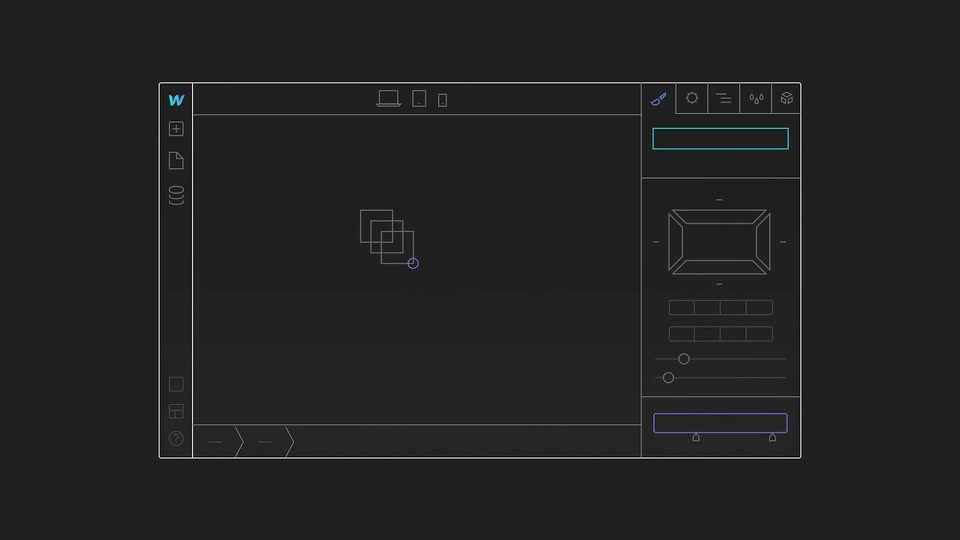
A wireframe of the design tool interface draws in on a dark background. A purple ring highlights the database icon, a circle drags a cluster of squares on the canvas, then the frame zooms in as a purple box with the blurry heading “DATA DRIVEN” appears.
On-screen text: “DATA DRIVEN”
Techniques: UI zoom
Camera: Push in
A dark frame holds a centered stack of three outlined boxes reading DATA, DRIVEN, DESIGN, each with a small blue database icon. Faint line-art UI panels, a text tool, a browser window and a slider bar, fade in around it, hold, then fade out to black.
On-screen text: “DATA”, “DRIVEN”, “DESIGN”
Camera: Static
A dark grid of line icons fills the frame. Three tiles, an image, a link and an Abc text block, glow purple and blue while the grid zooms. The grid fades and the tiles slide into a stacked layout inside a white outlined speech bubble with a BLOG tab.
On-screen text: “Abc”, “BLOG”
Techniques: Morph
Camera: Pull out
On a dark background, a wireframe card labeled BLOG sits at left. Three blue gradient blocks, marked Abc, a link icon, and an image icon, scale down from a large blurred state and snap into a neat card labeled LISTING in the center.
Camera: Static
On a dark background, a dimmed wireframe blog card sits left while a filled listing card with blue gradient blocks slides right, the two templates parting to show both layouts. A new dark block fades in at the listing card's right edge.
Camera: Static
On a dark gray field, six wireframe UI cards (blog, products, video, event, layout, menu) fade in as thin line art. The central products card opens with solid blue gradient blocks that shrink and dissolve into outlines, then the video card brightens and its play icon glows purple.
Camera: Pull out
A dark field holds six wireframe UI cards that drift from an overlapping cluster into a tidy grid. Grey placeholder lettering scales away as cyan, blue and purple strokes draw in along the image, play and dollar icons.
Camera: Static
On a dark background, a pile of overlapping wireframe blog-post cards settles into three columns. The middle card, labeled BLOG POST 1, grows while the side cards shrink, then all three image placeholders expand to full width as extra wireframe blocks slide in at the edges.
Camera: Push in
Three wireframe panels (GRID, BLOG POST, LIST) sit side by side on a light gray background. The center hero image morphs from a mountain to a curve chart to a bicycle at a steady pace, and the same image updates in the grid and list panels.
Techniques: Morph
Camera: Pull out
Three wireframe panels labeled GRID, BLOG POST, and LIST show line-art bicycles and placeholder boxes on a light gray field. The panels morph into tablet, browser, and phone frames, then a zoom into the browser reveals a dark schematic with green connection lines and HTML and CSS labels.
On-screen text: “GRID”, “BLOG POST”, “LIST”
Techniques: Morph, UI zoom
Camera: Push in
A dark circuit-board schematic of thin green, blue and purple lines links small component boxes with text, image and link icons, plus two code panels labeled HTML and CSS. Signal dots travel along the lines as the diagram fades in from a purple haze and fades out to black.
Camera: Pull out
On a dark field, a thin white wireframe of a browser window holds a hero block and a grid of X-marked placeholders. A small blue dot travels the layout, the hero outline glows blue, and the placeholders morph into line-art icons: mountains, a bicycle, and small thumbnails.
Techniques: Cursor demo, Morph
Camera: Pull out
A flat line-art laptop sits centered on a pale gray background. A tablet and a phone, both showing wireframe page layouts with blue and purple icons, slide out from behind the laptop to the left and right, hold in a row, then ghost back over the screen.
Camera: Pull out
A blurred black and blue ink shape sharpens over a faint line drawing of a laptop and phone, morphing into the webflow wordmark as its letters write in one by one, a light blue accent tracing the f. The logo settles centered on a light gray background and holds still.
Techniques: Morph, Kinetic type
Camera: Static