1:11

Découvrez Finary dans vos IA préférées
Finary · Finance · Sep 2026
Vesence’s 0:46 launch film runs 21 scenes, about 2.2 s each. The product shows up at 0:16 and 1 feature is revealed. The call to action lands at 0:40 (88% in).
Is this your launch? to your site or press kit.
Films whose music sounds like this one, voice left out
Insta360 · Cinematic ambient and orchestral
Kling AI · Cinematic, ambient
DJI · Cinematic electronic hybrid
On a near-black background, a centered line of light gray serif text fades in from nothing and holds still. The frame is locked off with no camera movement, and the line remains the only element on screen.
On-screen text: “At law firms, the attention to detail is everything”
Camera: Static
A near-black plain background holds a single centered line of white text. The phrase scales in from a partial state to read in full, then holds still in the middle of the frame.
On-screen text: “Pls Fix...”
Techniques: Kinetic type
Camera: Static
A single email notification card fades in on a dark teal field, then the background brightens to pale blue as dozens of similar cards multiply and drift into a 3D stack. The camera pushes forward through the layered cards, background ones blurred by depth of field.
Techniques: 3D mockup, Parallax
Camera: Pull out
A flat near-black background holds a centered white serif line that fades in word by word, then swaps to the next line in the same style. The sequence runs through a short problem statement and ends on the word Introducing.
On-screen text: “Yet lawyers still rely on legacy software”, “or late-night manual reviews”, “putting their reputation”, “at risk.”, “Introducing”
Techniques: Kinetic type
Camera: Static
A plain off-white frame holds the word Introducing, which dissolves into the brand name Vesence in dark serif type, centered and static.
On-screen text: “Introducing”, “Vesence”
Techniques: Kinetic type
Camera: Static
A pale blue gradient holds a 3D-tilted product panel on the right, its tabs and check list angled in perspective. The gray serif wordmark Vesence at center dissolves as a two-line dark serif headline fades in on the left, while the panel eases toward a flatter angle.
On-screen text: “Vesence”, “AI agents that work inside the tools lawyers already use”
Techniques: 3D mockup, Kinetic type
Camera: Pull out
A 3D-tilted mockup of a document editor, with a Check document panel and a floating blue checkmark, rotates toward the camera and flattens to a front view. A black serif headline on the left fades out as the interface fills the frame.
On-screen text: “AI agents that work inside the tools lawyers already use”
Techniques: 3D mockup, UI zoom
Camera: Pull out
A document editor window floats in 3D perspective on a pale blue gradient, angled toward the viewer. It displays a subscriptions table with two investor rows and a comments panel docked on the right. The whole window tilts slowly, the perspective drifting as the clip holds.
Techniques: 3D mockup
Camera: Pull out
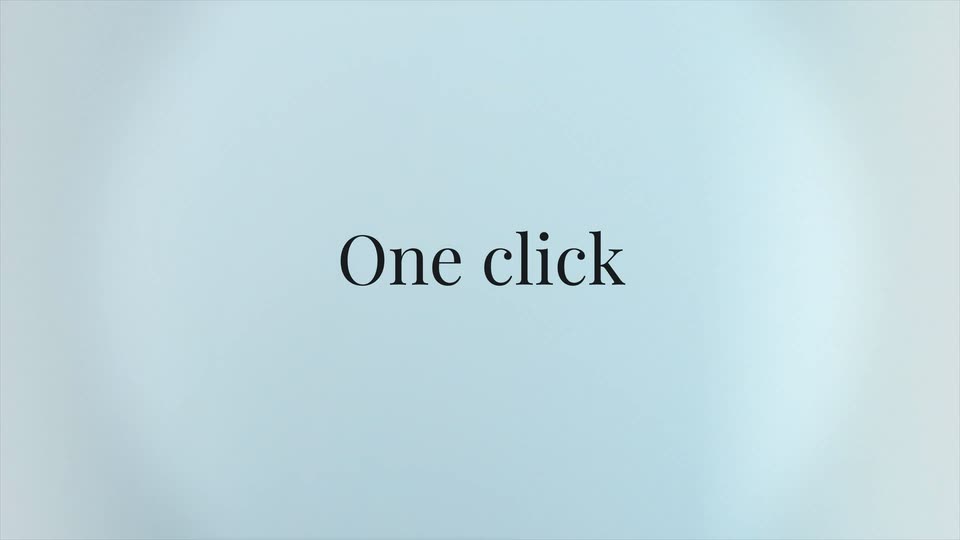
The words “One click” sit centered in a dark serif typeface over a soft, defocused light-blue gradient. The text scales gently in place while the frame stays locked off.
On-screen text: “One click”
Techniques: Kinetic type
Camera: Static
On a soft blue background, 'One click' scales in, 'click' set larger in dark serif. The line switches to 'Vesence reviews every detail in your documents...', then a small gray 'Check' button floats in the center.
On-screen text: “One click”, “Vesence reviews every detail in your documents...”
Techniques: Kinetic type
Camera: Static
A dark rounded button reading Check floats at an angle on a pale blue gradient, ringed by a soft glow. A cyan 3D cursor arrow glides in from the lower right and rests at the button's right edge.
Techniques: 3D mockup, Cursor demo
Camera: Static
A dark rounded button reading Check sits on a white card, tilted in 3D perspective against a soft blue gradient. A blue cursor arrow hovers over the button, then drifts to the right, off the card. The frame stays locked.
Techniques: 3D mockup, Cursor demo
Camera: Static
A white rounded card sits tilted in 3D perspective on a soft blue gradient, glowing. The serif wordmark Vesence scales in above it. Inside, a checklist under Gathering context fills line by line, the top three rows gaining checkmarks.
On-screen text: “Vesence”
Techniques: Kinetic type, 3D mockup
Camera: Static
On a pale blue field, a tilted white checklist card recedes in 3D as three notification bars with red dots rise into the foreground and settle in a staggered stack.
Techniques: 3D mockup
Camera: Static
A shallow-focus list of white check rows floats on a pale blue field, only the focused row sharp while the rest blur. The blue cursor glides down the list and the active row scales up, then unfolds into a tall result card showing pass and fail rows.
Techniques: Cursor demo, Morph, Parallax
Camera: Pull out
A close-up of a term sheet comparison panel with a critical flag zooms out to reveal the full document editor, showing a subscriptions table on the left and the check results panel docked on the right.
Techniques: UI zoom
Camera: Pull out
A legal document editor with a subscriptions table and a term sheet analysis panel sits behind a large dark serif headline. The interface fades out, leaving the static centered headline on a plain light blue gradient.
On-screen text: “So you don't have to send another pls fix again”
Camera: Static
On a pale blue gradient, a centered serif line reads the full sentence; the words begin overlapping in the middle and drift apart to settle into a clean line, on a locked-off frame.
On-screen text: “So you don't have to send another pls fix again”
Techniques: Kinetic type
Camera: Static
Near-black background: the line “So you don't have to send another pls fix again” fades out as “Raise the standard across the firm, one detail at a time” scales in at the same spot, holds, then dissolves as a large dark serif “Vesper” wordmark emerges beneath.
On-screen text: “So you don't have to send another pls fix again”, “Raise the standard across the firm, one detail at a time”, “Vesper”
Techniques: Kinetic type
Camera: Static
On a near-black field, the Vesence wordmark in a white serif face scales up to full size at center, its soft gradient fill settling to solid white. The small gray tagline Book demo today then fades in beneath it.
On-screen text: “Vesence”, “Book demo today”
Techniques: Kinetic type
Camera: Static
The white serif wordmark Vesence holds centered on a near-black field, with a small Book demo today line beneath it. The lockup scales gently in place, then fades to black as the sign-off.
On-screen text: “Vesence”, “Book demo today”
Techniques: Kinetic type
Camera: Static