0:23

Moonshot - Introducing Moonshot Packs. Rip, reveal, and collect. Memecoins hav
Moonshot · Consumer · Jun 2026
Unity AI · May 2026 · 0:59 · Full motion · AI-annotated
Unity AI’s 0:59 launch film runs 29 scenes, about 2.0 s each. The product shows up at 0:05 and 6 features are revealed. The call to action lands at 0:56 (96% in). The video is built as a repeating loop of a typed prompt card on near-black, followed by its 3D payoff in the arena, then a fast combat montage and a locked-off beta card. Signature moves are letter-by-letter typing, prompt cards sliding over live renders, and whip-tilt camera settles that level out into the colosseum.
Is this your launch? to your site or press kit.
Moonshot · Consumer · Jun 2026
Magic Eden · Feb 2024
Films whose music sounds like this one, voice left out
Showdown · Hard Techno / Hardstyle
Whoop · Electronic dance music
Polygon · Electronic
On a black field, the question builds up word by word in the center, while a thin glowing blue arc curves along the lower left and a faint purple sliver rests at the right edge.
On-screen text: “What are you creating?”
Techniques: Kinetic type
Camera: Static
A dark, four-pointed star with glowing blue and pink edges scales up from the top right into the center of a black frame. White text builds word by word in the middle.
On-screen text: “What are you creating?”
Techniques: Kinetic type
Camera: Static
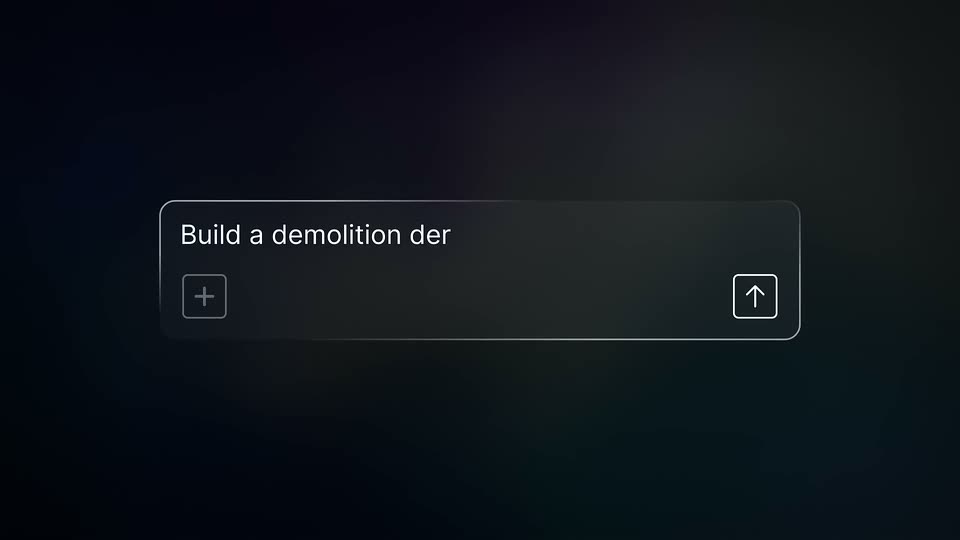
A rounded prompt field on a dark blue-black gradient shows the gray placeholder 'Give a command'. White text types in as 'Let's build a game...', backspaces to 'Let's build', then types 'Build a demolition derby arena using my assets.' Plus and up-arrow buttons sit at the corners.
Techniques: Kinetic type
Camera: Static
A floating 3D castle of tan brick blocks and red heraldic banners drifts against a blue sky. The view orbits to reveal columns, arches and staircases. A small caption overlays the scene.
On-screen text: “Build a demolition derby arena using my assets.”
Camera: Push in
A 3D-rendered sand arena with a curved colonnade and red banners starts at a steep diagonal tilt, then the camera rotates and settles level, revealing the full colosseum interior and a small temple gate on the right.
On-screen text: “100”
Camera: Pull out
On a near-black field, a rounded prompt box types out the line about creating a car with references. Two reference thumbnails, a car and a wheel, drop in from above, then settle into file pills below the box while the right button flips from an up-arrow to a stop square.
Techniques: Kinetic type
Camera: Pull out
Full-screen capture of a Unity editor: a dark SUV bounces and settles in a sandy 3D arena with arched walls, while a flat white sun icon and heart icon with a cursor arrow float over the viewport. A caption slides in at the top left.
On-screen text: “Create a car with these references.”
Techniques: 3D mockup
Camera: Pan
Inside a 3D editor viewport, a black car with a green axis gizmo and orange selection box sits on sand in a colosseum; the camera orbits from rear to front while a dark tooltip with a caption appears and fades. A left toolbar and two white overlay icons stay fixed.
On-screen text: “The car is my player, let me control it.”
Camera: Pull out
A prompt card reading “Add a gun to the roof. Write a script to aim and shoot.” floats on a dark background, with plus and upload icons. It slides down as a code editor panel labeled CameraAimController.cs slides in from the top, revealing C# code.
Camera: Static
A dark AI chat interface fills the frame. A code diff with green and red lines sits at the top above a collapsed Thoughts row, followed by body text about fixing camera panning. An input box at the bottom holds the prompt text, which slides in, while the whole panel drifts up slightly.
Camera: Static
A split screen pairs a code panel on the left with a 3D game viewport on the right. The arena brightens and the in-game camera pans as a small figure on the car's roof lifts a gun.
Techniques: Split screen
Camera: Static
A 3D-rendered Roman arena sits under a blue sky as a dark caption card types out “Change the skybox to be darker and dramatic.” beside small plus and arrow icons. The card then disappears and the skybox flips to a deep red storm.
On-screen text: “Change the skybox to be darker and dramatic.”
Techniques: Kinetic type
Camera: Pan
A dark screen holds a flat prompt bar at lower left while a 3D plaza with columns and red banners sits on the right. The bar types out the prompt letter by letter, then the send button gains a teal outline as the line completes.
Techniques: Kinetic type
Camera: Pull out
A 3D coliseum under a red sky holds a skeletal statue with a hammer as a fog settings panel sits at right. The camera orbits left and the haze thickens, softening the arena and glowing the statue's eyes.
On-screen text: “Transform this scene with dystopian fog.”
Camera: Pull out
A dark fog-settings panel floats over a 3D stadium at dusk. The Fog Color swatch changes from red to purple, a Color picker window opens on the right, and the background sky and haze retint to purple.
Camera: Static
A dark fog-settings panel lists parameter rows with checkboxes over a blurred dusk stadium render. A color picker window with a rainbow wheel and gradient square overlaps it on the right. The fog color swatch shifts from brown to orange.
Camera: Static
A rounded prompt input box sits on a dark gradient void, its text typed out letter by letter, first reading 'aliens' then backspaced and retyped to 'robots'. The up-arrow button flips to a teal stop square as a 3D crowd of robots on yellow stadium steps fills the frame behind the box.
Techniques: Kinetic type
Camera: Static
A warm, hazy 3D coliseum packed with waving robot figures fills the frame, the camera drifting across the steps. It then pulls back into a grid of nine 3D scene thumbnails, each carrying a short caption and upload icons.
On-screen text: “Spawn a crowd of cheering robots.”
Techniques: Split screen, Parallax
Camera: Pull out
A flat grid of game scene thumbnails, each with a dark caption box and small icons, fills the frame, then the whole grid fades to black, leaving only a faint central glow.
Camera: Push in
A dark sedan with glowing headlights drives left across a hazy amber desert, kicking up a pale dust trail, while a low wall of stacked pale blocks runs across the foreground.
Camera: Static
A hazy orange colosseum arena fills the frame as a dark armored car with a roof turret drives across the sand, its headlights glowing. The camera tracks the vehicle past stone steps and a draped statue base.
Techniques: Parallax
Camera: Pan
Two armored off-road trucks with oversized tires sit in a dim reddish desert tunnel, headlights glowing. The exposure lifts from near-black and a horizontal light streak sweeps across the frame.
Techniques: Light sweep
Camera: Push in
A 3D rendered beacon with five round lamps on a riveted metal body. The lamps ignite from partial crescents to full yellow glow while the camera pushes in. Blurred red horizontal light streaks drift behind the device.
Techniques: 3D mockup
Camera: Push in
A boxy red robot with two white ball antennae hovers above a glowing orange sign reading FIGHT in white segmented letters, set in a hazy amber backdrop in a locked-off shot.
On-screen text: “FIGHT”
Techniques: 3D mockup
Camera: Static
A dark muscle car crosses a hazy orange coliseum track while a figure fires a yellow beam at oncoming armored trucks. A red crosshair reticle overlays the car.
On-screen text: “FIGHT”
Camera: Static
A dark muscle car with a glowing blue blade on its roof drives forward through a sandy arena, tracked from behind. Red and orange laser lines cross in front of it while a truck and packed stands sit in the hazy background.
Camera: Pull out
A dark muscle car drives across a sandy desert arena while a figure on its roof fires a yellow laser at a blue orb. An orange explosion bursts behind a truck against a colonnaded colosseum. The camera tracks the car from behind.
Techniques: Particles, Parallax
Camera: Push in
Rear view of a dark muscle car in a hazy orange wasteland, a figure on its roof fires a vertical red laser beam at an armored truck bearing down head-on, the frame pushes in to tighten on the car and the beam.
Camera: Push in
On a dark gradient background, the white Unity AI wordmark sits centered with a small outlined BETA pill to its right, and a smaller line below reads Open beta available now at Unity.com/ai. The frame is locked off and all text holds still.
On-screen text: “Unity AI”, “BETA”, “Open beta available now at Unity.com/ai”
Camera: Static