
0:29
Explore
00:00:00 / 00:23:04
- Length
- 0:23
- Scenes
- 6 · 3.9 s avg
- Product on screen
- 0:00
- Voiceover
- No
- Views
- 36 on YouTube
as of November 28, 2026
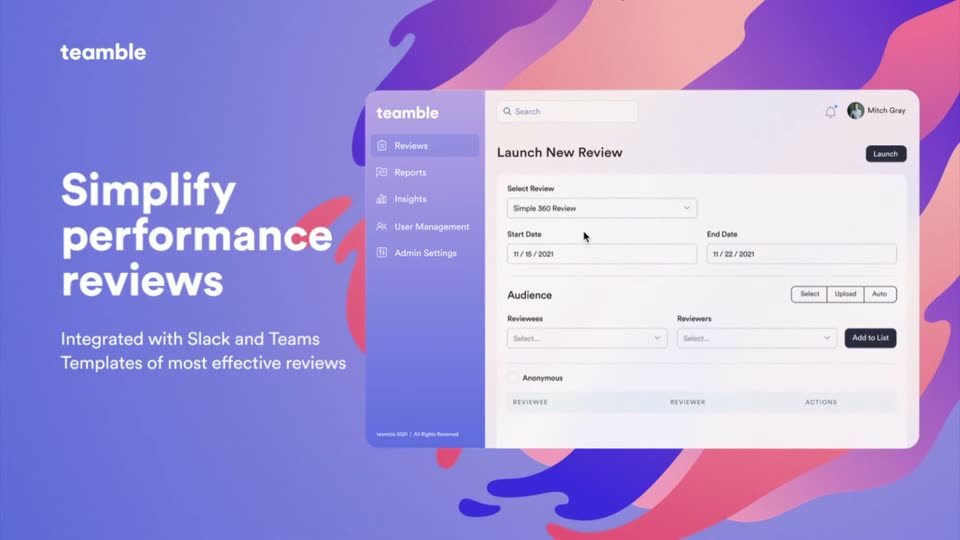
Teamble’s 0:23 launch film runs 6 scenes, about 3.9 s each. The product is on screen from the first frame. There is no explicit call to action. One split layout carries the whole middle: a static white headline on the left and a flat app mockup on the right that plays a continuous cursor walkthrough across three crossfades. The animated wordmark bookends the piece, and the close dissolves the UI into a locked logo card on the same purple brushstroke field.
No filming indicatedEstimated needs: 1 capture group — your screens or recordings · 1 official logo — reused across the film · 1 graphic passage — draw or supply
Is this your launch? to your site or press kit.
More like this


0:57
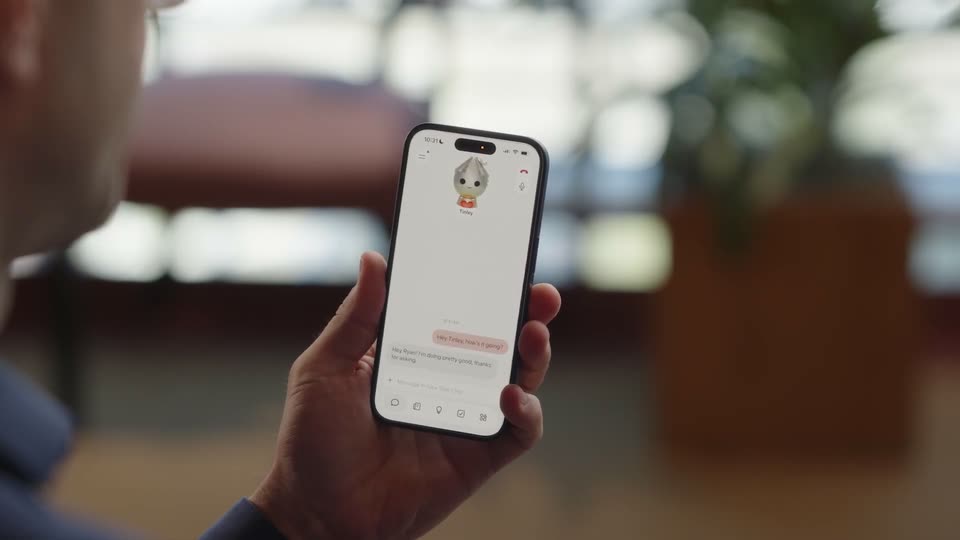
Introducing Voice & Real-Time Avatars
Muse · Nov 2026
0:52
Abhijit - Introducing Hiredmail Hiring inboxes, verified and sorted. YC compa
Hiredmail · Nov 2026
Simplify Performance Reviews with Teamble, scene by scene
· 6 scenes as text
01 · Product intro · 0:00–0:01
A white t mark sits centered on a blue to cyan gradient. The letters eam and b then appear on either side, completing the teamble wordmark in place.
Camera: Static
02 · Demo · 0:01–0:14
A flat teamble app window sits right of a static white headline on a purple gradient with abstract blobs. A cursor clicks the Simple 360 Review card, the panel cross-fades to a launch form, then to a reviewer list as the cursor reaches the Launch button.
On-screen text: “Simplify performance reviews”, “Integrated with Slack and Teams”, “Templates of most effective reviews”
Techniques: Cursor demo
Camera: Static
03 · Demo · 0:14–0:16
A purple gradient background with flowing pink and violet brushstrokes fills the right side. A white headline sits left while a flat Slack notification card fades in on the right and a cursor glides to its Start Reviews button.
On-screen text: “Simplify performance reviews”, “Integrated with Slack and Teams”, “Templates of most effective reviews”
Techniques: Cursor demo
Camera: Static
04 · Demo · 0:16–0:20
A product interface mockup displays a performance review form over a colorful abstract background. A cursor moves down the screen, hovering over radio buttons, a text field, and a submit button.
On-screen text: “Simplify performance reviews”, “Integrated with Slack and Teams”, “Templates of most effective reviews”
Techniques: Cursor demo
Camera: Static
05 · Outro · 0:20–0:21
The 3D product window and left-side headline dissolve out while the centered teamble wordmark and tagline fade in over a purple field of flowing pink and blue shapes. The frame locks off on the logo sign-off.
On-screen text: “Simplify performance reviews”, “Integrated with Slack and Teams”, “Templates of most effective reviews”, “where great teams are built”
Camera: Static
06 · Outro · 0:21–0:23
A purple-to-pink gradient fills the frame. The white teamble wordmark sits centered with the tagline beneath it. The lockup holds still on a locked-off frame for the duration of the clip.
On-screen text: “where great teams are built”
Camera: Static