0:25
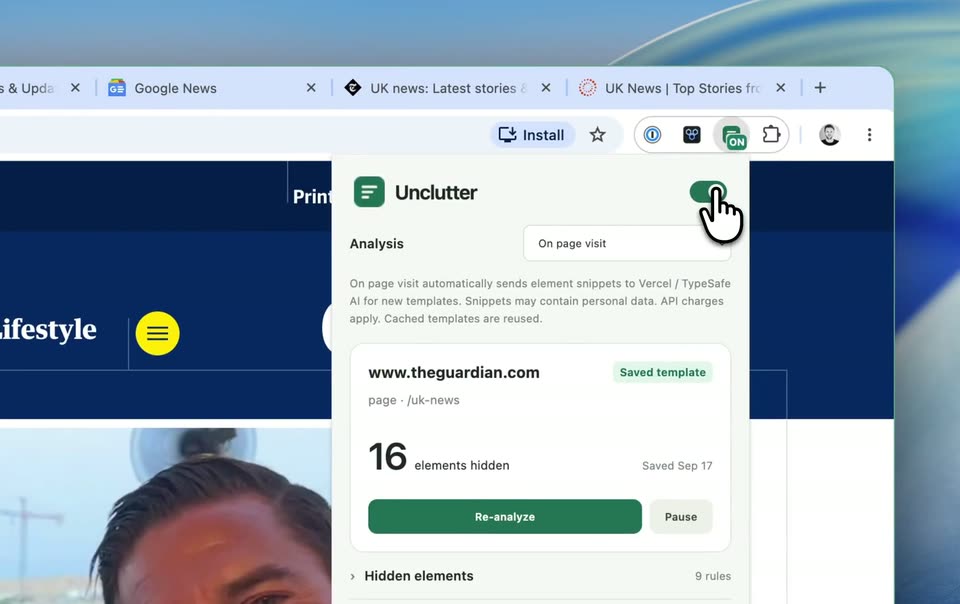
Dr. Kitze ❤️ healthmaxx.app - introducing Unclutter: a smart ad + slop blocker with Jev 🤓 it auto
Unclutter (by Kitze) · Sep 2026
Symphony · Oct 2024 · 2:42 · Full motion · AI-annotated
Symphony’s 2:42 launch film runs 12 scenes, about 14 s each. The product is on screen from the first frame and 2 features are revealed. The call to action lands at 2:23 (88% in), over a voiceover. The video opens on a static Symphony title slide with the founder in a circular webcam, then moves into a locked-off screen recording that tours the dashboard feature by feature, and closes on a direct ask to chat. Style is defined by the fixed presenter avatar and rolling dark subtitle bar, a clean white-to-blue gradient, and minimal functional motion: cursor moves, crossfades, gentle zooms into panels, and a typed interview transcript as the only sustained on-screen movement.
Is this your launch? to your site or press kit.
Unclutter (by Kitze) · Sep 2026
Locked-off screen recording of a white slide with the blue Symphony wordmark and italic tagline. A circular webcam of a bearded man in white sits bottom left; a dark bar rolls subtitles below. At 12s the slide cuts to a three-bullet list, a cursor rests at right.
On-screen text: “Hi, I'm Murtaza, CEO and”, “co-founder of Symphony. I want to”, “tell you how we're helping”, “companies hire high-quality,”, “customer-facing roles much, much”, “faster, all giving candidates a more”, “enjoyable and supportive experience”, “in the recruiting process. We do this”, “by screening applications and”, “resumes, interviewing candidates with our voice AI interviewer, and own all admin work and scheduling the top candidates with the hiring”
Camera: Static
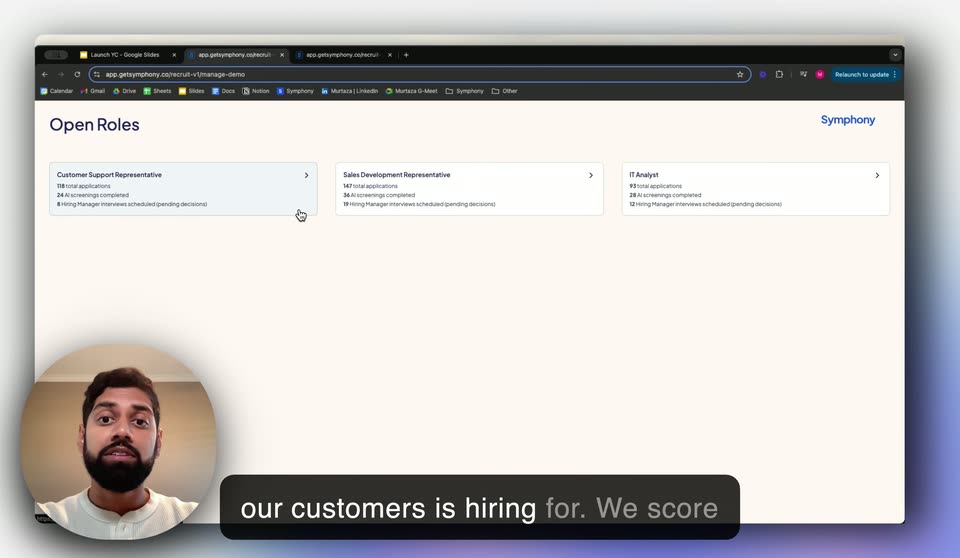
A browser window holds the Symphony Open Roles page, three job cards in a row. A circular video-call avatar of a bearded man anchors the lower left, and a dark caption bar runs along the bottom. The frame stays still while a cursor hovers over the first card.
On-screen text: “our customers is hiring for. We score”
Techniques: Cursor demo
Camera: Push in
A screen recording of a hiring dashboard: a cursor rests on the Customer Support Representative card, then the view crossfades to that role's candidates page with its tab row. A circular presenter photo sits bottom left and a dark caption bar carries the narration along the bottom.
On-screen text: “our customers is hiring for. We score”
Techniques: Cursor demo
Camera: Push in
The Symphony candidates page fills with applicant cards and a detail panel, then the view zooms into the Evaluation Scores column. A presenter's face sits in a circular window at the bottom left while subtitles run along the bottom.
On-screen text: “our customers is hiring for. We score”, “each application based on”, “assessment criteria set for the role,”
Techniques: UI zoom
Camera: Push in
The clip opens on a close-up of an evaluation panel with fit scores, then zooms out to the full candidate list and back in on the accept and reject buttons. A circular webcam of the presenter sits in the corner, with a dark caption bar at the bottom.
On-screen text: “assessment criteria set for the role,”, “making it easier for the recruits to”, “make the final call on who to”, “progress. At this point, select”
Techniques: UI zoom, Cursor demo
Camera: Pan
A close-up of the candidate detail panel zooms out to reveal the full Symphony dashboard in a browser window, with the candidate list on the left and the summary and evaluation scores on the right. A black caption pill sits at the bottom of the frame.
On-screen text: “progress. At this point, select”
Techniques: UI zoom
Camera: Pull out
A flat browser view shows the Symphony candidates page with a table of names and emails. A circular video-call avatar of a bearded man sits in the lower left. A dark rounded caption bar at the bottom swaps through voiceover subtitles while the interface stays still.
On-screen text: “candidates receive a voice AI”, “interview request. Our AI interviewer”, “is empathetic and creates a”
Camera: Static
A floating browser mockup on a white-to-blue gradient shows the app's interview intro with an AI avatar and Continue button, while a circular live video of the presenter sits bottom-left. A dark caption bar cycles phrases in sync with the voiceover, and a cursor drifts toward the button.
On-screen text: “is empathetic and creates a”, “collaborative experience for”, “candidates to really show off their”, “best self. Interviews should be a”
Techniques: Cursor demo
Camera: Static
A browser window shows the Symphony voice-interview setup page; checklist lines appear one by one and the cursor moves to the Begin Conversation button. A presenter's face-cam sits bottom-left as white captions roll on a black bar, then a yellow arrow points at the cursor on the next screen.
On-screen text: “best self. Interviews should be a”, “two-way street so candidates can”, “use the time to ask questions about”, “the company, team, and role. We”, “found candidates feel more”, “comfortable talking with our voice AI”, “interviewer than recruiters. They feel”, “less nervous and can share more”, “openly about their experiences. Let”, “me actually show you a quick”
Techniques: Cursor demo
Camera: Push in
A tilted browser window on a gradient background shows the Symphony app. A circular video feed of a bearded man sits at lower left. Blue transcript text types out line by line on the right as a dark caption bar at the bottom updates with the spoken words.
On-screen text: “snippet from an interview. Yeah,”, “proactive in ensuring customer”, “satisfaction and engagement. How”, “and issues, especially if a customer”, “tool? Yeah, that would happen a lot”, “actually. Sometimes you, I think”, “available, get on a call, answer”, “slacks or texts, just to make sure”, “that they've heard, can be very good”, “understand what the problem is. And”
Techniques: 3D mockup
Camera: Pull out
A browser screen of the Symphony candidate page with a circular presenter video in the lower left and a caption bar along the bottom. The view zooms into the AI score cards, then back out to the transcript and candidate list.
On-screen text: “Once the interview is complete”, “recruiters can see the individual”, “assessment scores. These criteria”, “customizable for each role and”, “make it really easy for recruiters to”, “decide who to move forward in the”, “process. They also get the transcript”, “and the recording to fall back on if”, “needed. And finally, we own all”
Techniques: UI zoom, Cursor demo
Camera: Static
A tilted laptop frame holds the Symphony candidates page, its table of names and interview times filling in after an empty state. A circular video-call avatar of a bearded man speaks at the lower left, and a dark rounded subtitle bar cycles white caption lines along the bottom.
On-screen text: “needed. And finally, we own all”, “admin coordination between the”, “hiring manager and the candidate to”, “schedule the next interview. Some of”, “our customers are seeing their time”, “to fill reduced as low as two days”, “while only using 20% of the”, “resources. So if you're interested in”, “driving a better candidate”, “experience and hiring better talent. Let us know. We'd love to chat. Thanks.”
Techniques: 3D mockup
Camera: Static