0:26

Introducing Hana - A new canvas for interactivity - by Spline
Spline · Design · Apr 2025
Slack · Sep 2023 · 1:29 · Full motion · AI-annotated
Slack’s 1:29 launch film runs 24 scenes, about 3.7 s each. The product is on screen from the first frame and 4 features are revealed. The call to action lands at 1:13 (82% in), over a voiceover. A feature tour built as a title card, a two beat overview, then one short block per feature (channels, search, private channels, DMs), each pairing a flat icon pill with a zoomed UI mockup, and closing on a verbal CTA and the logo lockup. Signature moves are the expanding rounded pill that morphs into interface elements, circular wipe transitions, and a cartoon hand cursor that drives every click, all on flat solid color fields at a steady mid tempo.
Is this your launch? to your site or press kit.
Spline · Design · Apr 2025
Runway · AI · Oct 2026
Films whose music sounds like this one, voice left out
ElevenLabs · Electronic
Family · Modern electronic
Spine · Modern electronic
Flat rounded pills in yellow, white, red, blue and green slide in from the edges of a dark purple field, joined by soft translucent circles. The word “Conversations” fades in on the white pill at center left as the shapes settle.
On-screen text: “Conversations”
Techniques: Kinetic type
Camera: Static
A white pill on a dark purple field of abstract chat-bubble shapes expands as the text slides in from the left, while the yellow, pink, blue and green pills drift slowly behind it.
On-screen text: “Conversations in Slack”
Techniques: Kinetic type, Masking
Camera: Static
A white Slack channel window slides down to center on a purple background. The thread fills in row by row, Lisa's question appears, and a reaction count pops in as the caption slides in.
On-screen text: “Conversations in Slack”
Techniques: Kinetic type
Camera: Pull out
A chat panel on a deep purple background crossfades from a group channel showing three members to a direct message view with Sara. The panel shifts slightly right while the message list swaps and a new message from Sara slides in near the bottom.
Camera: Static
A white chat card sits centered on a purple background. The header and two message rows slide and scale into place, showing a skeleton bar for Sara and the line 'We closed the deal!' from Lisa, above an empty input field.
Camera: Static
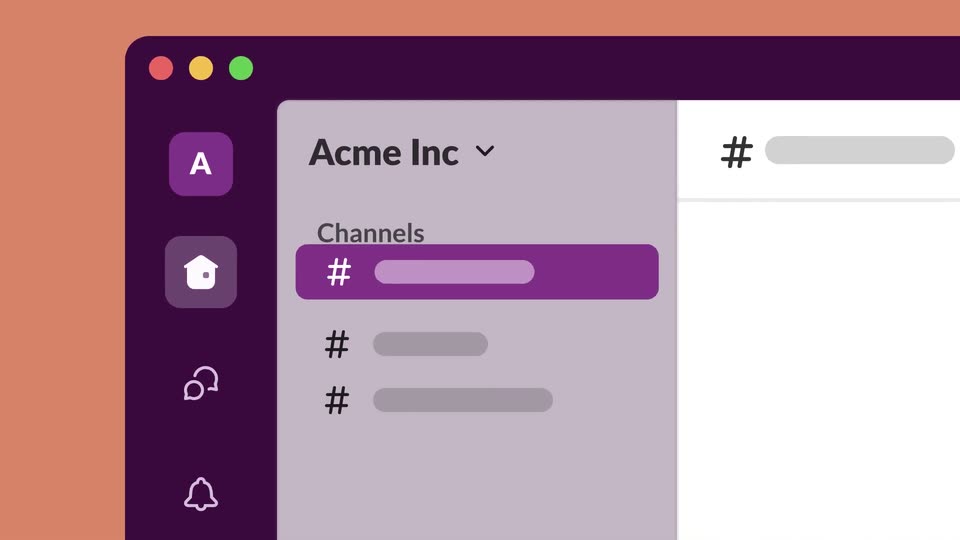
A flat purple chat-app window on a peach background slides left, its icon sidebar trailing behind. The channel list under Acme Inc shows gray placeholder bars, and the first row fills solid purple as it is selected.
Camera: Pan
A purple circle on a terracotta background expands into a pill reading # channel, which swaps to # sales-team. The pill slides left to reveal four circular headshots, and a cartoon hand cursor hops from avatar to avatar.
On-screen text: “# channel”, “# sales-team”
Techniques: Morph, Kinetic type, Cursor demo
Camera: Static
On a terracotta background, a purple # sales-team pill with four circular headshots and a white hand cursor slides upward, revealing a flat chat-app window below with a sidebar and placeholder message bars; the cursor drops onto the sidebar.
On-screen text: “# sales-team”
Techniques: Kinetic type, Cursor demo
Camera: Pan
A flat chat app window on a peach background. A cursor clicks More in the left sidebar, a panel slides in, hovers Acme Inc to open a nested submenu, then hovers the Channels row.
Techniques: Cursor demo
Camera: Static
A flat channel-list window on a peach background shows gray skeleton rows, with one row fully rendered as '# project-website'. A white cursor glides diagonally down-left across the list, ending near the green 'Joined' label.
Techniques: Cursor demo
Camera: Static
A purple chat window on an orange background: a cursor selects the project-website channel, the view zooms into the thread, a question is typed and sent, replies from three users and a join notice appear one by one, then the camera pulls back to the full window.
Techniques: Cursor demo, UI zoom
Camera: Pull out
A purple pill with a white magnifying glass icon stretches right into a white search field on a terracotta background. A hand cursor taps it, “Website update” types in, and the bar morphs into a white card listing “Project brief” and “# web-design-demo”.
Techniques: Cursor demo, Morph
Camera: Static
On a terracotta background, a white rounded search card showing the query “Website update” and two result rows slides out to the left, while a purple pill with a white lock icon slides in from the right edge.
Camera: Pan
On a terracotta background, a white card with a close X slides out to the left as a purple pill with a white lock icon moves left, revealing a lavender bar where two circular avatars, a woman with a red headscarf and a man, scale in.
On-screen text: “# web-design-demo”
Camera: Static
A horizontal pill on a terracotta field pairs a purple padlock segment with four circular headshots on colored discs. The faces slide in from the right, the last one swaps to a different man, then a blue circle scales up behind the bar.
Techniques: Masking
Camera: Static
A purple pill on a blue field shows a padlock icon beside four circular avatars. The icon swaps to a chat bubble and the avatars trim to two, then a cut to a flat direct messages window listing four contacts.
Camera: Push in
A purple-framed chat window tilts in 3D, then flattens to a front view on a blue field. A cursor clicks through the DM list, swapping the right-hand chat between Arcadio and Zoe, then hits the headphone icon to pop open a two-person huddle window.
Techniques: 3D mockup, Cursor demo
Camera: Push in
A dimmed chat interface with a direct messages list sits behind a centered huddle window titled Huddle with Zoe. The window shows two participant photos, a row of call controls, a pink Leave button, and a text field. Static flat front view on a blue gradient.
Camera: Static
A tilted Slack huddle window, showing two video participants and a red Leave button, floats on a blue field. A dark blue circle grows from the center and swallows the interface, leaving a single white circle on blue.
Techniques: 3D mockup, Masking
Camera: Pull out
A flat white Slack channel card for # project-website is centered on a dark purple field. Lisa's message and three emoji reaction pills appear, the counts tick up, then the card slides right and shrinks as a new card enters from the left.
Camera: Pan
A white chat window slides in from the right on a purple background. Skeleton bars flash, then a message from Lisa with a photo of a dog in a green sweater slides in, reaction chips pop below, and the camera zooms into the message.
Techniques: Masking, UI zoom
Camera: Push in
Flat illustration on a peach background: a white panel with a gray dropdown pill, and a dark purple circular help button with a white question mark at the top right. A white hand cursor glides to the button and clicks it, sending a ripple ring outward.
Techniques: Cursor demo
Camera: Static
A dark purple circle grows from the center, wiping away a peach backdrop and a gray panel at the left edge. Five small dots in green, blue, orange, pink and yellow spread from a tight cluster into a loose cross, the orange one stretching into a bar.
On-screen text: “P”, “V”
Techniques: Masking
Camera: Static
On a flat deep-purple background, the colorful Slack hashtag mark sits left of the white lowercase wordmark, with the tagline centered beneath. The tagline eases in from a soft blur to a sharp lockup, then holds as the sign-off.
On-screen text: “Where the future works”
Camera: Static