1:14
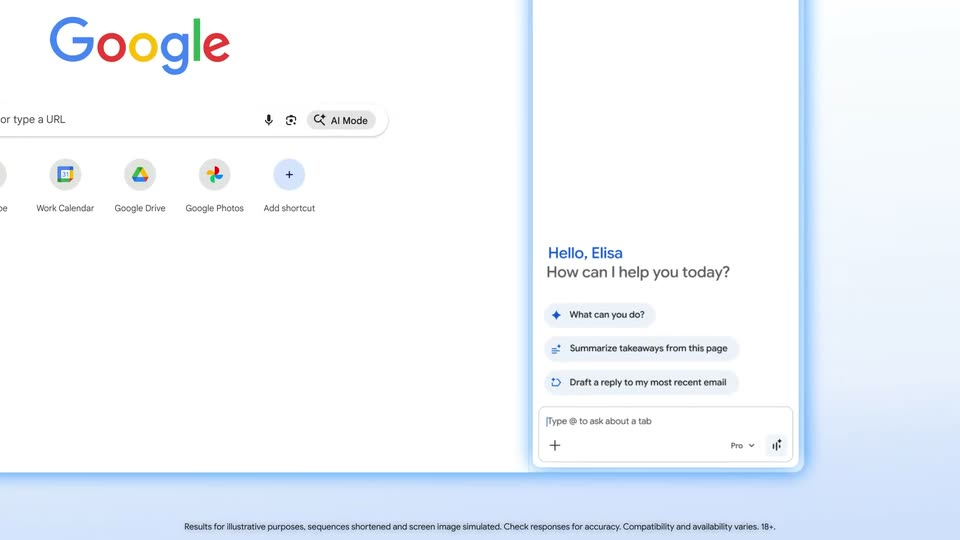

Google - We’re introducing major updates to Gemini in @GoogleChrome for MacOS,
Google · AI · Jan 2026
Serra’s 1:50 launch film runs 23 scenes, about 4.8 s each. The product shows up at 0:03 and 4 features are revealed. The call to action lands at 1:37 (88% in), over a voiceover. The video alternates a founder talking head with flat browser mockups, using slow zooms, typed text, and sidebar clicks to move through features. Its style is calm and product-led, built on pale gray backgrounds, a persistent bottom caption bar, and crisp logo cards.
Is this your launch? to your site or press kit.
Google · AI · Jan 2026
Pixley AI · Consumer · Oct 2025
Films whose music sounds like this one, voice left out
Figma · Upbeat electronic
Sandra AI · Upbeat electronic, hip-hop, and funk
Dream · Upbeat electronic
A browser window mockup of a recruiting dashboard tilts in 3D space, then settles flat toward the camera. The interface shows a left sidebar and a grid of four candidate profile cards with fit ratings, on a pale gray background.
Techniques: 3D mockup
Camera: Pull out
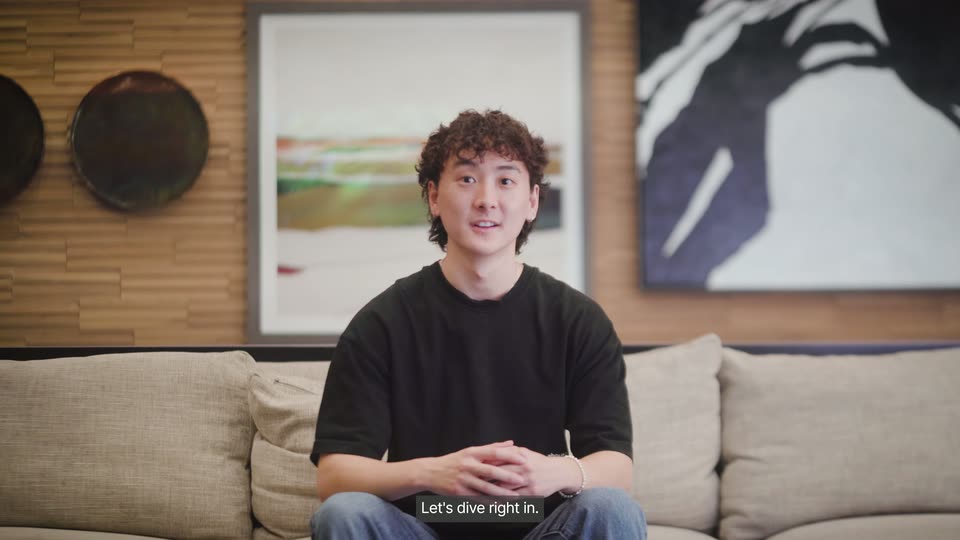
A man in a black t-shirt sits on a beige couch against a wood-slat wall, speaking and gesturing with his hands. A white lower-third name label holds on the left, and white subtitles appear in a dark bar at the bottom.
On-screen text: “Alan Wang”, “Co-founder of Serra”, “Hi, I'm Alan”, “and today I'm really excited to share Serra”
Camera: Static
The Serra lockup, a blue circle with a white mountain beside the blue wordmark, sits centered on a light gray background. It scales up slightly while the tagline The search engine fades in to its left, and two subtitles run along the bottom.
On-screen text: “and today I'm really excited to share Serra”, “The search engine”, “the AI-driven search engine built for recruiters.”
Camera: Static
A centered black headline on a flat light-gray field eases in from a soft blur to sharp focus. A small white caption on a dark gray bar stays locked at the bottom edge.
On-screen text: “The search engine for recruiters”, “the AI-driven search engine built for recruiters.”
Camera: Static
A man in a black tee sits on a beige couch talking, then a flat Serrа browser interface scales in over him, showing a sidebar, a search bar and four role cards. He stays visible at the bottom edge as the UI takes over the frame.
On-screen text: “the AI-driven search engine built for recruiters.”, “Let's dive right in.”
Camera: Static
The Serra interface in a browser window, showing a search bar and four role cards, zooms in to drop the sidebar and frame the search field, where a text caret appears.
On-screen text: “Let's dive right in.”, “I'll ask Serra”
Techniques: UI zoom, Cursor demo
Camera: Push in
Close-up of the Serrra search screen: a job brief is typed letter by letter into the search field above four role cards, while a caption bar narrates the requirements. The frame pulls back to the full browser window and a cursor clicks the Start button.
On-screen text: “I'll ask Serrra”, “to help me find candidates”, “for a marketing analyst role in New York.”, “We need someone from a top ten U.S.”, “business school.”, “with two plus years in growth”, “marketing, strong skills in Google”, “Sheets, Looker and SQL,”, “and the ability to manage”, “multiple workstreams and partnerships. Sarah first generates the best keywords for your search.”
Techniques: UI zoom, Cursor demo
Camera: Pull out
A dimmed browser window frames a white modal reading Processing your query into filters with a small blue pixel icon, while a cursor hovers over it. The modal then expands into a full Filters panel listing City, Country, roles and other fields. Subtitles run along the bottom.
On-screen text: “the best keywords for your search.”, “No need for complex boolean strings.”, “Serra understands”
Techniques: Cursor demo, Morph
Camera: Push in
A two-column filter form with text fields scrolls slowly downward while the mouse cursor drifts down the left column. At the bottom edge, a gray caption bar swaps through short phrases of the voiceover.
On-screen text: “your query”, “and infers the necessary job”, “titles, experiences and skills.”
Techniques: Cursor demo
Camera: Pan
A white filter form with labeled text fields is shown, then the view reframes onto the University field as a cursor hovers and the field fills with a list of top business schools. The view then zooms out to reveal the form inside a browser window.
On-screen text: “titles, experiences and skills.”, “It even filters by top”, “ten business schools automatically.”, “Next, Serr”
Techniques: Cursor demo, UI zoom
Camera: Pull out
A browser window shows the Serrra search interface. Four placeholder cards load, then fill with candidate profiles, photos and green High Fit bars. The view zooms in as summary text types in word by word, then zooms out as the cursor moves down the sidebar.
Techniques: UI zoom, Kinetic type, Cursor demo
Camera: Push in
A browser window shows the app's past searches table. A cursor moves down the sidebar and hovers the Email button on the top row, then the view pulls back to reveal the full window. A caption appears at the bottom.
On-screen text: “the information into this search.”, “also automates outreach and research.”
Techniques: Cursor demo
Camera: Pull out
A 'Create Email Campaign' modal sits over a dimmed inbox. The frame zooms onto the modal as a cursor clicks the Context tab, rests in the text field, then returns to Candidates and ticks three checkboxes. Subtitles swap along the bottom.
On-screen text: “also automates outreach and research.”, “It pulls contact info and lets you create”, “email sequences, generate”, “AI-powered templates and track progress”
Techniques: UI zoom, Cursor demo
Camera: Push in
A flat interface mockup shows an email composer modal over a dimmed campaign panel. Text types itself into the Subject and Content fields, the content scrolls, and a hand cursor moves down to the Save button. A dark caption pill sits at the bottom.
On-screen text: “AI-powered templates and track progress”
Techniques: Cursor demo
Camera: Static
A close-up of the Create Email Campaign modal shows a candidate list with three checked rows and a Send button. A hand cursor glides to the button, then the frame zooms out to reveal the full browser window with sidebar and search table.
Techniques: Cursor demo, UI zoom
Camera: Pull out
A browser window displays a table of past search queries with View and Email buttons. A cursor moves to Job Board in the left sidebar and clicks it, zooming into the menu before the view reframes to a grid of candidate job cards.
On-screen text: “Finally,”, “can dive deeper into candidates.”
Techniques: Cursor demo, UI zoom
Camera: Static
A browser window displays the Job Board view: four candidate cards under a Product Manager, Hardware heading. The card descriptions load in, a cursor moves to the Filters button and opens a dropdown of flag options, and the camera zooms into the interface.
On-screen text: “can dive deeper into candidates.”, “Here we take our saved”, “list and filter candidates”, “with flags of our choice”
Techniques: Cursor demo, UI zoom
Camera: Push in
A job-search interface fills the screen as a cursor opens the Filters dropdown and ticks Is PM, Is Technical, Has Startup Experience and Is Healthtech. The candidate grid shrinks from fifteen cards to one. The view then zooms into the left sidebar, where the cursor rests on Research.
On-screen text: “We want to narrow down our list of PMs”, “to only technical ones”, “that have worked at healthcare startups.”, “We can even ask Serrra”, “to dive further into a candidate”
Techniques: Cursor demo, UI zoom
Camera: Pull out
A hand cursor hovers over the Research item in the app sidebar, then the view cuts to the full browser window showing a chat titled Gillian Downey. A prompt is typed into the input bar and sent, after which a three-dot typing indicator appears on the right.
On-screen text: “to dive further into a candidate”, “with our research copilot, like ChatGPT”, “but focused on a candidate's history.”, “We're asking Serra for red”, “and green flags of this candidate.”
Techniques: Cursor demo
Camera: Pull out
A chat interface titled Gillian Downey shows a blue reply listing a candidate's green and red flags. The browser window scales down to float in white space while a bottom caption carries the voiceover line, then clears.
On-screen text: “We're really excited to introduce Serra”, “and green flags of this candidate.”
Camera: Pull out
A young man in a black t-shirt sits on a beige couch, speaking to the camera and gesturing with both hands. A wood wall with framed art and round plates sits behind him. White subtitles change line by line at the bottom of the locked-off frame.
On-screen text: “We're really excited to introduce Serra”, “looking to find, research, and hire”, “the best talent in the world.”, “Al talent search can be at your fingertips today”
Camera: Static
On a light gray field, a blue circular badge with a white mountain mark holds left of center as the dark gray wordmark serra.io fades in beside it. A small caption at the bottom states the tagline, then swaps to the URL. The frame cuts to black.
On-screen text: “AI talent search can be at your fingertips today”, “serra.io”, “at serra.io.”
Camera: Static
A solid black frame holds for the entire shot, serving as a blank transition with no visible elements, text, or movement.
Camera: Static