0:58
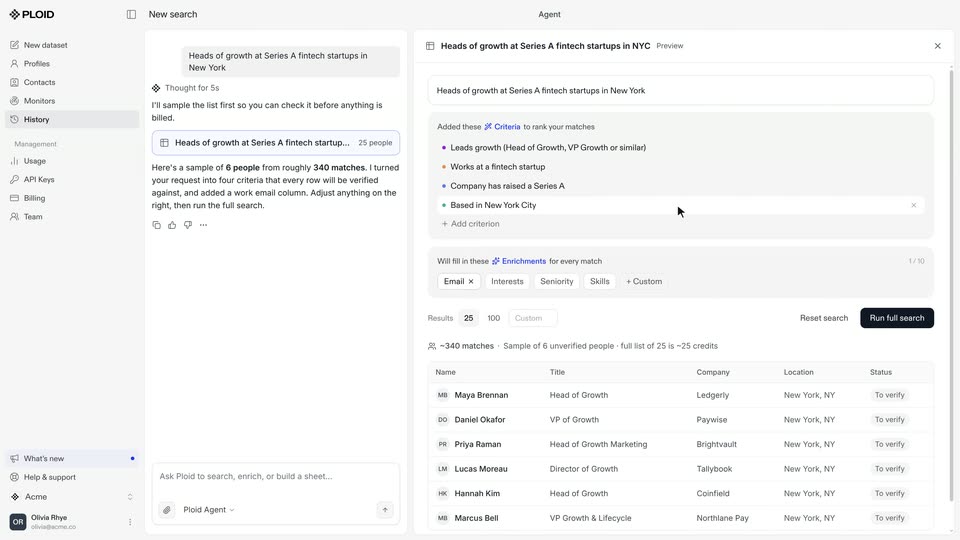

Ploid Demo: Creating a Dataset
Ploid · B2B · Oct 2026
Sapien · Nov 2026 · 1:11 · AI-annotated
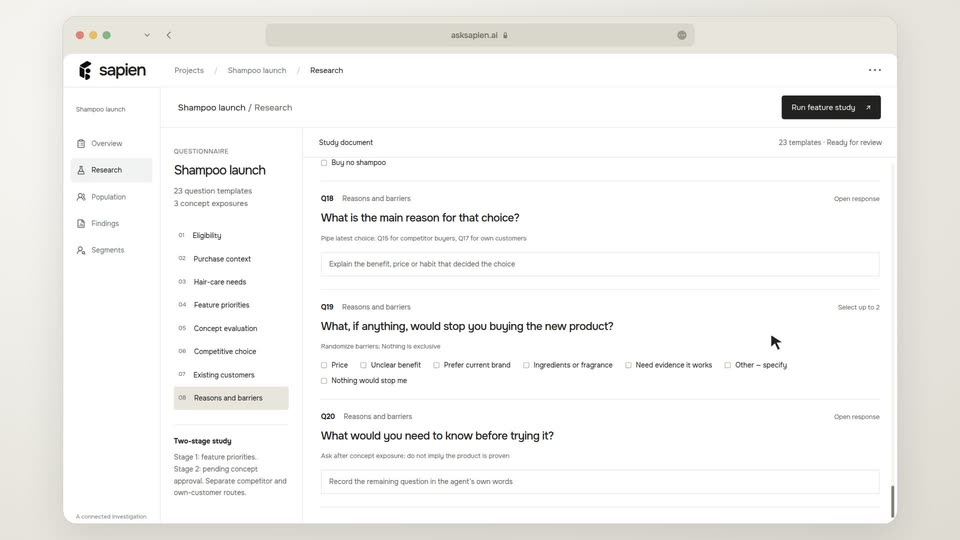
Sapien’s 1:11 launch film runs 6 scenes, about 12 s each. The product is on screen from the first frame and 5 features are revealed. There is no explicit call to action. A single uncut browser mockup on a cream field, where the cursor drives every step of the story: typing a question, clicking the black action pill, hovering tabs and column headers. Pacing is steady and mechanical, with in-place UI motion as the signature move: counters tick up, a dot grid fills, bars extend and percentages re-rank.
Is this your launch? to your site or press kit.
Ploid · B2B · Oct 2026
Nothing · Hardware · Sep 2026
Dreamscale Labs · Industrials · Nov 2026
A flat browser mockup of the Sapien app slides up into frame on a cream background. A cursor types a research question, attaches a PDF, then clicks through to a Population page where a counter ticks to 10,000 and a dot grid fills, before the questionnaire loads.
Techniques: Cursor demo
Camera: Pan
Inside a browser mockup of the Sapien app, a cursor rests on the black Run feature study button as the template counter ticks from 6 to 23; the questionnaire then scrolls rapidly past blurred questions and lands on the final barrier items, the section list highlighting in step.
On-screen text: “asksapien.ai”
Techniques: Cursor demo, Speed ramp
Camera: Static
A flat browser mockup of the sapien Findings page shows a Feature priorities table filling in with percentages and rank badges. A cursor hovers the Dandruff and Hair shedding column headers, tinting them, then clicks to switch to a Concept testing page with three product cards.
Techniques: Cursor demo
Camera: Static
A browser window shows the sapien research page with three shampoo concept cards and per-pack prices. A cursor hovers over the dark Test against competitor brands button at top right, then the page switches to a results view with a switching likelihood table.
Techniques: Cursor demo
Camera: Static
A flat browser mockup of the sapien findings page shows a competitor-brand bar chart beside a switching-likelihood stacked bar. A cursor clicks the concept tabs and the buyer toggle, and the percentages and bars update. The view crossfades to an existing-customer trade page at the end.
Techniques: Cursor demo
Camera: Static
A browser window shows the Sapien findings page. A bar chart counts up its percentages while bars extend, the right-hand themes panel fades from muted gray to full contrast, and a cursor slides down to hover the Read response themes button, darkening it.
Techniques: Cursor demo
Camera: Static