1:18
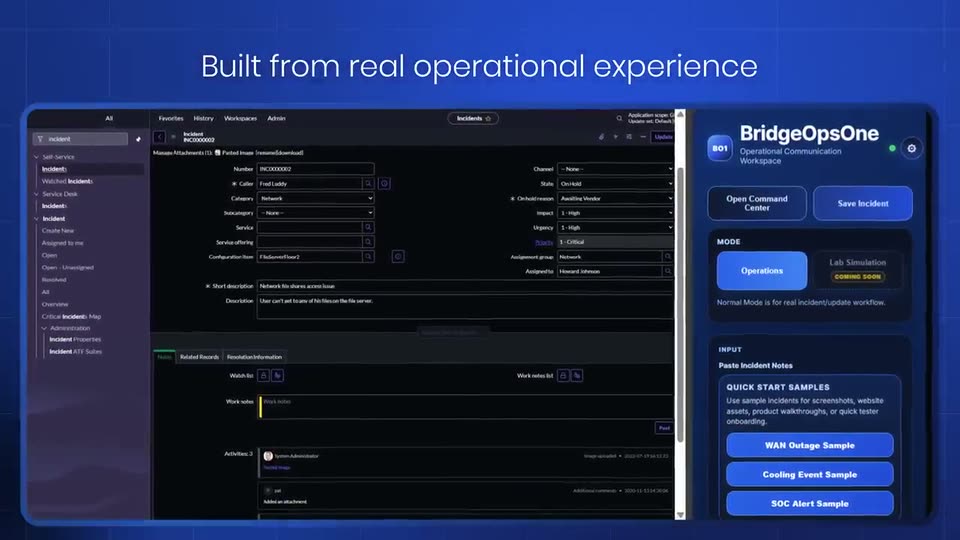

BridgeOpsOne Platform Overview | BridgeOpsOne
BridgeOpsOne
Roma’s 0:49 launch film runs 22 scenes, about 2.2 s each. The product shows up at 0:09 and 3 features are revealed. The call to action lands at 0:46 (94% in), over a voiceover. The film intercuts a locked-off talking head with flat dark UI screens on solid orange and isometric 3D vignettes on black, letting white caption chips carry the voiceover at a brisk 25 cuts per minute. Its signature move is the recurring orange K cube that swallows task cards and links to service cubes, closing on a serif tagline and URL end card.
Is this your launch? to your site or press kit.
BridgeOpsOne
Hyperagent · Nov 2026
Reconero · Government · Oct 2026
Films whose music sounds like this one, voice left out
TinyFish · Modern Corporate Electronic
Nintendo · Upbeat electronic
A man in a black t-shirt sits in a bright living room, speaking off-camera. A white caption box at the bottom center reads “It's the super-powered.” The white K logo sits fixed in the top-left corner. The camera is locked off.
On-screen text: “It's the super-powered”
Camera: Static
A dark-mode task app window sits flat on a solid orange background, showing a sidebar, to-do and in-progress columns, and a comments panel. A white K mark holds the top-left corner while a white caption box at the bottom center reads “to-do list app.”
On-screen text: “It's the super-powered”, “to-do list app.”
Camera: Static
A split screen shows a man in a black t-shirt speaking on the left and a 3D keyboard with four labeled keys on a black background on the right. A white caption box reads 'You know to-do list apps.' at the bottom.
On-screen text: “You know to-do list apps.”
Techniques: Split screen, 3D mockup
Camera: Static
Isometric 3D view of a to-do list as stacked task cards on a gray slab against a black dotted background. The cards fade in from ghosted to solid, a cursor glides across them and drags one card to the front to reorder the list, while white caption chips swap at the bottom.
On-screen text: “You know to-do list apps.”, “up to you”, “to do the work”, “of keeping things tidy”, “and prioritizing.”
Techniques: 3D mockup, Cursor demo
Camera: Push in
A man in a black t-shirt sits in a bright room with a potted plant and beige sofa, speaking to an off-camera interviewer. The shot is locked off while subtitle captions swap at the bottom center.
On-screen text: “And that's simply”, “not true”, “with Roma anymore.”
Camera: Static
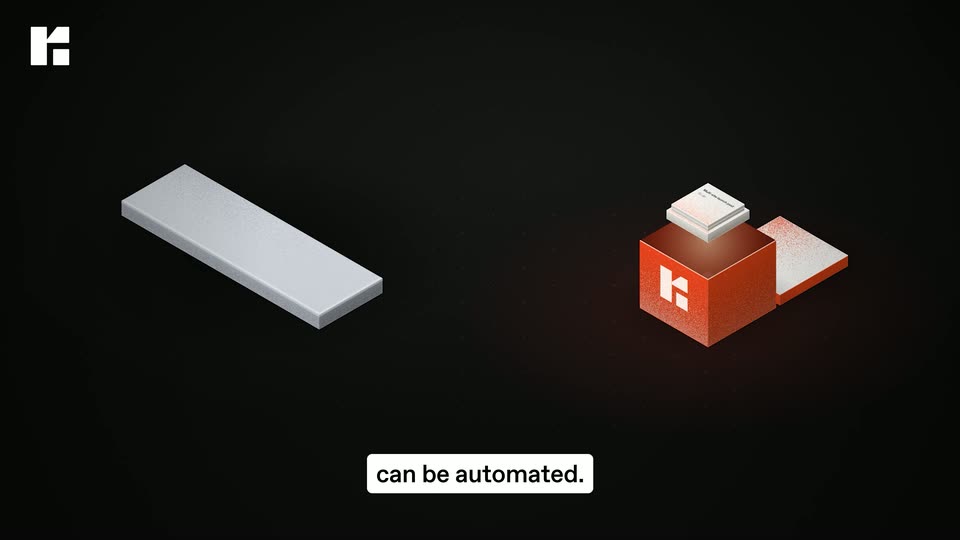
Isometric 3D render on black. White task cards lift off a gray tray on the left and drop into an orange cube marked K on the right, whose lid slides open to receive them. The cube closes and its top glows as the cards disappear.
On-screen text: “With Roma”, “all of that work”, “can be automated.”, “So”
Techniques: 3D mockup
Camera: Static
A dark task-board interface sits on a flat orange field, the camera zooming steadily into the To do column while a white caption pill at the bottom cycles through phrases from the voiceover. A white K logo holds the top-left corner.
On-screen text: “you should be able”, “to say hey”, “create these few tasks”
Techniques: UI zoom
Camera: Static
A dark task-board interface floats on an orange field, the camera glides right across the columns until the In progress list and a chat detail panel fill the frame. A white caption reading create these few tasks sits at the bottom, then shrinks and exits.
On-screen text: “create these few tasks”
Camera: Static
A dark kanban board with two task columns and a right-hand chat panel sits static. A white pill caption at the bottom center swaps its phrase from assign them to here and here in time with the voiceover.
On-screen text: “assign them”, “here and here”
Techniques: Kinetic type
Camera: Static
A dark project-management interface sits on an orange background, with a date-picker calendar open in the center showing November 2026 and list items on the left. A white caption pill at the bottom reads set the due date.
On-screen text: “set the due date”
Camera: Static
A dark task-management window sits on a flat orange field, a white K logo in the top-left corner. The view switches from a two-column board to a single list as a white caption box at the bottom swaps text, and a cursor hovers over a card.
On-screen text: “move them here”, “create a project”
Techniques: Cursor demo
Camera: Static
A dark task-app window fills the frame on a flat orange background, its Content Roadmap list and left sidebar visible. A white caption box reading create a list. sits at the bottom center, overlapping the lower task cards.
On-screen text: “create a list.”
Camera: Static
A man in a black t-shirt sits in a bright living room with a plant and beige sofa, speaking off-camera. White subtitle boxes with black text appear at the bottom, changing with his words.
On-screen text: “But also going deeper”, “in task execution”, “to do research”
Camera: Static
A dark task interface with a checked list and a draft section holds on a locked-off frame while a white caption pill at the bottom cycles through the phrases to do research, to be able, to draft things.
On-screen text: “to do research”, “to be able”, “to draft things”
Camera: Static
A dark interface displays a task board with a checklist. A white pill-shaped label containing the text 'to create checklists' is superimposed over the list items.
On-screen text: “to create checklists”
Camera: Static
A man in a black t-shirt sits in a bright living room, speaking toward the camera in front of a plain wall with a plant and beige sofa behind him. A white caption box holds the subtitle at the bottom center. The frame stays locked off throughout.
On-screen text: “to update things.”
Camera: Static
A textured orange cube with the K mark sits in isometric view on a black starfield. White cubes bearing an envelope, a calendar and a person icon pop in along an arc above it, each linked by a thin red line to the center cube, while caption pills swap at the bottom.
On-screen text: “to update things.”, “You can connect it”, “to the services”, “that you use”, “every day”, “like your email”, “your calendar”, “your CRM.”
Techniques: Kinetic type, 3D mockup
Camera: Static
Split screen: a man in a black shirt speaks on the left against a pale wall; on the right, three white cubes with mail, calendar, and person icons connect via red lines to an orange K cube, which opens to slide out a white slab marked Multi-step workflow, then Done.
On-screen text: “your CRM.”, “And then it can”, “already act”, “on the tasks”, “that you have”, “in mind.”
Techniques: Split screen, 3D mockup
Camera: Static
A man in a black t-shirt sits in a bright living room with a potted plant and beige couch behind him, speaking. He turns his head to face the lens near the end. A white subtitle box with black text sits at the bottom, swapping phrases. The camera is locked-off.
On-screen text: “It goes beyond”, “the simple”, “write it down”, “and check it off.”
Camera: Static
Split screen: left, a man in a black t-shirt talks against a light wall; right, on a dark starry field, a 3D to-do list card lifts off a gray pedestal and flies away, then an orange cube with a white K logo settles on the pedestal.
On-screen text: “So the”, “age-old promise”, “for a to-do list”, “to make you productive.”, “Now it's actually true.”
Techniques: Split screen, 3D mockup
Camera: Static
A man in a black t-shirt sits in a bright living room, speaking just off camera in a locked-off medium close-up. A white caption pill with black text reads 'Now it's actually true.' at bottom center, and a small white logo mark sits in the top-left corner.
On-screen text: “Now it's actually true.”
Camera: Static
On a flat orange field, the serif tagline slides into the center, the black Roma wordmark with its block R mark drops in above it, and the small URL roma.app fades in below, all on a locked-off frame.
On-screen text: “The super-powered to-do list.”, “roma.app”
Camera: Static