1:32
AutoSitu (YC W26) Launch Video
AutoSitu · B2B · Jan 2026
Resolver · Jun 2025 · 2:05 · Full motion · AI-annotated
Resolver’s 2:05 launch film runs 37 scenes, about 3.4 s each. The product shows up at 0:30 and 6 features are revealed, with social proof. The call to action lands at 2:00 (96% in), over a voiceover. A problem to solution arc: an abstract data network opening, a logo reveal, then a chain of benefit headline cards each followed by a 3D tilted UI demo, closed by a comparison line and a demo CTA. The style is defined by blur in and blur out headline cards framed by drifting angular corner shapes, and white interface cards that rotate from edge on to flat.
Is this your launch? to your site or press kit.
AutoSitu · B2B · Jan 2026
Samora AI · B2B · Mar 2026
Films whose music sounds like this one, voice left out
Microsoft · Upbeat corporate electronic
EasyDMARC · Electronic
Thin curved lines extend across a pale off-white field, carrying small geometric markers, orange squares, teal circles, blue hexagons and red triangles, that drift along the paths.
Camera: Static
A flat illustration of a blue-and-white office building centers on a pale background while thin wavy lines carrying small colored markers, red triangles, blue hexagons, green dots and orange squares, drift in from the left. The building eases into frame and a tiny worker icon fades into one window.
Techniques: Particles
Camera: Pan
A flat blue-and-white illustration of two hands typing on a keyboard before a monitor sits in a small white card. The card scales up to fill the frame as an orange envelope icon pops in above the screen.
Camera: Push in
Flat illustration of hands typing at a monitor showing an inbox list. A red warning triangle, stacked notification cards, a document window and a spreadsheet pop in around the screen, while an orange envelope with a red 999+ badge rests on top.
Techniques: UI zoom
Camera: Pan
A flat white document illustration scales up at center, revealing text lines and a green question mark, while a blue cursor moves to its top edge and a red Missing info callout slides in beside it. Faint document cards sit at the frame edges on a pale blue background.
On-screen text: “Missing info”
Camera: Static
A flat white report sheet with bar and donut charts sits at center, a red Missing info tooltip pointing to a green question mark, ringed by alert cards bearing red warning triangles. The layout pans left across a pale blue field while the charts build in.
On-screen text: “Missing info”
Camera: Push in
A white card holds a centered headline that sharpens from a blur and blurs out again. The words manual and slow are teal, the rest dark gray. A pale blue diagonal sits top-left and a rounded orange shape shifts in the bottom-right corner.
On-screen text: “Case triage is manual and slow”
Camera: Static
Flat white cards, a spreadsheet, a report with a donut chart, an email stack, a chat list, a bar chart, fade in on a pale blue field. A blue magnifying glass glides in, hovering over the emails then the chat list as the frame drifts and reframes onto it.
Camera: Push in
A flat blue monitor tilts into a straight-on view showing a browser page titled Reporting. White cards with a red prohibition sign, a loading bar, an hourglass and a donut chart pop in around it, while a magnifying glass slides across, inspecting each element.
On-screen text: “Reporting”
Camera: Static
On a near-white background with soft diagonal bands, the teal Resolver. wordmark fades in letter by letter at center, with the dark gray A KROLL BUSINESS tagline beneath. Rounded teal shapes drift in from the corners as the lockup settles.
On-screen text: “Resolver.”, “A KROLL BUSINESS”
Techniques: Kinetic type, Parallax
Camera: Static
A dark teal panel rotates away to reveal a white dashboard card in 3D perspective, which tilts from an edge-on angle into a locked-off view. The card shows a Resolver logo tab, KPI numbers and a multi-line chart.
Techniques: 3D mockup
Camera: Pan
A tilted 3D dashboard mockup on a dark blue field pans left to right, moving from the new-case metrics and line chart to the heatmap and donut chart, with a white Resolver logo tab riding the top-left corner.
Techniques: 3D mockup
Camera: Pull out
A tilted 3D dashboard mockup on a dark blue field pans across its panels, KPI numbers and charts sliding past, then a white angular shape with a yellow corner wipes in to cover the screen.
Techniques: 3D mockup, UI zoom, Masking
Camera: Pan
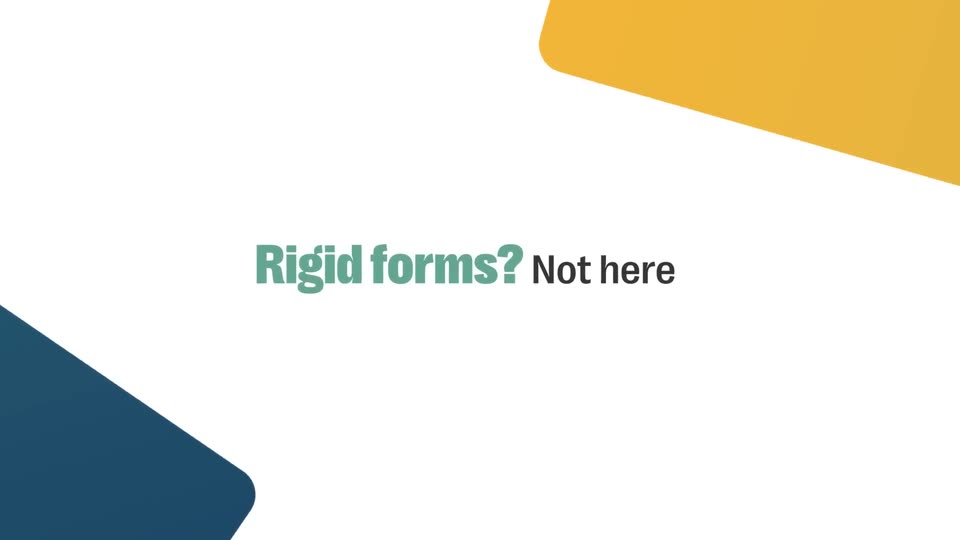
On a white field, a dark blue rounded corner slides out toward the bottom left while a yellow rounded corner sweeps in from the top right. The centered line 'Rigid forms? Not here' slides and fades into place, the first part in teal, the second in dark gray.
On-screen text: “Rigid forms? Not here”
Techniques: Kinetic type
Camera: Static
A green headline, “Rigid forms? Not here,” slides in over a white field with a yellow envelope flap, then a white card with the Resolver logo and welcome copy scales up to fill the frame on the yellow background.
On-screen text: “Rigid forms? Not here”
Techniques: Kinetic type
Camera: Pull out
On a yellow backdrop with a white diagonal band, a white card of the Resolver whistleblower portal tilts in 3D perspective. The camera zooms in and pans across the form, then settles front-on. Above, a dark bold headline builds word by word.
On-screen text: “Fully customizable call scripts and intake”
Techniques: Kinetic type, UI zoom, 3D mockup
Camera: Push in
A centered headline reads in bold teal with a black 'and' on an off-white field framed by diagonal blue corner shapes. The last word enters by one second, the line holds static, then blurs out at the end. Locked-off frame.
On-screen text: “Fast, accurate, and streamlined”
Techniques: Kinetic type
Camera: Static
A centered headline on a white background with diagonal light-blue and dark-blue corner shapes holds still as a white allegation card with a blue header slides up from the bottom edge.
On-screen text: “Fast, accurate, and streamlined”
Camera: Static
A stack of three white form cards, each with a colored top border, tilts and scrolls upward against a pale background with soft blue and teal shapes. The cards show allegation and involved-person forms, their right edges rendered as thin 3D side panels.
Techniques: 3D mockup
Camera: Pull out
A tilted stack of white form cards labeled ALLEGATION and INVOLVED PERSON scrolls upward in 3D space, revealing rows of Yes and No toggle questions, then the camera zooms into the question text.
Techniques: 3D mockup, UI zoom
Camera: Push in
On an off-white background, two rounded corner shapes in blue and green drift slowly inward from the top-left and bottom-right while the centered headline fades in and holds still.
On-screen text: “Whistleblowers stay”, “connected on their terms”
Camera: Static
A teal rounded block and a green shape sit in the corners of an off-white field, with the headline centered. A large blue panel slides in diagonally, sweeping over the text and filling the frame.
On-screen text: “Whistleblowers stay”, “connected on their terms”
Camera: Static
Two white UI cards fade and scale in side by side. The right card, “Already made a report?”, fills in with a Submission Key field, an Access Code field and a button; the left card, “Report a Concern”, holds skeleton lines. The pair slides right, the left card tucking behind.
Camera: Static
Two white form panels, a report form and an access-code form, sit on a pale background with angled blue and teal shapes. The panels slide left and scale, exiting the frame to leave only the abstract shapes.
Camera: Static
The Resolver case-detail interface floats as a 3D card, rotating from a steep tilt to a flatter angle. An orange border is drawn around the Case Details panel, highlighting its fields, while the left Triage Summary and lower tab table stay in place.
Techniques: 3D mockup
Camera: Pan
White background with a dark blue rounded shape growing from the bottom-left corner and a yellow one from the top-right. The centered headline fades in, with “Investigators” in bold teal and the remaining words in gray.
On-screen text: “Investigators can track every detail”
Techniques: Kinetic type
Camera: Static
A centered headline reads “Investigators can track every detail”, the first word in teal, the rest in dark gray, on an off-white field with yellow and navy corner shapes. A light-blue panel slides in from the left and wipes over the text.
On-screen text: “Investigators can track every detail”
Techniques: Masking
Camera: Static
A white report card in 3D tilts in from the right on a dark blue field as white text builds at top left. Its bar chart grows, then a legend and table fill in, and the chart section lifts into a floating card before a blue panel slides over.
On-screen text: “Evidence, findings, interviews, resolutions”
Techniques: Kinetic type, 3D mockup
Camera: Pan
On a white field, a blue rounded block sits top-left and a teal one bottom-right. The centered headline eases from a soft blur into sharp focus, 'Seamlessly' in teal, the rest in dark gray. The frame stays locked off.
On-screen text: “Seamlessly links case data”
Camera: Pull out
A centered headline, “Seamlessly” in teal and the rest in gray, sits on white with teal corner shapes, then a white card with a teal base edge and a yellow panel slide in from the right, wiping the text off frame.
On-screen text: “Seamlessly links case data”
Techniques: Masking
Camera: Static
Two white panels sit on a yellow field: a Conflict of Interest form with policy tags on the left, a network graph on the right. A central blue node sprouts colored nodes one by one, each tagged with an incident code, then the frame zooms in.
Techniques: UI zoom
Camera: Push in
A Resolver analytics dashboard lies tilted in 3D on a teal field. Its line graph, stacked bars, heatmap and donut panels lift off the main view and hover as separate cards while the camera drifts slowly around the stack.
Techniques: 3D mockup, Parallax
Camera: Pan
A tablet mockup tilted in 3D on a teal background shows a compliance dashboard with KPI numbers and four charts. White tagline text builds line by line in the top right as the camera pushes in, then the tablet slides off left into a diagonal teal and white wipe.
On-screen text: “without relying on external BI tools or manual reporting”
Techniques: 3D mockup, Kinetic type, Masking
Camera: Pan
A white background holds a yellow rounded shape in the top right and a dark blue angular shape in the bottom left, both drifting slowly downward. Two centered lines fade in: a dark gray sans headline over a bold teal slab-serif line.
On-screen text: “Legacy tools meet the minimum”, “Resolver reduces risk”
Camera: Static
A centered two-line message stays still on a light background while a yellow rounded shape slides in from the top right and a dark blue angular shape slides in from the bottom left.
On-screen text: “Legacy tools meet the minimum”, “Resolver reduces risk”
Camera: Static
A dotted teal world map forms across a white background while an orange corner shape top-left and a dark blue shape bottom-right shrink out of frame. The headline sits centered at the top and scales in gently.
On-screen text: “Join over 1,000 leading global enterprises”
Techniques: Kinetic type
Camera: Static
A teal field wipes away to reveal the Resolver wordmark and A KROLL BUSINESS line on white; corner shapes anchor the frame, then the red Book a Demo button and contact details fade in, and a tagline scales in at the end.
On-screen text: “Resolver.”, “A KROLL BUSINESS”, “Book a Demo”, “www.resolver.com/demo”, “1-888-316-6747”, “Join over 1,000 leading global enterprises”
Techniques: Masking
Camera: Static