
2:48


Shopify Editions Winter '25 | Introduction
Shopify · Business software · Dec 2024
A problem-to-solution arc: a what-you-see hook, a deep dive into hidden and fragmented email infrastructure, a one-line reframe, then a logo reveal and a two-part dashboard tour that flips from dark navy to light lavender. Signature moves are kinetic type that assembles word by word, drifting UI cards over faint orbital rings, and a hard tonal cut to the pale close.
Shopify · Business software · Dec 2024
Framer · Design · Oct 2026
Runway · AI · Sep 2026
A blue gradient mail app icon with a red “1” badge sits centered on a dark navy field crossed by faint orbital arcs. A small “WHAT YOU SEE” caption hovers at the top. Large white words “Email looks simple” appear on either side of the icon, framing it.
On-screen text: “WHAT YOU SEE”, “Video Created by Burnwe LLC for EasyMARC”, “Email looks simple”
Techniques: Kinetic type
Camera: Pull out
A flat white email card is centered on a dark blue field, its subject swapping from a password reset to a security alert with a red PDF attachment as the card stacks. A bottom caption shows 'looks simple' then 'Most of its infrastructure is invisible'.
On-screen text: “WHAT YOU SEE”, “looks simple”, “Most of its infrastructure is invisible”
Camera: Static
A white email alert card sits centered on a dark navy field of faint concentric rings. As the headline fades in, IP addresses, DNS entries, domain URLs and small app icons pop in one by one around it, their values cycling.
On-screen text: “WHAT IS ACTUALLY BEHIND IT”, “Underneath it's infrastructure”
Camera: Pull out
On a dark navy field, the word Systems glows large and centered, then shrinks as constantly changing slides in to complete the phrase. A soft blue bloom pulses behind the letters while faint orbital rings fade in at the edges before the text dissolves.
On-screen text: “Systems constantly changing”
Techniques: Kinetic type
Camera: Static
A dark DNS & domains table card sits centered on a near-black blue field with faint curved lines. The card slowly drifts downward while a white cursor glides around its rows. A small burnwe watermark holds the top-left corner and a credit line rests at the bottom.
On-screen text: “Video Created By burnwe”, “Video Created By Burnwe LLC for EasyDMARC”
Camera: Pull out
Two flat UI windows, a DNS table top-left and an authenticator card bottom-right, drift slowly over a dark blue field while the headline 'Fragmented systems' fades and slides in at center.
On-screen text: “Fragmented systems”
Techniques: Kinetic type, Parallax
Camera: Pull out
Dark blue field with a centered white headline. Several small dark UI panels (DNS records, IMAP settings, authenticator codes, domain security) drift around the edges at different speeds, their contents updating and cursors resting on rows.
On-screen text: “Fragmented visibility”
Techniques: Parallax
Camera: Pull out
Dark navy screen with a rounded DNS input field; the record number glows in as it types while a white cursor hovers and black “Undefined” tooltips pop up. The headline “Small changes” fades in at the top under a small “THE PROBLEM” label.
On-screen text: “THE PROBLEM”, “Small changes”
Techniques: Cursor demo
Camera: Pull out
A dark navy diagram pulls back from a close-up of a DNS record pill to reveal warning cards for security, reputation and authentication joined by red lines, as the headline swaps from “Small changes” to “Bigger consequences”.
On-screen text: “THE PROBLEM”, “Small changes”, “Bigger consequences”
Techniques: UI zoom, Kinetic type
Camera: Pull out
A dark diagram of connected UI cards sits under the white headline “Bigger consequences”. Red lines link panels for email performance, IP reputation, DNS, security and authentication, flagged FAIL and Action needed. The camera pulls back, revealing drifting IP addresses and domains behind.
On-screen text: “THE PROBLEM”, “Bigger consequences”
Techniques: Parallax
Camera: Pull out
A dark diagram of linked cards sits under the white headline 'Bigger consequences.' Nodes for Email performance, Reputation, Security issue and Authentication connect via thin red lines, with IP and DNS values floating in the background.
On-screen text: “THE PROBLEM”, “Bigger consequences”
Camera: Static
The word Email holds center in a white-to-cyan gradient, then shrinks to a blue envelope icon as is business-critical infrastructure appears beside it. The line swaps to It should be operated like it with a glowing shield icon at right, over a dark blue field with faint orbit lines.
On-screen text: “Email”, “THE REFRAME”, “is business-critical infrastructure”, “It should be operated like it”
Techniques: Kinetic type, Morph
Camera: Static
On a blue gradient, a white isometric E mark spins and flattens into the EasyDMARC logo. Three tagline lines fade in and out beneath it in sequence, then the whole lockup fades out to the plain background.
On-screen text: “Brings the critical layers”, “of email trust”, “into one connected platform”
Techniques: Kinetic type, Morph
Camera: Static
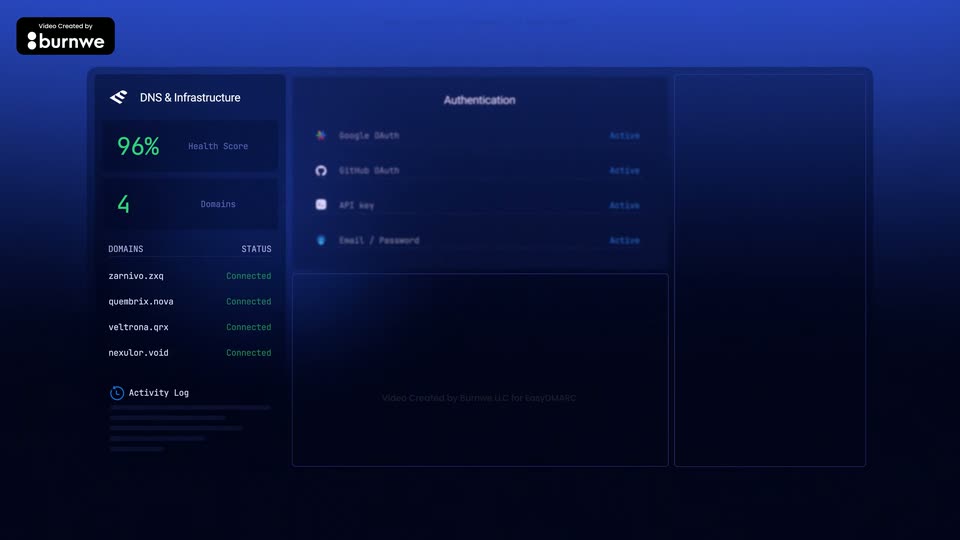
A dark blue dashboard fills the frame as three columns crossfade in sequence: a DNS and infrastructure panel, an authentication list, then an activity log. The burnwe credit badge sits top left while a faint watermark stays centered.
On-screen text: “into one connected platform”
Camera: Static
A dark blue security dashboard in three columns. The left DNS panel is lit while the middle Authentication and Threat Intelligence rows sharpen into focus, then the right Sender Insights panel fades in with red and orange counts. The layout holds, then drifts right in a slow push-in.
On-screen text: “Video Created by burnwe LLC for EasyDMARC”
Camera: Static
A dimmed EasyDMARC dashboard with a blue sidebar sits left while a cursor clicks the menu, an Admin tooltip trailing it. As the interface blurs and recedes, See, Understand and Act stack in on the right, then the screen clears to a blue Move.
On-screen text: “See”, “Understand”, “Act”, “Move”
Techniques: Cursor demo, Kinetic type
Camera: Pull out
A dark sentence builds word by word at center, starting from a large blue “Move” that settles into the line, while pale DNS records and IP addresses drift across the lavender background and fade out.
On-screen text: “Move from fragmented, reactive troubleshooting”
Techniques: Kinetic type, Parallax
Camera: Pull out
A light dashboard view of the EasyDMARC reporting screen sits in the lower two-thirds, showing an aggregate area chart and a sending-sources list. Above it, the headline reveals through a vertical glitch slice, then settles from blue to black.
On-screen text: “Continuous email trust”
Techniques: Masking
Camera: Static
On a pale lavender background, a black geometric logo mark sits centered, then shifts left as the EASYDMARC wordmark fades in beside it. The tagline The email trust platform fades in below, and the lockup holds static for the rest of the clip.
On-screen text: “The email trust platform”
Camera: Static