2:48


Shopify Editions Winter '25 | Introduction
Shopify · Business software · Dec 2024
Framer · Oct 2026 · 0:48 · AI-reviewed
A late-night bedroom story introduces Framer MCP. Repeated urgent messages wake a designer, who gives a spoken instruction involving Slack feedback and a Framer landing page, then returns to sleep. Phone, laptop, Dock and example website inserts punctuate the live action. Minimal black title cards reveal Framer MCP and Every AI. One connection. Zero all-nighters.; the enlarged letters mask into a blue-lit desktop where page previews appear. The close holds the Framer symbol. The film illustrates a promised workflow rather than proving autonomous completion or a delivery-time result.
Shopify · Business software · Dec 2024
Apple · Hardware · Mar 2026
Windsurf · Developer tools · May 2025
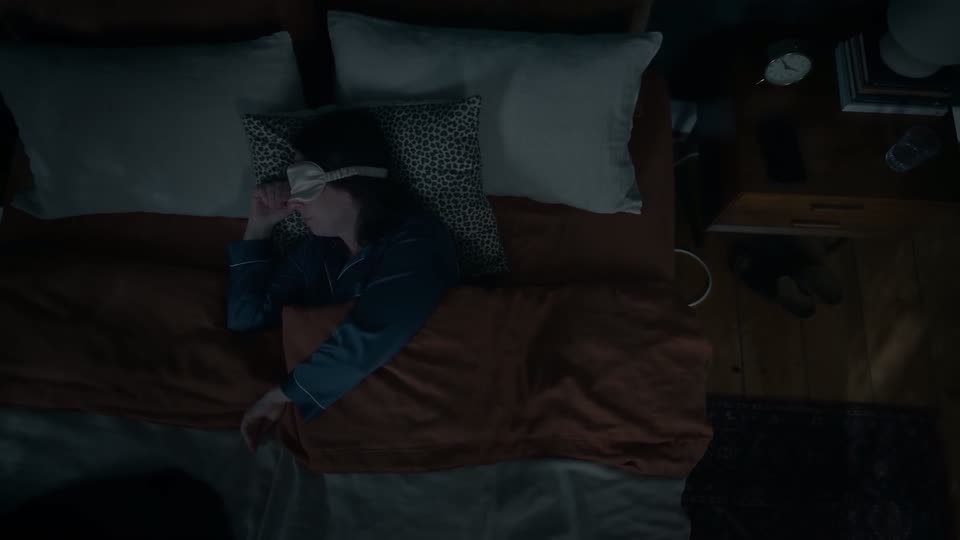
An overhead bedroom shot shows a woman asleep in blue pajamas, with a cream sleep mask and hands resting on a pillow. A phone lights on the bedside table while she remains in bed.
Camera: Static
A profile close-up holds on the sleeping woman against a patterned pillow and dark green bedroom wall. She shifts her mouth and face as notifications interrupt the quiet setup; no spoken sentence is asserted here.
Camera: Static
From beside the foot of the bed, the woman reaches across the bedside table toward the phone and lamp. The room begins to warm as the lamp is switched on.
Camera: Static
In a closer wide-angle bedroom shot, she holds a phone toward the lens and raises the sleep mask above her eyes. Warm bedside light contrasts with the teal walls. The foreground object is a phone, not a tablet.
Camera: Static
A close view of the phone shows an urgent Boss thread. Repeated Are you awake messages give way to NEED NEW LANDING PAGE, DUE FOR TOMORROW, Mobile first, MAKE IT POP!!!!, Fully responsive, Check brand guideline, CHECK SLACK NOW and ACTUALLY... IT WAS DUE YESTERDAY. The framing enlarges and pans down the same message thread; no landing-page canvas is shown in this section.
On-screen text: “SUPER URGENT FEEDBACK”, “Are you awake?”, “NEED NEW LANDING PAGE”, “DUE FOR TOMORROW”, “Mobile first”, “MAKE IT POP!!!!”, “Fully responsive”, “Check brand guideline”, “CHECK SLACK NOW”, “ACTUALLY... IT WAS DUE YESTERDAY”
Techniques: UI zoom
Camera: Pan
Back in bed with her sleep mask raised, the woman operates the phone held in the foreground. No ACTUALLY... IT WAS DUE YESTERDAY overlay remains on this live-action shot.
Camera: Static
A hand holds a phone displaying six AI app icons on a blue home screen. Another finger moves away after interacting with it, while the bedroom stays softly blurred behind the device.
Camera: Static
The wide-angle bedroom shot returns as the woman speaks a task into the phone. Her sleep mask remains on her forehead, with a warm lamp and framed pictures behind her.
Camera: Static
A photographed laptop screen shows a Slack conversation with page previews and feedback as the list scrolls. The screen is angled in a real-room insert rather than a flat full-frame interface.
Camera: Static
The woman continues the same spoken instruction from bed, holding the phone close to the foreground while the lamp remains on.
Camera: Static
A close desktop view frames the macOS Dock. The pointer activates the Framer icon; the wallpaper shifts from blue toward orange as the website-work montage begins.
Techniques: Cursor demo
Camera: Static
A full-frame website montage moves from a fashion hero with giant Boys & type to a SELECTED PROJECTS grid of photographs. These are example page designs within the film.
On-screen text: “Boys &”, “SELECTED PROJECTS”
Camera: Static
The woman finishes speaking into the phone from the same bedroom angle. No SELECTED PROJECTS or ZPP overlay is visible over her; those labels belonged to the preceding page insert.
Camera: Static
The view pushes closer to a brass analog clock on the wooden bedside table, with books at right and the phone partly visible at left.
Camera: Push in
An overhead bedside-table insert shows her setting down the lit phone and reaching to switch off the lamp. Warm illumination disappears while the clock, books, water glass and phone retain their positions. The lighting change does not create a new shot or show an alarm being silenced.
Camera: Static
The overhead bed view returns. She lowers the sleep mask, rolls to her side and settles back onto the pillow in the dark room.
Camera: Static
Centered white type on black introduces the all new, then Framer MCP. Both lines share the same spare title-card context.
On-screen text: “the all new”, “Framer MCP”
Techniques: Kinetic type
Camera: Static
Every AI. One connection. Zero all-nighters. builds across a single white line on black. The line accelerates and enlarges until the letterforms fill the frame; the blue room appears through the letters as the typographic mask clears. This continuous exit is not another title scene.
On-screen text: “Every AI. One connection. Zero all-nighters.”
Techniques: Kinetic type, Masking
Camera: Static
In a blue-lit room, a desktop monitor wakes to several responsive Auralis page previews in an editor. The camera approaches the display, emphasizing work proceeding while the bedroom story has ended. A 3D construction method is not established by the shot alone.
On-screen text: “Auralis”
Camera: Push in
A small white Framer symbol holds centered on black through the end. There is no Auralis wordmark or animated lettering on this end card.
Camera: Static