1:15

Ramp - Every company used to start with paperwork. The next generation will
Ramp · Finance · Jul 2026
reanimate · Oct 2026 · 0:47 · Full motion · AI-annotated
reanimate’s 0:47 launch film runs 21 scenes, about 2.3 s each. The product is on screen from the first frame and 5 features are revealed. The call to action lands at 0:39 (84% in). The video runs as a linear pipeline: a brand lockup with a cycling prompt, a fast montage of third-party UI animations, then five numbered steps in a fixed two-column layout, and a typed install command to close. Signature moves are blur-dissolve transitions between steps, the flat grid folding into a spinning 3D ring of cards, and count-up metrics with a small progress bar under each step title.
Is this your launch? to your site or press kit.
Ramp · Finance · Jul 2026
Gemini 3 Pro Image · Nov 2025
Replit · Developer tools · Jul 2026
On a plain white background, the gray /reanimate wordmark scales and fades in at center, settling into a solid lockup. A smaller gray tagline line appears beneath it and holds still as the frame locks off.
On-screen text: “Reverse-engineer animations you like. Build your own on top.”
Techniques: Kinetic type
Camera: Static
A command pill on white cycles through example prompts, each line sliding or scaling into focus while the rest blur behind it. A small tagline holds above, then a soft gray panel rises to cover the input.
On-screen text: “Say what you want, where it is and where it should go.”
Techniques: Kinetic type
Camera: Static
A dark rounded panel sits on a pale background. Violet streaks burst upward from the bottom center in a wide fan, each lined with bright dot particles, while a curved arc of dots rises along the base.
Techniques: Particles
Camera: Push in
A black rounded panel on a light background holds a fan of purple radial lines tipped with glowing pink dots. The burst fades to a faint gray as a vertical column of small dark dots forms in the center, and gray text appears at the top left and middle.
On-screen text: “Monetize through agentic commerce”, “I'm refreshing my wardrobe. Can you recommend some cozy, comfortable basics in size M?”
Techniques: Particles
Camera: Push in
A front-facing phone mockup on a white background plays a chat demo: a user bubble asks for wardrobe basics, a reply bubble types, then two product cards with prices and a buy button slide in over a faint dotted circle.
On-screen text: “Monetize through agentic commerce”
Camera: Static
A dark document view sits flat on a white background as the screen dims to black, isolating a white comment thread on the right where Jonathan, Alicia and Liveblocks AI exchange messages.
Camera: Static
A white robot head with a glowing blue face sits behind a silver laptop on a white background. A cloud of small app icons floats in an arc above, a thin blue line linking one icon to the antenna. The frame stays locked off as the icons drift gently.
Camera: Static
A dark rounded panel on white holds the API Keys heading, body copy, a line-art laptop, an Authenticating pill and server racks. A gradient VISA card slides into the center with motion blur, passing over the pill.
On-screen text: “API Keys”
Camera: Static
A white rounded panel on a light background holds a gradient Visa card mockup with chip and contactless icon. The heading sits top left, a small purple icon top right. Locked-off frame; the card's pink, purple and orange gradient shifts subtly.
On-screen text: “Create a card issuing program”
Camera: Static
A small purple logo sits top-right on white. A phone mockup fades in centered, showing a gradient card beneath a two-line heading; the card swaps to a dark Magic Links feature and rotates into an isometric 3D card on a dark rounded panel.
On-screen text: “Create a card issuing program”
Techniques: 3D mockup
Camera: Static
Inside a black rounded card on a white field, a black cube of smaller blocks rotates and its blocks shift apart, mirrored on a dark reflective floor. As it turns, a grey caption card and a white card slide in from the right and left edges.
Techniques: 3D mockup
Camera: Static
A close-up of a dark Multifactor Authentication card pulls back to a flat grid of product UI screens on white, then the grid rotates into 3D perspective with motion blur as the cards drift apart.
Techniques: UI zoom, 3D mockup
Camera: Pull out
Dark interface cards on a white background fold from a flat grid into a 3D cylindrical ring, the screens curving around to form a tube of mockups.
Techniques: 3D mockup
Camera: Pull out
A ring of UI cards and diagrams spins in 3D on a white background. The panels blur and fade to white as the cylinder turns, then a single line of headline text fades in at the top.
On-screen text: “Applications: Power widgets from single sign, manual sign and check sign”
Techniques: 3D mockup
Camera: Pull out
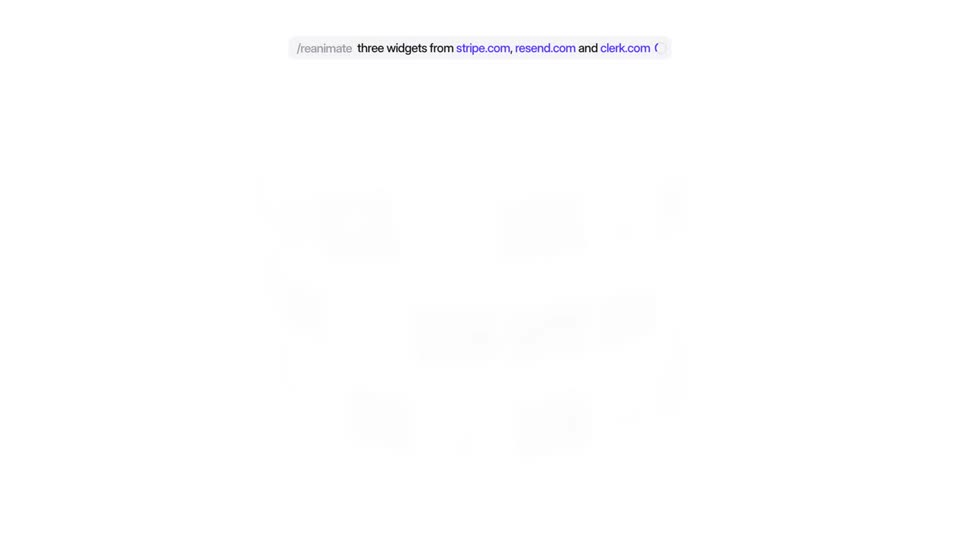
On a plain white background, a command pill sits at the top while a 3D ring of blurred widget cards spins and breaks apart. Three cards drift into view: a Record card, a card with a pink icon, and a dark square. The pill's cursor becomes a loading spinner.
Techniques: 3D mockup
Camera: Static
White slide, a pill tagline on top, a left text block and three flat browser windows side by side. The left block swaps from 01 Record to 02 Speed as the widgets play; frame thumbnails pop in beneath.
On-screen text: “/reanimate three widgets from stripe.com, resend.com and clerk.com”, “01”, “Record”, “Films the original in a real browser, frame by frame, at a fixed size and frame rate.”, “Frame 037”, “Frame 053”, “02”, “Speed”, “Writes the original data, how it moves, and how it moves, on which curve.”, “Frame 079”
Techniques: Split screen
Camera: Static
On the right, a spec.md table fills in row by row with timing and easing values while a small cubic-bezier curve card slides in below it. The left Spec heading and copy hold, then the whole layout blurs and dissolves into the next Build section.
Camera: Static
A code editor card types out lines of code on the right while the step 03 headline Build sits left. The card then shrinks and two browser windows slide in side by side, swapping the headline to 04 Verify as the progress bar advances.
On-screen text: “/reanimate three widgets from stripe.com, resend.com and clerk.com”, “03”, “Build”, “Rebuilds it in your code, with what your project already uses.”, “04”, “Verify”, “Films the copy the same way, and compares timing, easing and pixels.”
Techniques: Kinetic type
Camera: Static
A two-column layout pairs a left step block with two browser windows on the right, the original and the reanimated build. A metrics table expands under the windows with timing, rotation and pixels rows, then the layout cuts to step 05 with a third glitching window.
On-screen text: “/reanimate three widgets from stripe.com, resend.com and clerk.com”, “04”, “Verify”, “Films the copy the same way, and compares timing, easing and pixels.”, “05”, “Repeat”, “Fixes the biggest difference and films again, until the numbers match.”
Techniques: Split screen
Camera: Static
Left: 'Repeat' heading and caption. Right, a card steps through rounds 1 to 4 as the percentage counts down from 12.5% to 0.11%, gray and purple bars stack up, a Match button pops in, and the top ring closes into a check. The frame blurs to white.
On-screen text: “05”, “Repeat”, “Fixes the biggest difference and films again, until the numbers match.”
Techniques: Kinetic type, Morph
Camera: Static
The title /reanimate darkens from gray to black above a black terminal bar on a white, softly glowing background, where the install command types out letter by letter and the Copy button flips to Copied. A caption and two URLs fade in below, then the scene fades to white.
On-screen text: “/reanimate”, “Then, in Claude Code, type /reanimate and say what you want.”, “reanimate.niazmorshed.dev”, “github.com/NiazMorshed2007/reanimate”
Techniques: Kinetic type
Camera: Static