1:48


OpenAI Developers - Building apps with GPT-Live-1? Give them a voice that fits. Here’s h
OpenAI · AI · Oct 2026
Rankai · Nov 2024 · 2:48 · Full motion · AI-annotated
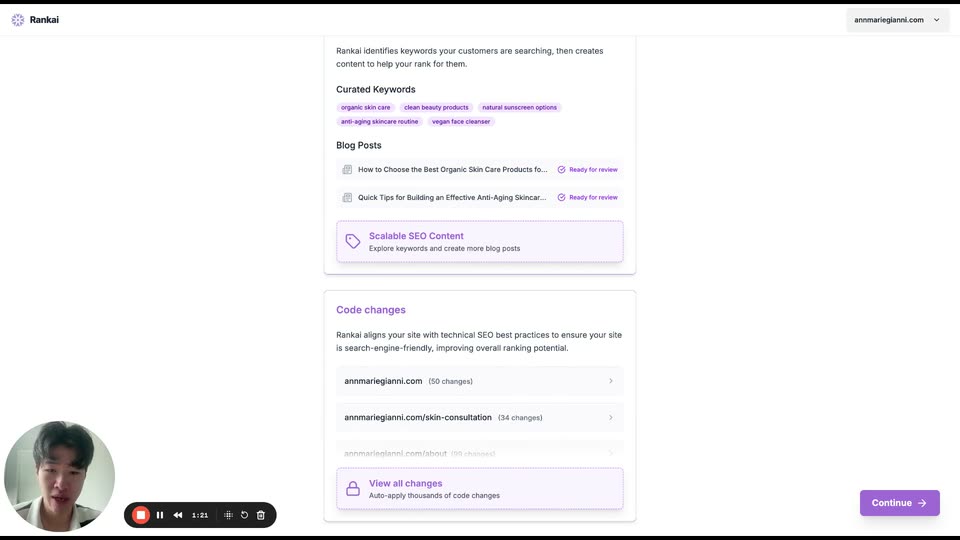
Rankai’s 2:48 launch film runs 16 scenes, about 11 s each. The product is on screen from the first frame and 5 features are revealed. The call to action lands at 2:27 (88% in), over a voiceover. Built as one continuous screen-recording walkthrough narrated over a presenter webcam, advancing feature by feature through the dashboard with skeleton loaders that resolve into populated data as the signature transition. Pacing is steady at about four cuts a minute, with purple accent highlights on hover and a scrolling platform-logo marquee as the recurring visual moves.
Is this your launch? to your site or press kit.
OpenAI · AI · Oct 2026
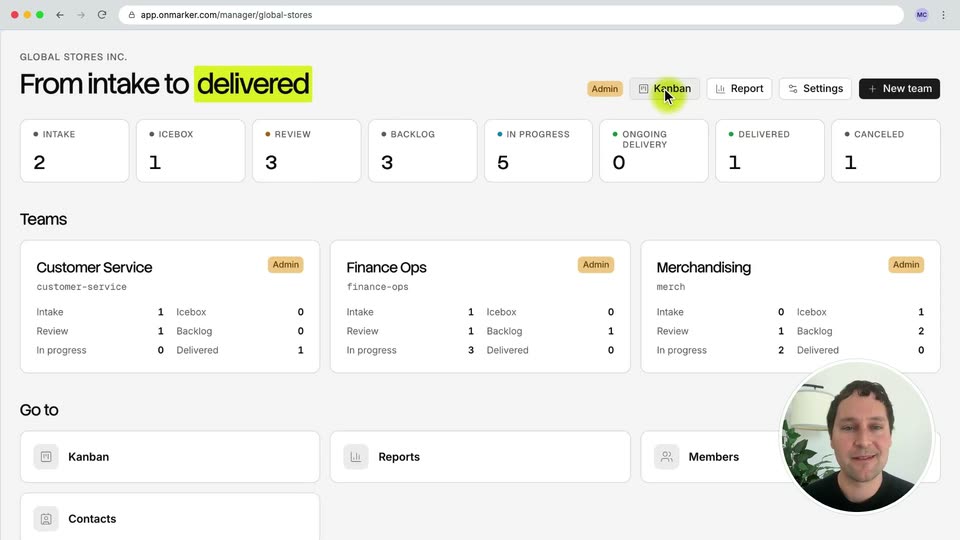
Marker · B2B · Nov 2026
Dimely · B2B · Jun 2026
Static screen recording of the Rankai homepage: headline, URL input, and a marquee of platform logos scrolling left. A cursor types a domain and clicks GO, then the view cuts to a skeleton audit results page. A small webcam of the speaker sits bottom-left.
Techniques: Cursor demo
Camera: Static
Rankai's SEO Audit Results page loads: a purple ring spins over skeleton bars, then the C+ score and keyword tags appear. The view scrolls down to the Code changes card as a cursor moves toward the Continue button. A small webcam circle of the presenter stays in the corner.
Techniques: Cursor demo
Camera: Static
A white sign-in card sits centered on a gray background with the Rankai logo, a Google button, an email field and a purple Send Magic Link button. The logo fades to full purple, a chat icon appears at the lower right, then the email field highlights and the button dims.
Camera: Static
A loading spinner on the Rankai dashboard resolves into the Technical SEO view, showing an Active count and a list of URLs with change totals. A cursor clicks one row, expanding it to reveal anchor-title suggestions with code, then collapses it and hovers the Not Connected button.
Techniques: Cursor demo
Camera: Static
A dimmed Rankai dashboard sits behind a centered white modal titled Select Your Website Provider. A cursor drifts from the connect button to the provider dropdown, which then takes on a blue focus outline. The layout stays static throughout.
Techniques: Cursor demo
Camera: Static
A flat dashboard screen shows the Technical SEO list, then a cursor moves along the left sidebar and clicks Keywords, swapping the main panel to a keywords view with an Add Keyword button.
Techniques: Cursor demo
Camera: Static
The RankAI Keywords dashboard fills the frame, with a left sidebar and three panels: a Keywords explainer card, a Primary Keyword table with gray placeholder bars, and a Content Keywords section showing a blue analyzing banner. A cursor drifts across the center.
Techniques: Cursor demo
Camera: Static
A Rankai dashboard shows a Keywords panel above a Content Keywords table listing traffic and difficulty per row. A cursor glides over table rows, turning their text purple on hover, then slides to the left sidebar and rests on Blog posts. The page scrolls slightly midway.
Techniques: Cursor demo
Camera: Static
In the Rankai dashboard, the Blog Post History table fills in from gray placeholder rows with a list of generated posts and DRAFT or READY badges. The view scrolls down and the cursor hovers over one post title.
Techniques: UI zoom, Cursor demo
Camera: Static
A blank white screen framed by thin black bars holds a small circle outline near the top and a cursor mid-frame. A purple round chat button fades in at the bottom right corner.
Camera: Static
A two-panel SEO tool screen: a static left overview lists the title, description and keyword tags, while the right article preview scrolls down through body text and back up. A cursor taps a line, opening a small formatting toolbar.
Techniques: Cursor demo
Camera: Static
A dimmed SEO editor interface with a left panel of metadata fields and a centered white modal titled Select Your Website Provider, showing a dropdown and a help section with a green button. The cursor rests at the top edge. The frame holds still.
Camera: Static
A two-pane interface shows a Google search preview panel on the left and a skincare article with a product photo on the right. The cursor glides to the top-left corner and clicks the back arrow.
Techniques: Cursor demo
Camera: Static
The Rankai dashboard fills in as the sidebar menu and the blog post history table load from gray skeleton bars into populated rows with status badges. A cursor drifts across the page and hovers the purple Create New Blog Post button.
Techniques: Cursor demo
Camera: Static
A Rankai blog-post form sits on a light interface; a cursor drifts across the fields while a list of AI-generated post titles loads in below the form, then the cursor moves to the close button.
Techniques: Cursor demo
Camera: Static
On the Rankai Blog posts page, the Blog Post History table loads from gray skeleton bars into eight rows of post titles, keywords, dates and DRAFT or READY badges, while a mouse cursor drifts over the feature cards.
Techniques: Cursor demo
Camera: Static