0:38
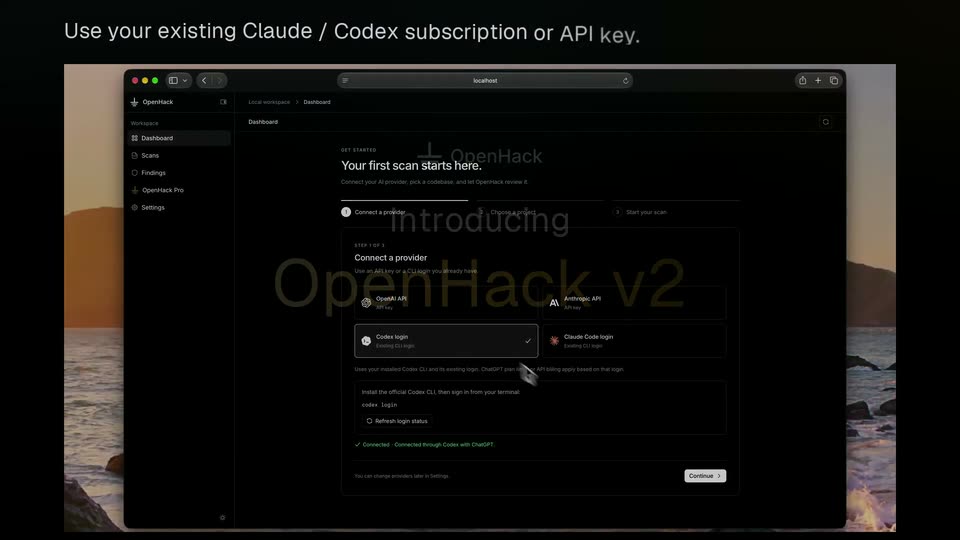

Introducing OpenHack v2
OpenHack · B2B · Nov 2026
ProjectDiscovery · Nov 2026 · 1:20 · Code only · AI-annotated
ProjectDiscovery’s 1:20 launch film runs 26 scenes, about 3.1 s each. The product is on screen from the first frame and 6 features are revealed. The call to action lands at 1:14 (92% in). The video alternates black title cards that name each feature with slow 3D pushes through tilted dark interface panels, racking focus from blur to sharp as data fills in. Cuts hold near a 122 BPM tempo, and the signature moves are the camera gliding across tilted grids, counters climbing, and copy buttons flipping to Copied.
Is this your launch? to your site or press kit.
Films whose music sounds like this one, voice left out
Raylight · Electronic, chiptune, synthwave, trance
Audi · Electronic dance music with cinematic orchestral elements
Inversion Semiconductor · Orchestral, Cinematic
A white headline fades in at the center of a black field, holds for a beat, then fades back to black. The frame stays locked off throughout.
On-screen text: “Introducing SecurityContext 2.0”
Camera: Static
A dark 3D-tilted grid lists sources on the left and fact columns on top. White cells pop in per row, each source covering only a few columns, until the SecurityContext row lights all eight while the counter flips from 3 of 8 to 8 of 8 and the camera glides across the grid.
On-screen text: “3 of 8”, “the most any source holds”, “facts you need to act on a vulnerability. Every source knows one thing.”, “8 of 8”, “linked”, “facts you need to act on a vulnerability, in one linked index.”
Techniques: 3D mockup, Kinetic type
Camera: Pull out
A white sentence sits centered on a black field, fading in to full brightness and holding before fading out to black.
On-screen text: “A free MCP server for any coding agent”
Camera: Static
A dark interface tilts in 3D perspective as the camera pushes in. A cursor taps the dropdown on the 'Give your agent context' pill, a code panel unfolds, then the cursor clicks Copy on the Claude Code line, which flips to Copied.
On-screen text: “A free MCP server for any coding agent”
Techniques: 3D mockup, Cursor demo, UI zoom
Camera: Pull out
A single line of gray text sits centered on a black background. It fades in gently and remains locked in place for the full shot.
On-screen text: “Ask about any repo, CVE or package”
Camera: Static
A dark interface tilts in 3D perspective as the prompt “What did this project fix without an advisory in the last year?” types itself. Five agent cards stack in on the left, then linked mcp.securitycontext.com and tool cards fill with data on the right as the view straightens.
On-screen text: “What did this project fix without an advisory in the last year?”
Techniques: 3D mockup, Kinetic type
Camera: Pull out
A black screen holds a single centered line of gray text. The caption remains static in the middle of the frame, with no motion, graphic, or interface element.
On-screen text: “Security fixes that never got a CVE”
Camera: Static
A dark security-fix table under a serif 'Silent fixes' heading sits tilted in 3D perspective, edges soft from depth of field. The camera racks from blur to focus as a white cursor glides down the rows to the last entry.
Techniques: 3D mockup, Cursor demo
Camera: Push in
A single line of gray text fades in at the center of a black background and holds. The frame stays locked and still for the full two seconds, with no other elements.
On-screen text: “Each one links to its commit”
Camera: Static
A dark security advisory page sits tilted in 3D perspective with shallow depth of field. The camera drifts right and down, racking focus from the title to the fix statistics and commit hash. A white pill button hovers mid-page, and a cursor arrives at the View the change link.
Techniques: 3D mockup, Cursor demo
Camera: Pull out
A single line of white text fades in at the center of a black screen, holds steady for a beat, then fades out to black. The frame is locked off with no camera movement or other elements.
On-screen text: “Every dependency, down to the bundled library”
Camera: Static
A tilted code editor card floats in 3D on a black background. The package.json file types out a next dependency line, a small tag pops in at the top edge, and a tooltip box slides up under the new line. A static caption anchors the lower frame.
On-screen text: “Every dependency, down to the bundled library”
Techniques: 3D mockup
Camera: Static
Two tilted panels in 3D perspective on a black background. The back panel shows a package.json code editor; the front panel lists installed packages, rows filling in one by one from next to libheif.
Techniques: 3D mockup
Camera: Static
A dark code editor and dependency list sit in 3D perspective on the left, the libheif row tinted red. On the right, a large counter climbs from 18 to 2,360 as a grid of small white squares fills in, a few red, with a short caption fading in below.
Techniques: 3D mockup, Kinetic type
Camera: Static
A dark dependency table tilts in 3D perspective and scrolls downward, listing package names with red Critical tags and green version ranges, then a Bundled native libraries header slides into view at the bottom.
Techniques: 3D mockup
Camera: Pull out
A dark dependency audit table tilts in 3D perspective, rows of package names and Critical severity labels drifting slowly upward. A mouse cursor slides down from the All 2,713 packages link toward the column headers, edges of the list soft with depth blur.
Techniques: 3D mockup, Cursor demo
Camera: Static
A dark dependency table, tilted in 3D perspective, scrolls upward as a white cursor glides down to hover over libheif, past rows with orange High dots and green version fixes.
Techniques: 3D mockup, Cursor demo
Camera: Pan
A centered line of light gray text reads “Scan a host with one command” on a solid black background. The frame is locked off and the text stays static for the full duration.
On-screen text: “Scan a host with one command”
Camera: Static
A tilted documentation page on a dark backdrop shows a code block with a curl command; a white cursor hovers over the Copy button, which reads Copied then reverts to Copy, while the headline “Scan a host with one command” stays still.
On-screen text: “Scan a host with one command”
Techniques: Cursor demo, 3D mockup
Camera: Static
A dark terminal panel tilts in 3D perspective, a code block with a Copy button above a progress list. Green dots fill in step by step as the camera pushes in and reframes onto the list.
Techniques: 3D mockup, UI zoom
Camera: Pan
A dark scan-report card, tilted in 3D perspective, fills the frame against black. The camera drifts slowly across it, bringing the serif 'ubuntu 24.04' heading, a red warning line, and a row of metrics into focus.
Techniques: 3D mockup
Camera: Push in
A dark deck of cards tilts in 3D perspective as the front card fills with a CVE entry and a second card slides in behind it. The white headline 'One linked index' sits above the stack on a black background.
On-screen text: “One linked index”
Techniques: 3D mockup
Camera: Static
A dark 3D panel titled One linked index holds six numbered data cards, CVE through Fix commit, joined by arrows. The camera orbits from a steep tilt to a flat front view. A bottom banner counts up to 1,435 with a caption and two status pills.
Techniques: 3D mockup
Camera: Pull out
A plain black frame holds the white line “Free. No login.” centered; the text scales up from a small size to full size while the frame stays locked off.
On-screen text: “Free. No login.”
Techniques: Kinetic type
Camera: Static
On a black background, the centered line Free. No login. scales up and brightens, then scales back down and fades out. The frame stays locked off throughout the short beat.
On-screen text: “Free. No login.”
Techniques: Kinetic type
Camera: Static
The URL securitycontext.com sits centered on a black field, fading in over the first second, holding steady, then fading out toward the end. The frame stays locked and still throughout.
On-screen text: “securitycontext.com”
Camera: Static