0:49

Result - Cloud VMs keep getting hacked, so we built the first on-device iPhone
Result · Consumer · Nov 2026
Phone Harness · Oct 2026 · 0:37 · Full motion · AI-annotated
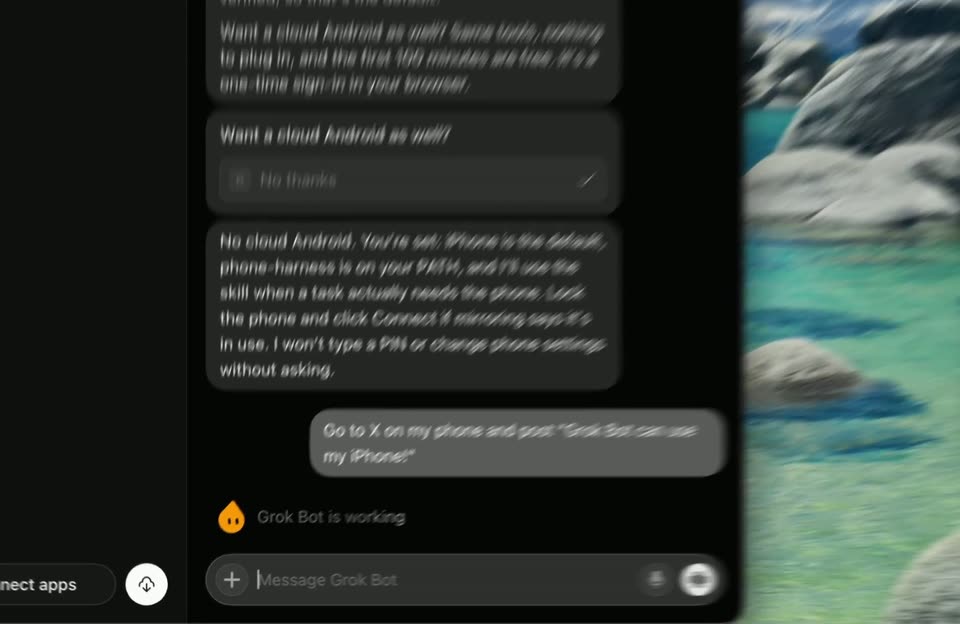
Phone Harness’s 0:37 launch film runs 6 scenes, about 6.2 s each. The product is on screen from the first frame. There is no explicit call to action. A single continuous split-screen demo: a dark Grok Bot chat log on the left and a floating 3D iPhone on the right, with the camera slowly zooming and panning between the two as the bot opens X, types and posts on the phone. Pacing is slow and steady, anchored by the static lake wallpaper and the recurring flame icon, while the 3D phone tilt and the streaming chat bubbles carry the motion.
Is this your launch? to your site or press kit.
Result · Consumer · Nov 2026
Cua · B2B · Apr 2025
A dark chat panel sits left of a 3D iPhone over a lake wallpaper. The view zooms into the input line as the command to post on X is typed and sent, then pulls back as the bot status switches to 'Grok Bot is working' and 'Running commands'.
Techniques: UI zoom, 3D mockup
Camera: Static
A dark macOS chat window sits on the left while a 3D-tilted iPhone floats on the right over a lake photo. The phone screen switches from an app grid to the X feed as the chat log scrolls and new bot messages appear.
Techniques: 3D mockup, Split screen
Camera: Static
A split screen pairs a dark Grok Bot chat log on the left with a 3D iPhone mockup over a lake on the right. The phone moves from the X feed to a composer where the text 'Grok Bot can use my iPhone' types in.
Techniques: Split screen, 3D mockup
Camera: Static
A dark chat panel holds the left, its message bubbles locked in place above a flame icon and Running commands line. On the right, an iPhone in 3D perspective floats over a still lake photo, its X feed nudging up as an Avastudio video plays inside the post.
Techniques: Split screen, 3D mockup
Camera: Static
A dark chat window on the left scrolls up as new Grok Bot messages slide in, while a flat iPhone mockup on the right steps through the X app: home feed, composer, menu, then profile. A cursor hovers bottom left and the view briefly zooms onto the chat.
Techniques: Split screen, Cursor demo, UI zoom
Camera: Static
A dark chat panel on the left streams status messages while a phone on the right shows an X post over a lake backdrop. The view then adds a second phone on the left, where a cursor moves across the post header.
Techniques: Split screen, Cursor demo
Camera: Push in