
1:17
Explore
Portable Computer for Windows
Perplexity · Sep 2026 · 0:32 · Full motion · AI-annotated
- Length
- 0:32
- Scenes
- 14 · 2.3 s avg
- Product on screen
- 0:00
- Features shown
- 2
- Voiceover
- No
- Views
- 15K on YouTube
as of November 28, 2026
00:00:00 / 00:32:17
- Length
- 0:32
- Scenes
- 14 · 2.3 s avg
- Product on screen
- 0:00
- Features shown
- 2
- Voiceover
- No
- Views
- 15K on YouTube
as of November 28, 2026
Perplexity’s 0:32 launch film runs 14 scenes, about 2.3 s each. The product is on screen from the first frame and 2 features are revealed. There is no explicit call to action. The video is built as a four-beat launch: a teal title card, a frosted-glass install sequence, a self-drawing architecture diagram, and a near-black binary field for the cloud-escalation feature, closing on the Perplexity lockup. Signature moves are the slow serif text reveals, the frosted UI cards, and the cyan connectors that tie the Local and Cloud tiles together.
No filming indicatedEstimated needs: 2 capture groups — your screens or recordings · 1 official logo — reused across the film · 6 graphic passages — draw or supply
Is this your launch? to your site or press kit.
More like this
0:28

Cursor - The Agent SDK is now available. Define agents as code, with prompts
Cursor · Developer tools · Oct 2026
0:17

Miro - Make Miro part of your Google Docs, with smart chips! Use smart chips
Miro · Productivity · Jun 2023
Similar soundtrack
Films whose music sounds like this one, voice left out
3:00
Crew Dragon | Animation
Crew Dragon · Cinematic electronic and orchestral
2:03
Lucid Gravity | Lucid Motors
Lucid Motors · Cinematic electronic and orchestral
0:28

Linear - New capabilities for Linear Loops: • Trigger from project, initiativ
Linear · Ambient electronic
Portable Computer for Windows, scene by scene
· 14 scenes as text
01 · Product intro · 0:00–0:03
A blurred teal gradient fills the frame as a two-line white serif headline fades in, the Windows logo sitting inline between the words. The line then fades out while a small glowing capsule holding the logo appears in the center.
On-screen text: “Portable Computer is now available”, “in the Perplexity Windows app”
Camera: Static
02 · Feature reveal · 0:03–0:06
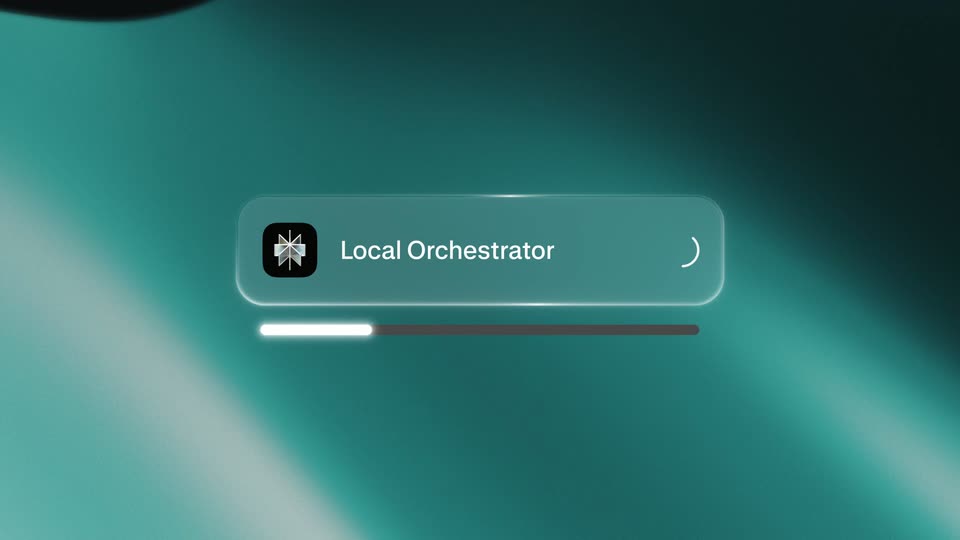
A frosted-glass card showing the Local Orchestrator app icon and name floats on a blurred teal backdrop. A cursor glides in and clicks the download icon; the icon swaps to a spinner as a white progress bar fills left to right beneath the card.
On-screen text: “in the Perplexity”, “Windows app”
Techniques: Cursor demo
Camera: Static
03 · Feature reveal · 0:06–0:08
A frosted-glass notification card with a black app icon and the white label Local Orchestrator sits centered on a blurred teal gradient. The card scales up from a small pill to a wide banner, the checkmark on the right cropping out as it enlarges.
Techniques: UI zoom
Camera: Static
04 · Feature reveal · 0:08–0:09
A black rounded-square app icon with a white window glyph rests centered on a teal gradient. A soft white halo glows around its rim and drifts slowly around the edges.
Techniques: Light sweep
Camera: Static
05 · Feature reveal · 0:09–0:12
On a dark field of faint binary digits, a cyan circle draws itself clockwise around a central server icon. Five labeled nodes fade in around the ring in sequence: Harness, Orchestrator, Sandbox, Local models, Local tools.
On-screen text: “Harness”, “Orchestrator”, “Sandbox”, “Local models”, “Local tools”
Camera: Static
06 · Feature reveal · 0:12–0:16
A circular diagram of five labeled chips around a central terminal icon sits on a dark binary grid, then fades out as white serif text fades in at center and holds before fading to black.
On-screen text: “Cloud escalation to”, “15+ frontier models when needed.”
Camera: Static
07 · Feature reveal · 0:16–0:17
A dark rounded dialog fades in at center on a black background, showing a bold white headline, two lines of gray text, and two pill buttons, Deny and Allow once, at the lower right. The frame stays locked off.
Camera: Static
08 · Feature reveal · 0:17–0:20
A dark dialog card sits centered on a black background. A white cursor arrow glides up from below the card and lands on the right-hand button, which brightens to a pressed state. The frame stays locked off throughout.
Techniques: Cursor demo
Camera: Static
09 · Feature reveal · 0:20–0:22
A dark rounded-square icon with a drive glyph sits centered on black while a cyan glint sweeps its edges. Faint binary digits fill the background, the label Local fades in below, then two nodes and a dashed cyan line rise from the icon's top.
On-screen text: “Local”
Techniques: Light sweep
Camera: Static
10 · Feature reveal · 0:22–0:23
A locked-off dark frame with faint code. A rounded card holding four line-art icons at center lights up with a teal border glow. The serif title Cloud brightens to white and a gray caption Frontier knowledge fades in below it.
On-screen text: “Cloud”, “Frontier knowledge”
Camera: Static
11 · Feature reveal · 0:23–0:25
A dark rounded card with a glowing cyan edge holds four white icons, including a starburst and a looped knot. It sits under the title Cloud and subtitle Frontier knowledge, a dashed cyan line trailing from its base, as the frame slowly zooms in over faint code characters.
On-screen text: “Cloud”, “Frontier knowledge”
Camera: Static
12 · Feature reveal · 0:25–0:28
A dark rounded tile with a white computer icon sits at the center of a black field of faint binary digits. Two dashed cyan lines drop from the top to dots on the tile's edge. The caption Local rests below in white serif. The frame stays locked off and static.
On-screen text: “Local”
Camera: Static
13 · Outro · 0:28–0:32
A white line-drawn mark assembles into the star emblem on black as the lowercase wordmark “perplexity” slides in beside it, while a faint “Local” caption fades below. The lockup then holds static for the remainder.
On-screen text: “Local”, “perplexity”
Techniques: Morph, Kinetic type
Camera: Static
14 · Outro · 0:32–0:32
The white Perplexity star mark and lowercase wordmark sit centered on a near-black background, held static for the full shot.
Camera: Static