0:51
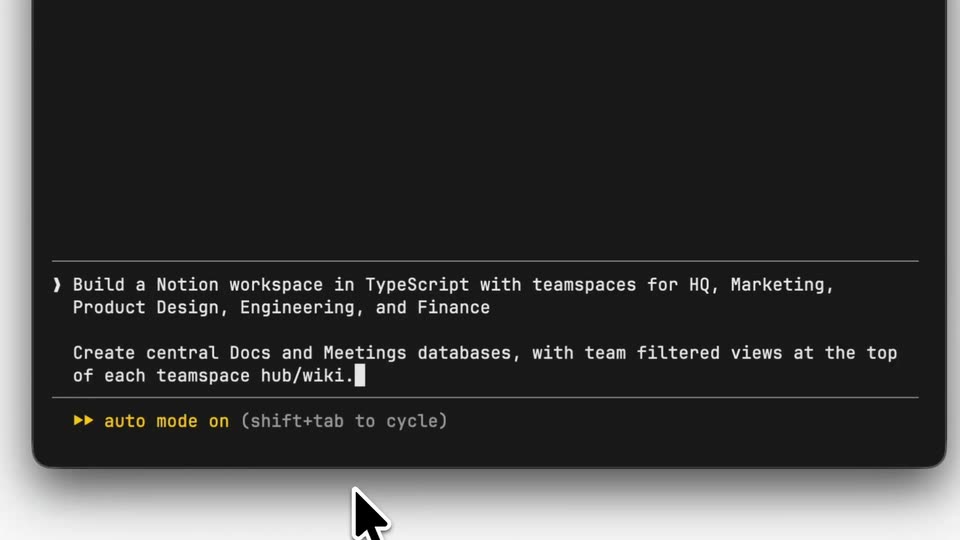
Notion - Now in beta: Notion as code. Define an entire workspace in TypeScrip
Notion · Productivity · Jul 2026
Perplexity · Jun 2026 · 0:59 · AI-annotated
Perplexity’s 0:59 launch film runs 13 scenes, about 4.6 s each. The product is on screen from the first frame. There is no explicit call to action. The video alternates locked-off serif claim cards on cream with slow 3D fly-throughs of the agent interface, moving from prompt entry to local execution to finished deliverables. Signature moves are the gray-to-teal headline shift, the window tilt-to-flat rotation, and the teal wash on the PII card, all cut at a steady five cuts per minute.
Is this your launch? to your site or press kit.
Notion · Productivity · Jul 2026
Runway · AI · Sep 2026
Anthropic · AI · Oct 2025
A cream background holds the serif line “Introducing hybrid agentic” while “inference on Computer” fades in below it, shifting from gray to teal, then a white input bar with a Computer chip slides up from the bottom edge.
On-screen text: “Introducing hybrid agentic”, “inference on Computer”
Techniques: Kinetic type
Camera: Static
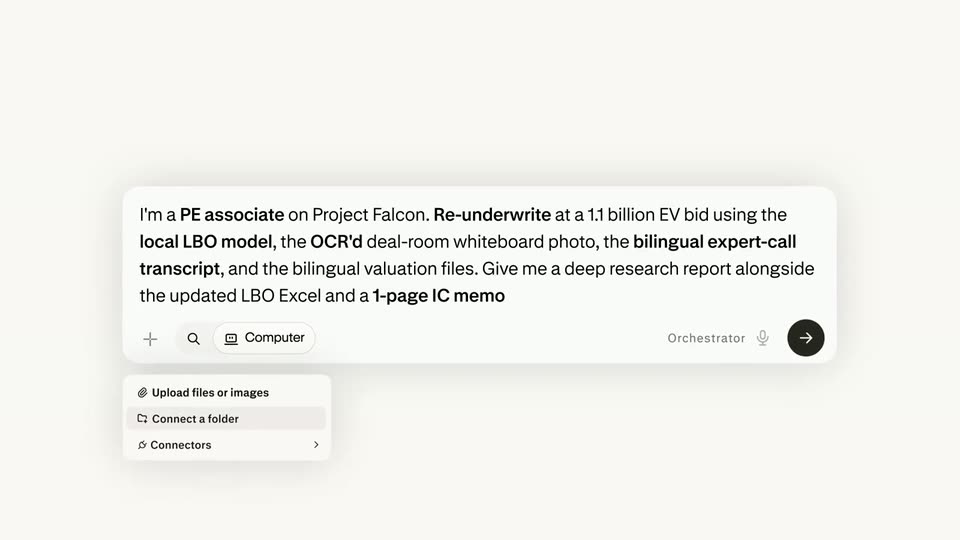
A centered chat input on a cream field types a long PE underwriting prompt; a small menu opens under the plus icon and a Project Falcon chip appears, then a cut to a serif tagline.
On-screen text: “Sensitive data stays local.”
Techniques: Kinetic type
Camera: Static
A cream background holds two centered lines of black serif text reading “Sensitive data stays local. Frontier power stays available.” The frame is locked off and the type stays still for the full three seconds.
On-screen text: “Sensitive data stays local.”, “Frontier power stays available.”
Camera: Static
A tilted 3D chat window floats over a blurred desktop. The view zooms into the assistant's task card as its instruction text types out, a path highlighted. The camera pulls back to a full desktop, a Windows file explorer of deal documents beside the chat.
Techniques: 3D mockup, UI zoom, Split screen
Camera: Pull out
A tilted app window floats in 3D over a blurred landscape. It rotates toward a flat frontal view and scales up, exposing a left sidebar with menu items and a chat panel listing files. The motion is slow and steady.
Techniques: 3D mockup
Camera: Push in
A light chat interface plays an agent task feed: the view zooms in and slides down past CPU, GPU and memory graphs, then a PII detection panel with three share buttons. Sidebar labels scale and slide into place at the left edge.
Techniques: UI zoom
Camera: Push in
An agent interface shows a PII warning card listing detected emails, names and a phone number. A cursor clicks the 'Share without PII' button, the card washes teal, and the view scrolls down to a scenario summary table and deliverables list as the window floats over a blurred desktop.
Techniques: Cursor demo, Light sweep
Camera: Push in
A split product interface shows a chat feed on the left listing deliverables and file cards, beside a research report on the right. Both panels scroll upward at a steady pace, revealing more of the report's valuation section.
Techniques: Split screen
Camera: Pan
A light app window shows two columns. The left chat panel lists deliverables with three file cards and a command input. The right document panel scrolls up through dense financial text and a transaction table.
Camera: Static
A full-screen capture of a two-pane product interface. The left pane lists three deliverables above file cards and a command input box; the right pane shows a long research report with bolded financial figures. The frame holds static.
Camera: Static
A cream background holds a centered serif headline reading Maximum token efficiency. The line is then replaced by a two-line caption, with local and server orchestration. The frame stays locked off and the text remains static.
On-screen text: “Maximum token efficiency”, “with local and server orchestration.”
Camera: Static
A desktop window shows an AI assistant with a financial memo and a peer-comps table. A system notification slides in at the bottom right, then the view zooms in toward it.
Techniques: UI zoom
Camera: Push in
On a cream background, the Perplexity line mark rotates into its eight-point asterisk symbol while the lowercase wordmark fades in to its right. The full lockup then holds centered and still for the rest of the clip.
On-screen text: “perplexity”
Camera: Static