0:37

Design, build, and launch — with Webflow
Webflow · Design · Oct 2018
Perplexity · Jun 2026 · 1:44 · AI-annotated
Perplexity’s 1:44 launch film runs 28 scenes, about 3.7 s each. The product is on screen from the first frame and 4 features are revealed. There is no explicit call to action. The film alternates cream title cards that assemble word by word with slow, zooming screen recordings, each card announcing one capability and the following beat proving it inside a Microsoft 365 app. Signature moves: app icons popping inline inside sentences, 3D perspective pulls on window stacks, and a closing morph from the laptop glyph to the Perplexity pinwheel.
Is this your launch? to your site or press kit.
Webflow · Design · Oct 2018
Yarn · B2B · Nov 2026
Shopify · Business software · Jun 2026
Films whose music sounds like this one, voice left out
Superhuman · Lo-fi hip-hop / chillhop
Replit · Funk, soul, and lo-fi hip-hop
Relume · Funk, Soul, R&B
Night landscape with circular star trails over a rocky hill and snowy grass; the camera drifts slowly. White serif text “Computer works” fades in, then crossfades into “Now Computer works in Microsoft”. A rounded app icon appears at right, cycling green, purple, orange, blue.
On-screen text: “Computer works”, “Now Computer works in Microsoft”
Techniques: Kinetic type
Camera: Pull out
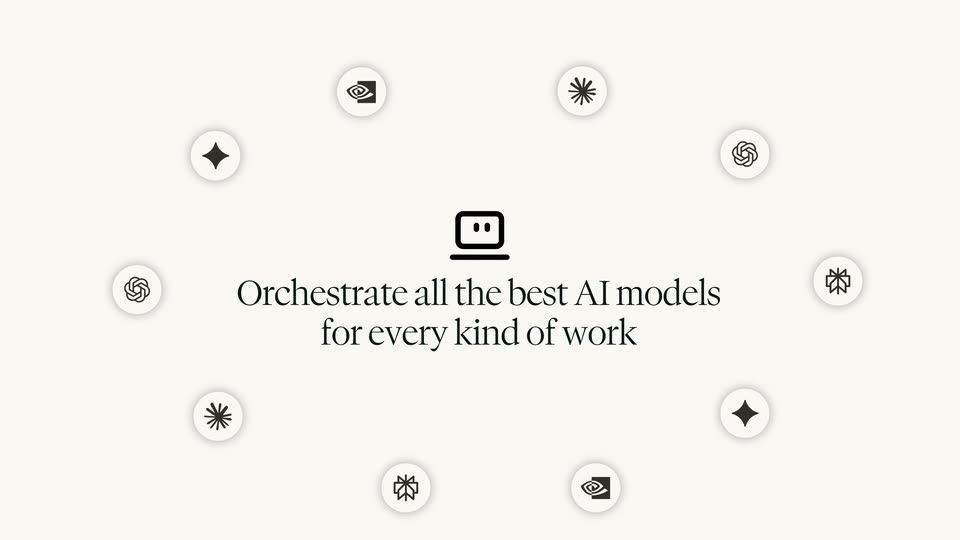
A black laptop glyph with two dot eyes sits centered on a cream field, then shrinks and rises as the line “Orchestrate all the best AI models” scales in beneath it. A second line follows, and ten circular AI model badges fade in around the text in a loose oval ring.
On-screen text: “Orchestrate all the best AI models”, “for every kind of work”
Techniques: Kinetic type, Particles
Camera: Pull out
On a cream background, a small monitor icon sits above a two-line serif headline, ringed by eight circular AI-model logos. The icons and text fade and scale up from a pale gray to full dark ink over the half-second.
On-screen text: “Orchestrate all the best AI models”, “for every kind of work”
Techniques: Kinetic type
Camera: Pan
An Excel valuation model fills the screen. The view zooms to the ribbon as a cursor clicks the Perplexity add-in, then reframes to the side panel where a prompt is typed and sent, revealing an AI response.
Techniques: Cursor demo, UI zoom
Camera: Push in
A spreadsheet window fills in row by row with financial figures across eight year columns, while a right-hand panel lists the AI's completed steps. The view stays static on the interface.
Camera: Pull out
A defocused Excel window sits at the bottom of a cream backdrop as a black serif headline assembles line by line. A blue Word icon pops in between 'your' and 'documents', then the headline scales up as the spreadsheet snaps into focus.
On-screen text: “Keep your documents aligned and up to date”
Techniques: Kinetic type
Camera: Static
A desktop spreadsheet app fills the frame, showing a multi-year revenue and EBITDA model. A property panel on the right lists key changes that refresh line by line as the model rebuilds, while a figure in the far-right column slides into place.
Camera: Pan
Two Word documents sit side by side on a white desktop. The view zooms into the memo's table and executive summary while a Perplexity panel loads on the right window and a cursor moves to the toolbar.
Techniques: Split screen, UI zoom, Cursor demo
Camera: Push in
A chat input field fills with a long investment-research prompt as it is typed. A cursor clicks the send button, then the frame zooms out to show the full Auto1 investment document next to the chat.
Techniques: Cursor demo, UI zoom
Camera: Pull out
A Word document holding an AUTO1 Group SE investment memo fills the screen, with the Perplexity sidebar on the right listing completed steps. The page scrolls down past the scenario summary table and executive summary to the post-earnings thesis review section.
Camera: Pull out
A Word memo with a Copilot sidebar sits under a large serif headline. The document fades out, the Word and PowerPoint icons pop in between the words on a cream field, then the document fades back in.
On-screen text: “Computer moves you from doc to deck”
Techniques: Kinetic type, Morph
Camera: Static
A Microsoft Word document with financial tables fills the left of the frame while a Perplexity assistant panel on the right lists generated bullet points; a thin horizontal line with two small dots glides across the panel as it processes.
Camera: Pan
Two PowerPoint windows sit side by side, the right one showing a Perplexity chat panel. The camera zooms into the panel as a prompt types itself into the input box, then a cursor clicks the send button and the box clears.
Techniques: Split screen, UI zoom, Cursor demo
Camera: Push in
A tight crop on a PowerPoint slide and a floating AI command bar pulls back to show the whole window. A right-hand panel lists the formatting steps just completed, while a cursor rests on the blank slide.
Techniques: UI zoom, Cursor demo
Camera: Pull out
A PowerPoint window displays a financial slide with a Copilot panel on the right. The cursor moves down the left thumbnail strip and clicks the second thumbnail, swapping the main slide to an executive summary table.
Techniques: Cursor demo
Camera: Static
A PowerPoint window fills the frame. A cursor clicks slide thumbnails on the left, swapping the center view from an executive summary table to a Q1 results table. The right panel holds a static AI note. The window then scales down inside a gray border.
Techniques: Cursor demo
Camera: Static
A PowerPoint window shows a results slide beside a Copilot panel, then cuts to a plain white card where the serif line sits centered and still. The shot holds on the static text with no further motion.
On-screen text: “Ask Computer to draft the follow-up”
Camera: Pan
A centered serif line with an inline blue 3D cube icon settles in on a cream background, then the frame dissolves into a tilted 3D view of the presentation app, its slide table and right-hand AI panel, while the heading scales up and fades.
On-screen text: “Ask Computer to draft the follow-up”
Techniques: Kinetic type, 3D mockup
Camera: Static
A tilted PowerPoint window in 3D perspective rotates to face the camera, revealing a Q1 results slide with a financial data table. On the right, a Copilot panel ticks through formatting steps as a thin progress bar fills across its base.
Techniques: 3D mockup
Camera: Pan
A fan of Outlook compose windows sits in 3D perspective on a pale background, each offset behind the last. The stack slides left, the front window holding the Perplexity app pane, depth layers drifting at different speeds.
Techniques: 3D mockup, Parallax
Camera: Push in
In a close-up of the Perplexity interface, a prompt types itself into the chat input, “Draft an email to my deal team based on the attached Auto1 valuation model, pitch deck and memo.” A cursor then clicks the send button and the card shrinks and slides right, making way for a new white panel.
Techniques: Kinetic type, Cursor demo
Camera: Static
Screen recording of an Outlook draft holding a long investment memo. The frame opens zoomed into the compose window, then pulls back to reveal the Perplexity app panel summarizing the email on the right. A cursor drifts near the Send button and the To field.
Techniques: UI zoom, Cursor demo, Split screen
Camera: Pull out
Centered serif text on a cream background builds word by word. The line begins as “20+ models in” in dark gray, then the word “Computer” fades in lighter to the right, completing the phrase on a locked-off frame.
On-screen text: “20+ models in Computer”
Techniques: Kinetic type
Camera: Static
A serif line reads “20+ models in Computer” on a cream background. A pill-shaped chip scales in at the center, pushing the two text halves apart, and inside it the names Claude, GPT, Gemini and Sonar crossfade one after another with their small logos.
On-screen text: “20+ models in Computer”, “Claude”, “GPT”, “Gemini”, “Sonar”
Techniques: Kinetic type
Camera: Static
On a cream background, a line-art laptop icon and the serif headline “Every AI capability” grow from small to large, then hold, as a faint line “Available for Mac and Windows” fades in behind the headline.
On-screen text: “Every AI capability”, “Available for Mac and Windows”
Techniques: Kinetic type
Camera: Static
Two horizontal strips of Microsoft 365 screenshots, Excel sheets above and Word, Outlook and PowerPoint windows below, scroll sideways at different speeds. A Copilot icon sits centered above the serif headline “Available in Microsoft 365 Apps”, which fades out in the final second.
On-screen text: “Available in Microsoft 365 Apps”
Techniques: Parallax
Camera: Pull out
A financial spreadsheet and a shapes tool window sit on a cream field, then clear away, leaving a centered line-art laptop icon. The icon shrinks and morphs into a bowtie, then a four-blade pinwheel holding two dot eyes.
On-screen text: “Available in Microsoft 365 Apps”
Techniques: Morph
Camera: Static
A black asterisk-in-square mark sits centered on a cream background. The lowercase wordmark fades and scales in to its right, then the whole lockup slides left to settle centered and hold.
On-screen text: “perplexity”
Techniques: Kinetic type
Camera: Static