0:36


immad - 1/ Today, we're launching @Mercury Books. AI-powered accounting soft
Mercury · Finance · Sep 2026
Perplexity · Aug 2026 · 1:33 · Full motion · AI-annotated
Perplexity’s 1:33 launch film runs 29 scenes, about 3.2 s each. The product shows up at 0:01 and 3 features are revealed. There is no explicit call to action. The video alternates centered serif value-prop cards on cream with tight UI demos, each card introducing the next capability in a single continuous story. Motion stays restrained: headlines fade and scale in place, interface panels slide and crossfade, and a teal cursor drives every interaction.
Is this your launch? to your site or press kit.
Mercury · Finance · Sep 2026
Microsoft · AI · Sep 2025
Films whose music sounds like this one, voice left out
ernd · Electronic, House, Lo-fi Hip-hop, Chillwave
Polylane · Electronic
Readwise · Instrumental electronic dance music, specifically Trance or Eurodance.
A flat icon of a rounded screen over a base bar sits centered on a cream field. Three vertical pills inside the frame shift while the outline fades from teal to black.
Camera: Static
A serif headline reads Ship with a team of agents centered on a cream background. A second line, on Perplexity Computer, fades in beneath it. The frame is locked and the text stays still once set.
On-screen text: “Ship with a team of agents”, “on Perplexity Computer.”
Techniques: Kinetic type
Camera: Static
A cream background holds a white command bar showing the placeholder Do anything... and a Search pill. The bar crossfades from a doubled panel to a single card, then the typed text I want to add a new family fills the field beside Computer and Orchest pills.
Camera: Static
A prompt types itself into a rounded input box, the heading What should we work on? slides in above it, then a cursor taps the round send button and the interface fades to a GitHub mark with a status line.
Techniques: UI zoom, Cursor demo
Camera: Pull out
On a cream background, a black GitHub mark sits left of the caption about locating the code base, its teal words fading to black. A cut swaps in the purple Stripe mark with the caption about tier pricing, fading in from gray to black.
On-screen text: “Locating code base in GitHub”, “Setting tier pricing in Stripe”
Camera: Static
On a white field the serif line Done. scales up into the full sentence, then the frame reframes and pulls back to reveal a chat interface where the line sits as the first line of an AI message above body copy and a bulleted file list.
On-screen text: “Setting tier pricing in Stripe”, “Done. Family Plan tier is ready to be deployed.”
Techniques: Kinetic type, UI zoom
Camera: Static
A browser window opens on a chat document headed Done. Family Plan tier is ready to be deployed., with a file list and a small pricing preview card. The view pulls back to reveal the full rendered pricing page on the right, showing Free and Premium cards.
Techniques: UI zoom
Camera: Pull out
A browser window on a blue gradient desktop holds two panes: a chat log on the left and a live SkillShelf pricing page on the right. The view slowly pushes in, tightening the frame so the chat text and the Free and Premium price cards become readable.
Camera: Push in
A pricing page UI fades in: the heading, subtitle and three plan cards (Free, Premium, Family) drift into position with a brief ghosting, then hold static. A soft blue gradient panel runs down the right edge.
Camera: Push in
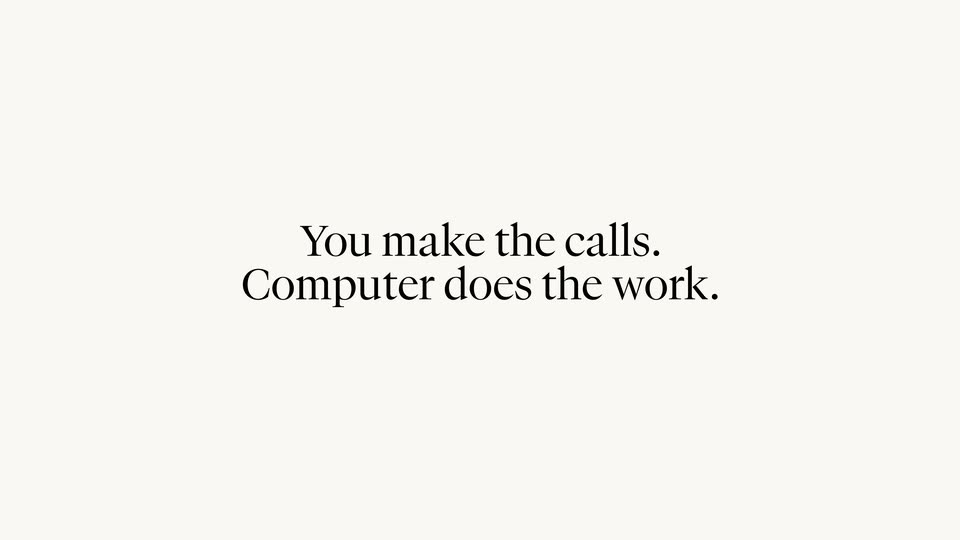
On a plain cream background, the centered black serif line “You make the calls.” fades in, then a second line “Computer does the work.” fades in directly beneath it. Both lines hold static for the remainder of the clip.
On-screen text: “You make the calls.”, “Computer does the work.”
Techniques: Kinetic type
Camera: Static
A cream document scrolls upward past a centered charcoal serif headline, then pans down through a bulleted file list and body paragraphs into a pause-icon callout about waiting for approval.
On-screen text: “You make the calls.”, “Computer does the work.”
Camera: Pan
A light chat panel holds a status note while a white dialog card rises asking to open a pull request. A teal cursor clicks the first option, which highlights, the button swaps to Submit, and the frame fades out.
Techniques: Cursor demo
Camera: Push in
A dark rounded-square icon with a green lightning bolt sits left of a centered headline on a cream background. The headline reads “Reviewing migration in Supabase”, then swaps with a quick glitch blur to “Deploying the Family Plan tier”.
On-screen text: “Reviewing migration in Supabase”, “Deploying the Family Plan tier”
Techniques: Kinetic type
Camera: Static
A pricing page close-up with a peach Family plan banner, captioned “Deploying the Family Plan tier”, then a cut to a cream field where the serif line “Ship the product,” fades in with a faint reflection.
On-screen text: “Deploying the Family Plan tier”, “Ship the product,”
Camera: Pan
On a flat cream background, the black serif line “Ship the product,” holds centered, then “drive the results.” drops in beneath it to form a two-line block, which scales up slightly toward the end of the clip.
On-screen text: “Ship the product,”, “drive the results.”
Techniques: Kinetic type
Camera: Static
A chat interface scrolls down from a faded release-notes list to the prompt box, where a dashboard request types out with Datadog and Stripe chips. A teal cursor glides to the black send button.
Techniques: UI zoom, Cursor demo
Camera: Push in
A chat input box with a teal cursor resting on the send button fades to white. As it dissolves, the title “Building release” and a purple Datadog dog logo fade in at center-left.
On-screen text: “Building release”
Techniques: Cursor demo
Camera: Static
Two title cards on a plain off-white background, each pairing a small brand icon on the left with a headline to its right. The purple Datadog mark and its line wipe in, then crossfade to the indigo Stripe mark and a second line.
On-screen text: “Building release monitor with Datadog”, “Fetching revenue metrics from Stripe”
Techniques: Kinetic type
Camera: Static
A rounded dashboard card fades in on a cream background, showing a Stripe MRR figure and a rising purple line, then slides left as a second card with a jagged yellow error-rate line slides in from the right, settling centered.
On-screen text: “Fetching revenue metrics from Stripe”, “Stripe net MRR”, “Backend error rate”, “+3.8%”, “Stripe · 7 days - click to expand”
Camera: Static
A white rounded dashboard card slides in from the right on a cream background, showing a green dot, the label Backend error rate, a large 0.27% figure and a gold line chart with a soft yellow fill, while a second card with a purple line peeks in at the left edge.
Camera: Static
A row of rounded metric cards slides left across a cream field. A gold line-chart card for backend errors and a blue line-chart card for production logins scroll past, the login figure ticking up from 32 to 40, while a teal card fades out at the right edge.
Camera: Static
A tilted SkillShelf growth dashboard floats on a soft blue gradient. A teal cursor glides over the metric cards while the camera zooms into the Production logins tile, scaling its number and label.
Techniques: 3D mockup, Cursor demo, UI zoom
Camera: Pull out
A white analytics modal titled Stripe net MRR is centered over a blurred dashboard background. Metric values count upward while line and bar charts draw in across the panel.
Camera: Push in
A white analytics card is centered over a blurred dashboard background, showing MRR totals, a line chart, bar charts and two funnels. Numeric values tick upward throughout as the live data updates.
Camera: Static
A plain off-white background features a single line of text that fades in from a faint state to full opacity.
On-screen text: “Oversee the business from anywhere.”
Camera: Static
A black serif headline holds centered on a cream field as a soft highlight sweeps across the letters. The frame then cuts to a phone mockup shown front-on in 3D perspective, its screen showing a Slack channel header for #growth.
On-screen text: “Oversee the business from anywhere.”
Techniques: Light sweep, 3D mockup
Camera: Static
A phone mockup on a cream background eases out from a tight crop to a full frame, showing a #growth chat channel. A user message fades in, then the screen scrolls down to reveal the app's bulleted growth report.
Techniques: UI zoom
Camera: Pan
On a cream background, a centered serif headline fades in line by line: the first line shifts from light gray to black while the second line appears below it, then both lines fade back to pale gray.
On-screen text: “From product to production,”, “and everything after”
Techniques: Kinetic type
Camera: Static
A black serif line, in Perplexity Computer., holds under a small laptop icon on a cream field, then both fade out as the Perplexity asterisk mark and lowercase wordmark scale in and settle center frame.
On-screen text: “From product to production,”, “and everything after”, “in Perplexity Computer.”, “perplexity”
Techniques: Kinetic type
Camera: Static