0:44
See FlashDrive (YC F26)’s activity on LinkedIn
Wondersearch · B2B
Outlook · Dec 2022 · 1:09 · Full motion · AI-annotated
production Microsoft Design · animation Colin Moll · directed Colin Moll · produced Colin Moll · animation Andrew Falk · animation Adrian Wulfrath · animation Chris Lorance · animation Leitin Pedro · animation Rudy Vessup · sound design Rudy Vessup · produced Tasha Lutfi · produced Jana Huskey · produced Tracy Childers
Outlook’s 1:09 launch film runs 39 scenes, about 1.8 s each. The product is on screen from the first frame. The call to action lands at 1:03 (91% in). The piece bookends a 3D tour of the interface with the Try the New Outlook toggle: the camera dives into a blue vortex, stages mail and calendar elements as floating objects on a plus-mark grid, then racks into live UI in light and dark mode. Signature moves are the push-in camera moves, the blur-to-focus racks, and the toggle returning to close the loop.
Is this your launch? to your site or press kit.
Wondersearch · B2B
Uniswap · Feb 2023
Moonshot AI · Oct 2026
Films whose music sounds like this one, voice left out
Runway · Modern commercial instrumental
DeepPrinciple · Electronic
Dyna · Electronic, Cinematic
A pale gray field holds the caption “Try the New Outlook” beside a gray toggle switch. The toggle flips to blue with a white knob and the camera pushes in on it, pressing a soft ripple into the surface.
On-screen text: “Try the New Outlook”
Techniques: UI zoom
Camera: Static
A blue 3D toggle switch, knob to the right, rests on a pale gray field while the camera pushes in until it fills the frame. The black headline slides across the left edge.
On-screen text: “Try the New Outlook”
Techniques: 3D mockup, Kinetic type
Camera: Push in
A blue light vortex forms a tunnel. 3D app icons, an envelope, camera, calculator, calendar and speech bubble, float in perspective and drift past as the camera pushes forward through the swirl.
Techniques: 3D mockup, Parallax
Camera: Static
A blue tunnel of swirling ribbons spins around a bright white core. Small 3D blocks and a red dot streak toward the glow, blurring with speed, while a tiny white outlined symbol drifts below the center.
Techniques: Parallax
Camera: Static
A glowing white oval platform floats in a blue 3D space, ringed by a red P, green X and blue W app icon plus a blue chair. The camera drifts and tilts, reframing the icons as they pass at different depths.
Techniques: 3D mockup, Parallax
Camera: Static
A white, ridged 3D tunnel with a bright glowing center fills the frame as the camera pushes forward. Small floating tiles, a green X block and a green list block, plus a blue pen, drift in the upper area. A soft blue shape blurs across the left edge.
Techniques: 3D mockup
Camera: Static
A 3D top-down design desk in blue and white holds typography samples, color swatches, sticky notes and folder icons. A rounded mask opens and the camera pulls back, resolving from a soft blur into a sharp wide view of the layout.
Techniques: Masking, 3D mockup
Camera: Push in
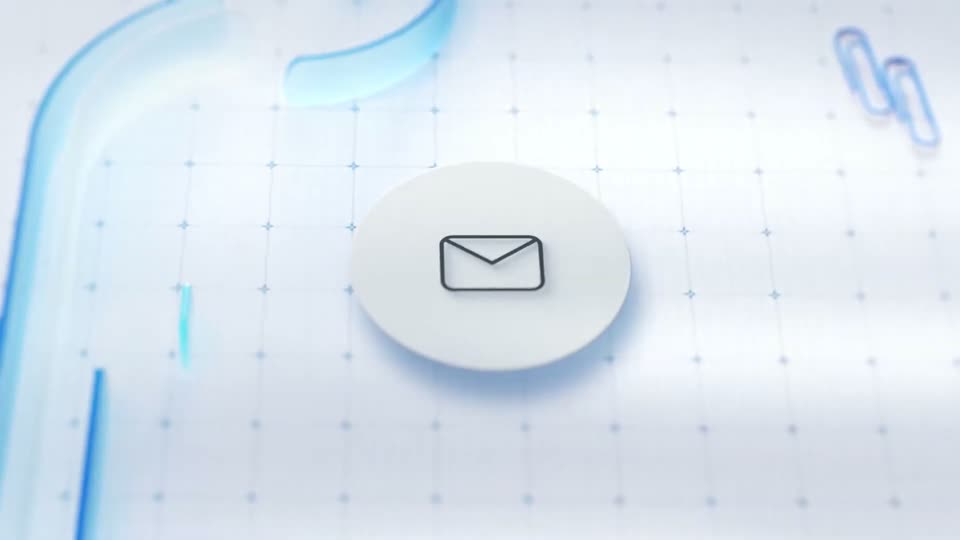
A white circular button with a black envelope icon sits on a pale plus-mark grid in 3D perspective. Translucent blue ribbons drift past it at different depths while small “Aa” text scales in.
On-screen text: “Aa Aa”, “Aa”
Techniques: 3D mockup, Parallax
Camera: Push in
A white card with a blue pencil and envelope icon lies on a light grid surface in 3D perspective. The camera tilts up and pans, revealing a grid and paperclip icon on the card and blue 3D shapes, a ring and paperclips, around it.
Techniques: 3D mockup, Parallax
Camera: Static
A light vertical toolbar with people and paperclip icons tilts in 3D over a dotted grid, a blue checkmark pops in mid-panel. Blurred blue 3D shapes float at the edges as the camera glides along the panel.
Techniques: 3D mockup
Camera: Pan
A soft-focus white panel with a dot grid and drifting blue ribbons holds a vertical sidebar of app icons. The panel tilts in 3D perspective as the icons slide and stack: checkmark, Word, Excel, PowerPoint, then a grid tile.
Techniques: 3D mockup
Camera: Pan
A white email toolbar floats in 3D perspective over a graph-paper grid of blue plus signs. The camera tracks along the bar as buttons slide and scale into view: New Mail, Delete, Archive, Sweep, Move to, then a second row of icons.
Techniques: 3D mockup, Parallax
Camera: Push in
A light-blue 3D grid plane holds abstract shapes, a textured sphere, white cubes, paper clips and blue tiles, while an Outlook email ribbon floats in the center. Its cluttered overlapping labels sort into a clean single row as the Quick steps label scales.
Techniques: 3D mockup
Camera: Pull out
An email card from Daisy Philips sits centered on a white grid surface. The camera pulls back and tilts to show it as the top of a fanned stack of message cards on a 3D desk, with a blue pen cup, sticky notes, paperclips, and a flowing blue ribbon.
Techniques: 3D mockup
Camera: Pull out
A translucent stack of email cards floats in 3D over a white grid, framed by blue 3D shapes and paper clips. The stack scales down toward center as the top card switches from a message by Daisy Philips to one by Miguel Silva, the first card shrinking into a thumbnail.
Techniques: 3D mockup
Camera: Static
A white RSVP card from Daisy Phillips for a Yoga Workshop rests on a light blue grid desk, flanked by a rolled yoga mat and paper clips. The camera pushes in as the card tilts in 3D, then pans right, carrying it off the top edge.
Techniques: 3D mockup
Camera: Push in
Notification cards in an inbox stack in 3D perspective over a pale blue plus-pattern field. The view reframes from a single card to the full list, a blue row for Lydia Bauer sliding into the highlighted position.
Techniques: 3D mockup, UI zoom
Camera: Static
A light-blue Outlook window floats centered over a dotted grid with soft blue 3D blocks. The inbox list and Team Pictures conversation stay locked in frame while the window resolves from blur into sharp focus.
Techniques: 3D mockup
Camera: Pull out
An angled 3D view of a white interface bar shows a blue Windows logo beside an envelope icon. The framing shifts right as a blue document rises out of the envelope inside a rounded button. Soft light-blue background with blurred plus shapes and a faint grid.
On-screen text: “See 4 more messages”
Techniques: 3D mockup
Camera: Pull out
A 3D monitor mockup tilted on a dotted grid holds an email client, the frame racks from soft blur to sharp focus as the angle settles. The screen shows a folder list, a message list and a Team Pictures thread.
Techniques: 3D mockup
Camera: Push in
A tilted Outlook mail window rests on a grid plane over a mountain and grass wallpaper. The frame opens soft and out of focus, then pulls sharp to reveal the inbox list and an open message thread.
Techniques: 3D mockup
Camera: Static
A tilted Outlook window on a monitor floats against a light blue grid. The inbox list and a Team Pictures thread stay still while the whole screen rotates gently in 3D, the desktop wallpaper peeking out at the edges.
Techniques: 3D mockup
Camera: Static
An Outlook window tilts in 3D against a light blue grid, then rotates flat to face the camera on a dark backdrop, revealing an inbox list and an open email thread.
Techniques: 3D mockup
Camera: Static
A Microsoft Outlook window sits on a desktop in 3D perspective, tilted toward the camera, showing an inbox list, a reading pane and a calendar. The whole scene rotates in 3D and accelerates into a motion-blurred spin that exits the frame.
Techniques: 3D mockup, Speed ramp
Camera: Static
An email app window fades in on a dark desktop, then the view zooms into the inbox list. A blue cursor hovers over an email row, revealing quick action icons, then the list scrolls and the cursor highlights another email.
Techniques: UI zoom, Cursor demo
Camera: Push in
A dark Outlook inbox fills the frame, slightly blurred. The view reframes to the reply toolbar, where a row of emoji reactions appears. A blue cursor glides across them and rests on the thumbs-up icon, while the New Outlook toggle stays lit at the top right.
Techniques: UI zoom, Cursor demo
Camera: Pan
A tilted close-up of a dark Outlook email shows an open reaction picker; the blue cursor taps the heart emoji, then the view pulls back to the full two-pane inbox, with the cursor resting on the pinned Birthday Party thread beside a food table.
Techniques: Cursor demo, UI zoom, 3D mockup
Camera: Pull out
A dark 3D tablet displays the Outlook app at an angle. A glowing blue cursor taps the calendar icon in the left rail, switching the view from a mail list to a November 2022 grid as the blue button changes from New Mail to New Event.
Techniques: 3D mockup, Cursor demo
Camera: Static
A dark Outlook week view pulls from blur into sharp focus over a blue wave background; a pink motion-blur streak wipes the left edge as the view dropdown closes and a white cursor rests on the highlighted Week option, leaving the populated November 13 to 19 grid.
Techniques: Cursor demo
Camera: Push in
A dark calendar week view is shown in close-up with blurred edges. A cursor hovers over a Thursday event, a context menu lists Office, Remote and Set a schedule, and the cursor slides down to rest on Set a schedule.
Techniques: Cursor demo
Camera: Push in
A dark calendar in shallow focus; a blue glass cursor hovers over an event tooltip, then rises to the top toolbar and clicks Board as the camera pans up to the view switcher.
Techniques: UI zoom, Cursor demo
Camera: Push in
A dark calendar week view fills the frame, a cursor hovers the Board View button, then the layout reframes into a split showing the calendar on the left and a Birthday prep task list on the right.
Techniques: Cursor demo, UI zoom
Camera: Pull out
A dark calendar app sits in 3D perspective, the week grid and a Birthday prep task list in view. The camera pushes in on the list as a glowing blue cursor slides to the first row and ticks the Preorder birthday cake checkbox, striking the text through.
Techniques: 3D mockup, UI zoom, Cursor demo
Camera: Pull out
A dark calendar week view with colored event blocks and a side panel sits on a 3D blue desk. The camera pulls back from a close-up to reveal the whole desk: a mouse, keyboard, sticky notes, a printer and floating icons, with an “Aa” mat on the left.
Techniques: 3D mockup, Parallax
Camera: Pull out
A glossy blue 3D icon with a white ring zips through a dark spiral tunnel toward a blurred app dashboard. The camera pulls back and rotates, widening the view so the tunnel walls spiral around the shrinking icon.
Techniques: 3D mockup, Parallax
Camera: Static
A dark blue field holds a rounded-rectangle portal with a swirling blue vortex at its center. Flat app tiles, a red P and a green X, plus a cloud shape drift past as the camera pushes into the portal, the tiles swapping mid-flight.
Techniques: Parallax
Camera: Static
On a plain light-gray background, the dark gray caption “Try the New Outlook” and a glossy blue toggle switch with a white knob slide in from the left, easing to a centered lockup. A small colorful X streaks out toward the top right as the frame locks off.
On-screen text: “X”, “Try the New Outlook”
Techniques: Kinetic type
Camera: Pull out
A small blue envelope icon rests at the center of a plain off-white field. A blue folder icon bearing a white ring badge slides in from the left and stops, overlapping the envelope's edge. The caption 'Try the New Outlook' slides into place.
On-screen text: “Try the New Outlook”
Camera: Static
A solid black frame holds the brand logo, static, with no other elements or motion.
Camera: Static