2:19
Explore
Adish Jain ☕️ - today, we're launching the General Video Agent. GVA edited this enti
Motion · Oct 2026 · 2:04 · AI-annotated
- Length
- 2:04
- Scenes
- 74 · 1.7 s avg
- Product on screen
- 0:37
- Features shown
- 1
- Call to action
- 1:52 · 91%
- Voiceover
- Yes
00:00:00 / 02:04:18
Motion’s 2:04 launch film runs 74 scenes, about 1.7 s each. The product shows up at 0:37 and 1 feature is revealed, with social proof. The call to action lands at 1:52 (91% in), over a voiceover. The video is built as a narrative arc: a live-action office struggle with crashing editors, a discovery beat on X, a product intro card, then a long montage of prompt-to-video use cases, closed by a logo and URL. Its style pairs desaturated live action with clean light-gray UI panels, uses a grainy grid and RGB glitch as its signature transitions, and keeps a fast, steady cut rate driven by a driving beat.
Footage neededEstimated needs: 6 capture groups — your screens or recordings · 1 official logo — reused across the film · 25 filmed passages — shoot, supply or replace · 5 graphic passages — draw or supply · 5 3D passages — build or supply
Is this your launch? to your site or press kit.
More like this
Adish Jain ☕️ - today, we're launching the General Video Agent. GVA edited this enti, scene by scene
· 74 scenes as text
01 · Problem · 0:00–0:00
A woman with headphones is framed center behind five overlapping macOS error dialogs for Adobe Premiere Pro, showing render failures, a damaged app, and memory warnings. The windows sit still in a dense, cluttered composition.
Camera: Static
02 · Problem · 0:00–0:03
Two people sit at a desk with their backs to the camera, facing a monitor showing the Motion app and a laptop with a red editing timeline. A black-and-white California poster hangs behind them. The shot fades in from black and holds still.
Camera: Push in
03 · Problem · 0:03–0:05
A woman at a laptop desk raises both hands in frustration, then bows her head and looks up again. Dark error notification cards float on the glass wall behind her, with a small timecode caption in the lower left.
On-screen text: “Media Offline”, “Adobe Premiere Pro is not responding”, “DAY 3 52:17:44:10”
Camera: Push in
04 · Problem · 0:05–0:06
A white wall of purple handwritten words fills the frame. The camera drifts slowly downward, sliding “Fix audio”, “Choose” and “Mo” into view while “Edit full vi” exits at the top.
On-screen text: “DAY 3 52:17:44:10”, “Media Offline”, “Edit full vi”, “Fix audio”, “Choose”, “Mo”
Techniques: Kinetic type
Camera: Push in
05 · Problem · 0:06–0:07
A woman with brown hair sits at a laptop wearing black over-ear headphones, pressing the right ear cup to her head with her ringed hand. Her eyes are closed and her brow furrows as she leans slightly, against a blurred office wall with a plant at the right edge.
Camera: Push in
06 · Problem · 0:07–0:08
Over-the-shoulder view of a person at a desk. A laptop shows a motion graphics timeline with a red preview panel of white text. A teal vase with a plant stands to the left. A hand reaches forward and taps the screen, fingers blurred by motion.
Camera: Push in
07 · Problem · 0:08–0:10
A man with curly hair and glasses sits at a desk, lifting a black mug to his lips for a sip. A woman with reddish hair works at a laptop in the soft-focus foreground. A framed print hangs on the pale wall behind him.
Camera: Push in
08 · Problem · 0:10–0:10
A woman in a black top types on a silver laptop, the lid with the Apple logo angled toward the camera in the foreground. She looks down at the screen in a bright office, the camera holding a steady medium shot.
Camera: Push in
09 · Problem · 0:10–0:11
In a softly blurred office, an angled laptop shows a dark editing interface. The media file list scrolls upward while the import settings panel holds fixed on the right edge.
Techniques: 3D mockup
Camera: Push in
10 · Problem · 0:11–0:12
A shallow-focus close-up holds on hands typing over a laptop keyboard, the fingers blurred by fast motion. A phone propped upright sits out of focus behind the hands, and the frame stays tight on the keyboard throughout the short clip.
Camera: Push in
11 · Problem · 0:12–0:14
A woman wearing headphones looks down as Adobe Premiere Pro and macOS error dialogs pop up across the frame, their text fringing with red and blue glitch. The boxes multiply and stack, the woman motionless.
Camera: Push in
12 · Problem · 0:14–0:14
A digital glitch with RGB color fringing flashes, then settles on a dark Premiere Pro screen where three error dialogs stack over the timeline. A mouse cursor rests on the Force Quit button of the rightmost dialog.
Techniques: Cursor demo
Camera: Static
13 · Problem · 0:14–0:15
A browser shows an Adobe Community thread about Premiere Pro crashing on export. A macOS Force Quit Applications dialog with a memory warning sits over the right side, a cursor near its button, then the dialog fades away to reveal the thread and a reply.
Techniques: Cursor demo
Camera: Static
14 · Problem · 0:15–0:21
A Mac Chrome window loads the X home feed, the page resolving from the X logo into the full interface. The feed scrolls up to a video post that plays, then its frame dissolves through a pixel grid into an RLHF diagram. The cursor rests at the right edge.
Camera: Static
15 · Problem · 0:21–0:25
A full browser window shows the X interface: a tweet with an embedded video diagram above a reply box. The page scrolls down as a cursor types a reply, clicks Reply, and the post appears with a sent toast.
Techniques: Cursor demo
Camera: Static
16 · Problem · 0:25–0:26
A woman in a black hoodie and a man in a black T-shirt sit side by side in a bright office, both in profile facing right. The camera holds a medium close-up with shallow focus, the woman sharp in front and the man softer beside a silver laptop.
Camera: Static
17 · Problem · 0:26–0:33
The view opens tight on a vertical video preview of a man in a teal shirt against shifting space backdrops with captions, then pulls back to reveal the full app: a chat panel on the left with a prompt and a result card, the video on the right. A cursor circles the sun in the frame and sends a comment, after which the preview updates, the sun replaced by a ringed planet.
On-screen text: “WE CAN'T”, “A SPACE COLONY”, “ARE MAYBE”, “LIMITLESS INTELLIGENCE”, “ABUNDANT ENERGY”, “NOT THAT FAR AWAY.”
Techniques: UI zoom, Cursor demo
Camera: Pull out
18 · Problem · 0:33–0:34
A woman with long brown hair and gold hoop earrings, in a black top, speaks in a tight close-up. Her head shifts and her expression animates as she talks, set against a soft-focus light wall with two horizontal dark bars.
Camera: Push in
19 · Problem · 0:34–0:35
A woman with long auburn hair and gold hoop earrings sits at a desk against a gray paneled wall. She turns from profile to face the camera while speaking, then lowers her gaze to the open laptop in front of her. A small potted plant sits at the right edge.
Camera: Push in
20 · Problem · 0:35–0:36
A close-up of a browser window on a light background. The address bar is focused and text is typed letter by letter, building the query while a caret blinks at the end.
Camera: Static
21 · Problem · 0:36–0:37
A hand in a black sleeve taps the trackpad of a silver laptop on a wooden desk, while a second pair of hands types in the soft-focus background. A dark mug sits behind the keyboard and the screen shows a dim interface.
Camera: Pull out
22 · Product intro · 0:37–0:40
A browser window fades in to the Motion homepage: a centered serif title above a chat prompt box and a row of category pills, with three video thumbnails along the bottom. A cursor drifts in near the top.
On-screen text: “motion.so”
Camera: Pull out
23 · Product intro · 0:40–0:42
A browser window displays a social media post with a pink video thumbnail showing three model cards. The page scrolls downward to reveal the embedded video and the row of engagement counts beneath it.
Camera: Static
24 · Product intro · 0:42–0:43
A browser window shows an X post with a black video card. The view zooms in as the cursor opens a right-click menu and hovers over a share option. The interface then tilts into 3D perspective with radial speed lines radiating from the center.
Techniques: Cursor demo, UI zoom, 3D mockup
Camera: Push in
25 · Product intro · 0:43–0:46
A dark grainy field with a faint dashed wireframe grid holds the white Runway mark, the word Introducing, and the large title General Video Agent. The camera pushes in toward the centered lockup, the grid lines bowing outward as it closes, then settles.
On-screen text: “Introducing”, “General Video Agent”
Camera: Push in
26 · Product intro · 0:46–0:46
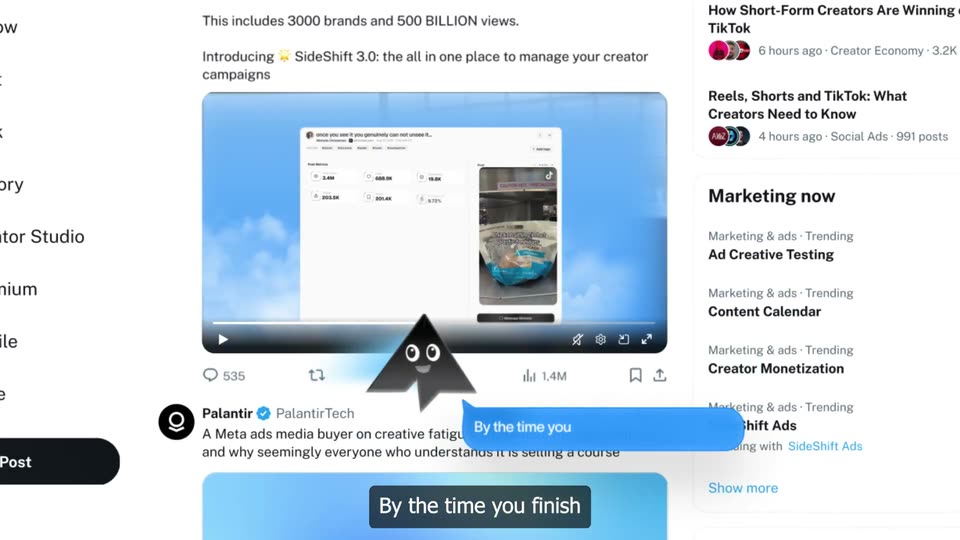
A browser window opens on an X post. A dark video card in the center lists Mode dropping, Overconfidence and Lack of reliability in gray and white text, while a cursor drifts over the player. The left sidebar and right What's happening column stay static.
On-screen text: “Introducing”, “General Video Agent”
Techniques: Cursor demo
Camera: Static
27 · Demo · 0:46–0:56
A Finder window on a desktop holds a video file that the cursor drags into a chat input on the Motion page, then the view zooms into the input as a prompt is typed and a link is attached, ending with the cursor on the send button.
Techniques: Cursor demo, UI zoom
Camera: Push in
28 · Demo · 0:56–0:57
A chat interface shows a prompt message with an X link card while a cursor hovers the send button. The view then reframes onto a tweet card mockup with skeleton text and a row of dashed video frames on the right.
Techniques: Cursor demo, UI zoom
Camera: Pull out
29 · Demo · 0:57–0:59
A mock X post with a pink image and a stacked “Why Not?” card sits beside a style toolbar of color dots and an “Aa” card. The frame pans right: the post card slides out left, a pink dot fills in, and the “Aa” card drifts down.
On-screen text: “x.com/CompleteSkeptic/status/2099925...”, “Why Not?”
Techniques: Parallax
Camera: Push in
30 · Demo · 0:59–1:00
A horizontal filmstrip of rounded frames, each showing two men seated before a whiteboard, scrolls slowly across a white vignetted background. A small 'X' glyph scales and an 'Aa' glyph slides at the strip's edge.
On-screen text: “X”, “Aa”
Camera: Static
31 · Demo · 1:00–1:01
A horizontal filmstrip of rounded video frames, each showing two men seated before a whiteboard, slides across a plain light gray background. The strip zooms out and shifts right as a faded duplicate frame trails on the right edge.
Camera: Static
32 · Demo · 1:01–1:04
A horizontal filmstrip of video thumbnails scrolls across a white background, then zooms into one frame, expanding it into a full player with a pause control and the strip docked below. Two men sit before a whiteboard in the clip.
Techniques: UI zoom, Cursor demo
Camera: Pull out
33 · Demo · 1:04–1:04
A video editing interface frames a clip of two men in front of a whiteboard. A cursor drags the timeline scrubber at the bottom, and the footage shifts from a soft-focus two-shot to a sharp single shot of the bearded man.
Techniques: Cursor demo
Camera: Push in
34 · Demo · 1:04–1:05
A video player interface shows a camera viewfinder with a white grid. A REC indicator and running timecode sit at the top, above the text NUMBER OF CYBERTRUCKS and a large 003 counter. A car icon and location tag appear, while a cursor rests on the timeline scrubber.
On-screen text: “NUMBER OF CYBERTRUCKS”, “003”, “Palo Alto, CA”
Techniques: Cursor demo
Camera: Static
35 · Demo · 1:05–1:10
A rounded video player mockup shows two men before a whiteboard, the bearded one talking. A cursor drags the progress bar. White caption lines appear one by one, 'this' and 'hard' in pink, then a small 'in DaVinci' box. The footage dissolves into a grid of white and gray squares.
On-screen text: “a simple video like this was kind of hard”, “in DaVinci”
Techniques: Cursor demo, Kinetic type
Camera: Static
36 · Demo · 1:10–1:11
A white grid canvas in a player frame cycles through three states: a boxed “DaVinci” label with a pink square, a keyframe timeline with three diamonds, and a sentence with “complex” boxed in dark. A pause icon and scrubber advance along the bottom above a thumbnail strip.
Camera: Static
37 · Social proof · 1:11–1:12
A woman with long brown hair and silver hoop earrings speaks to camera in a tight head-and-shoulders shot. She faces the lens, mouth moving and head shifting slightly, against a blurred office background with dark vertical and horizontal grid lines.
On-screen text: “II”
Camera: Push in
38 · Social proof · 1:12–1:14
A tilted close-up of purple handwritten words on white paper, reading Fix audio, Choose Mosic, and Media. Brushstroke lines sweep across the words while the text slides and scales slightly in place.
On-screen text: “Fix audio”, “Choose Mosic”, “Media”
Techniques: Kinetic type
Camera: Pull out
39 · Social proof · 1:14–1:17
A woman with long brown hair and gold hoop earrings sits at a desk, looking down at a laptop and nodding with a small smile. The camera pulls back to reveal the laptop and a green plant at the right edge, against a gray paneled wall.
On-screen text: “Mosic”, “MediaV”, “0”
Techniques: Kinetic type
Camera: Pull out
40 · Social proof · 1:17–1:17
A woman with long brown hair and hoop earrings sits at a desk, smiling as she looks down at a laptop. A glass partition with black frames fills the background and a small potted plant sits to the right.
Camera: Pan
41 · Social proof · 1:17–1:21
A social feed post fills the frame. A pink-and-white pixel grid dissolves to reveal a video titled a natural language video editor, then the panel turns pink and two white cards, SEES and HEARS, settle in. The view scrolls down to a comment as a cursor hovers its heart icon.
On-screen text: “a natural language video editor”
Techniques: Masking, Cursor demo
Camera: Push in
42 · Social proof · 1:21–1:23
A static close-up of a social media post shows a paused video with a comment reading “wait how tf did you make this”. A cursor hovers over the heart icon while a pause button sits centered over the post.
Techniques: Cursor demo
Camera: Static
43 · Feature reveal · 1:23–1:26
A light UI panel shows a video file card and a prompt typed out letter by letter, the caret trailing the words. The view then reframes down to the bottom toolbar as a black cursor presses the green circular send button.
Techniques: Kinetic type, UI zoom, Cursor demo
Camera: Pan
44 · Feature reveal · 1:26–1:27
A man in a black shirt sits before a dark red curtain, his hand raised to his cheek as he speaks into a microphone. The vertical clip is centered on a blurred dark background, with small white caption text reading 'will be unforgettable.' over his face.
On-screen text: “will be”, “unforgettable.”
Camera: Static
45 · Feature reveal · 1:27–1:28
A red car with a driver sits on a dark stage, then cuts to a white car launching off a platform in a burst of smoke against a black background, captioned with a flying-rocket line.
On-screen text: “will be”, “unforgettable.”, “So it can basically fly like a rocket.”
Camera: Static
46 · Feature reveal · 1:28–1:29
A white electric car is spotlit on a concrete floor against a black void. The camera holds a low three-quarter view as the body rotates, the highlight traveling from the nose to the rear, then the frame blurs into a fast move.
On-screen text: “So it can basically”, “Memories”, “十”
Techniques: 3D mockup, Light sweep
Camera: Static
47 · Feature reveal · 1:29–1:31
A close-up of a chat interface: a video chip labeled sam-podcast.mp4 slides left as a prompt is typed letter by letter beneath it. The frame then reframes onto a bottom toolbar, where a black cursor hovers over a green circular upload button.
Techniques: Kinetic type, UI zoom, Cursor demo
Camera: Pan
48 · Feature reveal · 1:31–1:33
A young man in a dark navy sweater sits at a studio microphone, eyes down, then lifts his head to speak. Bold cream caption lines appear over his chest and swap in sequence, the first scaling in. Vertical frame with blurred side bars.
On-screen text: “I think”, “the most”, “specific”, “thing is just”
Techniques: Kinetic type
Camera: Static
49 · Feature reveal · 1:33–1:34
A black smartphone mockup is centered on a blurred dark backdrop. A cream serif word at the top swaps from “good” to “using” while a ring of white circular icons with black glyphs rotates around the screen.
On-screen text: “good”, “using”
Techniques: Kinetic type
Camera: Static
50 · Feature reveal · 1:34–1:36
A close-up of a chat input types out a prompt, then the view zooms onto a green circular send button as a white cursor arrow moves in to click it.
Techniques: UI zoom, Cursor demo
Camera: Pan
51 · Feature reveal · 1:36–1:37
Black-and-white archival footage cuts between a man at a switchboard and a mechanical device, then settles on a centered framed inset of an early machine over a blurred background. A white caption holds in the middle throughout.
On-screen text: “For 70 years,”
Camera: Static
52 · Feature reveal · 1:37–1:38
A gold processor chip on a white card crossfades into a black-and-white archival photo of a woman in a lab coat working at an old machine. The words to think and machines remain locked at the left and right edges throughout.
On-screen text: “to think”, “machines”
Camera: Static
53 · Feature reveal · 1:38–1:38
A wheeled robot with a boxy body and raised arm sits beside a red block, then the frame cuts to a top-down wireframe map of a track. White text “to think” and “more human.” stays fixed across both shots.
On-screen text: “to think”, “more human.”
Camera: Static
54 · Feature reveal · 1:38–1:39
A defocused warm-toned clip sits inside a white film border with scratch and dust overlay. The centered white year reads 2000, then jumps to 2005 as the footage darkens to gray-green.
On-screen text: “2000”, “2005”
Techniques: Kinetic type
Camera: Static
55 · Feature reveal · 1:39–1:41
A light gray interface panel shows a Memories header and a reference-reel.mp4 file card. A prompt types out letter by letter behind a blinking caret, then the view reframes onto a green circular send button as a mouse pointer hovers over it.
Techniques: UI zoom, Cursor demo
Camera: Pan
56 · Feature reveal · 1:41–1:41
A cutout portrait of a smiling man in a dark suit sits on the left, edged with a white outline, over a dusky cityscape and water. On the right, white text reads Then Peter, then Thiel and a smaller line offered to write him appear below it.
On-screen text: “Then”, “Peter”, “Thiel”, “offered to write him”
Techniques: Kinetic type
Camera: Static
57 · Feature reveal · 1:41–1:42
A white gallery wall scrolls left past framed pictures. Black stacked text on the left reads 'built the internet you scroll' as 'all' drops in. The first wooden frame holds a grayscale landscape over a blue PayPal logo; a color frame of a man slides in from the right.
On-screen text: “built the internet you scroll all”
Camera: Static
58 · Feature reveal · 1:42–1:43
A gold ornate frame holds a cutout of a bearded man pointing right against the Golden Gate Bridge, centered on a light gray wall. Red and black words stack on the left while a gray phrase appears on the right.
On-screen text: “Garry”, “Tan”, “decides”, “who gets”
Techniques: Kinetic type
Camera: Static
59 · Feature reveal · 1:43–1:44
A light beige app panel titled Memories shows two video file cards with thumbnails of a bearded man and a woman, each labeled ep41-cam-A.mp4. Below, a text field types the prompt clip episode 41 into five vertical sh, character by character. The frame stays locked-off.
Techniques: Kinetic type
Camera: Static
60 · Feature reveal · 1:44–1:45
A light Memories panel shows two video clip cards and a typed prompt, then the view reframes down to the action bar as a black cursor moves onto a green circular send button.
Techniques: UI zoom, Cursor demo
Camera: Static
61 · Feature reveal · 1:45–1:46
Under a Memories header, a rounded card holds the video file intro-v3.mp4 and a thumbnail of a man's face. Below it, a prompt types out character by character, ending on 'dub my intro into Spanish and Hindi'.
Techniques: Kinetic type
Camera: Pan
62 · Feature reveal · 1:46–1:46
A light interface close-up shows a Memories header above a file card labeled checkout-flow.mov, 3:41. Below, a prompt line types out letter by letter with a blinking cursor, while a plus icon sits at the bottom left.
Camera: Static
63 · Feature reveal · 1:46–1:48
A light product UI shows a Memories list of file-and-prompt entries. The view shifts from a .mov screen-recording entry to a .zip entry, the panel reframing, while a mouse cursor rests on a green up-arrow button.
Techniques: Cursor demo
Camera: Pan
64 · Feature reveal · 1:48–1:48
A light gray interface holds a file chip and a line of typed text, then the frame slides right to a green round upload button as a cursor arrow moves onto it.
Techniques: UI zoom, Cursor demo
Camera: Static
65 · Feature reveal · 1:48–1:49
A light-gray chat panel shows a wedding-footage.zip attachment above a prompt being typed. The view reframes down to the input bar, where a black cursor moves onto the green circular send button and clicks it.
Techniques: Cursor demo, UI zoom
Camera: Static
66 · Feature reveal · 1:49–1:50
A light gray UI panel shows a Memories header and a video file card labeled econ101-week3.mp4 with an owl thumbnail. Below, a text field types out the prompt turn my lecture into three short explainers with a blinking caret.
Camera: Pan
67 · Feature reveal · 1:50–1:51
A white file card sharpens from a heavy blur, revealing a video file row with a man's face thumbnail. A black cursor drags the file onto a green circular upload button with an up arrow, and the card tilts into 3D perspective as a second video thumbnail slides in.
Techniques: Cursor demo, 3D mockup
Camera: Static
68 · Feature reveal · 1:51–1:52
A green circular button with an up arrow sits on a white background, a cursor hovering over it, while small video thumbnails drift around it. The camera zooms into one thumbnail, revealing a home office with a man at a laptop and a rubber duck.
Techniques: Cursor demo, UI zoom
Camera: Pull out
69 · Feature reveal · 1:52–1:52
A dense grid of small video clips and stills fills the frame, mixing live shots of people, a yellow rubber duck, a rocket launch, a credit card and red text cards. The whole mosaic scrolls slowly, the tiles shifting a few pixels across the wall.
Camera: Push in
70 · CTA · 1:52–1:53
A grainy black frame resolves into the white Motion logo and serif wordmark with the tagline beneath, as a dim live-action shot of a person at a laptop fades in behind a faint grid.
On-screen text: “Motion”, “The General Video Agent”
Camera: Pull out
71 · CTA · 1:53–1:56
A grainy, dim live-action shot of a woman at a laptop in front of a window grid. Centered white text swaps from the Motion wordmark with the tagline The General Video Agent, to now available, to motion.so, while she turns her head and stands.
On-screen text: “Motion”, “The General Video Agent”, “now available”, “motion.so”
Camera: Push in
72 · CTA · 1:56–1:59
A dark, grainy interior stays out of focus, a window grid on the left and a person in dark clothing on the right. The white URL motion.so holds centered and still across the locked-off frame.
On-screen text: “motion.so”
Camera: Static
73 · CTA · 1:59–2:00
A dark, grainy window with a blurred silhouette holds the white URL motion.so centered. A glitch pulse distorts the frame with horizontal scanlines and red-cyan fringing on the text.
On-screen text: “motion.so”
Camera: Static
74 · Outro · 2:00–2:04
A black frame holds a tiny white dot of light in the center; the gray caption '(this entire video was made with Motion)' fades in at center and holds still, with the URL motion.so on screen.
On-screen text: “(this entire video was made with Motion)”, “motion.so”
Camera: Static