3:02
Explore
00:00:00 / 00:32:05
- Length
- 0:32
- Scenes
- 14 · 2.3 s avg
- Product on screen
- 0:00
- Features shown
- 1
- Call to action
- 0:28 · 88%
- Voiceover
- No
- Views
- 112K on X
as of November 23, 2026
Orior AI’s 0:32 launch film runs 14 scenes, about 2.3 s each. The product is on screen from the first frame and 1 feature is revealed. The call to action lands at 0:28 (88% in). A three-act feature launch built on a pale off-white stage with bold black grotesque headlines that drop in over 3D-tilted browser mockups, each step (find, drop, generate, repeat) marked by a short sentence. Pacing is slow and measured at roughly 80 bpm with few cuts, using soft blurs, perspective tilts, and a recurring black asterisk mark as the signature move.
No filming indicatedEstimated needs: 2 capture groups — your screens or recordings · 1 official logo — reused across the film · 1 graphic passage — draw or supply · 1 3D passage — build or supply
Is this your launch? to your site or press kit.
More like this
0:26
Google Gemini - Gemini 3 Deep Think is here. Deep Think is our most advanced reasoni
Gemini 3 Deep Think · Dec 2025
0:30
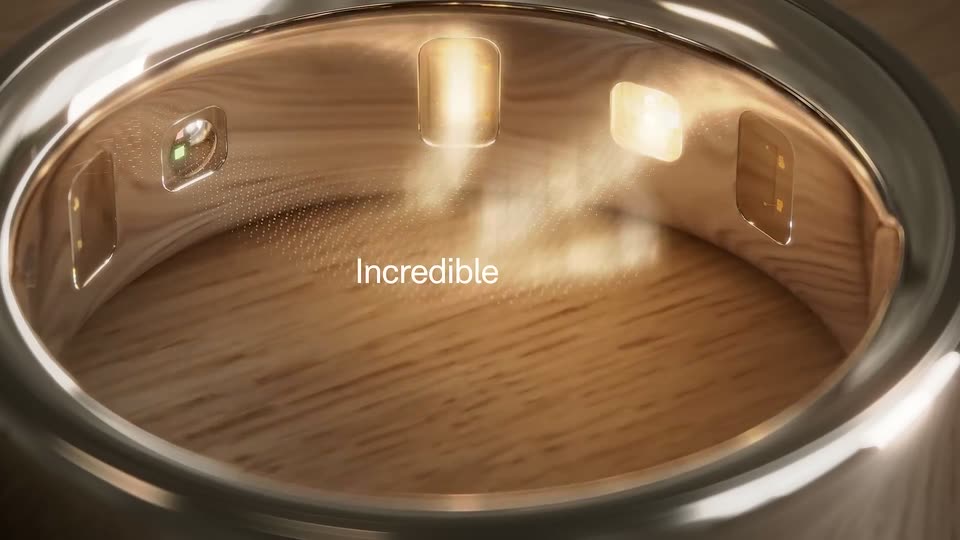

Introducing Oura Ring 4: Sleeker. Smarter. Made for you.
Oura · Hardware · Oct 2024
Orior - Introducing Copy. Any pose you find, recreated with your character., scene by scene
· 14 scenes as text
01 · Product intro · 0:00–0:01
On a white background, scattered grey dots quickly converge to form a black asterisk logo and the text “Copy a pose” in the center.
On-screen text: “Copy a pose”
Techniques: Particles
Camera: Static
02 · Product intro · 0:01–0:01
A black star icon and the bold headline 'Copy a pose' hold center on a white field, then a Pinterest browser window with a masonry grid of pose photos and a right-hand menu fades in behind the softening text.
On-screen text: “Copy a pose”
Camera: Static
03 · Feature reveal · 0:01–0:04
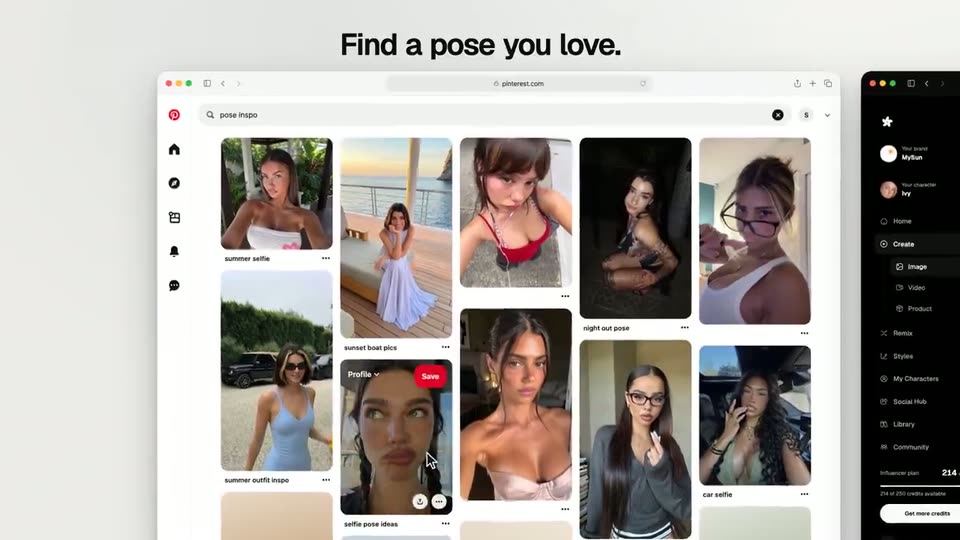
A tilted Pinterest browser window and a dark side panel sit in 3D perspective on a pale gray backdrop. A bold headline fades in above as a cursor hovers a pin in the grid and a red Save button pops in over it.
On-screen text: “Find a pose you love.”
Techniques: 3D mockup, Cursor demo
Camera: Static
04 · Feature reveal · 0:04–0:04
Two browser windows sit side by side on a light gray background: a Pinterest image grid on the left and a dark Orior panel on the right. The windows reframe to a tighter crop while the bold headline Drop it into Orior. drops in at the top center.
On-screen text: “Drop it into Orior.”
Techniques: Split screen, UI zoom
Camera: Pull out
05 · Feature reveal · 0:04–0:07
A cursor drags a photo card labeled night out pose from a side gallery into a dark create-image panel, then the view zooms in on the panel as the cursor clicks the create button. A bold black headline reads Drop it into Orior. at the top.
On-screen text: “Drop it into Orior.”
Techniques: Cursor demo, UI zoom
Camera: Push in
06 · Feature reveal · 0:07–0:10
A dark image-creation screen pairs a left control panel with a grid of reference portraits. A blurred placeholder in the top-left tile resolves into a generated face while the status banner flips from Added to queue to Image ready.
Camera: Push in
07 · Feature reveal · 0:10–0:12
A dark browser window opens the Create image panel, a vertical feed of two portraits sits at the left edge. The window settles from an offset position into frame while a cursor drifts right beside the generated portrait of a blonde woman in a black top.
Camera: Pull out
08 · Feature reveal · 0:12–0:14
Two rounded portrait cards slide into a side-by-side layout under the headline 'Same pose. Your character.': a dark-haired woman left, a blonde right, a small black badge between. The backgrounds then resolve into a Pinterest grid and the Oidor app, framing each card.
On-screen text: “Same pose. Your character.”
Techniques: Split screen
Camera: Static
09 · Feature reveal · 0:14–0:22
Two browser windows sit side by side, a Pinterest pose board left and a dark Create image app right, under the headline Again. And again. A cursor drags reference photos across as a grid of generated portraits fills in, then both windows tilt into 3D perspective.
On-screen text: “Again. And again.”
Techniques: Cursor demo, 3D mockup
Camera: Push in
10 · Feature reveal · 0:22–0:22
A dark image-generation dashboard fills the frame, with a left navigation sidebar and a grid of blonde portrait thumbnails on the right. The screen opens as a doubled, offset duplicate that settles into a single clean layout.
Camera: Pan
11 · Feature reveal · 0:22–0:24
A dark image-generation interface holds still: a left navigation rail, a center form with a character avatar and a scene description field, and a right grid of nine portraits of a blonde woman. A small status toast rests at the top center.
Camera: Static
12 · Feature reveal · 0:24–0:27
Two rows of rounded photo cards, each showing a woman, scroll horizontally in opposite directions under a static headline. The top row moves right, the bottom row moves left, while the cards keep even spacing.
On-screen text: “Any pose. One character.”
Camera: Pan
13 · Feature reveal · 0:27–0:28
A grid of video thumbnails showing a woman in various poses is displayed. The text 'Any pose. One character.' is at the top.
On-screen text: “Any pose. One character.”
Camera: Static
14 · CTA · 0:28–0:32
On a white field, a black five-petal logo forms above a bold headline that sharpens from a blur. A gray subhead and a footer with a URL and App Store badge fade in below, then the locked-off frame holds.
On-screen text: “Copy any pose.”, “Same pose. Your character.”, “oriorai.com”, “Download on the App Store”, “Web & iOS”
Camera: Static