1:12

Convexia, An AI-Maximalist Pharma Company
Convexia · Healthcare · Jul 2025
Opusense AI · May 2025 · 0:44 · AI-annotated
Opusense AI’s 0:44 launch film runs 24 scenes, about 1.8 s each. The product shows up at 0:04 and 3 features are revealed, with social proof. The call to action lands at 0:37 (84% in), over a voiceover. A classic SaaS launch arc: B-roll hook with stacked all-caps headlines, product intro, on-site demo, pain stat, benefit stats, three feature cards each paired with a 3D phone mockup tour, and a closing logo card with URL. Signature moves are the yellow hexagon mark used as overlay and frame wipe, whip-blur transitions, line-by-line headline assembly, and counting numbers over locked-off shots.
Is this your launch? to your site or press kit.
Films whose music sounds like this one, voice left out
CellType · Modern electronic, corporate/tech
MangoDesk · Upbeat electronic
Luminai · Modern corporate electronic
On a white background with faint diagonal lines, a pale yellow circle morphs into a yellow hexagon outline, then fills solid while a white circle stays cut out of the center.
Techniques: Morph
Camera: Pull out
A yellow hexagon outline with a round hole holds center on a pale, faintly lined background. A stack of yellow and gray binders with loose papers blurs in on a wooden desk behind it, the mark staying overlaid.
Camera: Static
A stack of ring binders on a wooden desk holds still, then blurs in a fast whip as a yellow hexagon with a brown circle slides in from the left over the faint word FORGET.
On-screen text: “FORGET”
Techniques: Speed ramp
Camera: Push in
A hand types on a phone keyboard in close-up while a huge yellow headline reads FORGET THE beside a yellow hexagon logo. The logo exits, the text turns white and gains a second line, FORGET THE PAPERWORK, over a faint grid overlay.
On-screen text: “FORGET THE”, “PAPERWORK”
Camera: Static
A bearded man in a dark jacket holds a black rugged phone against a blurred building backdrop. A bold headline assembles over the shot, line by line: white FIELD INSPECTIONS and JUST GOT, then a large yellow SMARTER. The camera stays locked off.
On-screen text: “FORGET THE PAPERWORK”, “FIELD INSPECTIONS”, “JUST GOT”, “SMARTER”
Techniques: Kinetic type
Camera: Static
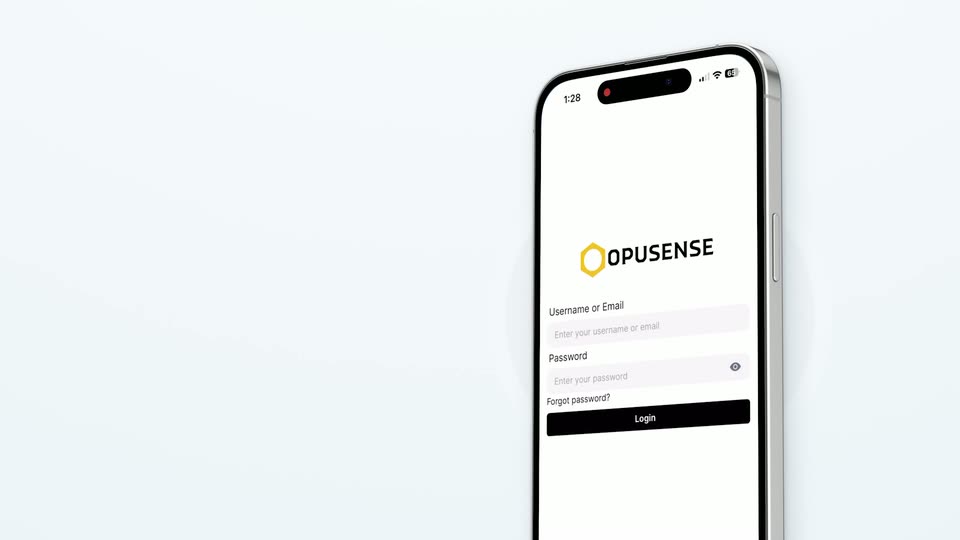
Over-the-shoulder shot of a person holding a phone outdoors; the screen shows the Opusense login form, then scrolls up as a keyboard slides in. A static headline reads FIELD INSPECTIONS JUST GOT SMARTER.
On-screen text: “FIELD INSPECTIONS”, “JUST GOT”, “SMARTER”
Camera: Static
A hand holds a smartphone over a blurred office background. On screen, the Daily Report document settles: the keyboard closes and a construction-site photo appears. The OPUSENSE wordmark slides in over the shot.
On-screen text: “OPUSENSE”
Camera: Static
A close-up of a person in a light shirt holding a smartphone, thumbs poised over the screen, set against a soft-focus warehouse with glowing ceiling lights.
Camera: Static
A worker in a white hard hat and safety glasses holds a phone in both hands in a dark industrial space, looking down and tapping the screen. Low-angle close-up with shallow focus; overhead lights and pipes blur in the background.
Camera: Static
A worker in a white hard hat and yellow hi-vis vest stands under a concrete overpass. He lifts a tablet overhead to photograph the bridge beams, then lowers it and taps the screen. Medium shot, low angle, static camera.
Camera: Static
A worker in a blue hard hat and yellow vest stands with his back to camera at a building site, looking at a tablet. A white and yellow headline builds line by line on the right, then a bracketed REPORT SENT tag with a green double-check pops in.
On-screen text: “SO YOU CAN FOCUS ON THE BIGGER PICTURE”, “REPORT SENT”
Techniques: Kinetic type
Camera: Pan
A construction worker in a hard hat and safety vest holds a tablet, overlaid with a white REPORT SENT graphic and checkmark. The shot fades to white, then a stressed office worker sits at a desk, hands over his face, in front of an open laptop.
On-screen text: “REPORT SENT”
Camera: Static
A man at a bright white desk covers his face with both hands in frustration. A huge yellow 87% and the dark gray caption TIME LOST TO REPORT WRITING fade in over a faint white grid overlay. Locked-off framing.
On-screen text: “87%”, “TIME LOST”, “TO REPORT”, “WRITING”
Techniques: Kinetic type
Camera: Static
A blurred office set with a person at a desk and an open laptop sits behind a static overlay. Large yellow 20% sits above three lines of black TIME LOST TO REPORT WRITING. The frame is locked off with no motion.
On-screen text: “20%”, “TIME LOST TO REPORT WRITING”
Camera: Static
A woman in an orange hi-vis vest and cap looks down at her phone. A yellow hexagon outline grows into a circle that opens to the full frame. Black 'UP TO' scales in top left, then a big yellow '3X' pops in beside her.
On-screen text: “UP TO”, “3X”
Techniques: Morph, Masking, Kinetic type
Camera: Static
A construction worker in an orange jacket looks at her phone while a big text block on the left swaps from UP TO 5X FASTER to WITH 2X ACCURACY, then the shot cuts to a 3D phone on a pale background showing a yellow hexagon logo.
On-screen text: “UP TO”, “5X”, “FASTER”, “WITH”, “2X”, “ACCURACY”
Techniques: Kinetic type, 3D mockup
Camera: Static
A 3D phone mockup stands at an angle on a pale gray background, its screen showing the Opusense login form. The device rotates slightly toward the camera as an email address fills the username field.
Techniques: 3D mockup
Camera: Static
A 3D smartphone mockup on the right cycles through a login screen, a project list and a reports list. On the left, the two-line headline 'Smart Data Integration' fades in from pale gray to dark on a plain light background.
On-screen text: “Smart Data Integration”
Techniques: 3D mockup
Camera: Pan
A 3D phone mockup of the report list sits on a pale background beside the bold dark headline Smart Data Integration, then the phone scales and centers as the text exits.
On-screen text: “Smart Data Integration”
Techniques: 3D mockup
Camera: Static
A 3D phone mockup on the left shows a report list interface with a search bar and entries. On the right, the two-line headline Customizable Templates fades in from light gray to dark and scales up against a pale blue background.
On-screen text: “Customizable Templates”
Techniques: 3D mockup, Kinetic type
Camera: Static
A flat phone mockup on a pale gray backdrop shows the app switching from a report list to a daily report page with a crane photo. The bold headline Customizable Templates and a short underline sit static to the right.
On-screen text: “Customizable Templates”
Camera: Static
A smartphone mockup showing a daily report screen tilts into a 3D angle on a pale background, while the two-line headline on the right changes from Customizable Templates to Natural Language Generation.
On-screen text: “Customizable Templates”, “Natural Language Generation”
Techniques: 3D mockup
Camera: Static
A 3D iPhone mockup in left perspective shows a daily report form, then swaps to a report history screen with a yellow loading spinner. To the right, a bold dark headline reads Natural Language Generation under a thin horizontal rule.
On-screen text: “Natural Language Generation”
Techniques: 3D mockup
Camera: Static
A yellow hexagon with a white circle sits centered on a white field as the OPUSENSE wordmark and a tagline fade in beneath it. Thin crack lines spread across the background, then the hexagon mark zooms in until the white circle fills the frame.
On-screen text: “Transform your workflow at Opusense.com”
Techniques: Kinetic type
Camera: Pull out