3:36

Arc Browser | Introducing Live Captures on Easel with Rosey
The Browser Company · Productivity · Dec 2022
OpenWork · May 2026 · 1:22 · AI-annotated
OpenWork’s 1:22 launch film runs 5 scenes, about 17 s each. The product is on screen from the first frame and 1 feature is revealed. There is no explicit call to action; a voiceover carries the film. A continuous screen-recording demo that follows the hand cursor through the OpenWork app, using zooms and a sliding window to move from the Voice Mode panel to the settings grid and the AI providers list. A pinned corner webcam of the presenter and a slow, real-time pace give the piece a hands-on tutorial feel, with each click and voice command allowed to play out.
Is this your launch? to your site or press kit.
The Browser Company · Productivity · Dec 2022
Raycast · Productivity · Jan 2023
Zaplar · B2B · Nov 2026
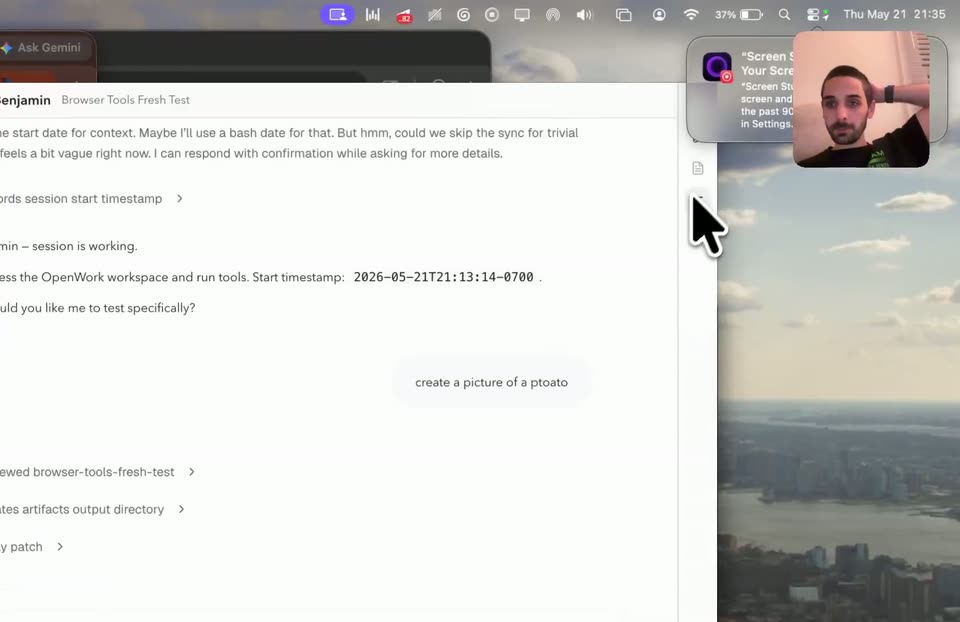
A screen recording shows a chat workspace app with a Voice Mode panel; a cursor hovers over the Start voice and Mute microphone controls. A small webcam feed of a bearded man sits top right. The view zooms into the message thread as the cursor opens a settings tooltip.
Techniques: Cursor demo, UI zoom
Camera: Push in
A desktop shows a city skyline wallpaper with a man's facecam in the top right. A white app window slides in from the left edge, expanding across the screen to reveal a task interface, as a cursor moves along the top bar.
Techniques: Cursor demo, Masking
Camera: Static
A hand cursor opens a Voice Mode panel and clicks Start voice, then the frame pulls back to the full app window as the cursor scrolls the chat timeline. A man's webcam stays pinned top-right over a city desktop.
Techniques: Cursor demo, UI zoom
Camera: Pull out
A locked-off screen capture shows the OpenWork app window over a blurred desktop, with a small webcam feed of a man in the top-right corner. A hand cursor moves through the voice-mode chat as action cards stack up, then the window cuts to a settings grid.
Techniques: Cursor demo
Camera: Static
A desktop app's settings window fills the frame, a presenter's face cam pinned top-right. The view moves from the settings overview to the AI Providers list, then to a chat session with reminder options. A cursor clicks the panels, and the frame zooms into the chat at the end.
Techniques: Cursor demo, UI zoom
Camera: Static