0:54

Linear: release 392A 438E 9EE7
Linear · Productivity · Sep 2024
OpenWhispr · Sep 2026 · 0:58 · AI-annotated
OpenWhispr’s 0:58 launch film runs 21 scenes, about 2.8 s each. The product is on screen from the first frame and 2 features are revealed. The call to action lands at 0:47 (81% in), over a voiceover. A single-founder talking-head piece intercut with shallow-focus B-roll of a MacBook, dock, and chat interfaces, all held on locked-off shots with line-by-line white captions. The structure is a tight argument (typing is slow, voice is the natural interface, but voice is private) that resolves into two on-screen feature beats and a free-tier close, punctuated by a serif headline open and a flat logo-and-URL end card.
Is this your launch? to your site or press kit.
Linear · Productivity · Sep 2024
herdr · B2B · Oct 2026
Films whose music sounds like this one, voice left out
Magic Patterns · Modern electronic, lo-fi hip-hop
Peko · Modern electronic
Apple · Modern electronic, hip-hop, and rock
A man in a gray t-shirt sits in a wicker chair on a leafy patio, gesturing with both hands as he talks to camera. Large white serif text flanks him on both sides, the camera locked off throughout.
On-screen text: “OpenWhispr”, “just”, “crossed”, “100,000”, “downloads”, “6”
Camera: Static
Tight angled close-up of a MacBook screen, keyboard blurred in the foreground. The cursor hovers over the OpenWhispr icon in the dock as its tooltip pops up, and a white caption line fades in at the bottom.
On-screen text: “And with that, it's never”, “been more clear”
Techniques: Cursor demo
Camera: Static
A locked-off close-up of a laptop screen shows the macOS dock with a cursor resting on the OpenWhispr icon, its tooltip floating above. The keyboard is softly blurred in the foreground. A white caption sits at the bottom of the frame.
On-screen text: “been more clear”
Techniques: Cursor demo
Camera: Static
A man in a gray t-shirt sits in a wicker chair in a leafy garden, speaking to camera in a locked-off medium shot while gesturing with his hands. White subtitles swap line by line along the bottom of the frame.
On-screen text: “been more clear”, “be very conversational and”, “that the only blocker to”, “our productivity”, “is how fast we can type.”
Camera: Static
Over-the-shoulder shot of a person typing on a laptop at a café table, then a cut to a tight close-up of the hands on the keyboard. A white subtitle line holds at the bottom throughout.
On-screen text: “is how fast we can type.”
Camera: Static
A hand types on a laptop keyboard in a shallow-focus close-up, the screen showing a messaging app with text entered in the input field. The desk background stays blurred. A white caption appears at the bottom.
On-screen text: “And that's why voice is”
Camera: Static
Out-of-focus close-up of a monitor showing a text field with characters being typed, then a cut to a man in a grey t-shirt seated in a wicker chair outdoors, gesturing with both hands while speaking. White captions line the bottom of the frame.
On-screen text: “And that's why voice is”, “becoming the natural”, “interface for AI.”
Camera: Static
A man in a gray T-shirt sits in a wicker chair in a leafy courtyard, speaking to camera and gesturing with both hands. White subtitle lines appear at the bottom of the locked-off frame.
On-screen text: “interface for Al.”, “alm meeting”, “Not only is it up to five”
Camera: Static
Angled close-up of a laptop showing a dark chat app; the message box types out a sentence while the keyboard sits blurred in the foreground. Cut to a man in a grey t-shirt seated in a wicker chair outdoors, hands clasped, against a window and plants.
On-screen text: “Not only is it up to five”, “times faster,”, “instead of type,”
Camera: Static
A man in a gray t-shirt sits in a wicker chair in a leafy garden, gesturing with his hands as he speaks to camera. The locked-off medium shot holds steady while white subtitle captions swap line by line across the lower third.
On-screen text: “you give Al the context”, “and nuance it needs”, “to accurately turn your”, “thoughts into action.”, “The only problem is that”, “those conversations”
Camera: Static
A man in a blue shirt sits behind a silver MacBook in a blurred cafe, the laptop lid in sharp focus in the foreground. White caption text is centered on the lid and swaps line by line to match the voiceover, the camera locked off.
On-screen text: “those conversations”, “contain some of your most”, “private thoughts.”, “And in a business setting,”
Camera: Static
A man in a gray t-shirt sits in a wicker chair among potted plants, speaking to the camera. Around the three-second mark he lifts a silver laptop onto his lap and holds it while continuing to talk. White subtitles swap line by line at the bottom of the frame.
On-screen text: “And in a business setting,”, “those thoughts are your”, “intellectual property.”, “And that's why we're”, “building OpenWhispr.”
Camera: Static
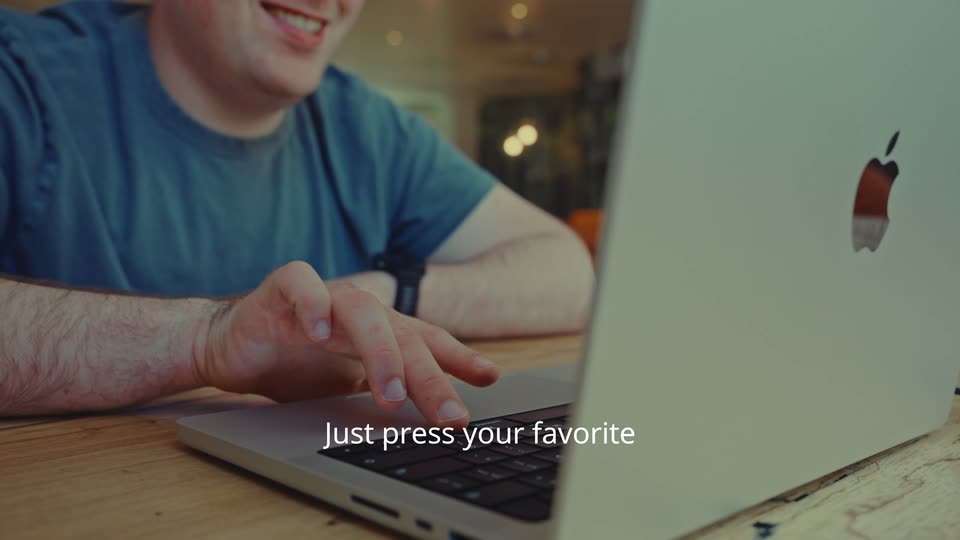
A smiling man in a blue t-shirt sits at a wooden table, fingers resting on a silver laptop trackpad, the lid with its logo blurred in the foreground. The locked-off frame holds while white captions swap at the bottom.
On-screen text: “building OpenWhispr.”, “Just press your favorite”
Camera: Static
A hand taps a laptop keyboard at a desk, the dark chat interface on the screen stays out of focus. White captions run along the bottom while the camera holds a low, locked-off angle on the keys and fingers.
On-screen text: “Just press your favorite”, “hotkey to talk to”, “OpenWhispr”
Camera: Static
Locked-off close-up of a laptop corner on a wooden desk, shallow depth of field, dark screen with a light-blue pill icon showing an audio waveform. A white caption at the bottom center swaps line by line in sync with the voiceover.
On-screen text: “OpenWhispr”, “and it uses on device”, “models to make sure”, “that your audio never”
Camera: Static
A man in a blue t-shirt sits at a wooden table, gesturing with both hands as he speaks to a laptop in the right foreground. The locked-off over-the-shoulder shot stays on his hands and torso while white subtitle phrases appear at the bottom center.
On-screen text: “that your audio never”, “leaves your device”, “and never”, “reaches the cloud.”
Camera: Static
A laptop on a wooden desk displays a video call app with a participant tile and a chat panel, while a hand rests at the keyboard. The white caption sits locked at the bottom of the frame on a still, locked-off shot.
On-screen text: “records your meetings”
Camera: Static
A man in a gray t-shirt sits at a wooden table with a white laptop, talking and gesturing toward the screen. The office background stays soft and out of focus. White captions appear at the bottom as he speaks.
On-screen text: “records your meetings”, “so that you can focus on”
Camera: Static
A laptop on a wooden desk, shot at a shallow depth of field, shows a call interface with a small video tile, chat bubbles and a voice waveform. The frame stays locked off while white captions cycle at the bottom.
On-screen text: “so that you can focus on”, “the call while it”, “handles the notes.”
Camera: Static
A man in a gray t-shirt sits in a wicker chair in a leafy courtyard, speaking to camera and gesturing with his hands. White subtitles roll along the bottom. The shot dissolves to dark as a blue rounded-square app icon fades in over his face.
On-screen text: “We believe”, “privacy is a choice,”, “and it's yours to make.”, “OpenWhispr is completely”, “free with local models.”, “So try it today.”
Camera: Static
The frame opens on black, then a blue rounded-square logo with a white circular waveform mark fades in at center, with the white URL openwhispr.com below it. The composition holds still until the end.
On-screen text: “openwhispr.com”
Camera: Static