1:49

Introducing Copilot for legal
Microsoft · AI · Oct 2026
OpenUI’s 1:29 launch film runs 52 scenes, about 1.7 s each. The product shows up at 0:46 and 2 features are revealed, with social proof. There is no explicit call to action; a voiceover carries the film. The film alternates warm cinematic live action of a single presenter with clean pale grid-paper motion graphics and crisp UI mockups, cutting fast between the two worlds to build the argument. Its signature moves are word-by-word type reveals, a blueprint schematic that pans across labeled nodes, and a recurring red lamp and wooden set that anchor every return to the host.
Is this your launch? to your site or press kit.
Microsoft · AI · Oct 2026
YouArt · Consumer · May 2026
distributed cognition · Nov 2026
Films whose music sounds like this one, voice left out
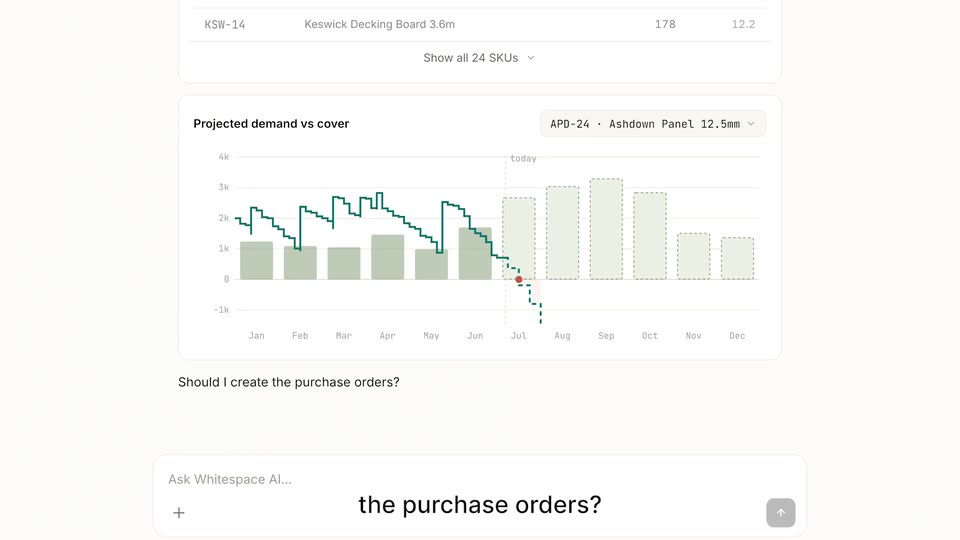
Whitespace · Upbeat electronic
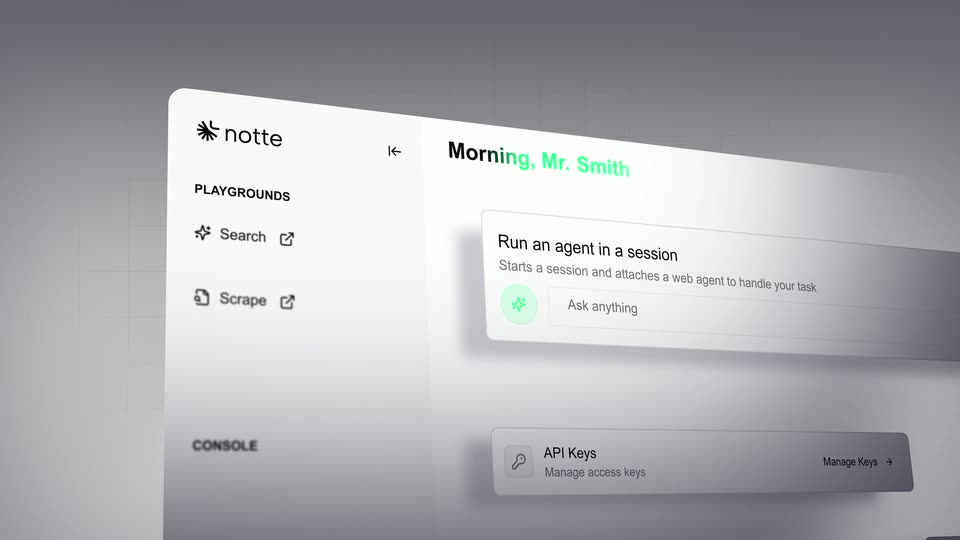
Notte · Modern electronic
Flott HQ · Upbeat corporate electronic
A man in a dark sweater and light trousers walks in from the left and sits on a chair at a long wooden desk. The desk holds a closed silver laptop, loose papers, pens and a red lamp. The camera holds a static high angle over the scene.
On-screen text: “We're living in the smartest”
Camera: Static
A man in a dark shirt and light trousers lowers himself into a chair, facing the camera in a dim studio. A wooden table with a red lamp, papers and pens sits to his right. The frame stays locked off while a white caption holds at the bottom.
On-screen text: “We're living in the smartest”
Camera: Static
A man in a dark teal sweater stands before a warm wooden lattice wall, gazing off camera. White subtitles appear near the bottom of a locked-off frame as he speaks.
On-screen text: “We're living in the smartest”, “yet the most tasteless world at once.”
Camera: Static
A woman with a dark bob, seen from behind, types on the keyboard of a large beige office machine. The grainy vintage footage holds a static over-the-shoulder frame as a caption sits at the bottom.
On-screen text: “Thirty years of turning information”
Camera: Static
Archival footage holds a high-angle view of three women seated at vintage data-entry consoles, typing and handling paper strips. A white caption sits centered along the bottom edge.
On-screen text: “Thirty years of turning information”
Camera: Static
Grainy black-and-white archival footage shows a hand holding a white card against a wood-grain surface, beside a typed page listing control techniques. A caption sits at the bottom center of the frame.
On-screen text: “Thirty years of turning information”
Camera: Static
A bald man in a light shirt, dark vest and red tie sits in a tan leather chair in an office, hands clasped, facing slightly right. A caption bar sits at the bottom center. The footage has a grainy, low-resolution archival look.
On-screen text: “Thirty years of turning information”
Camera: Pull out
A close-up of an early handheld PDA screen showing a teal gradient with the greeting text, framed by the dark device body. A white subtitle caption sits at the bottom of the frame over a dark pill background. The shot is static and soft-focus.
On-screen text: “into amazing interfaces”
Camera: Static
A dark CRT screen fills the frame, showing a two-column list of US states and two-letter codes in blue monospace type. The list drifts upward slowly. A white caption on a dark bar sits at the bottom edge.
On-screen text: “into amazing interfaces”
Camera: Static
Close-up of a CRT monitor showing a two-column list of US state names and two-letter codes in blue monospace type, typing in line by line on a dark screen above a blue status bar. A white caption sits at the bottom.
On-screen text: “into amazing interfaces”
Camera: Static
A man with rimless glasses and a black turtleneck holds a close-up against a blurred red and blue background. He speaks with subtle head movement while white subtitles on a dark bar appear centered at the bottom. The frame stays locked off.
On-screen text: “The graphical user interface.”, “I thought it was the best thing I had ever seen in my life.”
Camera: Static
A white rounded prompt bar sits centered on a pale gray field. A caret blinks, the words Ask Me type in, the bar widens and a black circular button with a white up arrow pops in at the right edge, then a mouse cursor drifts in from the lower right.
On-screen text: “I thought it was the best thing I had ever seen in my life.”, “7”
Techniques: Kinetic type
Camera: Static
On a light gray field, a cursor taps the black arrow button of a white search pill. The pill shrinks while two text cards slide in from the left and right edges, and a gray caption holds below.
On-screen text: “Then came our most intelligent agents,”
Techniques: Cursor demo
Camera: Static
Three white agent-response cards with a small flower icon sit on a light gray field, a black cursor hovering. The frame pulls back to a dense grid of identical cards filling the screen, a wall of text, while a cursor drifts across.
On-screen text: “Then came our most intelligent agents,”, “hiding behind a wall of text.”
Techniques: UI zoom, Cursor demo
Camera: Pull out
A man in a teal sweater stands in a sunlit loft with a wooden grid wall, glancing off to the side. Translucent chat cards drift over the frame and dissolve away. A caption sits at the bottom.
On-screen text: “Ask an agent to find you a hotel in New York.”
Camera: Static
A man in a teal sweater stands before a warm wooden grid wall, speaking. A white agent search bar overlays the lower right, typing out a hotel request, then drifts up and shrinks. A black caption box reads the line beneath it.
On-screen text: “It searches.”
Techniques: UI zoom
Camera: Static
A chat interface on white: a right-aligned bubble reads “Find me a hotel in New York” while a bulleted status line on the left cycles through checking dates, reading reviews, and narrowing to two options. A gray caption pill at the bottom updates in sync.
On-screen text: “Checks your dates.”, “Reads the reviews.”, “Narrows it down to two great options.”
Camera: Static
A chat prompt bubble sits top right as two plain-text hotel lists fade in side by side and scroll slowly down. A gray caption pill at the bottom swaps phrases in step with the voiceover.
On-screen text: “And then...”, “asks you to make a decision based on a paragraph.”, “In most of the cases,”
Techniques: Split screen
Camera: Pan
A man in a teal sweater speaks in front of a warm wooden lattice wall, framed in a locked-off medium shot. White text types out on the right, word by word, behind a blinking cursor, ending on the bolded word interface.
On-screen text: “The response should”, “be an interface.”
Techniques: Kinetic type
Camera: Static
A light gray graph-paper grid fills the frame. A dark gray rounded caption box sits at the bottom center with white text reading “And finally,” holding still as the voiceover begins.
On-screen text: “And finally,”
Camera: Static
On a light grid-paper background, “the world is” scales in, with “world” in white on a dark navy strip, a globe for the o and a small globe bouncing above. The sentence then scrolls right to left in gray, ending on “idea” in black at center.
On-screen text: “the world is”, “opening up to this idea”
Techniques: Kinetic type
Camera: Static
Over-the-shoulder shot of a hand holding a phone that displays a line-drawing of a bicycle in an app, set against a blurred workshop floor strewn with boxes and tools. The hand tilts the phone slightly while the camera stays locked off.
On-screen text: “up to this idea”
Camera: Static
A man kneels in a garage holding a bike wheel over a yellow frame as a white instruction card fills in on the left with a bike diagram and step text. A black pill caption reading ChatGPT now sits at the bottom center.
On-screen text: “*From OpenAI launch video”, “ChatGPT now”
Camera: Static
A hand holds a phone against a soft, blurred outdoor backdrop. The ChatGPT San Francisco travel page on screen scrolls down, revealing an interactive map and photo cards, while a 'ChatGPT now' caption stays fixed at the bottom.
On-screen text: “ChatGPT now”, “*From OpenAI launch video”
Camera: Static
A hand holds a phone showing a ChatGPT garden-plan page that scrolls up to reveal a four-tile layout, while large white captions read GPT-6 on the left and with Intelligent UI on the right against a blurred gravel background.
On-screen text: “GPT-6”, “with Intelligent UI”
Techniques: Kinetic type
Camera: Static
Two product windows sit side by side on a dotted off-white background. The left chat panel stays static while the right dashboard builds: extra metric cards and line, area and map charts fade in over the empty layout. A gray caption bar holds the line at the bottom.
On-screen text: “Claude has interactive dashboards.”, “From Claude launch video”
Camera: Static
A bike-share analytics dashboard fills the frame, its line chart, bar lists and stat cards static. A cursor hovers over the rides chart, dragging a data tooltip along the curve. A gray caption bar sits at the bottom.
On-screen text: “Claude has interactive dashboards”, “*From Claude launch video”
Techniques: Cursor demo
Camera: Static
On a light gray field, 'But' opens large in gray, then the line builds word by word: 'what about' in blue, 'your' in gray, 'agent?' scaling into a dark pill with a glowing dot. A blue glow flashes left, then the line resets to 'How can your'.
On-screen text: “But what about your agent?”, “How can your”
Techniques: Kinetic type
Camera: Static
On a plain light gray background, a gray sans-serif headline builds word by word from the left, each new word fading in slightly lighter before settling to full gray, while the voiceover asks the same question.
On-screen text: “But what about your”, “agent?”, “How can your agent have an intelligent UI?”
Techniques: Kinetic type
Camera: Static
A gray headline with blue “intelligent UI?” sits on a light background as a small blurred blue-green sphere drifts across the frame. It cuts to “And that's why” in a white outlined pill, “why” in blue, scaling up as a small dark “we built” chip appears below.
On-screen text: “How can your agent have an intelligent UI?”, “And that's why”, “we built”
Techniques: Kinetic type
Camera: Static
A man in a dark sweater sits in a dim studio before a wooden table with a red lamp, speaking to camera. A white poodle outline icon hovers near him as captions appear, ending in a white box of monospace text reading OpenUI 1.0.
On-screen text: “And that's why”, “we built”, “OpenUI 1.0.”
Camera: Static
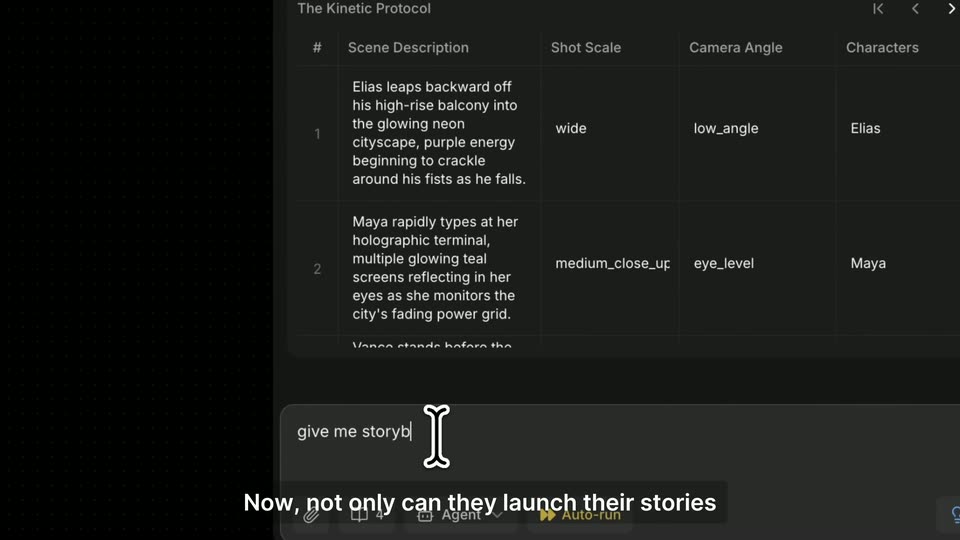
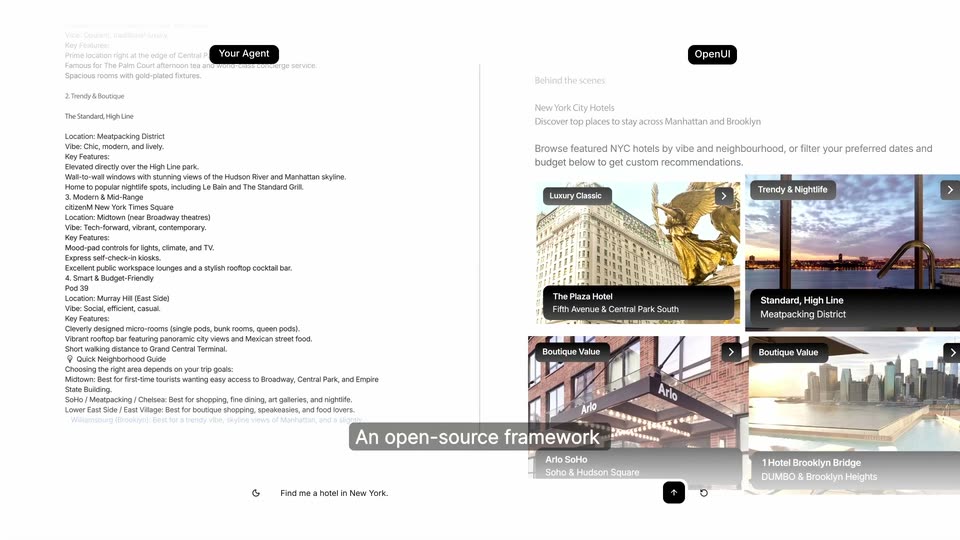
A locked-off white interface mockup shows a faint hotel document on the left resolving into a structured list titled New York City Hotels, while a carousel of photo cards with dark labels slides in on the right. A dark caption pill at the bottom updates word by word.
On-screen text: “An open-source framework”, “that lets AI agents respond with live”
Techniques: Kinetic type
Camera: Push in
A hotel discovery page lists photo cards for The Plaza Hotel and Standard, High Line. A cursor glides across the cards, and a filter panel with date and neighbourhood fields drops in at the top right. A caption bar at the bottom carries the voiceover line.
On-screen text: “that lets your agents respond with live,”
Techniques: Cursor demo
Camera: Pan
A light-themed booking form fills the frame as a black cursor grabs the Nightly Budget slider and drags its handle right, stretching the blue bar. Dark caption pills fade in at the bottom while the form scrolls up slightly.
On-screen text: “interactive interfaces.”, “OpenUI isn't asking the model to freestyle your product.”
Techniques: Cursor demo
Camera: Push in
A close-up of a white booking screen lists amenity chips. A black cursor glides from the left edge to the Michelin Dining chip, which gains a dark border as it is selected. A gray caption bar at the bottom carries the voiceover line.
On-screen text: “OpenUI isn't asking the model to freestyle your product.”
Techniques: Cursor demo
Camera: Static
On a white graph-paper grid, a thin wireframe rectangle with dimension lines sits center frame. The word COMPONENTS slides in across the box, then a gray pill caption reading You choose the UI components. appears below it.
On-screen text: “COMPONENTS”, “You choose the UI components.”
Techniques: Kinetic type
Camera: Pull out
On a light grid canvas with faint code snippets, the black word COMPONENTS sits inside a thin selection box with crop marks and a blue vector handle. The whole block slides left while a gray caption pill stays fixed at the bottom.
On-screen text: “COMPONENTS”, “You choose the UI components.”
Techniques: Kinetic type
Camera: Static
A white grid canvas pans left: a black COMPONENTS label in a crosshair selection box, linked by a bezier curve with blue handles to an empty box, slides out of frame while faint code lines drift and a metallic 3D dial rises from the bottom.
On-screen text: “COMPONENTS”, “You choose the UI components.”
Techniques: Kinetic type, 3D mockup, Parallax
Camera: Pan
A white blueprint grid with crosshair markers and a thin spline curve with blue control points. The labels COMPONENTS and MODEL slide into place while extruded metallic 3D letters sit in the bottom corners. A dark caption box holds the subtitle at the bottom.
On-screen text: “COMPONENTS”, “MODEL”, “The model decides what the user needs,”, “You choose the UI components.”
Techniques: Kinetic type, 3D mockup
Camera: Pan
A graph-paper schematic shows MODEL and USER NEEDS in black sans, joined by a thin curve with blue node dots. A line-drawn laptop sits at top and a 3D block cluster at bottom. The frame pans right as a dark caption box holds the narration line.
On-screen text: “MODEL”, “USER NEEDS”, “The model decides what the user needs,”
Techniques: Kinetic type, Parallax
Camera: Pan
On a light grid canvas, gray 3D shapes and a database cylinder sit on the plane as the camera pans right past the label USER NEEDS with selection handles. A blue rectangle labeled OPEN UI slides in, and thin colored lines fan out from its right edge.
On-screen text: “MODEL”, “USER NEEDS”, “and”, “OPEN UI”, “OpenUI renders it using what you gave.”
Techniques: Kinetic type, 3D mockup, Parallax
Camera: Pan
A blue node on graph paper emits colored lines beside a two-line headline that fills in word by word. The diagram clears to a plain field where five app icons pop in under the text, then the block drifts left as a white card slides in from the right.
On-screen text: “And that is how we bring”, “back taste to the”, “OPEN UI”, “OpenUl renders it using what you gave.”
Techniques: Kinetic type
Camera: Static
A rounded search bar with a black up-arrow button sits centered on white while a sentence types out word by word inside it, the current word in light gray. Behind it, small text blocks and UI mockups (map, form, hotel cards) drift and zoom in a scattered collage.
On-screen text: “After all, intelligence is knowing the answer.”, “is knowing how to”
Techniques: Kinetic type, Parallax
Camera: Pan
A centered black headline reveals word by word over a scrolling collage of blurred product screens: maps, a hotel detail card, a booking form, and rows of hotel listings. The UI cards drift upward and shift from soft focus to sharp as the line completes.
On-screen text: “Taste is knowing how to present it.”
Techniques: Kinetic type, Parallax
Camera: Pan
A man in a dark teal sweater sits at a wooden work table in a dim studio, talking to camera beside a red desk lamp and papers. A caption reads “OpenUI has crossed,” then a white stat “6M DOWNLOADS” fades in to his right.
On-screen text: “OpenUI has crossed”, “6M”, “DOWNLOADS”
Camera: Static
A man in a dark sweater sits on a stool at a long wooden desk with a laptop, papers and a red lamp, looking down as he speaks. White stat text reads DOWNLOADS 6M over the desk, then a larger 10,000 with a yellow star pops in beside it.
On-screen text: “DOWNLOADS”, “6M”, “10,000”
Techniques: Kinetic type
Camera: Static
A man in a teal sweater sits on a stool in a dim studio, smiling and gesturing as he speaks. A long wooden table beside him holds a laptop, loose papers, pens and a red brass-arm lamp. The frame stays locked off.
On-screen text: “We gave AI a mind.”
Camera: Static
A thin white-and-violet wireframe brain, dotted with particles, sits centered on black and drifts into a slow scale and rotation. Small white captions appear at the bottom, the second one scaling in, synced to the voiceover.
On-screen text: “We gave AI a mind.”, “Now”
Techniques: Kinetic type
Camera: Push in
High-angle locked shot of a man in a dark green sweater sitting on a stool, speaking and smiling, beside a long wooden desk with a closed laptop, loose papers, pens and a red desk lamp. A caption line sits at the bottom of the frame.
On-screen text: “Now”, “it finally has the taste to show it.”
Techniques: Kinetic type
Camera: Static
High locked-off angle over a dim workspace: two wooden tables holding papers, a laptop and a teapot, a chair, and a wall of lit panels. The room brightens as warm light floods the floor and the grid wall.
On-screen text: “it finally has the taste to show it.”
Camera: Static
A sunlit office set with wooden tables and an easel fades to near black. The white OpenUI cloud-face logo and wordmark hold in the lower center as the static sign-off.
On-screen text: “OpenUI”
Camera: Static
A black frame holds, then the white OpenUI wordmark appears centered and stays locked off for the rest of the clip.
On-screen text: “OpenUI”
Camera: Static