0:24
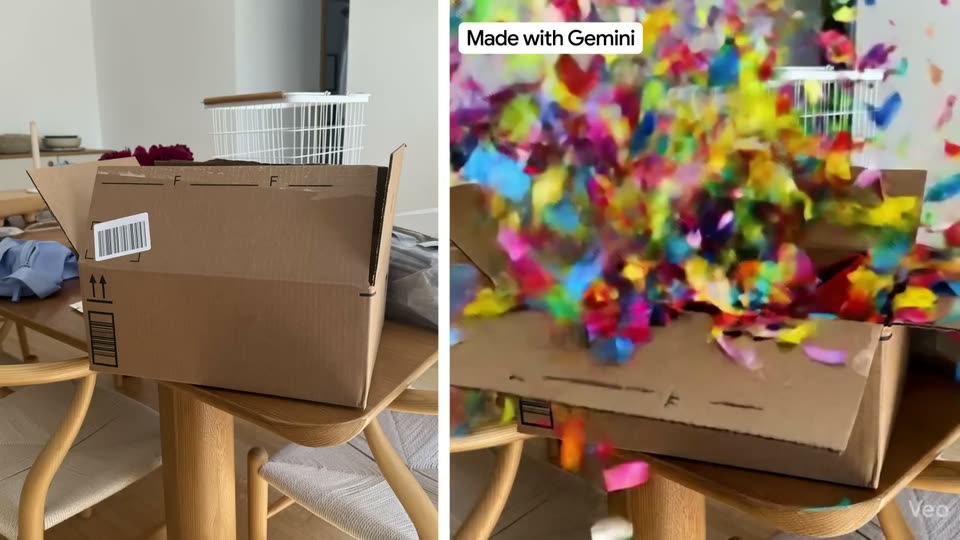

Turn your photos into videos using Veo 3 in Gemini
Google · AI · Jul 2025
OpenDesign · Nov 2026 · 0:55 · AI-annotated
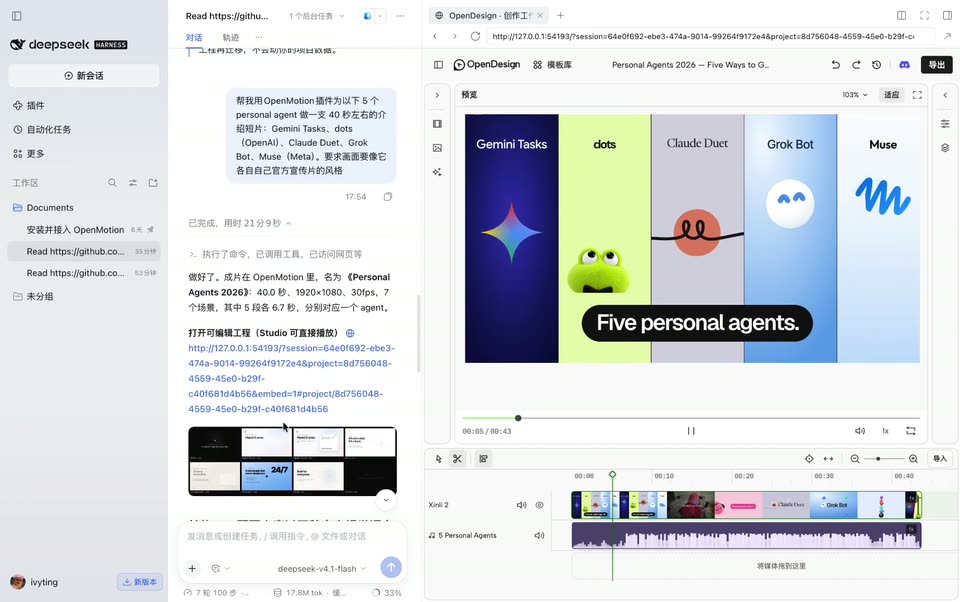
OpenDesign’s 0:55 launch film runs 8 scenes, about 7.0 s each. The product is on screen from the first frame. There is no explicit call to action; a voiceover carries the film. The video is one continuous split-screen screen recording, a chat prompt on the left while the editor on the right plays back an AI-generated agent promo and then opens a scrolling template grid. Pacing is real-time and uncut, set by a 149 bpm track, so all motion comes from the playhead, the cursor and the embedded animations.
Is this your launch? to your site or press kit.
Google · AI · Jul 2025
Stability AI · Mar 2024
Phone Harness · B2B · Sep 2026
Films whose music sounds like this one, voice left out
FLUX · Electronic dance music with hip-hop, funk, and big beat influences.
Enact · Electronic, Hip-hop
Google · Electronic, hip-hop
Split screen: a chat assistant on the left, a video editor on the right. The editor's preview plays an animated promo of five agent mascots, cycling a green blob, an orange circle and a blue squiggle, captioned Five personal agents. The timeline scrubber advances as the chat scrolls.
Techniques: Split screen, Cursor demo
Camera: Static
The frame holds on a chat app at left and a video editor at right. In the editor's preview a clip of a person in a pink cap and red jacket plays, the words in the clip change, and the timeline playhead advances.
Camera: Static
Split-screen recording: a chat panel on the left holds a Chinese prompt, while a video editor on the right plays a montage in its preview, from a person in a red jacket to a 'dots' logo, plush characters and a phone mockup, then expands to show its timeline.
Techniques: Split screen, Cursor demo
Camera: Static
Split screen of a DeepSeek chat and the OpenMotion editor. The editor's preview plays a cut of agent intro scenes: a Claude Duet phone card, the Grok Bot title, an orange revenue graph, a Research Bot chat, a Muse AI 3D scene. The playhead advances 00:23 to 00:37.
Techniques: Split screen, 3D mockup
Camera: Static
A split screen shows a DeepSeek chat on the left and an OpenMotion editor on the right. In the editor's preview, vertical panels pair agent names with cartoon mascots, a frog, a llama and a bear, sliding left as a cursor rests on the timeline scrubber.
On-screen text: “Gemini Tasks”, “dots”, “Claude Duet”, “Grok Bot”, “Muse”, “Pick yours.”
Techniques: Split screen, Cursor demo
Camera: Static
Left, a DeepSeek chat stays static. Right, a browser opens a template library modal that fills with video thumbnails; the cursor hovers across cards as the grid scrolls down past brand and category filters.
Techniques: Split screen, Cursor demo
Camera: Static
A split screen shows a DeepSeek chat on the left and an OpenMotion template library on the right. The right grid of video cards scrolls upward while a cursor drifts across it; the left chat panel stays still.
Techniques: Split screen, Cursor demo
Camera: Static
A split view shows a chat app on the left and a browser on the right, where a template-library modal swaps from one grid of video thumbnails to another as a cursor hovers over a card.
Techniques: Split screen, Cursor demo
Camera: Static