
0:47
Explore
Start using ChatGPT Instantly
OpenAI · Apr 2024 · 0:23 · Full motion · AI-annotated
- Length
- 0:23
- Scenes
- 6 · 3.8 s avg
- Product on screen
- 0:00
- Voiceover
- No
- Views
- 56K on YouTube
as of November 28, 2026
00:00:00 / 00:23:02
- Length
- 0:23
- Scenes
- 6 · 3.8 s avg
- Product on screen
- 0:00
- Voiceover
- No
- Views
- 56K on YouTube
as of November 28, 2026
OpenAI’s 0:23 launch film runs 6 scenes, about 3.8 s each. The product is on screen from the first frame. There is no explicit call to action. The video is built as three flat, near-white cards: a traveling dot writes the headline, a continuous screen recording runs the ChatGPT web app from typed URL to streamed thank-you note, and a centered wordmark resolves into the OpenAI knot. Pacing is slow and even, with letter-by-letter typing and word-by-word streaming as the signature moves, all in black type on a light gray field with a single zoom into the home screen.
No filming indicatedEstimated needs: 1 capture group — your screens or recordings · 1 official logo — reused across the film
Is this your launch? to your site or press kit.
More like this


Start using ChatGPT Instantly, scene by scene
· 6 scenes as text
01 · Product intro · 0:00–0:04
A small black dot travels left to right across a light gray field, revealing the headline letter by letter: Start using ChatGPT on the first line, then instantly on the second. The dot fades out once the text is complete.
On-screen text: “Start using ChatGPT instantly”
Techniques: Kinetic type
Camera: Static
02 · Demo · 0:04–0:05
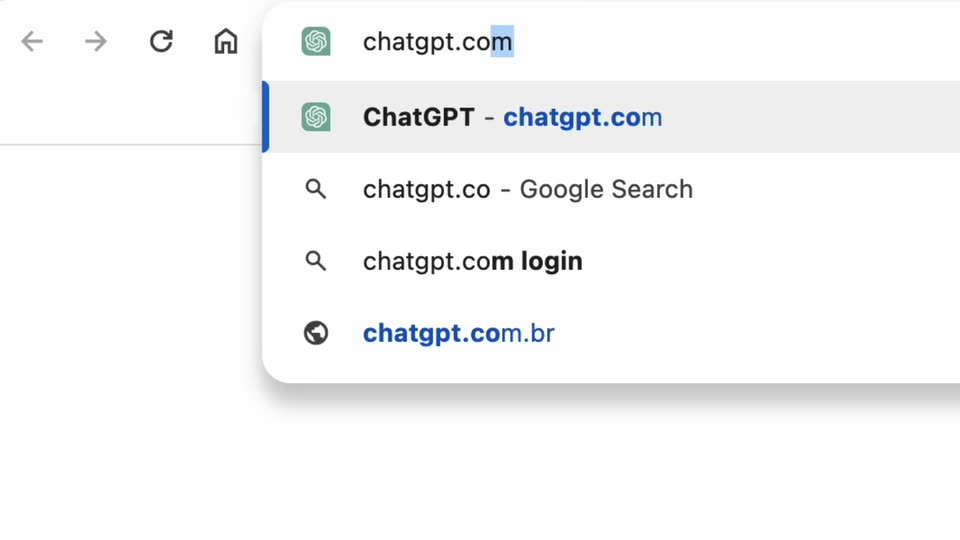
A close-up of a browser address bar types out the URL character by character, the autocomplete dropdown re-sorts its suggestions, then the caret blinks on the finished address while the panel holds still.
On-screen text: “Start using ChatGPT”, “instantly”
Camera: Static
03 · Demo · 0:05–0:06
A browser window opens on the ChatGPT home screen; the header and prompt cards resolve from a ghosted duplicate into a clean layout as the view zooms in. The address bar reads chat.openai.com.
On-screen text: “chat.openai.com”
Techniques: UI zoom
Camera: Pull out
04 · Demo · 0:06–0:13
The ChatGPT home screen stays still while a prompt types itself into the bottom input box, letter by letter. The finished line submits, and the view swaps to the chat, showing the user message and a loading dot under the ChatGPT label.
Techniques: Cursor demo
Camera: Static
05 · Demo · 0:13–0:19
The ChatGPT interface shows a user prompt asking for a thank-you note. The assistant reply streams in word by word under the ChatGPT label, and the chat pane scrolls down to follow until the signed note and copy icon are complete.
Techniques: Kinetic type
Camera: Pan
06 · Outro · 0:19–0:23
A small black dot appears at center on a pale gray field, then the bold black wordmark ChatGPT forms to its left. The wordmark clears and the OpenAI knot logo draws in at center, scaling up to full size.
On-screen text: “ChatGPT”
Camera: Static