1:39
Codex for (almost) everything
OpenAI · AI · Apr 2026
OpenAI’s 0:45 launch film runs 21 scenes, about 2.1 s each. The product is on screen from the first frame and 1 feature is revealed. There is no explicit call to action. The video is a single-feature launch built as a tight montage: a gradient title card names Appshots in Codex, then screen content from Gmail, Photos, Figma and Notes is attached to the chat with prompts that type themselves, each example cut to the typing rhythm and resolved by the streamed answer. Signature moves are the self-typing prompt lines, the slow push-in zooms on the chat panel, and the closing morph of the knot logo on white.
Is this your launch? to your site or press kit.
OpenAI · AI · Apr 2026
OpenAI · AI · Jan 2026
Commas · Jul 2026
Films whose music sounds like this one, voice left out
Polylane · Electronic, synth-pop, and lo-fi hip-hop
FlowiseAI · Funk, Soul, and Disco fusion with modern electronic production.
Replit · Synthwave, Trance
A soft blue and purple gradient fills the frame. The white headline holds at the top while a second line types in word by word across the bottom.
On-screen text: “Appshots in Codex”, “Share what's on your screen”
Techniques: Kinetic type
Camera: Static
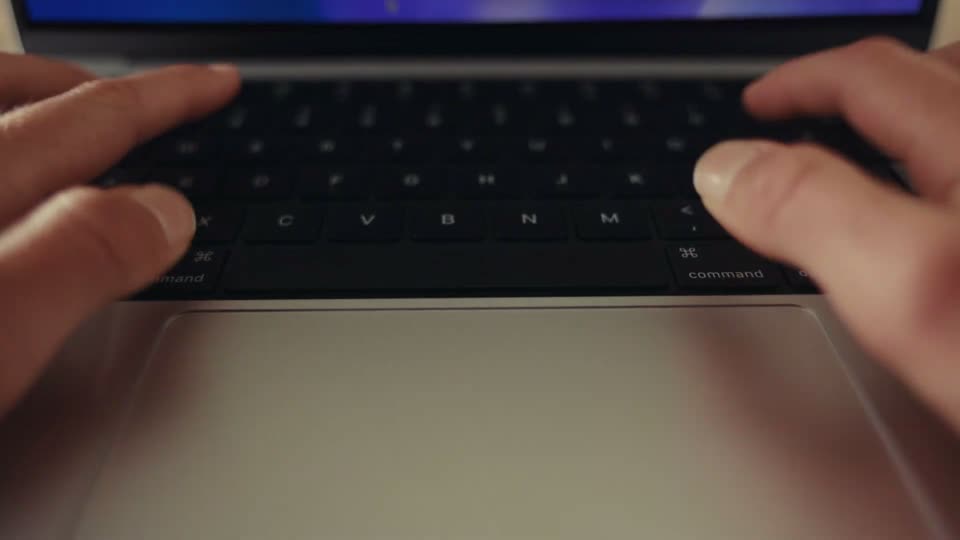
A sharp close-up of a laptop screen shows a Gmail email with a festival poster beside a Notion page titled 'What should we work on?'. The camera tilts down and racks focus to the keyboard as two hands type.
Camera: Pull out
A laptop on a wooden desk shows a Gmail window beside an assistant chat window. The camera pushes in on the screen while the prompt “add these events to my calendar” types itself into the chat box, ending on a highlighted send button.
Techniques: UI zoom
Camera: Push in
A close-up of a laptop screen showing a software interface. The view zooms in on a white prompt window asking 'What should we work on?' positioned next to a photo of a dog.
On-screen text: “What should we work on?”
Techniques: UI zoom
Camera: Pan
A laptop on a wooden desk, blurred background, shows a chat interface: a dog photo on the left, the prompt “What should we work on?” on the right. A Photos thumbnail attachment slides into the input box. The frame stays locked off.
Camera: Static
A close-up of a chat interface shows a prompt box holding an attached photo thumbnail labeled Photos. The phrase make this anime types itself into the input line, and the round send button turns into a loading icon.
Camera: Static
A laptop on a wooden desk displays a Figma workspace; the view zooms into the prompt panel, where the text 'write a press release for this' types out letter by letter beneath a file thumbnail.
Techniques: UI zoom
Camera: Push in
Two app windows float in tilted 3D perspective on a blue backdrop. The camera reframes from the Fundraiser Brainstorm document toward the chat panel, where a small nested preview of the document appears and a cursor hovers near the input.
Techniques: 3D mockup, UI zoom, Cursor demo
Camera: Pan
Close-up of a monitor showing the app prompt 'What should we work on?'. A card holds a document thumbnail. The text 'clean this up and make it a google doc' types out, then the send arrow becomes a loading spinner.
Camera: Static
A close-up of a chat list highlights the Anime-fy image row as a cursor clicks it, then the frame pulls back to reveal the full app window: a dog photo in the chat thread and an automation panel on the right.
Techniques: Cursor demo, UI zoom
Camera: Static
A laptop on a wooden desk displays two windows: a Photos app with a dog photo on the left and an AI chat on the right. The chat window fills with a large black-and-white anime illustration of the dog, while a cursor hovers over the photo.
Techniques: 3D mockup, Cursor demo
Camera: Static
A locked-off close-up of a laptop screen shows the Photos app: a real dog photo on the left and a painted version of the same dog in an Animate My Image window on the right. A cursor drifts down across the desktop between the windows.
Camera: Static
Two panels fill the screen: a preschool newsletter with a colorful JamFest poster on the left, an assistant chat on the right. The chat text streams and rewrites, ending on two bulleted calendar events. The prompt 'add these events to my calendar' rests in a bubble above.
Camera: Static
A laptop angled on a desk shows a Figma canvas behind a browser chat window. The chat types out a Mission Soup Works press release line by line as the shot slowly pushes into the screen.
Camera: Static
A chat interface fills in: a user bubble reads clean this up and make it a google doc above a Notes thumbnail, then a status line and a paragraph of answer text stream in below, while a second notes panel sits at left.
Techniques: Kinetic type
Camera: Static
A laptop rests on a wooden desk beside a glass of water and a notebook. Its screen shows a notes app on the left and an agent chat window on the right, where a conversion summary streams in with a file card below it.
Camera: Push in
A blurred laptop screen showing two document panels washes out to white while a gray Codex wordmark holds the center and scales in place. The frame stays locked off as the background overexposes and the UI details fade.
On-screen text: “Codex”
Techniques: Kinetic type
Camera: Push in
A blurred product window with a soft cyan glow fades behind the centered Codex wordmark, dissolving to plain white as the wordmark scales up on a locked-off frame.
On-screen text: “Codex”
Techniques: Kinetic type
Camera: Static
A black line-drawn mark sits centered on a plain white field. It morphs from a pointed pinwheel into a rounded knot with a hexagonal center, the strokes rounding and thickening as the form settles.
Techniques: Morph
Camera: Static
A black line-art logo, a knot of interlocking rounded lobes with a hexagonal center, holds a locked-off frame, centered on a plain white background.
Camera: Static
A solid black frame holds for the entire two-second clip, with no visible content, text, or motion.
Camera: Static