0:50
Explore
Karan Vaidya - We are launching Open Dots, run the same capabilities in 1/10th of th
Open Dots · Sep 2026 · 0:15 · Full motion · AI-annotated
- Length
- 0:15
- Scenes
- 11 · 1.4 s avg
- Product on screen
- 0:02
- Features shown
- 5
- Call to action
- 0:11 · 76%
- Voiceover
- No
- Views
- 240K on X
as of November 22, 2026
00:00:00 / 00:15:04
- Length
- 0:15
- Scenes
- 11 · 1.4 s avg
- Product on screen
- 0:02
- Features shown
- 5
- Call to action
- 0:11 · 76%
- Voiceover
- No
- Views
- 240K on X
as of November 22, 2026
Open Dots’s 0:15 launch film runs 11 scenes, about 1.4 s each. The product shows up at 0:02 and 5 features are revealed. The call to action lands at 0:11 (76% in). The reel is built as eight numbered beats cut to a 128 BPM grid, alternating dark abstract graphics with bright UI demos held inside a fixed corner HUD frame. Signature moves are the mask reveal on browser windows, the 3D pull back of the app window, and the blob mascots that bookend the story.
No filming indicatedEstimated needs: 3 capture groups — your screens or recordings · 1 official logo — reused across the film · 5 graphic passages — draw or supply · 1 3D passage — build or supply
Is this your launch? to your site or press kit.
More like this

Karan Vaidya - We are launching Open Dots, run the same capabilities in 1/10th of th, scene by scene
· 11 scenes as text
01 · Hook · 0:00–0:02
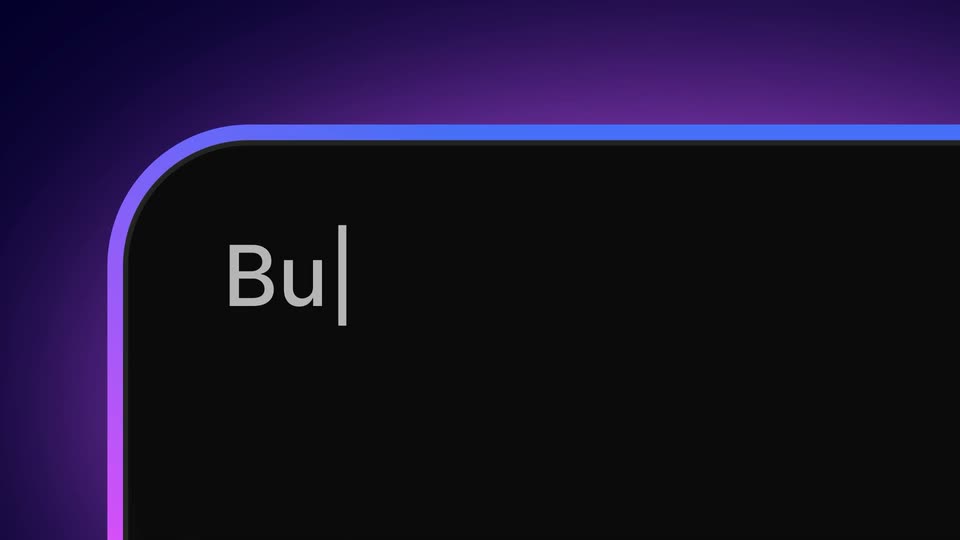
A yellow-green dot drops into a thin ring on a dark grainy field. The ring fades as a blue glow builds behind it, and three dots, white, blue and yellow, slide to the center and merge into one glowing cluster. Static HUD labels frame the corners.
On-screen text: “OPEN DOT - REEL”, “00:00:01:45”, “01 - GENESIS”, “128 BPM - 1/8”
Camera: Static
02 · Feature reveal · 0:02–0:02
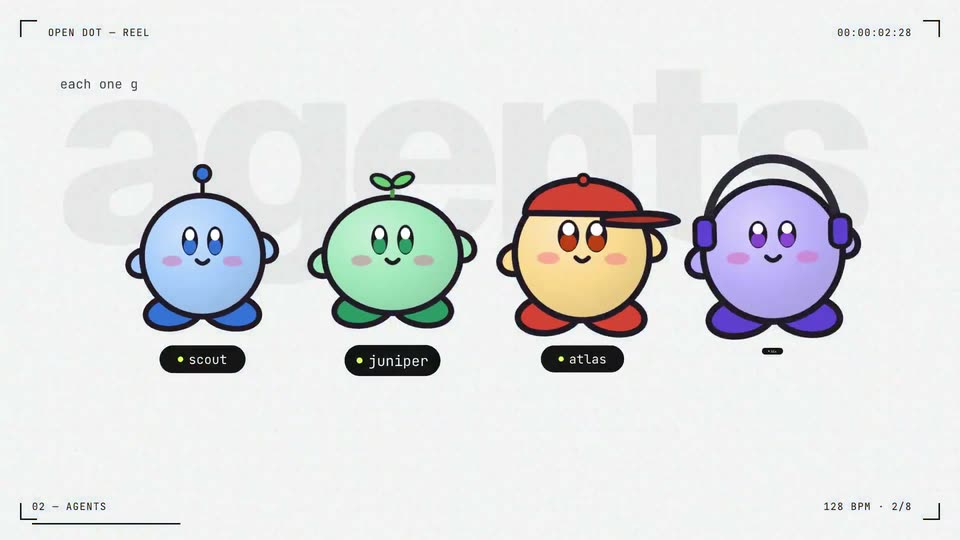
On a pale gray field with the word “agents” faintly behind, four round cartoon mascots pop in one by one from left to right. Small name tags slide up under the first two figures as the row completes.
On-screen text: “OPEN DOT - REEL”, “00:00:01:45”, “agents”, “02 - AGENTS”, “128 BPM · 2/8”
Camera: Static
03 · Feature reveal · 0:02–0:03
Four cartoon blob mascots sit in a row on a light gray field with a faint 'agents' wordmark behind them. A monospaced headline types out above them, then the camera punches in on the blue mascot's face.
On-screen text: “each one gets its own computer, memory & rules”
Techniques: Kinetic type, UI zoom
Camera: Push in
04 · Feature reveal · 0:03–0:04
A dark browser window sits centered on a near-black field, a thin white line crossing its middle. The line opens like a mask, flooding the window with a bright seat-selection page: Midnight Circus event card left, dotted seat grid and Continue button right. Corner HUD labels frame the shot.
On-screen text: “OPEN DOT - REEL”, “00:00:04:01”, “03 - ITS OWN COMPUTER”, “128 BPM - 3/8”
Techniques: Masking
Camera: Static
05 · Feature reveal · 0:04–0:05
A flat browser window shows a seat map for a show. A second seat turns blue, the summary line updates to 2 seats with a price, and a cursor dot lands on the Continue button.
On-screen text: “OPEN DOT – REEL”, “00:00:04:34”, “03 – ITS OWN COMPUTER”, “128 BPM · 3/8”
Techniques: Cursor demo
Camera: Static
06 · Feature reveal · 0:05–0:07
A white approval card sharpens over a blurred booking screen. A cursor clicks the dark Approve button, the card collapses to a slim approved state with a green check, and multicolored dots drift out to the left, all inside a thin corner HUD frame.
On-screen text: “OPEN DOT - REEL”, “00:00:05:45”, “04 - ASKSFORAPPROVAL”, “128 BPM - 4/8”
Techniques: Cursor demo, Particles, Morph
Camera: Static
07 · Feature reveal · 0:07–0:08
A black HUD frame fades to a light dot-grid field where a black dot logo sits center, ringed by floating app icons linked by dashed lines. The icons drift outward in 3D perspective while a large counter and a caption build in the lower left.
On-screen text: “OPEN DOT — REEL”, “64 — ASKS FIRST”, “128 BPM · 4/8”, “85 — YOUR APPS”, “128 BPM · 5/8”, “421.1”, “apps your dots can use”, “WE'LL COMPOSE IT — REVISE FREELY, ASKS BEFORE SENDING”
Techniques: Kinetic type, Parallax
Camera: Static
08 · Feature reveal · 0:08–0:09
On a light dotted field, a black dot with two inner dots anchors a radial constellation of white app icons linked by dashed lines, with a soft blue glow behind it. The icons drift slowly around the hub. A chat bubble sits top right and a large counter reads bottom left.
On-screen text: “OPEN DOT — REEL”, “1,500+ apps your dots can use”, “VIA COMPOSIO · READS FREELY, ASKS BEFORE SENDING”, “05 — YOUR APPS”, “128 BPM · 5/8”
Camera: Static
09 · Feature reveal · 0:09–0:10
On a white field, a black circular call button in the center scales out into a multicolor audio waveform of vertical bars. A chat card with a blue robot mascot labeled Scout slides in from the right, and the message input bar below fills from faint to solid.
On-screen text: “OPEN DOT — REEL”, “00:00:09:23”, “06 = JUST SAY IT”, “128 BPM · 6/8”
Camera: Static
10 · Feature reveal · 0:10–0:11
A flat audio waveform sits over a chat bar with a dark message pill, then the view pulls back and tilts into a 3D window showing the assistant's price-comparison table and action log.
On-screen text: “OPEN DOT - REEL”, “06 - JUST SAY IT”, “128 BPM - 6/8”
Techniques: UI zoom, 3D mockup
Camera: Pull out
11 · CTA · 0:11–0:15
A tilted 3D window of the Open Dot app, framed by three caption pills, fades out as the open dot logo and wordmark appear on a dotted background. The tagline and a GitHub URL type in while four small robot characters sit at the bottom right.
On-screen text: “runs on your mac”, “4 dots working”, “open source”, “open dot”, “Personal agents that work on their own.”, “github.com/composio-community/open-dot”, “OPEN SOURCE · MACOS”
Techniques: 3D mockup
Camera: Push in