0:45
Explore
Luke Deasy - Announcing the launch of open-diagram, an open-source project that al
open-diagram · Nov 2026 · 1:28 · Code only · AI-annotated
- Length
- 1:28
- Scenes
- 13 · 6.8 s avg
- Product on screen
- 0:24
- Features shown
- 2
- Call to action
- 1:21 · 92%
- Voiceover
- Yes
- Views
- 53K on X
as of November 24, 2026
00:00:00 / 01:28:11
- Length
- 1:28
- Scenes
- 13 · 6.8 s avg
- Product on screen
- 0:24
- Features shown
- 2
- Call to action
- 1:21 · 92%
- Voiceover
- Yes
- Views
- 53K on X
as of November 24, 2026
open-diagram’s 1:28 launch film runs 13 scenes, about 6.8 s each. The product shows up at 0:24 and 2 features are revealed. The call to action lands at 1:21 (92% in), over a voiceover. The video plays out on one persistent dark starfield stage with faint concentric orbit rings, where diagrams assemble, tilt into 3D perspective, and flatten back to a locked-off view while a small blue robot mascot holds the lower corner throughout. Pacing tracks a steady 120 BPM bed with slow camera drifts and quick zoom punches, and white captions swap phrase by phrase in sync with the voiceover.
No filming indicatedEstimated needs: 5 capture groups — your screens or recordings · 1 graphic passage — draw or supply · 2 3D passages — build or supply
Is this your launch? to your site or press kit.
More like this




Similar soundtrack
Films whose music sounds like this one, voice left out
3:16

Introducing reMarkable 2 — the paper tablet (2020)
reMarkable · Cinematic electronic
4:32
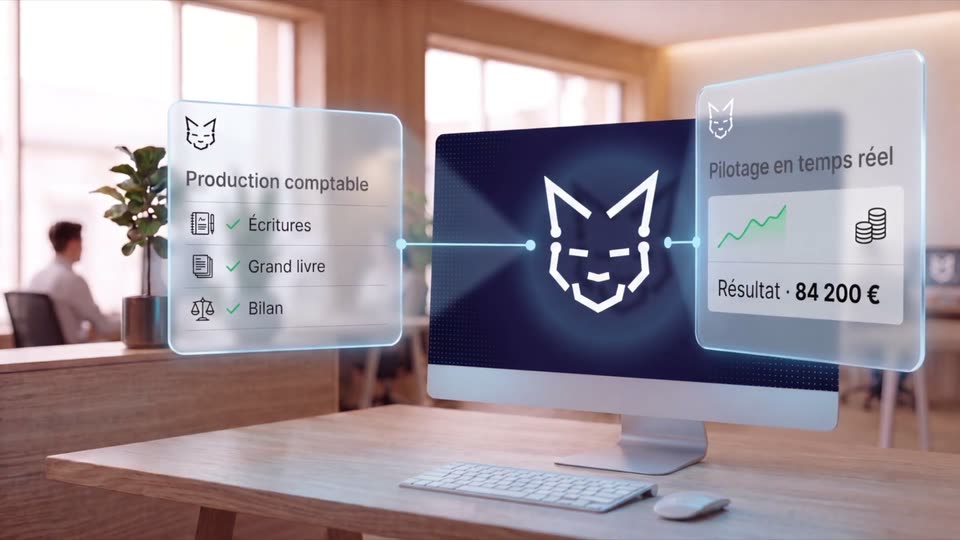

Qantum · L'ERP financier IA natif · Présentation
Qantum · Modern electronic corporate background
1:51

Altaf Ganihar - Today we're launching @snaptrude Agent, the most advanced agent for b
Snaptrude · Modern electronic
Luke Deasy - Announcing the launch of open-diagram, an open-source project that al, scene by scene
· 13 scenes as text
01 · Hook · 0:00–0:04
A dark starfield canvas holds a wide purple flowchart tracing AI history from 1950 to 2026, drifting slowly as the caption fades in below. At the end the view pulls back fast, revealing rewind and play controls in the corners.
On-screen text: “This diagram used to be a mess.”
Techniques: UI zoom
Camera: Static
02 · Problem · 0:04–0:24
A small blue robot mascot waves in the lower left while dozens of UI cards, web pages, Slack messages, Linear tickets, and docs, pop into a starfield of concentric rings, then drift and fade as the camera pushes in and a bright light blooms at the center.
On-screen text: “Hi, I'm Dia the Diagram.”, “This is where it started:”, “webpages, Slack messages,”, “Linear tickets, docs,”, “emails and spreadsheets.”, “Knowledge, scattered everywhere.”, “Now, with open-diagram,”, “your AI grabs what's out there and”, “turns it into a clear,”, “beautiful picture.”
Techniques: 3D mockup, Parallax
Camera: Push in
03 · Product intro · 0:24–0:27
The compact timeline diagram at the center of a starfield scales up into a full multi-column AI history infographic, while the white caption below it fades out. A small glowing robot mascot stays fixed in the lower left corner.
On-screen text: “beautiful picture.”
Camera: Static
04 · Product intro · 0:27–0:28
A dark starfield holds a wide node diagram of AI history, its boxes and connecting lines static. A small robot icon sits bottom left while a light caption fades in along the bottom edge.
On-screen text: “open-diagram is a free,”
Techniques: Kinetic type
Camera: Static
05 · Product intro · 0:28–0:33
A large white title eases in with a soft glow, centered over a tagline on a dark starfield of faint orbit rings and a dimmed AI-timeline diagram. A small cyan-eyed robot bobs in the lower left, and a bottom caption swaps phrase by phrase with the voiceover.
On-screen text: “open-diagram”, “A free, open-source diagramming package”, “open-diagram is a free,”, “open-source diagramming package.”, “Describe what you want to visualize,”
Techniques: Kinetic type
Camera: Static
06 · Feature reveal · 0:33–0:44
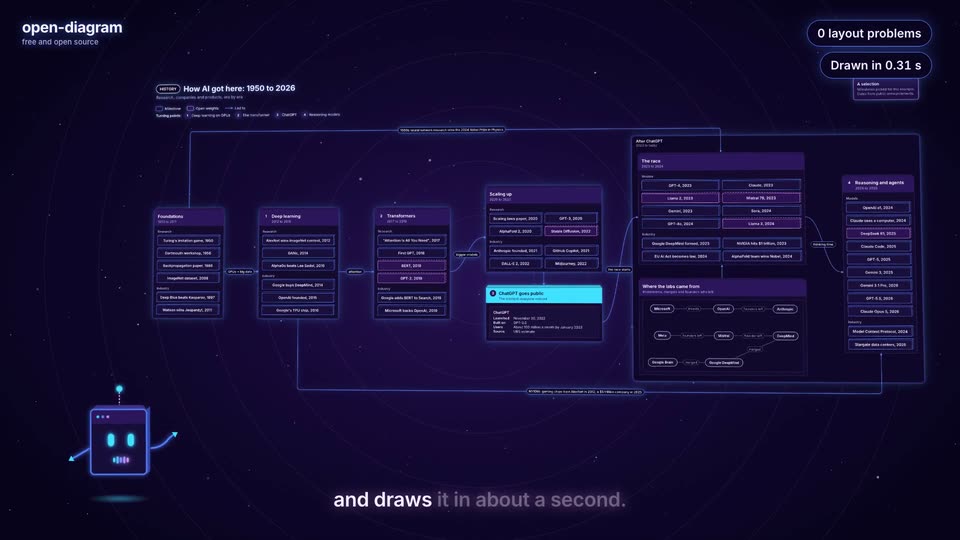
A dark starfield holds a large node diagram, 'How AI got here: 1950 to 2026', with a small robot mascot at lower left. Captions cycle at the bottom as the camera zooms in, tilting the diagram into 3D perspective, then pulls back as stat badges appear top right.
On-screen text: “Describe what you want to visualize,”, “or explain a process,”, “and it builds the diagram for you.”, “It places every block,”, “checks the layout,”, “0 layout problems”, “and draws it in about a second.”, “Drawn in 0.67 s”, “Here's how it works in Claude Code.”
Techniques: UI zoom, 3D mockup
Camera: Pull out
07 · Feature reveal · 0:44–0:57
A dark terminal fades in on the left over a purple starfield, a small glowing blue robot bobbing at its corner. A command is typed, log lines fill in, then an AI-history flowchart appears on the right and recolors to purple. White captions narrate the steps.
On-screen text: “Here's how it works in Claude Code.”, “Ask for a diagram,”, “and Claude searches the web,”, “gathers what it needs,”, “and hands open-diagram the pieces.”, “Want different colors?”, “Drawn in 0.68 s · 0 layout problems”, “Just say so.”
Techniques: Split screen
Camera: Static
08 · Demo · 0:57–1:05
A dark starfield with faint concentric rings holds a 3D diagram of AI milestones, tilted in perspective. The camera glides right across the glowing panels, then flattens to a straight-on locked-off view as caption lines swap in at the bottom.
On-screen text: “open-diagram”, “free and open source”, “No dragging boxes,”, “no fixing arrows.”, “Just unstructured information in,”, “and a beautiful diagram out.”, “It's great for technical architecture,”
Techniques: 3D mockup, Parallax
Camera: Pan
09 · Demo · 1:05–1:06
A dark space backdrop with faint concentric rings and stars. The label “Technical architecture” fades in at the top left while the caption “It's great for technical architecture,” stays locked at the bottom. The open-diagram logo sits top left and a small blue robot icon bottom right.
On-screen text: “It's great for technical architecture,”, “Technical architecture”
Camera: Static
10 · Demo · 1:06–1:14
A dark space canvas with faint concentric rings holds four glowing diagrams that draw themselves in sequence, each under a white title and a draw-time badge. A small robot mascot pulses bottom-right while white captions roll across the bottom.
On-screen text: “free and open source”, “Technical architecture”, “It's great for technical architecture,”, “Process flow”, “process flows, user journeys,”, “User journey”, “Real-world story”, “and real-world stories,”, “like the history of AI.”
Techniques: Split screen
Camera: Static
11 · Feature reveal · 1:14–1:17
A dark terminal mockup on the left types a pip install command and prints success output, then a second command. A node graph with Claude Desktop and GitHub nodes fades in on the right; two small robot mascots bob at the bottom while a white caption appears word by word.
On-screen text: “It's free and open source,”, “and it works with the AI tools you”
Techniques: Kinetic type
Camera: Static
12 · Feature reveal · 1:17–1:21
A terminal window and a node diagram linking open-diagram to Claude, Cursor, GitHub and Codex sit on a dark orbit backdrop as a bottom caption types out word by word. The scene then crossfades to a sign-off card with the product name, install command and GitHub URL.
On-screen text: “Works with the AI tools you already use”, “and it works with the AI tools you already use.”, “open-diagram”, “A free, open source diagramming package”, “pip install open-diagram”, “github.com/lukendeasy/open-diagram”, “MIT license · works with Claude, Cursor, Codex and any AI tool”, “Music: “Vector Space” by Walter Vambrace”
Techniques: Kinetic type
Camera: Static
13 · CTA · 1:21–1:28
A glowing 'open-diagram' title card holds center on a dark starry field with concentric rings, listing a subtitle, install command, and cyan GitHub URL. A small blue robot mascot drifts from the center to the right and bobs. The bottom caption crossfades from 'open-diagram.' to 'Try it out today.'
On-screen text: “open-diagram”, “A free, open-source diagramming package”, “pip install open-diagram”, “github.com/lukendeasy/open-diagram”, “MIT license · works with Claude, Cursor, Codex and any AI tool”, “Music: “Vector Space” by Walter Vambrace”, “open-diagram.”, “Try it out today.”
Camera: Static