1:09
Brett - Introducing GatherOS™ [beta]. The Mac app for design inspiration, bu
GatherOS · May 2026
Okara · Mar 2026 · 0:53 · AI-annotated
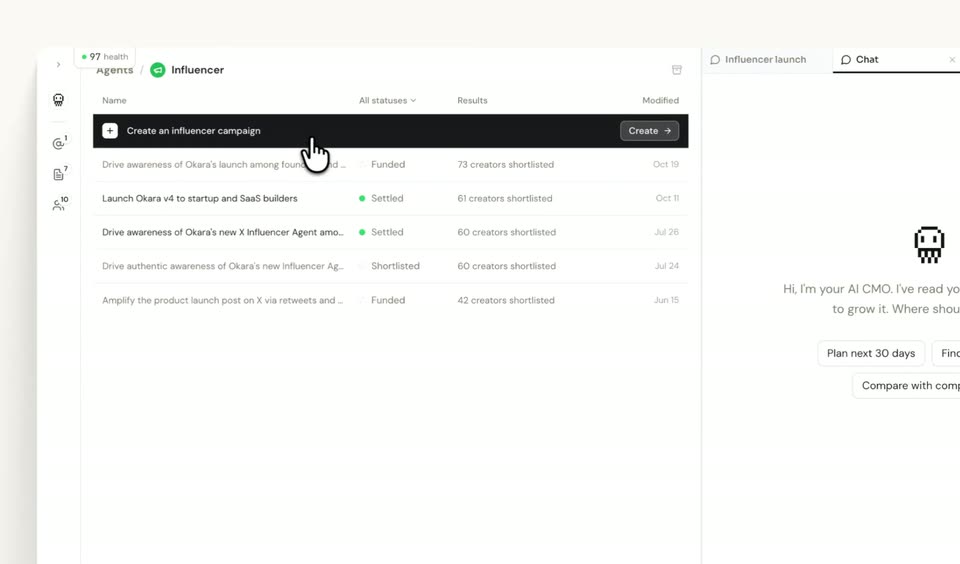
Okara’s 0:53 launch film runs 16 scenes, about 3.3 s each. The product is on screen from the first frame and 4 features are revealed. There is no explicit call to action. The video is built as a continuous UI tour that opens on a flat landing card and then follows a cursor through panels, documents and feeds. Motion is restrained and functional, relying on typing, scrolling, panel slides and occasional 3D tilts to move between features.
Is this your launch? to your site or press kit.
A flat white card on a gray backdrop shows a pixel robot icon above a centered headline. A mouse pointer hovers at a search bar while okara.ai types out letter by letter beside a dark Start button.
On-screen text: “The only CMO you need to grow your business.”, “okara.ai”
Techniques: Cursor demo
Camera: Static
A flat app window mockup floats on a light gray field with a soft drop shadow. In the dark terminal bar at the top, monospace lines type out one by one, while a small pixel robot and a cursor arrow sit in the empty white body with a loading caption.
On-screen text: “The only CMO you need to grow your”, “business.”, “okara.ai”
Camera: Static
A flat terminal window mockup rests on a light grey backdrop. Inside the dark panel, monospace command lines type out one after another, while a small pixel robot and a loading caption sit beside a static arrow cursor.
Techniques: Kinetic type
Camera: Static
A flat browser window on a light backdrop shows an AI terminal typing orange monospace lines above a white canvas. A cursor hovers, two panels fade in with a company profile and a loading indicator, then the cursor clicks a document row.
Techniques: Cursor demo
Camera: Static
A split two-pane interface sits on a light gray backdrop. The dark left pane holds a terminal window and a document list; the white right pane shows a product-information document. A cursor glides to the divider and the right page scrolls down through its sections as terminal lines refresh.
Techniques: Cursor demo
Camera: Static
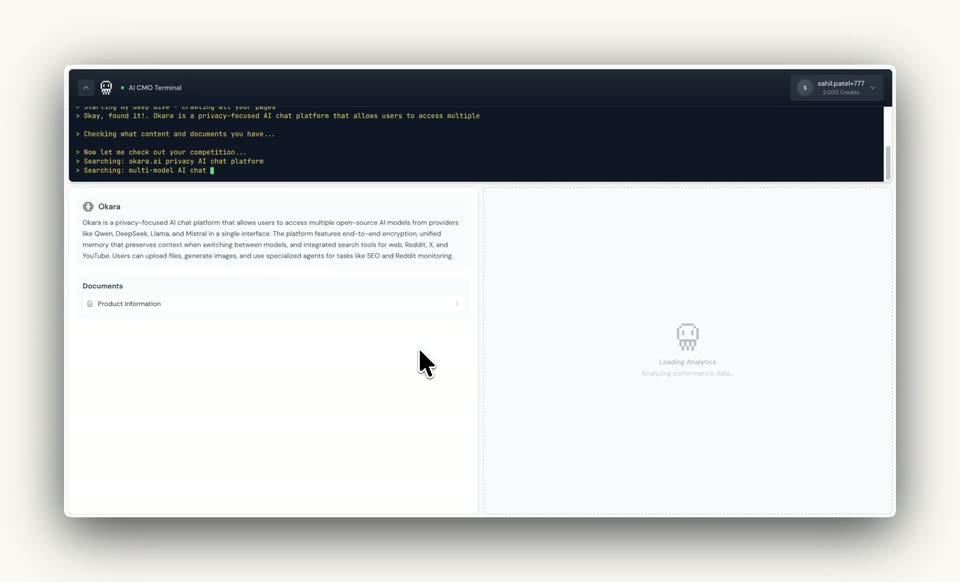
A locked-off desktop window shows a dark terminal at top scrolling search queries while the left panel fills with a product summary and a grid of competitor names. A right panel holds a static loading state, and a cursor hovers over the left list.
Techniques: Cursor demo
Camera: Static
A flat Okara product UI fills the frame: a dark terminal streams audit lines above a sidebar and a content pane. The right pane scrolls a competitor analysis document, then swaps to an analytics dashboard with score rings and a recommendations feed as a cursor clicks the tabs.
Techniques: Cursor demo
Camera: Static
A product dashboard fills the frame: a dark AI terminal lists completed audit tasks on the left while a white recommendations panel on the right updates to reveal a How to Fix card with overview, steps, a code block and expected impact. A mouse cursor hovers over the panel.
Techniques: Cursor demo
Camera: Static
A two-pane interface fills the frame: a dark terminal on the left logs status lines in yellow and green, while a white recommendations document on the right scrolls upward past JSON code blocks to a dark Mark as Complete button, a cursor hovering nearby.
Techniques: Cursor demo
Camera: Static
A flat product dashboard with four columns: a dark terminal strip on top, an Okara doc panel, an analytics overview with score rings, and an AI CMO feed. A cursor clicks to expand and collapse feed cards, revealing a generated tweet with a Post button, while terminal lines scroll.
Techniques: Cursor demo
Camera: Static
A 3D-angled mockup of the Okara interface holds a locked frame: a dark terminal, document list, analytics gauges and a chat panel. A cursor drags the chat down as messages slide up and a loading spinner appears.
Techniques: 3D mockup, Cursor demo
Camera: Static
A layered product UI pans horizontally as a chat window slides right and a dark terminal panel holds the left edge, exposing an analytics view with circular speed gauges and a feed list; a cursor rests over the feed.
Techniques: Parallax
Camera: Static
A product dashboard fills the frame: a dark terminal strip on top prints status lines, while three columns below hold a documents list, an analytics panel with score rings, and a feed of expandable cards. A cursor clicks the feed open, and a chat panel slides in from the right.
Techniques: Cursor demo
Camera: Pan
A tilted browser window mockup floats on a light gray field. The dark left pane holds a terminal and an analytics dashboard, while the white right pane scrolls upward, cycling through labeled Variation entries of generated Show HN posts.
Techniques: 3D mockup
Camera: Static
A three-panel dashboard fills the frame: a dark terminal on the left, an analytics view with speed gauges in the middle, and a chat feed on the right. The right panel switches from an SEO document to a Hired and AI CMO conversation as a cursor moves.
Techniques: Cursor demo
Camera: Static
A tilted 3D mockup of the Okara dashboard sits on a pale background, with a dark terminal strip across the top and four panels below. A cursor glides from the Hacker News card down and left to the Core Web Vitals list.
Techniques: 3D mockup, Cursor demo
Camera: Static