1:26

MCP 2.0: Don't Just Build Fast. Build for What's Next.
Webflow · Design · Jul 2026
oh-my-hermes · Nov 2026 · 1:10 · Full motion · AI-annotated
oh-my-hermes’s 1:10 launch film runs 27 scenes, about 2.6 s each. The product shows up at 0:01 and 6 features are revealed. There is no explicit call to action. The video alternates centered title cards with full-bleed terminal demos, each feature announced by a one-line heading and then proven live in the terminal. Signature moves: letter-by-letter typing, glitch snaps on the pixel wordmark, and slide or crossfade transitions between cards and the terminal.
Is this your launch? to your site or press kit.
Webflow · Design · Jul 2026
Framer · Design · Jun 2026
Apple · Hardware · Oct 2026
Films whose music sounds like this one, voice left out
Unitree · High-energy electronic and rock
DeepAware AI (Robotics Center of Silicon Valley) · Electronic
SpaceX · Electronic, Cinematic Rock
A dark terminal window with traffic-light dots rests on a soft purple gradient. A static login line tops the frame while the prompt types a short command, letter by letter, behind a blinking caret.
Techniques: Kinetic type
Camera: Static
A dark terminal window on a deep purple background holds a static view of the product interface. A pixel banner reading OH-MY-HERMES glows in a pink-to-yellow gradient across the top, with session details and a multi-column skills list below and a prompt line at the bottom.
Camera: Pan
A glitchy pixel wordmark in a pink-to-yellow gradient snaps into focus on a dark gradient field, two subtitle lines fade in, and five colored feature pills pop in a row. The card then crossfades to a large white heading with a gray subline.
On-screen text: “OH-MY-HERMES”, “The workflow layer for Hermes Agent.”, “All in one package.”, “Model routing”, “Expert skills”, “dag-ulw”, “Per-model tuning”, “Long-term memory”, “Model routing”, “Every lane runs on the model built for its kind of work.”
Techniques: Kinetic type
Camera: Static
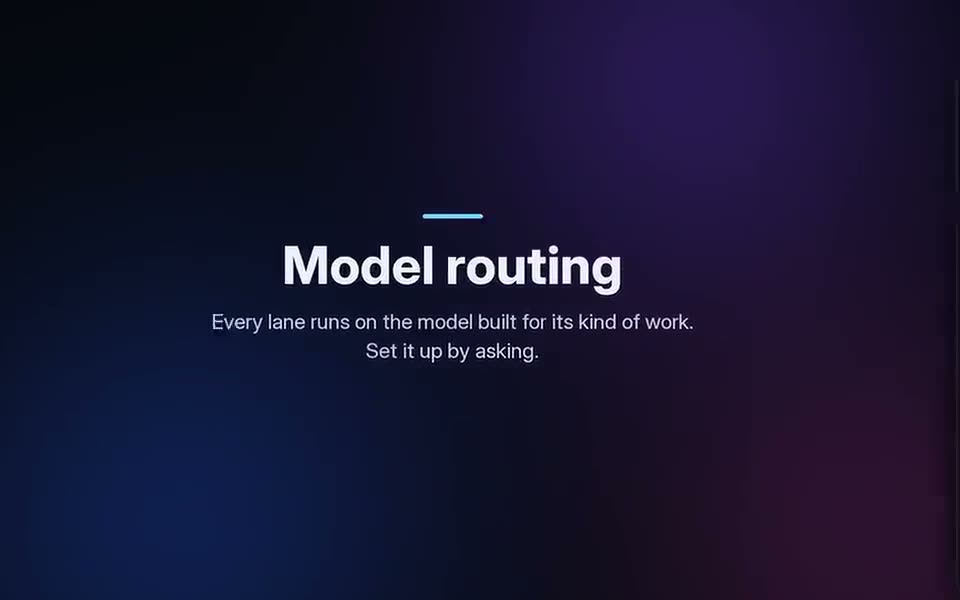
A centered white headline and two lines of copy sit on a dark blue-to-purple gradient. A slim product sidebar with a purple icon and a list of skill labels slides in from the right edge.
On-screen text: “Model routing”, “Every lane runs on the model built for its kind of work.”, “Set it up by asking.”
Camera: Pan
A dark terminal window fills the frame, its top banner reading OH-MY-HERMES in a pink-to-yellow pixel font. A caret types set up my models at the prompt, output lines appear, and the feed scrolls up, pushing the banner off screen.
Techniques: Cursor demo
Camera: Static
A dark terminal window fills the frame, showing a pixelated pink-to-yellow UH-MY-HERMES banner above session, shortcut and skills panels. A status line at the bottom types out a loaded skill and a token count.
Camera: Static
A dark terminal window on a purple background shows a table of model chains. The table scrolls up as a command is typed at the prompt, then a new line of output appears below it.
Camera: Pan
A terminal view with overlapping ghosted code text dissolves into a dark frame. A faint list of skill names sits behind a large white headline and two lines of gray body copy, with a thin divider line above the title.
On-screen text: “156 expert skills”, “Kept current with new models and Hermes releases. The skill router loads the right one. Zero overhead.”
Camera: Pan
A centered white headline and two lines of supporting text hold still over a dark blue-purple gradient. Faint columns of skill names scroll slowly upward behind them.
On-screen text: “156 expert skills”, “Kept current with new models and Hermes releases.”, “The skill router loads the right one. Zero overhead.”
Techniques: Parallax
Camera: Static
A dark terminal window scrolls as a prompt is typed and Hermes runs debugging steps, while a large white headline “156 expert skills” with two sublines sits over it. The terminal then slides left, revealing the bold title “dag-ulw” on the right.
On-screen text: “156 expert skills”, “Kept current with new models and Hermes releases.”, “The skill router loads the right one. Zero overhead.”, “dag-ulw”, “Reads your project's domain, plans a graph”
Techniques: Split screen
Camera: Pan
On a dark blue-purple gradient, a pink dash and the white title dag-ulw with a two-line gray caption slide down and exit the frame, revealing a dark terminal window that fades in behind it with agent logs and a command input.
On-screen text: “dag-ulw”, “Reads your project's domain, plans a graph of agents,”, “runs each lane on its own model, verifies before the report.”
Techniques: Kinetic type
Camera: Pan
A dark terminal window on a purple gradient shows a debugging log under a step breadcrumb. A slash command types itself into the bottom input, the breadcrumb highlight moves to Domain, and the input resets to a working state.
Camera: Pan
A dark terminal window fills the frame, showing an AI agent's action log in green and white monospace type, with a breadcrumb path across the top and a highlighted command line mid-screen. The view stays fixed, only a small status dot pulses.
Camera: Static
A dark terminal window sits flat under a row of stage pills running Prompt to Report. The log lists file reads, a failing test run and a Hermes model reply. A Working line at the bottom ticks from 3s to 4s while the rest stays still.
Camera: Static
A dark terminal window fills the frame beneath a row of step pills. A task graph of boxed nodes linked by arrows scrolls upward while status lines and token counts refresh at the bottom.
Camera: Static
A dark terminal window fills with a task log: lines type in and scroll up while a working timer ticks and a bottom table flips statuses from running to accepted. A flowchart of task boxes scrolls out at the top; a pink Run pill stays lit in the header.
Camera: Static
A dark terminal window floats on a purple gradient, its monospace log scrolling as task lines update while a top stepper advances from Verify to Report. The log then resolves into a vertical node graph of boxed tasks linked by arrows.
Camera: Pan
A dark purple gradient slide holds the heading “Tuned for each model” over four model cards; the subhead fades in and each card’s body text types in character by character, then a translucent “Long-term memory” watermark fades across the center.
On-screen text: “Tuned for each model”, “Same lane, different model: each family gets its own calibration.”, “Long-term memory”
Techniques: Kinetic type
Camera: Static
A dark blue-purple gradient holds a centered white headline with a small orange dash above; the headline and two gray lines slide into place, then hold.
On-screen text: “Long-term memory”, “Every memory is kept or refused with a reason.”, “The next session starts where you left off.”
Techniques: Kinetic type
Camera: Static
A terminal window with a pixel-gradient OH-MY-HERMES banner floats in 3D perspective on a dark purple field. White headline text slides in from the left and out, while the terminal eases toward the center.
On-screen text: “Long-term memory”, “Every memory is kept or refused with a reason.”, “The next session starts where you left off.”
Techniques: Kinetic type, 3D mockup
Camera: Pan
A dark terminal window fills the frame, its panels listing sessions, skills and commands. A glitchy multicolor pixel title flashes across the top, then the response text types in line by line while the view zooms in on the interface.
On-screen text: “OH-MY-HERMES”
Techniques: Kinetic type, UI zoom
Camera: Pan
A dark purple gradient holds a centered white title /bots under two green dashes, with a one-line subtitle below. A terminal window then fades in and scales up to fill the frame, showing the OH-MY-HERMES table, as the title fades out.
On-screen text: “/bots”, “Every Hermes bot on this machine, on one board.”
Techniques: UI zoom
Camera: Pan
A dark terminal dashboard lists four bot profiles, each row carrying a pixel icon, model name and a 24h usage graph. A cyan selection frame steps down the rows, then the screen opens to the miku profile detail with a ten-row session table.
Camera: Static
A terminal window with a pixel cat icon and a session table of model names, token counts and costs sits centered on a dark blue-purple gradient. The view holds static for the full shot.
Camera: Static
A dark terminal window sits centered on a purple-black gradient. Its inner content crossfades from a sessions table with model and cost columns into a timestamped chat log, while the header and footer labels swap in the same dissolve. The window frame stays still.
Camera: Static
A dark terminal window with a chat log slides left off frame, revealing a white rounded-square badge with a black abstract mark and the gradient wordmark OH-MY-HERMES below it.
On-screen text: “OH-MY-HERMES”
Camera: Pan
A white rounded app icon with a black anime character sits centered on a blue-to-purple gradient. Below it, a pixelated gradient headline reads OH-MY-HERMES above a small gray tagline. The frame is locked-off and static throughout.
On-screen text: “OH-MY-HERMES”, “The workflow layer for Hermes Agent.”
Camera: Static