1:08


Introducing Microsoft To-Do, now in Preview
Microsoft · AI · Apr 2017
Nothing · Aug 2026 · 1:15 · Full motion · AI-annotated
Nothing’s 1:15 launch film runs 32 scenes, about 2.3 s each. The product shows up at 0:06 and 9 features are revealed. There is no explicit call to action; a voiceover carries the film. The video opens on a black field of dot-matrix text that erupts into a dense, shuffling wall of thumbnails and memes to dramatize digital overload, then dissolves into soft pastel gradients where a 3D phone mockup is toured feature by feature with dotted callout labels and a monospace caption for each. Pacing is steady at 140 BPM with long, slow holds on each widget, and the signature moves are the pixel/dot-matrix typography, the glitch-to-calm transition, and the floating translucent UI cards,
Is this your launch? to your site or press kit.
Microsoft · AI · Apr 2017
Perplexity · AI · Aug 2025
Films whose music sounds like this one, voice left out
Runway · High-energy instrumental mashup blending live drumming, video game sound effects, thrash metal, and
Anthropic · Jazz fusion, Progressive rock
Lovable · Electronic, Rock/Funk/Jazz Fusion
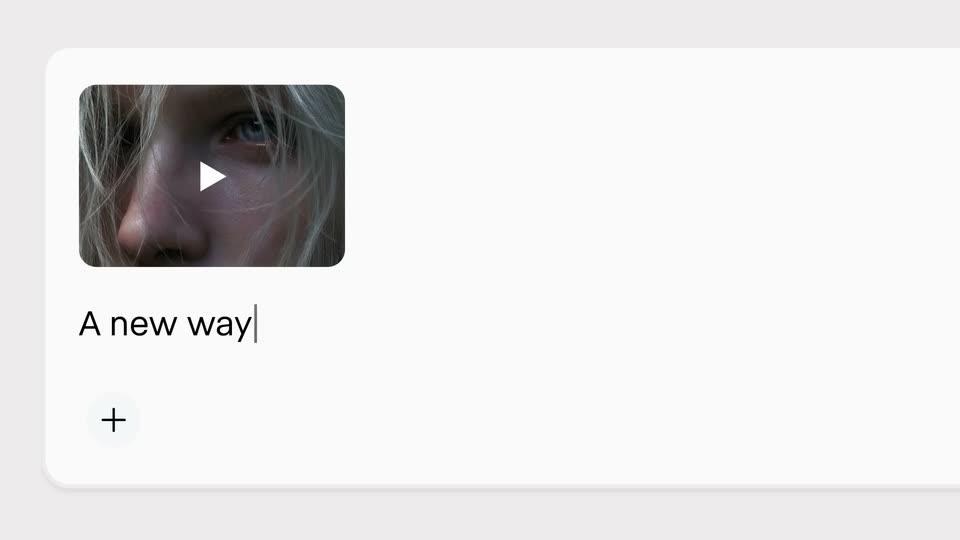
A single line of small white monospace text sits centered on a black background, reading “A new way to work”. The line holds completely still for the full duration, with no movement, reveal or camera motion.
On-screen text: “A new way to work”
Camera: Static
White dot-matrix text “EVERYTHING IS EXCITING” holds centered on black, then repeats into a stacked glitch block while small photo thumbnails pop in scattered across the frame.
On-screen text: “EVERYTHING IS EXCITING”
Techniques: Kinetic type, Particles
Camera: Static
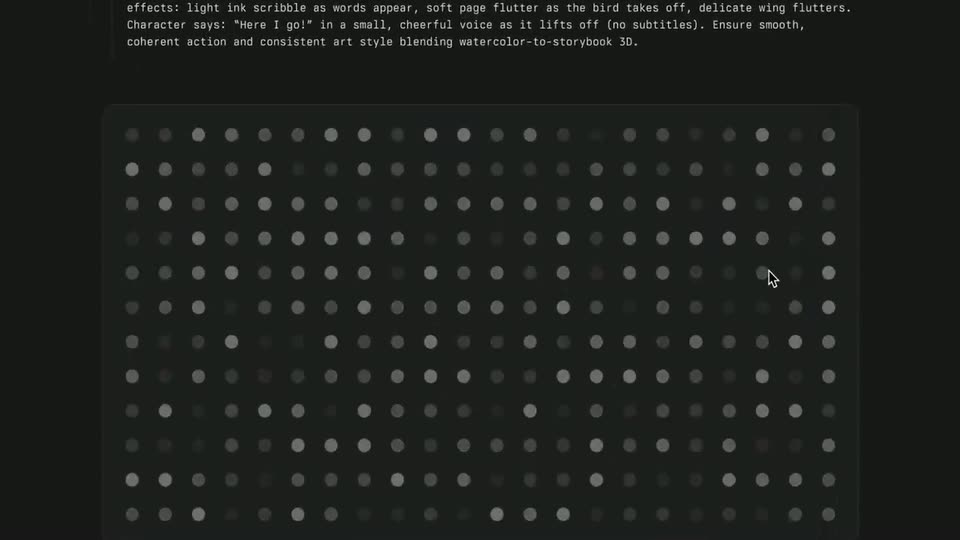
On a black field, a ring of white dots expands while small image thumbnails, memes and screenshots multiply and scatter outward, growing in size and number until they fill the frame in a dense overlapping collage.
Techniques: Particles
Camera: Push in
A dense full-screen mosaic of hundreds of tiny video clips, photos, charts and text snippets packs the frame edge to edge; the tiles shuffle and the wall drifts, evoking an endless stream of content.
Camera: Push in
A dense collage of social media posts and memes fills the frame, then the image distorts into vertical, glitched bars of color. The visual chaos matches the voiceover about distractions.
Camera: Push in
A dense field of multicolored vertical bars and blocks fills the black frame, then dissolves into a calm gray-to-orange gradient with a faint dot grid. Small white letter-spaced text 'NOISE - NOTHING' appears at the center and fades out.
On-screen text: “NOISE - NOTHING”
Camera: Static
A blurred frame racks into focus to reveal the slim side profile of a phone against a dusk gradient sky. The white dot-matrix title NOTHING OS 5.0 stays locked at center while the device edges settle into place.
On-screen text: “NOTHING OS 5.0”
Camera: Pull out
A close-up of a phone screen with a grid and three plus buttons pulls back to reveal the whole device on a dotted gradient backdrop. Dotted lines draw out to the labels FUN, PERSONAL, and PUTS YOU IN CONTROL, while a white pixel counter ticks up on screen.
On-screen text: “FUN”, “PERSONAL”, “PUTS YOU IN CONTROL”
Techniques: UI zoom, Kinetic type
Camera: Pull out
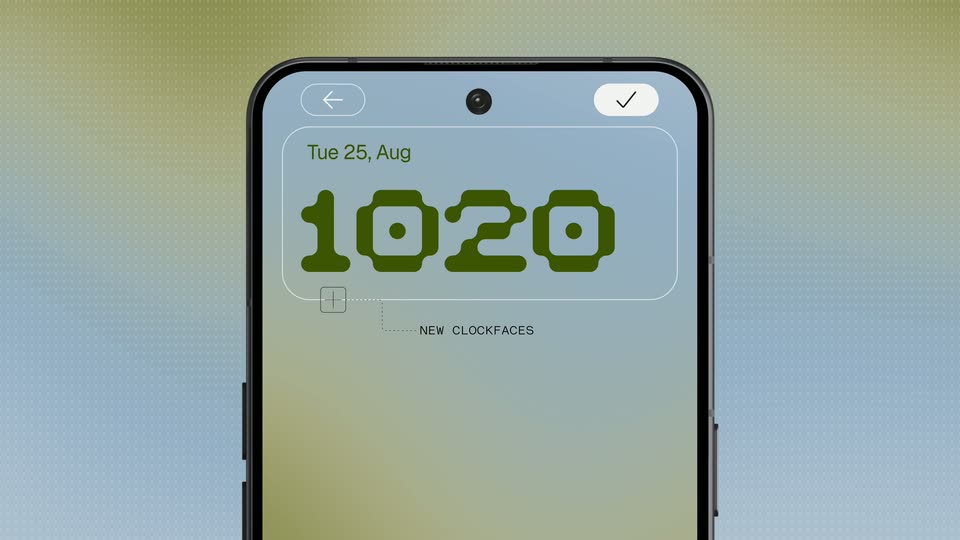
A smartphone mockup floats in 3D against a dotted gradient backdrop, scaling up to fill the frame. On its screen a digital clock shifts color from white to green to black while the time ticks from 10:19 to 10:20, and a dotted callout line drops to a small label.
On-screen text: “NEW CLOCKFACES”, “FUN”, “PUTS YOU”, “IN CONTROL”
Techniques: 3D mockup
Camera: Push in
A front-facing phone cycles through lock-screen clock faces showing dates, weather and a design sync event, annotated NEW CLOCKFACES. The phone then tilts into 3D to reveal the home screen, and fades to a transparent glass slab labeled TRANSPARENT.
On-screen text: “NEW CLOCKFACES”, “TRANSPARENT”
Techniques: 3D mockup
Camera: Pull out
A phone home screen floats in 3D perspective, split into stacked transparent layers over a blurred gradient that shifts from pink to blue to orange. Widgets cycle through a clock, a car and a bag as two dotted-line labels mark the transparent detail and adaptive colour.
On-screen text: “TRANSPARENT DETAIL”, “ADAPTIVE COLOUR”
Techniques: 3D mockup
Camera: Static
A phone mockup, tilted in 3D perspective over a pastel gradient with a dot grid, rotates to face the camera, showing a home screen with clock, car and battery widgets. The phone then slides to the lower left as an Away 8h 19m widget scales up in the top right corner.
Techniques: 3D mockup, UI zoom
Camera: Static
A soft pastel gradient fills the frame as a loose grid of frosted and dark widget cards drifts into place. The central away-time card scales up to settle at center, while weather, clock, battery and car widgets fade in around it.
Camera: Pan
Pastel gradient with a dotted grid holds floating widgets: weather, clock, dark-mode, forecast, and a phone at 80%. A blue away-time card centers the frame, a dotted line tying the AWAY TIME WIDGET caption to a plus tile. The view eases out.
On-screen text: “AWAY TIME WIDGET”
Camera: Pan
A pastel gradient home screen with a dot grid sharpens from a washed-out state. A dark central card shows an animated pixel heart, ringed by a 20° circle, aeroplane pill, headphones and calm tiles, plus a green away-time widget. A dotted line leads to the caption GLYPH APP.
On-screen text: “GLYPH APP”, “AWAY TIME”, “WIDGET”, “30hr28min”
Techniques: Particles
Camera: Pan
Small widget cards float on a soft pastel gradient with a dot grid. A photo card of a ceramic cup and a dark card with a pixelated hand glyph stay sharp as the other cards fade out, while dotted leader lines connect each to the labels GLYPH APP and COLLECTOR WIDGET.
On-screen text: “GLYPH APP”, “COLLECTOR WIDGET”
Camera: Pan
On a blurred pastel gradient with a dotted grid, a small rounded card holding a white mug photo sits center, tied by a dotted line to the label COLLECTOR WIDGET. The card swaps to a wider card showing a grid of mugs around a plus icon.
On-screen text: “COLLECTOR WIDGET”
Camera: Static
A white rounded card displays a grid of ceramic mug photos against a soft pastel gradient and dotted pattern. The grid scrolls slowly upward, shifting the rows, while the card and background stay still.
Camera: Pull out
Flat desktop widgets, a clock, a temperature dial, an activity square and small pills, glide to new positions over a soft pastel gradient wallpaper with a fine grid texture. The motion is gentle and continuous, showing the widgets settle into a fresh layout.
Camera: Pan
A centered phone shows a weather app scrolling down past a heat warning and daily forecast, framed by floating gray UI chips on a soft green and purple gradient; a dashed line leads from the phone to the caption SMOOTHER SCROLLING.
On-screen text: “SMOOTHER SCROLLING”
Camera: Static
A phone showing an Albums grid and a dark clock widget fade in at center on a pastel dotted gradient, surrounded by floating status chips and two black circular icons. Dotted leader lines point to the captions FASTER APP OPENING and SMOOTHER SCROLLING.
On-screen text: “FASTER APP OPENING”, “SMOOTHER SCROLLING”
Camera: Static
On a pale grid, a 'Create a collection' dialog showing 'Metal', a 'Suggest content' button and an 'OK' button sits centered, then drops down as a grid of tagged metal photos pops in above it. A dashed line and a 'SMART COLLECTIONS' label slide in at the right.
On-screen text: “SMART COLLECTIONS”
Camera: Static
A light grid board of small photo thumbnails with a Create a collection button at the bottom. Tapping it opens a dialog, then a keyboard slides up while the field fills with Essential Voice... and a voice waveform pulses below.
Camera: Static
Close-up of a phone messaging screen over a light grid background. Gray chat bubbles pop in one by one with dictated phrases while the thread scrolls up, then the bubbles collapse into a single yellow bubble with the cleaned sentence. A keyboard sits below, static.
Techniques: Morph
Camera: Static
A white prompt bar fades in on a light grid canvas with the typed line 'Help me build a strength tracker' and a small caption 'Build essential apps on your phone'. The bar fades, the line settles below it, and a circular blue widget icon replaces the send button.
On-screen text: “BUILD ESSENTIAL APPS ON YOUR PHONE”
Techniques: Kinetic type
Camera: Static
On a light graph-paper grid, a flat dark widget card morphs from a strength tracker showing THU and a pink plus button into a black bauhaus clock face with radial ticks. Below, a white chat pill swaps its prompt from a strength tracker to a bauhaus clock beside a yellow X avatar.
Techniques: Morph
Camera: Static
A tic tac toe widget floats above a white prompt bar on a faint grid background. The prompt text cycles through phrases while the grid marks shift, then the widget blurs out and the bar collapses to a single word.
Camera: Static
A transparent phone mockup sits centered on a soft pastel gradient, its internal components visible. Black monospace feature lists flank it, lines accumulating on the left and right while a small indicator dot drops into the pill button below.
On-screen text: “NEW CLOCKFACES”, “MORE LOCKSCREEN COLOUR OPTIONS”, “IMPROVED DEPTH EFFECT WALLPAPER”, “REDESIGNED HOMESCREEN”, “WALLPAPER-AWARE COLOURS”, “NEW TRANSPARENT DETAILS”, “GEIST SYSTEM TYPEFACE”, “REIMAGINED SYSTEM ICONS”, “UPDATED SETTINGS”, “ENHANCED GALLERY, REFINED CAMERA EXPERIENCE, ANIMATED STATUS BAR, HOME SCREEN BATCH EDITING, NEW GLYPH APP, NEW GLYPH TIMER WIDGET, NEW AWAY TIME WIDGET, NEW GL”
Camera: Static
A transparent-back Nothing phone floats centered on a soft gradient that slowly shifts between green and violet. Two columns of small monospaced feature text flank it; the left column's top lines drop away while the phone eases slightly back.
On-screen text: “NEW CLOCKFACES”, “MORE LOCKSCREEN COLOUR OPTIONS”, “IMPROVED DEPTH EFFECT WALLPAPER”, “REDESIGNED HOMESCREEN”, “WALLPAPER-AWARE COLOURS”, “NEW TRANSPARENT DETAILS”, “GEIST SYSTEM TYPEFACE”, “REIMAGINED SYSTEM ICONS”, “UPDATED SETTINGS”, “ENHANCED GALLERY”, ”
Techniques: 3D mockup, Kinetic type
Camera: Static
A white phone cutaway floats center on a soft green and purple gradient, its back panel removed to expose lenses and a speaker ring marked 5. A monospace feature list on the right dissolves upward into pixels as a glitch band crosses the phone.
On-screen text: “TRANSCRIPTION”, “STREAMING TRANSCRIPTION”, “NEW ESSENTIAL KEY CUSTOMISATION”, “BUILD ESSENTIAL APPS ON YOUR PHONE”, “ANDROID 17 ADDITIONS”, “SEPARATE NOTIFICATIONS + QUICK SETTINGS”, “CROSS-PLATFORM QUICK SHARE”, “IMPROVED SCREEN RECORDING”, “NOTO 3D EMOJIS”, “EXPANDED DARK THEME SEPARATE ASSISTANT VOLUME REDESIGNED RECENTS SCREEN ENHANCED HDR BRIGHTNESS UPDATED PRIVACY CONTROLS AND MORE”
Techniques: Particles
Camera: Static
White dot-matrix text reading NOTHING OS 5.0 sits centered on a soft orange-to-brown gradient that sharpens and darkens. The letters dissolve into a dense dot cluster, then scramble and re-form as NOTHING (R).
On-screen text: “NOTHING OS 5.0”, “NOTHING (R)”
Techniques: Kinetic type
Camera: Static
A burnt-orange gradient fading to black frames a centered white monospace block. The lines 'OPEN BETA STARTS' and '*WITH PHONE (3)' assemble from scattered dots while the clock counts to 11:00 and the temperature ticks to 32°C.
On-screen text: “WED 26 AUG BST 11:00”, “32°C TOMORROW”, “OPEN BETA STARTS”, “*WITH PHONE (3)”, “NOTHING (R)”
Techniques: Particles, Kinetic type
Camera: Static