1:13
Explore
00:00:00 / 02:30:21
- Length
- 2:30
- Scenes
- 68 · 2.2 s avg
- Product on screen
- 0:42
- Features shown
- 3
- Call to action
- 2:11 · 87%
- Voiceover
- Yes
- Views
- 125K on X
as of November 18, 2026
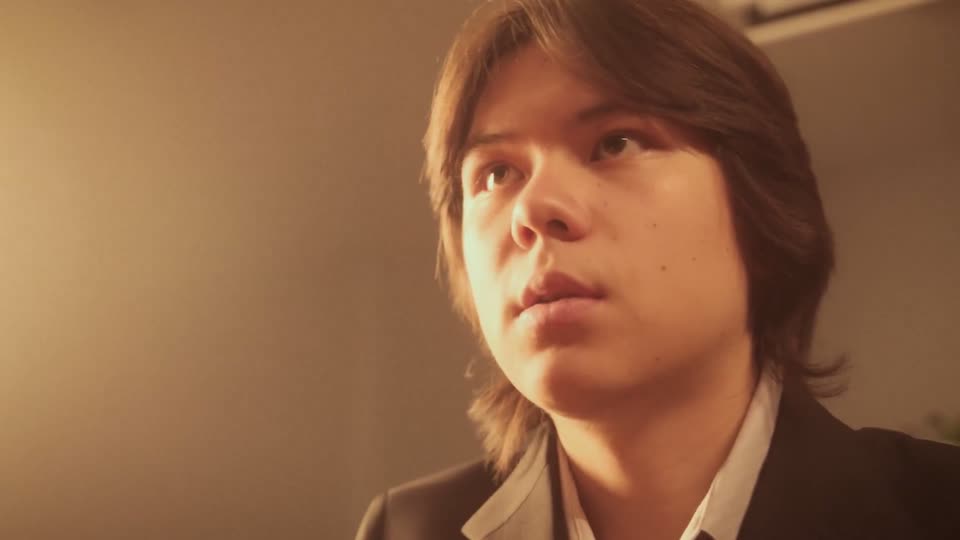
Nia’s 2:30 launch film runs 68 scenes, about 2.2 s each. The product shows up at 0:42 and 3 features are revealed, with social proof. The call to action lands at 2:11 (87% in), over a voiceover. The video is a two-character comedy skit that flips between a cold blue-lit bedroom and a warm hazy office, using the same actor as the tired developer and his suited, context-armed upgrade. Product UI is staged as glassy 3D windows that tilt, rack focus and pop with error or success panels, while whip pans, white flashes and a blue-to-warm color flip mark each story beat; keep cuts fast (about 18 per minute) and let the UI mockups carry the feature beats.
Footage neededEstimated needs: 5 capture groups — your screens or recordings · 44 filmed passages — shoot, supply or replace · 13 3D passages — build or supply
Is this your launch? to your site or press kit.
More like this



Similar soundtrack
Films whose music sounds like this one, voice left out
1:28
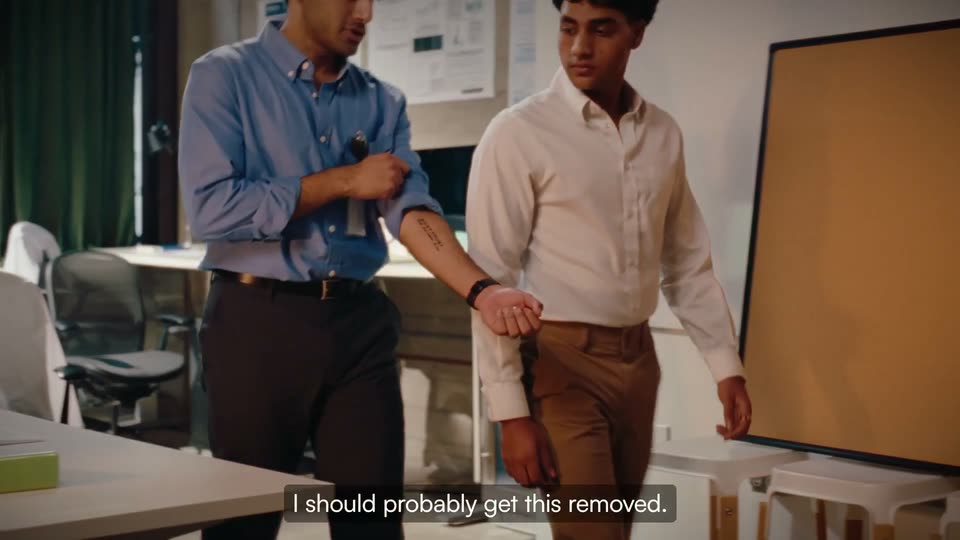
Supratik Panuganti - Today we’re launching Sutrix (YC F26): AI software that turns patient
Sutrix · Electronic, Cinematic
1:43
Pravah - Today we're launching Indus-wx, the best AI weather model for India's
Pravah AI · Electronic, Corporate
2:01

ElevenLabs - Introducing Scribe v3 and Scribe v3 Live: our most accurate Speech to
ElevenLabs · Modern electronic
arlan rakh - introducing nia. ship reliable code 10x faster, scene by scene
· 68 scenes as text
01 · Hook · 0:00–0:00
A dim close-up of a white oval alarm clock glowing 3:00 AM in blue dots on a dark desk. The camera pans right, sliding the clock off the left edge and revealing a white boxy device.
Camera: Static
02 · Hook · 0:00–0:01
A rapid, out-of-focus pan sweeps through a dark room. A pale box-like shape blurs across the frame, then a thin blue light streaks along the top edge as the camera whips past.
Camera: Static
03 · Hook · 0:01–0:02
A handheld camera whips across a dark wooden desk under cold blue light, the frame blurred by motion. It settles briefly on a white square plate holding a half-eaten sandwich, with a dark laptop edge at the top.
Camera: Push in
04 · Hook · 0:02–0:03
A hand holds a dark mineral sample on white paper, lit by a blue light. The frame stays out of focus while a bright blue beam glows across the top and the camera drifts slightly.
Camera: Push in
05 · Hook · 0:03–0:04
A blurry macro shot of a dark object bearing a gothic DELUSION sticker and a Y S25 label; a hand and a small blue light glow at the left edge as the frame racks from teal shadow to a cyan wash.
Camera: Pan
06 · Hook · 0:04–0:06
Extreme close-up of a young person's face bathed in blue screen light begins soft and out of focus, then racks into sharp focus. The person stares down at something off-screen with tired, unblinking eyes, barely moving.
Camera: Pan
07 · Problem · 0:06–0:08
Close-up of two hands typing on a laptop keyboard, lit in cool teal blue against a dark, blurred background. Fingers press the keys in a steady rhythm, shallow depth of field holds focus on the left hand.
Camera: Static
08 · Problem · 0:08–0:10
Extreme close-up of a young man's face bathed in cold blue light, his expression blank and tired. Lines of code are projected across his skin like a hologram, the characters drifting and shifting over his features while he holds a fixed stare.
Camera: Static
09 · Problem · 0:10–0:11
A cracked phone lies on a dark desk between a laptop, pen and crushed can, its screen glowing with a 3:00 clock and two notification cards under dim blue light. Locked-off frame, no movement.
Techniques: 3D mockup
Camera: Static
10 · Problem · 0:11–0:12
A phone lies angled on a dark desk under teal light, its screen glowing purple with the time 3:00 and three notification cards. The cards vanish, leaving a cracked-glass effect, then a hand reaches in from the left and lifts the phone, revealing a backlit laptop keyboard below.
Camera: Static
11 · Problem · 0:12–0:13
A close-up of hands typing on a dark laptop keyboard under cold blue light. Chat lines scale in over the shot: a timestamp, a question about Stripe integration, and an urgent note about a demo.
On-screen text: “3:00”, “integration?”, “Where's the Stripe”, “Demo is in 6 hours!”, “This is urgent!!”
Techniques: Kinetic type
Camera: Static
12 · Problem · 0:13–0:15
A dark room holds a laptop whose screen shows the Cursor editor, a file tree and React code that fills in line by line. The shot cuts to a young man in a white graphic tee, lit blue, staring down at the screen.
Camera: Static
13 · Problem · 0:15–0:16
A dark-haired teen in a white cat-print tee sits in a dim, blue-lit bedroom, head tilted down toward an off-screen monitor, a keyboard catching light at the lower right. The locked-off shot holds on his small, tense movements as he stares at the screen.
On-screen text: “CURSOR”
Camera: Static
14 · Problem · 0:16–0:17
Extreme close-up of a person's face in three-quarter profile, bathed in cold blue screen light against a dark background. The eyes drift downward as if reading code, the skin texture and freckles sharp in the dim glow.
Camera: Static
15 · Problem · 0:17–0:19
Close-up of a dark code editor with syntax-highlighted code and a file tree. A white cursor glides to the blue 'AI coding assistant' folder, and a dark tooltip reading 'Implement Stripe checkout' slides in beside it.
Techniques: Cursor demo
Camera: Static
16 · Problem · 0:19–0:21
A glassy Cursor editor window tilts into 3D perspective over a purple-blue gradient. The prompt “Implement Stripe checkout” slides into the AI assistant box, code lines type in, then the frame flashes red as error lines highlight and a warning panel pops in.
On-screen text: “Implement Stripe checkout”, “FATAL ERROR: stripe.redirectToCheckout is deprecated in 2021”, “ERROR: Your entire payment flow is built on dead code”, “Maybe try reading docs from this decade?”, “SYSTEM STATUS: Completely fucked”
Techniques: Kinetic type, 3D mockup
Camera: Pull out
17 · Problem · 0:21–0:22
A tight close-up of a code editor window framed by a glowing pink border. A red error panel lists four lines marked with yellow warning triangles and a skull icon. The frame holds steady on the error box against a dark blue background.
Camera: Static
18 · Problem · 0:22–0:24
A young person with dark hair in a white graphic t-shirt sits in a dim room washed in blue light, talking while turning their head slightly. A window with blinds and a framed poster sit in the background of the locked-off medium shot.
Camera: Static
19 · Problem · 0:24–0:26
A 3D browser window sits on a purple gradient. Its content switches from a Stack Overflow question with a code box to a GitHub commit diff, while the tab bar adds GitHub and stripe DOCS tabs.
Techniques: 3D mockup
Camera: Push in
20 · Problem · 0:26–0:29
A tilted browser window shows the Stripe docs page on a purple background. The shot starts soft and ghosted, then sharpens as the camera eases back, and a cursor drifts in to hover over the code block.
Techniques: 3D mockup, Cursor demo
Camera: Push in
21 · Problem · 0:29–0:30
A browser window opens on the Stripe docs page with a dark code editor floating over it. The shot begins tilted and out of focus, then straightens and sharpens onto the JavaScript snippet as the editor settles to the bottom.
Techniques: 3D mockup, UI zoom
Camera: Pull out
22 · Problem · 0:30–0:31
A tilted 3D code editor floats on a blue gradient, its line numbers ticking upward while a smaller code panel scrolls beneath a white pointer.
Techniques: 3D mockup
Camera: Static
23 · Problem · 0:31–0:39
A glowing code editor mockup tilts in 3D as garbled code fills the lines and red Error tags pop in. The camera pushes in, then a red dialog with a yellow warning triangle pops up reading I don't have enough context to help.
Techniques: 3D mockup, UI zoom
Camera: Push in
24 · Problem · 0:39–0:42
A young person with dark hair sits at a cluttered wooden table in a dark room bathed in blue light. They face an open laptop, palms raised in a shrug, mouth open as if speaking in frustration. Cans, cups and a keyboard crowd the foreground.
Camera: Static
25 · Problem · 0:42–0:42
A person in a white cat-print tee slams a MacBook shut on a wooden table under blue light, a straw cup and soda cans beside it. The hands blur with the motion as the lid closes.
Camera: Static
26 · Product intro · 0:42–0:43
A person in a white printed t-shirt sits at a wooden table under cool blue light. Both hands lift a white Apple box off the table, revealing a dark phone, then reach back down.
Camera: Pull out
27 · Product intro · 0:43–0:44
A person in a white t-shirt under blue light lifts a laptop in front of their face, then drops it and leans forward, head down. Motion blur tracks the fast hand movement.
Camera: Static
28 · Product intro · 0:44–0:45
A young man in a white cat-print t-shirt sits in a dim, warmly lit room and turns his head to the right. Small glowing particles drift through the air around him.
Techniques: Particles
Camera: Pan
29 · Product intro · 0:45–0:47
A low-angle shot frames a person in a dark suit standing against cream walls in a warm, hazy glow. They look upward and to the side, head turning slightly. A leafy plant rests on a ledge at the right edge.
Camera: Pan
30 · Product intro · 0:47–0:48
A young man in a cat-print t-shirt sits at a wooden table, gesturing with his left hand while looking off-camera. Red Bull cans, a laptop, and cups sit on the table. A couch with pink pillows and plants fill the warm-lit background.
Camera: Static
31 · Product intro · 0:48–0:54
A person with shoulder-length dark hair in a dark blazer and light shirt stands against a warm yellow-lit wall, speaking from a low angle and gesturing with one hand mid-sentence.
Camera: Static
32 · Product intro · 0:54–0:56
A young person in a cat-print tee sits at a cluttered wooden table in a warm-lit living room. They reach forward with both hands and lift a white laptop off the table.
Camera: Static
33 · Product intro · 0:56–0:58
A young man in a brown cardigan sits in a warm, hazy room, gazing down and to the side. A trailing plant in a white pot rests on a shelf behind him. The close-up holds on his face as he blinks and shifts slightly in the golden light.
Camera: Pull out
34 · Product intro · 0:58–1:03
A young man in a dark suit sits at a wooden desk, speaking to camera and gesturing with both hands. The locked-off medium shot is lit in warm tones, with a plant and shelf blurred in the background.
On-screen text: “1000”
Camera: Static
35 · Product intro · 1:03–1:09
A Cursor window mockup glows on a warm gradient backdrop. A cursor arrow taps ADD MORE, and the card row scrolls left: Old Docs and Config v1.0 exit as Analytics SDK, Database Schema, Mobile API and Auth Module slide in from the right. A red warning banner sits below.
Techniques: Cursor demo
Camera: Static
36 · Product intro · 1:09–1:13
A person in a dark blazer sits at a wooden table, gesturing with both hands while speaking to the camera. At the end, the shot cuts to a second person in a white tiger-print T-shirt seated at a table with a laptop and drink cans.
Camera: Static
37 · Product intro · 1:13–1:14
A young man in a cat-print tee sits at a wooden table in a warm living room, facing the camera. He speaks while making a small open-palm gesture with his left hand; cans and cups sit on the table.
Camera: Static
38 · Product intro · 1:14–1:16
A man in a dark suit sits at a wooden desk, gesturing with open palms, then taps a white tablet and lifts its lid toward the camera. Warm, hazy office light fills the frame.
Camera: Pan
39 · Product intro · 1:16–1:17
A man in a dark suit sits behind a silver laptop, lifts a curled hand, then the laptop drops out of frame as he points forward and holds a steady look at the camera in warm hazy light.
Camera: Push in
40 · Feature reveal · 1:17–1:20
A low-angle close-up of a young man in a dark suit and white shirt against a warm beige wall. He looks down, lifts his gaze to the side, then back down. The shot holds with a slow, contemplative pace under warm lighting.
Camera: Static
41 · Feature reveal · 1:20–1:22
A tilted code editor with a glowing yellow frame shows two file tabs. A line of code types out, then a thin progress bar fills beneath it while a white cursor arrow points at it. The angled view holds throughout.
Techniques: 3D mockup, Cursor demo
Camera: Static
42 · Feature reveal · 1:22–1:23
A dark API Keys dashboard tilts in 3D perspective over a scanline background. A mint Create Key button floats top right above a table with one active key, while two blue cursor arrows hover over the button and a slider below.
Techniques: Cursor demo
Camera: Static
43 · Feature reveal · 1:23–1:24
A light documentation page titled Nia Context MCP fills the frame. A dark side panel on the right, holding a white Create Key button and an Active status badge, slides out of view to the right, leaving the full page; a cursor hovers over a toggle bar.
Techniques: Cursor demo
Camera: Static
44 · Feature reveal · 1:24–1:24
A light documentation page titled Nia Context MCP scrolls down, passing a numbered setup list and a What You Can Do heading, then a row of three blue feature icons with captions appears as a mouse pointer rests at the right edge.
Camera: Pull out
45 · Feature reveal · 1:24–1:30
A glassy Data Sources panel with four URL rows turns in 3D space from a tilted angle toward the camera, then settles at a slight angle. A yellow folder labeled Documentation and a white page labeled Therapist's Notes pop in on either side and fade out. Warm brown gradient background.
On-screen text: “Documentation”, “Therapist's Notes”
Techniques: 3D mockup
Camera: Pull out
46 · Feature reveal · 1:30–1:32
A young man in a dark blazer talks and gestures behind a light blue laptop in a warm office, then the frame cuts to a dark 3D field of floating documentation cards under a Data Sources label, drifting with depth.
On-screen text: “Data Sources”, “www.assistant-ui.com”, “mastra.ai”, “ui.shadcn.com”, “mantine.dev”
Techniques: 3D mockup, Parallax
Camera: Pull out
47 · Feature reveal · 1:32–1:34
A person in a dark blazer sits at a desk behind a laptop, gesturing, while a web of translucent blue label nodes joined by thin lines fades in and sharpens around them like a knowledge graph.
Camera: Static
48 · Feature reveal · 1:34–1:37
A hazy medium shot of a man in a blazer behind a laptop cuts through a white flash to the same man in a white tee at a cluttered table. He lifts the silver laptop and holds it up to inspect the lid.
Camera: Static
49 · Feature reveal · 1:37–1:39
A young man in a cream cat-print t-shirt sits on a dark sofa, pressing his fingers to his face then dropping his hands, looking down. The scene cuts to a near-black close-up of a laptop keyboard, one key glowing blue.
Camera: Static
50 · Feature reveal · 1:39–1:41
A dark monitor on a wooden desk displays a network graph that grows across the screen. Blue and pink nodes linked by green lines multiply, with labels such as Resolve_Schema and ArgumentsMixin fading in. The Cursor + Nia wordmark stays fixed in the top-left corner.
On-screen text: “Cursor + Nia”
Camera: Pan
51 · Feature reveal · 1:41–1:42
A tablet in 3D perspective displays a dark code dependency graph of blue and pink nodes with small labels. The image racks from soft to sharp focus, and a white cursor arrow fades in at the top left.
Techniques: 3D mockup
Camera: Pull out
52 · Feature reveal · 1:42–1:43
A dark Cursor editor window glows against a warm blurred backdrop. A blue-and-pink node graph of code symbols dissolves, and a green-bordered panel sharpens around a checkmark as the title scales and an Indexing label fades in at the lower left.
On-screen text: “Cursor + Nia”, “AI Enhanced - Full Context”, “Indexing”
Camera: Static
53 · Feature reveal · 1:43–1:45
A dark code editor window floats in 3D perspective against a warm brown glow. A green-bordered panel holds a checkmark and two status lines; the page count ticks up to 2,847 as the window sharpens from soft focus.
Techniques: 3D mockup
Camera: Static
54 · Demo · 1:45–1:47
A dark-haired teen in a white cat-print t-shirt sits at a desk in a warm-lit room, eyes down and brow furrowed as they read a screen. The locked-off medium shot holds on their face while a framed poster blurs in the background.
Camera: Static
55 · Demo · 1:47–1:50
A close-up of a dark code editor with line numbers and a closing tag at the right. A yellow AI coding assistant input bar sits below while the prompt types out character by character.
Techniques: Kinetic type
Camera: Static
56 · Demo · 1:50–1:53
A gold-framed Cursor IDE window tilts in 3D over a warm brown gradient; a code card types out 'Current 2025 approach (not 2019 garbage):' with two green check lines, then the frame cuts to a man in a cat-print tee leaning over a laptop at a desk.
On-screen text: “Current 2025 approach (not 2019 garbage):”, “Payment Element API (actually works)”, “This took me 0.3 seconds to find”
Techniques: 3D mockup
Camera: Static
57 · Demo · 1:53–1:56
A young man in a white cat-print t-shirt sits at a wooden table, speaking while looking at an open laptop. Red Bull cans and cups clutter the desk, and a couch with cushions fills the warm-lit background.
Camera: Static
58 · Demo · 1:56–1:59
Angled 3D view of a dark code editor with a file tree and open tabs. A rounded card fades in with a sparkle icon and a heading, then three file paths type in line by line. The camera slowly pushes in as the focus sharpens.
Techniques: 3D mockup, UI zoom
Camera: Static
59 · Demo · 1:59–2:03
A person in a dark blazer and tie sits at a wooden table in a warm-toned room, facing the camera. They speak and gesture, leaning forward and opening a hand toward the lens. The shot is a steady medium close-up with a soft, shallow depth of field.
Camera: Static
60 · Social proof · 2:03–2:04
The scene fades in from black on a young man with dark hair and a yellow t-shirt, lit by warm amber side light. He looks downward with a focused expression, a dim wall panel behind him on the left.
Camera: Static
61 · Social proof · 2:04–2:06
A young man in a cream t-shirt looks down in a dim room, then lifts a phone in front of his face. On the right, a notification label and a bubble with an angry emoji and question marks appear, with a timestamp sliding in.
On-screen text: “New message:”, “?????”, “3:05 AM”
Camera: Pull out
62 · Social proof · 2:06–2:11
A young man in a white t-shirt holds a phone up to his face in a dim room. On the right, a yellow chat bubble with an avatar and question marks appears, then two green bubbles pop in below it.
On-screen text: “New message:”, “#$!@”, “??????”, “3:05 AM”, “Done and deployed!”, “Hiring me was genious”
Camera: Static
63 · CTA · 2:11–2:16
A young man in a dark suit sits at a wooden table in a dim living room, a sticker-covered laptop in front of him. He sets his phone down and looks to camera, speaking. Short text overlays appear beside him. Static medium shot, warm low light.
On-screen text: “3:05 AM”, “Done and deployed!”, “Hiring me was genious”
Camera: Static
64 · CTA · 2:16–2:17
A person in a dark blazer sits at a wooden table behind a sticker-covered laptop, in a warm-lit living room with a couch and plants. A pale blue curved shape rises from the bottom edge and sweeps up to fill the frame.
Techniques: Masking
Camera: Static
65 · CTA · 2:17–2:19
A mint green field holds a circular mint badge with a black lowercase n at center, casting a soft drop shadow. The tagline fades in to the right of the badge. The frame stays locked off throughout.
On-screen text: “Escape context hell at trynia.ai”
Camera: Static
66 · CTA · 2:19–2:22
A pale mint background holds a single centered line reading Escape context hell at trynia.ai, the URL in blue. The text eases in with a brief blur that sharpens, then holds static for the rest of the clip.
On-screen text: “Escape context hell at trynia.ai”
Camera: Static
67 · Other · 2:22–2:25
A person with glasses in a white t-shirt holds a phone and speaks in a warm-lit room; a fast motion-blurred whip pan cuts to a second person with glasses in a different room.
On-screen text: “Escape context hell at trynia.ai”
Camera: Pan
68 · Other · 2:25–2:30
A close-up of a dark-haired person in a dark suit and light shirt speaks while looking off camera. The warm room is softly lit, with a blurred white pot and trailing plant in the background. The framing stays steady with only a slight handheld drift.
Camera: Pull out