0:37
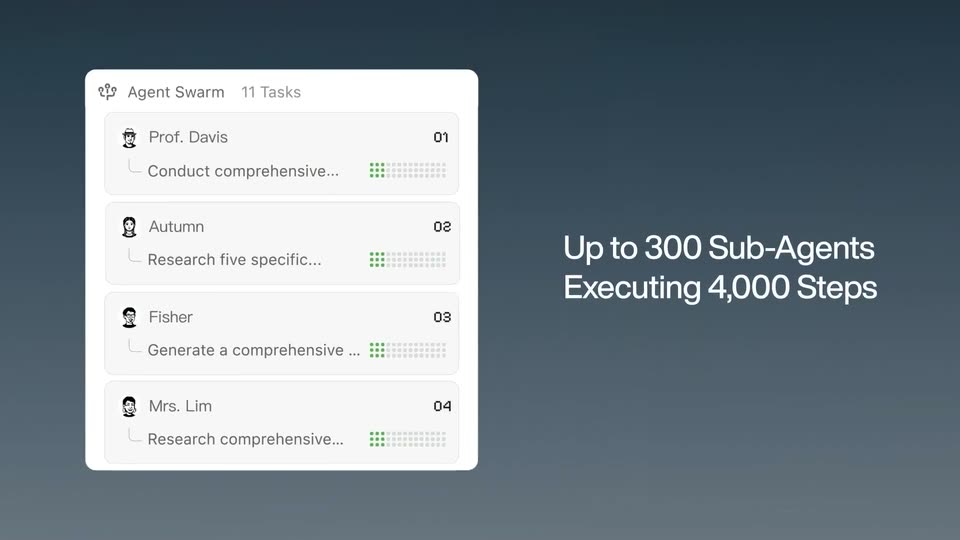

Kimi.ai - Meet Kimi K2.6 Agent Swarm 👋 Highlights: 🔹 Swarms, elevated - 300 p
Moonshot AI · Apr 2026
Morphic · Jul 2024 · 1:13 · Full motion · AI-annotated
Morphic’s 1:13 launch film runs 24 scenes, about 3.1 s each. The product is on screen from the first frame and 3 features are revealed. The call to action lands at 1:10 (96% in). A dark, minimal launch film built on a black canvas with a thin timecode ruler, where white headline cards wipe or blur in between 3D-tilted UI mockups that float over illustrated or photographic backdrops. Pacing is steady at around 110 bpm with one feature per beat, each announced by a centered title card and then proven by a cursor-driven demo, closing on a brand mark, tagline and pulsing URL.
Is this your launch? to your site or press kit.
Moonshot AI · Apr 2026
Moonshot AI · Apr 2026
PlayStation · Oct 2022
Films whose music sounds like this one, voice left out
Finto · Upbeat electronic
DJI · Cinematic trailer, Electro-swing, Trap-orchestral hybrid
Boston Dynamics · Electronic Dance Music
A black frame with a timecode ruler across the top. The gray word Introducing and the white Morphic Studio logo mark and name scale up from the center, fading from faint to full brightness.
On-screen text: “Introducing”, “Morphic Studio”
Techniques: Kinetic type
Camera: Static
A black editor canvas with a thin timecode ruler along the top edge. The white headline wipes in from left to right behind a bright vertical bar, then holds steady and centered.
On-screen text: “A New Era of Storytelling”
Techniques: Masking
Camera: Static
A grid floor recedes into a black void. A white 3D cursor arrow glides in from the left and taps a floating Canvas/Compose tab bar, which sharpens into focus. A second panel drops in below, showing Image, Video and Interpolation tabs with an Imagine field and a blue Generate button.
Techniques: 3D mockup, Cursor demo
Camera: Static
A glowing white cursor types into a floating dark input bar, then clicks the blue Generate button. The camera pulls back to reveal the panel in 3D perspective above a green low-poly mountain terrain on a grid floor.
Techniques: Cursor demo, UI zoom, 3D mockup
Camera: Pan
An illustrated mountain landscape sits behind a floating dark toolbar. A cursor picks the rectangle tool, drags a dashed box into the sky, retypes the prompt as “An airplane”, and clicks Generate, filling the box with a small red plane.
Techniques: Cursor demo
Camera: Static
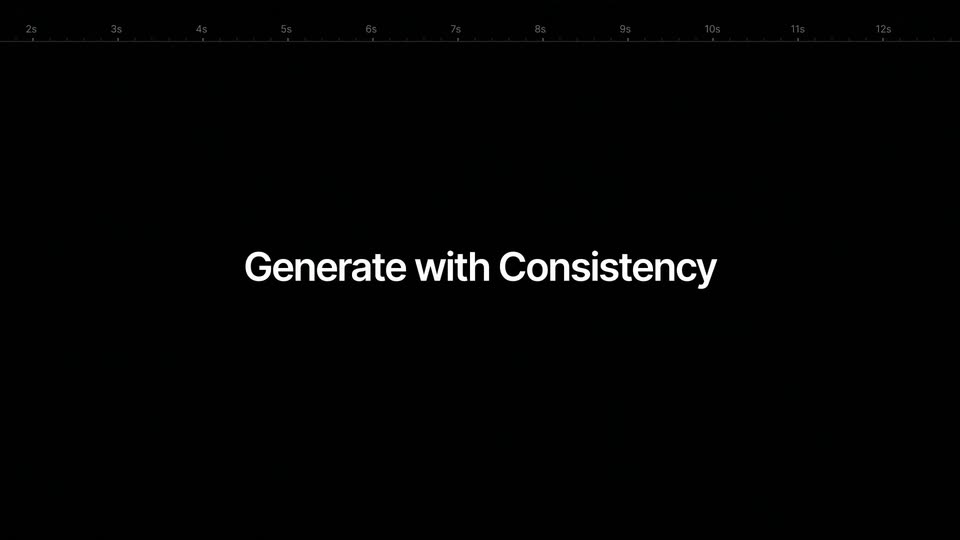
On a black field with a thin timeline ruler across the top, the word Generate blurs in, then with Consistency joins to complete the centered phrase. The line holds, then zooms into Consistency with heavy motion blur as the scene exits.
On-screen text: “Generate with Consistency”
Techniques: Kinetic type
Camera: Static
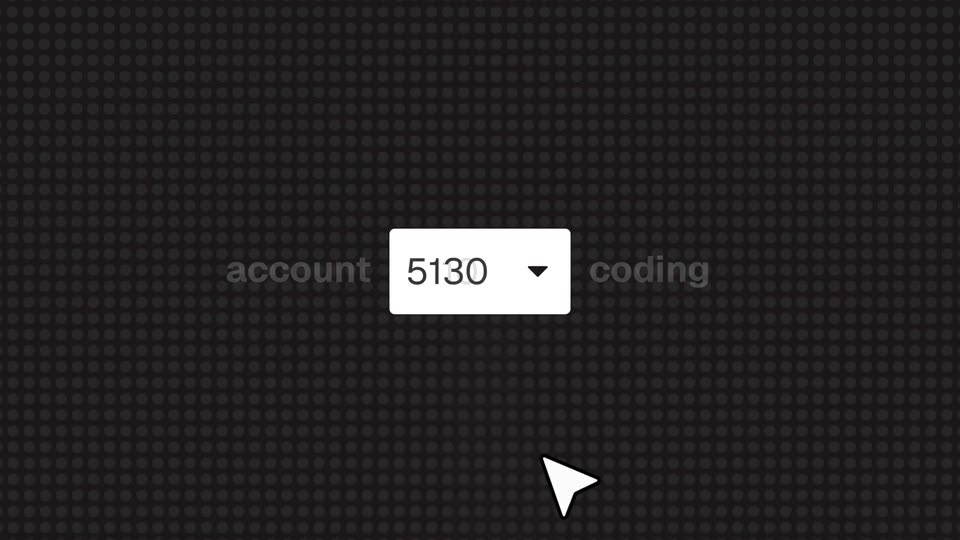
A dark Create Model dialog floats over a blurred 3D garden. A cursor types the model name and prompt, ten anime portraits of a purple-haired woman fill the upload grid, then the cursor clicks Start training and the dialog darkens.
Techniques: Cursor demo
Camera: Static
A dark prompt bar floats over a blurred anime path. A cursor types a prompt into the field, clicks the blue Generate button, and a purple-haired anime girl holding a woven bag fades in, running toward the camera.
Techniques: Cursor demo
Camera: Static
A white canvas tops a floating app panel over a blurred library. A line sketch of clouds, hills and two houses draws itself, a cursor types a prompt and clicks Generate, then the sketch morphs into a colorful rendered countryside with tulips.
Techniques: Cursor demo, Morph
Camera: Static
A 3D mockup of the image-generation interface floats in a sunlit room with bookshelves. The panel shows a painted countryside house above a prompt bar and a blue button. The camera pushes in, reframing onto the canvas with motion blur.
Techniques: 3D mockup, UI zoom
Camera: Push in
A single line of white text sits centered on a black field. It opens with a soft horizontal blur and slight offset, then sharpens into a clean, static headline by the middle of the clip and holds.
On-screen text: “Stay in Control over Generations”
Techniques: Kinetic type
Camera: Static
Over a blurred anime field and sky, a dark interface bar with two image panels shows an anime girl standing, then raising her arm. A cursor types a prompt into the input field and clicks the blue Animate button.
Techniques: Split screen, Cursor demo
Camera: Static
A dark prompt bar with a cursor on the blue Animate button sits under two rounded cards showing an anime girl's start and end poses. The bar slides away, the view zooms into the center card where the girl lifts her arm, flanked by blurred side cards, then blurs out.
Techniques: Cursor demo, UI zoom, Parallax, Speed ramp
Camera: Push in
A dark AI interface panel floats in 3D perspective inside a wooden veranda corridor, tilting as the camera orbits. Its preview window plays an anime scene of a schoolgirl walking past a house and blue bicycle, with a prompt bar and blue Generate button below.
Techniques: 3D mockup
Camera: Pull out
A blue e-bike illustration sharpens into focus over a blurred street photo as a dark mask wipes away from the left. A thin blue bounding box draws around the bike with a small tag on its top corner, while a play-triangle cursor hovers over the front wheel.
On-screen text: “Generate”, “Bike”
Techniques: Masking, Cursor demo
Camera: Pan
Close-up of a dark prompt bar with Image, Video, Interpolation tabs; a white cursor types A scooter letter by letter. Above, an anime-style illustration of a blue scooter on a sunny sidewalk, over a blurred wooden porch.
Techniques: Cursor demo
Camera: Pan
In a 3D Japanese room, a monitor displays an AI image interface. A white cursor clicks the blue Generate button as a blue bike in the preview changes into an orange scooter. The camera then zooms in to fill the frame with the screen.
Techniques: 3D mockup, Cursor demo, UI zoom
Camera: Push in
A white headline, “Put it All Together,” materializes at the center of a black field, sharpening from a soft vertical blur into crisp, static type.
On-screen text: “Put it All Together”
Techniques: Kinetic type
Camera: Static
A white cursor clicks the Compose option on a dark toggle floating over a blurred painted mountain scene. The view cuts to the full dark editor, where the cursor places a clip onto the timeline.
Techniques: Cursor demo
Camera: Static
A dark editor UI shows an assets panel, a central preview of an anime girl in a green field, and a timeline. A white cursor drags a clip onto the timeline, then scrubs the playhead, and the preview updates to the girl pointing.
Techniques: Cursor demo
Camera: Static
On a black canvas, the white Morphic logo, three vertical bars beside the wordmark, fades in at the center. A thin timecode ruler with second markers runs along the top edge.
Camera: Static
On a black field, the white Morphic logo holds center, then blurs out as the tagline Your Creativity Supercharged. snaps into focus word by word from left to right.
On-screen text: “Your Creativity Supercharged.”
Techniques: Kinetic type
Camera: Static
A black screen holds the white headline centered and static. Along the top edge a thin editor timeline with second markers scrubs slowly forward, the only motion in the frame.
On-screen text: “Your Creativity. Supercharged.”
Camera: Static
On a black field, the centered wordmark morphic.com pulses in brightness, fading from dim gray up to full white and back down to near black over the clip.
On-screen text: “morphic.com”
Camera: Static