0:49
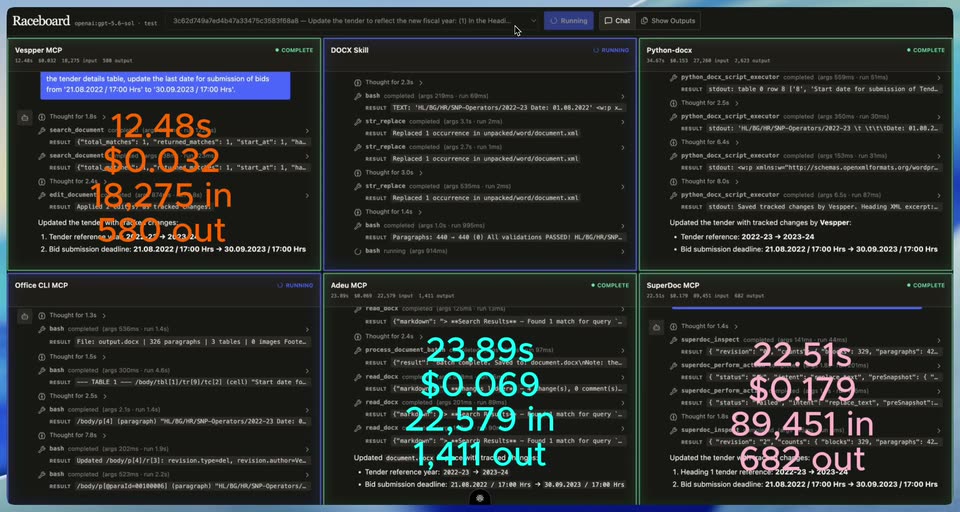

Introducing Vespper DOCX MCP - Let your AI agents edit Word docs
Vespper · B2B · Sep 2026
Miru’s 2:29 launch film runs 11 scenes, about 14 s each. The product is on screen from the first frame and 2 features are revealed. The call to action lands at 2:14 (90% in), over a voiceover. The video is a screen-share tutorial built around a dark dashboard: a talking-head intro, a long cursor-driven walkthrough with a small circular webcam bubble, and a full-frame sign-off. Cuts are slow and steady, letting the interface and voiceover carry the story, with the teal streak backdrop bookending the piece.
Is this your launch? to your site or press kit.
Vespper · B2B · Sep 2026
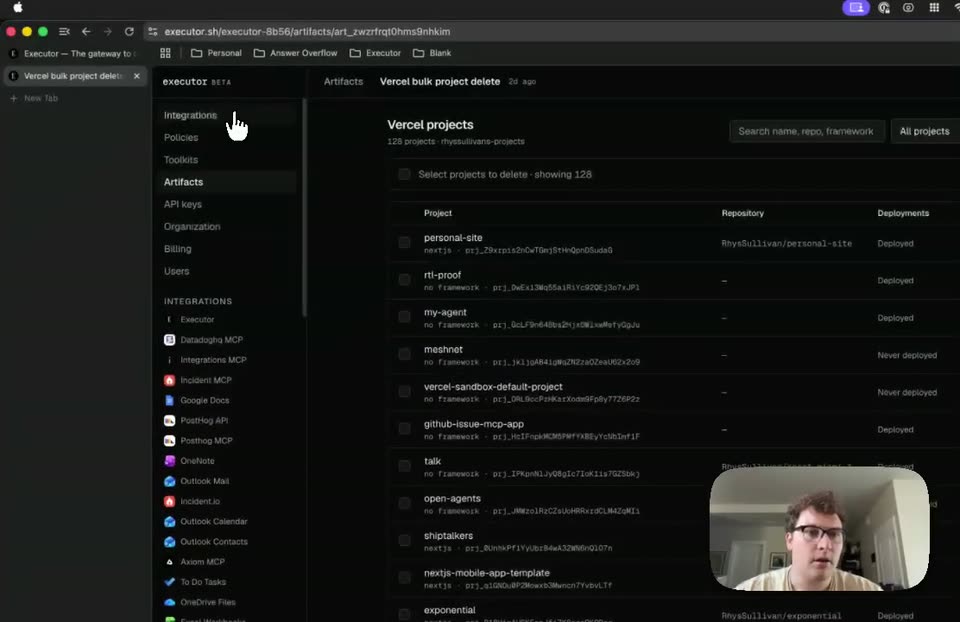
Executor · B2B · Aug 2026
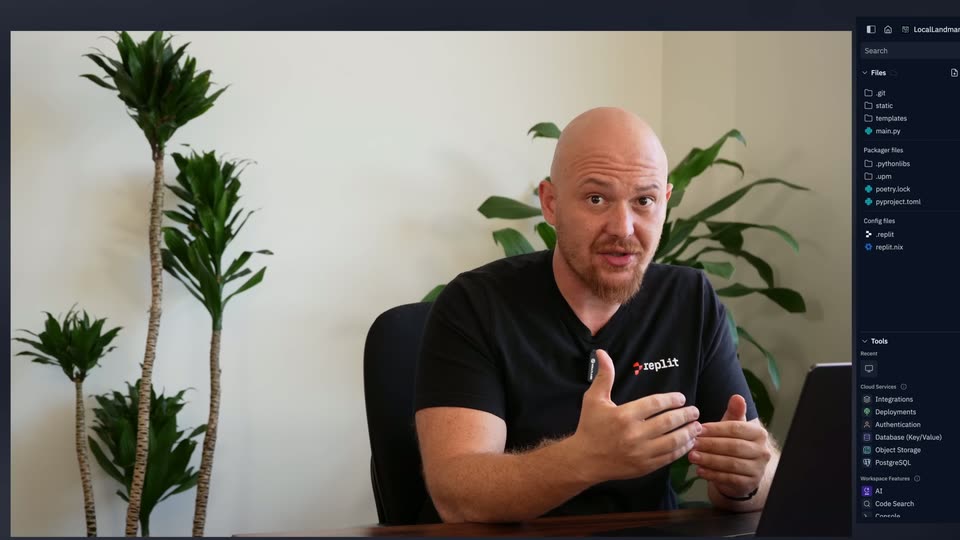
Replit · Developer tools · Sep 2024
A split screen holds a dark device-groups dashboard on the left over a blue streaked backdrop, while a man in headphones talks and gestures on the right. Near the end the layout reframes, shrinking the dashboard to the top-left and boxing the speaker into a rounded card.
Techniques: Split screen
Camera: Pull out
A dark app screen lists three device group cards beneath the heading Device Groups. The view zooms in on the heading as a presenter wearing a headset holds in a small video window at the top right.
Techniques: UI zoom
Camera: Push in
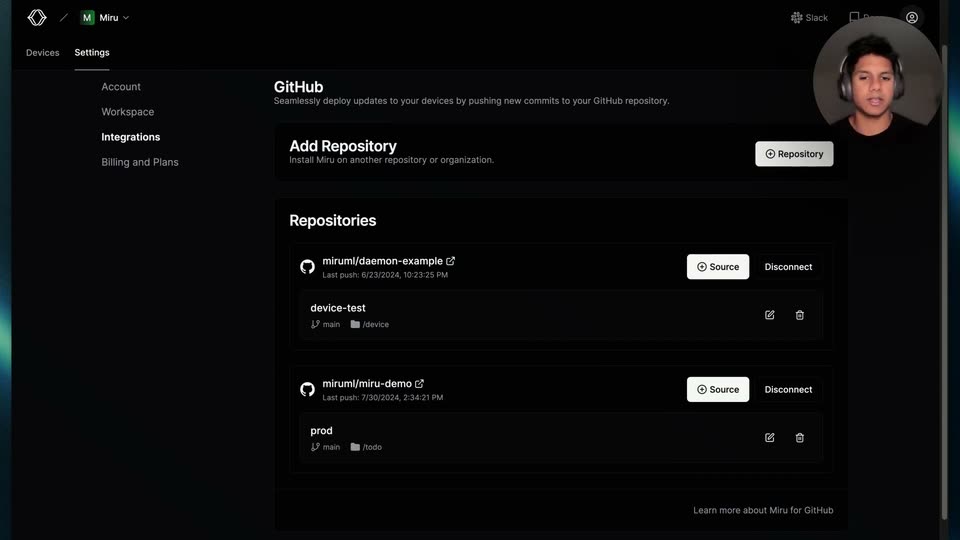
A dark settings screen shows the GitHub integrations panel with two repository rows, while a circular webcam of a headset-wearing presenter sits in the top right, talking and gesturing. The cursor drifts near the lower list.
Camera: Static
A dark Device Groups screen lists three fleet cards with device counts and repo badges. A person in a circular webcam inset at the top right talks and gestures with both hands. Near the end a cursor slides in from the right and rests on the third card.
Techniques: Cursor demo
Camera: Static
A dark device dashboard lists one idle entry in a table. A cursor clicks the row, the page switches to the device detail view, then scrolls down to reveal a running containers list. A circular webcam feed of a presenter with headphones stays in the top right corner.
Techniques: Cursor demo
Camera: Static
A dark dashboard shows the laundry-bot device page with an empty deployments table and a row of tag chips. A circular webcam of a person wearing headphones sits in the top right corner. The view settles after a brief scroll, and the cursor drifts along the right edge.
Camera: Pan
A dark VS Code window fills the frame, file tree on the left, terminal in the center. A circular webcam of a man in headphones floats top right. He types a git commit and a git push command; the commit and push output lines print into the terminal.
Camera: Static
A dark deployments page of a web app holds a locked frame while a circular webcam of a presenter with headphones sits in the top right. A cursor glides in and hovers over the single building row, highlighting it.
Techniques: Cursor demo
Camera: Static
A dark deployment dashboard lists six steps, the first four stamped with green checkmarks while the Deploying row shows a spinner. A mouse cursor drifts across the list, and a circular webcam feed of a presenter wearing headphones sits in the top right corner.
Techniques: Cursor demo
Camera: Static
A dark dashboard screen share fills the frame, with a circular webcam of a headset-wearing presenter in the top right corner. The page scrolls down to a Containers table and back up to the Deployments table as the cursor drifts across the rows.
Techniques: Cursor demo
Camera: Static
A young man in a black t-shirt and large over-ear headphones speaks to the camera in a dim room, his video inset in a rounded frame over a dark background with glowing teal streaks in the corners. He smiles and raises a hand to wave goodbye at the end.
Camera: Static