0:52


What is Codespaces?
GitHub · Developer tools · Nov 2022
Microsoft · Mar 2020 · 0:33 · Full motion · AI-annotated
Microsoft’s 0:33 launch film runs 14 scenes, about 2.4 s each. The product is on screen from the first frame and 3 features are revealed. The call to action lands at 0:25 (77% in), over a voiceover. A centered phone mockup on white opens the film, surrounded by flat icon bursts, then each feature gets a split layout of a blue headline on the left and an angled phone on the right, closing on a wordmark that morphs into the parent logo. Pacing is even and unhurried, with pop-in icons, tap rings, crossfading headlines, and sliding screens as the recurring signature moves.
Is this your launch? to your site or press kit.
GitHub · Developer tools · Nov 2022
Cloudchipr · B2B · Feb 2023
The Browser Company · Productivity · Aug 2024
Films whose music sounds like this one, voice left out
FACIL’iti · Upbeat electronic
DJI · Modern electronic
Arcus Power · Electronic
A plain white background holds with no on-screen elements, framing the opening beat while the voiceover introduces the Yammer app.
Camera: Static
A flat front-view smartphone mockup sits centered on a white background. The screen switches from the blue Yammer logo to an onboarding card showing three illustrated people and the text “Meet the New Yammer,” then yellow and blue chat bubbles and a play icon pop in around the phone.
Camera: Static
A front-facing phone mockup is centered on white, surrounded by flat icon illustrations in speech-bubble shapes. The feed on its screen scrolls up through text posts and photos. The single device then becomes three phones in 3D perspective, each showing a different view.
Techniques: 3D mockup
Camera: Pull out
Three overlapping phone mockups show Yammer screens: a feed, a community page, and a post composer with a video. Flat cartoon icons, a checkmark, heart, thumbs-up, exclamation mark, and lightning bolt, pop in one by one around yellow and blue blobs on a white background.
Camera: Static
Three tilted phone mockups overlap in the center, then the outer two slide away, leaving a single phone showing a feed post. A ring of blue and gray arcs rotates around the phone, with two padlock icons fixed on the left and right.
Techniques: 3D mockup
Camera: Pull out
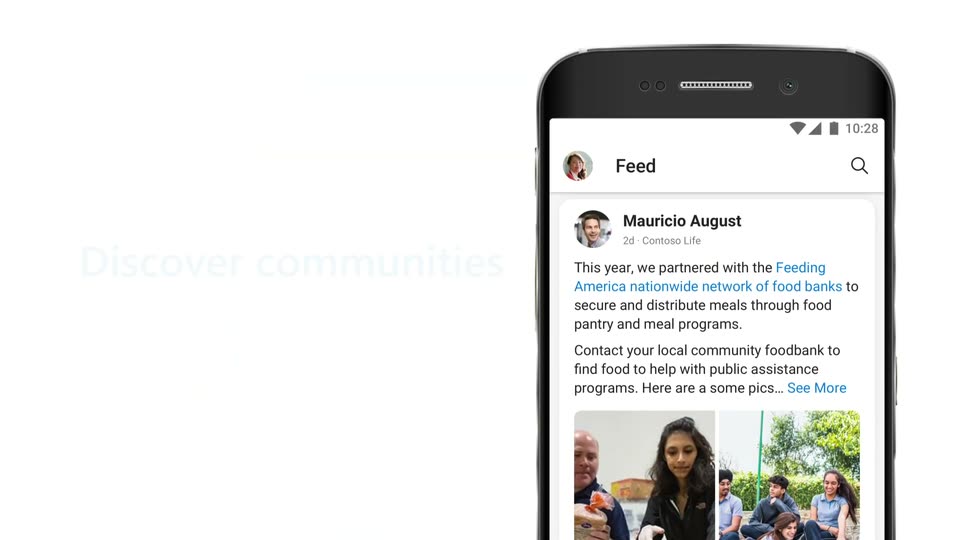
A black phone mockup sits on the right against a white background, its screen switching from a Feed view to a Communities view. On the left, a blue three-line headline fades in line by line as a faint circle and lock icon disappear.
On-screen text: “Discover communities and contribute to the conversation”
Techniques: 3D mockup
Camera: Pan
A black phone mockup in 3D angle sits on the right against white, showing a Communities list. A blue tap ring presses a row and a detail card slides in from the right, while a static blue headline holds on the left.
On-screen text: “Discover communities and contribute to the conversation”
Techniques: 3D mockup, Cursor demo
Camera: Static
A black smartphone angled in 3D perspective on the right displays a community feed with a banner of running figures on a hand. Blue headline text sits on the left, then crossfades into the next line as the clip ends.
On-screen text: “Discover communities and contribute to the conversation”
Techniques: 3D mockup
Camera: Static
A black phone on the right displays a mobile social feed with a group photo and a post card, held static on a white background. On the left, a three-line blue headline fades in from transparent to solid over the same beat.
On-screen text: “Share institutional knowledge and learn from coworkers”
Camera: Static
A black smartphone mockup on the right shows a conversation feed scrolling up from a remote-work question to a best-answer reply, while a blue tap indicator presses the like button. On the left, a blue headline crossfades from the knowledge-sharing line to “Attend live events.”
On-screen text: “Share institutional knowledge and learn from coworkers”, “Attend live events”
Techniques: Cursor demo
Camera: Static
A black smartphone mockup on a white background starts at right beside the blue headline “Attend live events”. The headline fades as the phone slides to center, its screen swipes from a live event card to a social feed, and a photo card slides up over the post.
On-screen text: “Attend live events”
Camera: Pan
A white smartphone mockup sits centered on a plain white background, framed by soft gray clouds and small blue dots on each side. The phone scales up to fill the frame while the dots fade, its screen holding the blue YouTube icon above the Microsoft logo.
Techniques: 3D mockup
Camera: Static
A blue Yammer wordmark sits centered on a white field. At the start, three small dots, two peach and one blue, hover near the letters and fade out, leaving the static wordmark alone.
On-screen text: “Yammer”
Camera: Static
On a plain off-white field, the Yammer lockup, four colored squares beside a blue wordmark, morphs into the Microsoft lockup. The squares shift hue and the wordmark crossfades to gray, settling into a static centered logo.
Techniques: Morph
Camera: Static