0:58
Introducing Autopilots | Satya Nadella at Microsoft Build 2026
Microsoft · AI · Jun 2026
Microsoft · Jun 2026 · 0:58 · Full motion · AI-annotated
Microsoft’s 0:58 launch film runs 22 scenes, about 2.6 s each. The product is on screen from the first frame and 2 features are revealed. The call to action lands at 0:51 (89% in), over a voiceover. A minimalist launch film for Copilot Autopilots built on a near-white field, alternating kinetic black-and-gray type cards with clean UI mockups that scale, zoom and scroll to reveal the product. The pacing is calm and measured (around 86 BPM, ~6 cuts a minute), driven by a single accent palette of lavender, periwinkle and a glossy pink-purple Scout mark, with the line-drawn pilot icon bookending the piece.
Is this your launch? to your site or press kit.
Microsoft · AI · Jun 2026
Notion · Productivity · Apr 2025
Films whose music sounds like this one, voice left out
Opennote · Jazz
FurtherAI · Electronic, Dixieland Jazz
On a plain white background, the centered black headline “Introducing Autopilots” builds word by word, and a small line-drawn clip icon spins into place above the text.
On-screen text: “Introducing Autopilots”
Techniques: Kinetic type
Camera: Static
On a plain white field, centered kinetic type plays out: bold black Digital with gray team scales down and drifts up as Working with you slides in below, then the frame reorganizes into an oversized gray Working above a black Non stop, the small Digital team line held between.
On-screen text: “Introducing Autopilots”, “Digital team”, “Working with you”, “Working”, “Non stop”
Techniques: Kinetic type
Camera: Static
A white background holds two static lines of text: a light gray line reading “Working wit” cropped at the top edge, and a black line reading “Non stop” centered below it. The frame stays locked with no movement.
On-screen text: “Working wit”, “Non stop”
Camera: Static
A white field holds the Copilot wordmark beside three line icons, a bell, a dot grid and a book. A browser window scales in from the center, pushing the lockup into the top corner and revealing the Copilot autopilot page with its tab, address bar and heading.
Techniques: Morph, UI zoom
Camera: Static
A tilted browser mockup of the Copilot interface sits in 3D against a lavender backdrop. The view zooms into the Autopilot panel as a cursor glides to the plus icon. The frame then resolves to a white card reading Meet Scout, with a small two-line disclaimer at the bottom.
On-screen text: “Meet Scout”, “Product preview. Subject to change.”, “Currently available in preview by invite only.”
Techniques: 3D mockup, UI zoom, Cursor demo, Kinetic type
Camera: Push in
A white rounded card on a soft lavender field carries the Scout lockup: a pink circle holding a glossy orange-to-purple 3D ribbon S, with the bold black wordmark beside it. The card eases slightly into place while small gray disclaimer lines rest below.
On-screen text: “Scout”, “Product preview. Subject to change.”, “Currently available in preview by invite only.”
Camera: Static
A white settings card on a soft lavender background scrolls upward, the Scout header and Create button sliding out of frame. Rows for Model, Personality and Integrations reveal in turn, the Chief Assistant value fading in and three integration icons popping in one by one.
On-screen text: “Product preview. Subject to change.”, “Currently available in preview by invite only.”
Camera: Push in
A black rounded button labeled Create sits centered on a white field. A white arrow cursor slides up from the lower right and rests on the button's bottom corner, suggesting a click.
Techniques: Cursor demo
Camera: Static
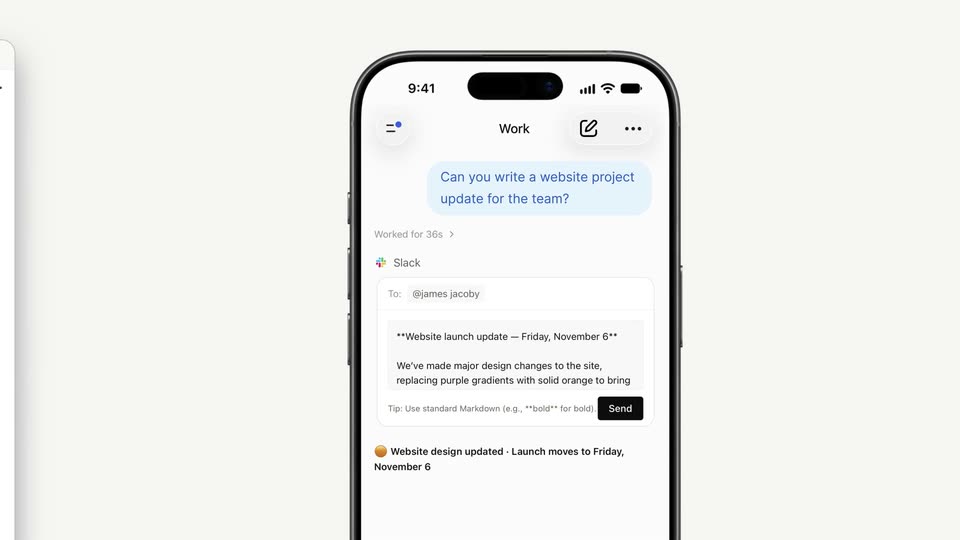
On a white background, a gray chat bubble with the user's prompt scales down and drifts up; a pixel logo and 'Working on it' status fade in on the left, then the assistant's two-line reply slides in word by word.
Techniques: Kinetic type
Camera: Static
A white interface panel builds a list: under the Automations heading, three items with small flow icons fade in one by one, then under Integrations the Teams and Outlook icons and labels slide in. The finished list drifts up slightly at the end.
Camera: Static
Three lines of text build on a plain off-white background. The first line types in and fades to light gray, then two more lines slide in below, each appearing dark before settling to gray.
On-screen text: “Powerful out of the box”, “Personal by design”, “Extensible by nature”
Techniques: Kinetic type
Camera: Static
A vertical list of feature names with thin line icons scrolls up on an off-white field; each label darkens to black and scales as it crosses the center, then fades gray. The list exits and the headline Scout works fades in at center.
On-screen text: “Powerful out of the box”, “Personal by design”, “Extensible by nature”, “Automations”, “Skills”, “Memory”, “Personality”, “MCPs”, “Models”, “Integrations”
Techniques: Kinetic type
Camera: Pan
On a plain white background, the black line “Scout works” slides into the center of the frame, then “where you work” appears on a second line beneath it. The frame stays locked off throughout.
On-screen text: “Scout works”, “where you work”
Techniques: Kinetic type
Camera: Static
The tagline “Scout works where you work” sits centered on a plain light gray field; the top line slides in while the bottom line holds, then both exit, leaving the empty background.
On-screen text: “Scout works”, “where you work”
Techniques: Kinetic type
Camera: Static
A purple Microsoft Teams notification card sits centered on a pale blue-gray background. A white arrow cursor glides up from the message line toward the close icon at the top right.
Techniques: Cursor demo
Camera: Static
A flat chat screen for the FY2027 Budgeting channel: a system note fades in, a message with a PowerPoint attachment card drops in, then the list scrolls down to reveal a short reply.
Camera: Static
A chat interface titled FY2027 Budgeting scrolls upward as a reply from Scout fades in, confirming the deck was emailed to Amy Roland. The thread settles with the new message bubble centered below the earlier request.
Techniques: UI zoom
Camera: Static
A chat thread titled FY2027 Budgeting, showing a Scout message and a command bar, crossfades into a horizontal row of four agent cards. Each card holds a colored initial avatar with a green status dot and a role line, fading into place.
Camera: Static
A horizontal row of rounded agent cards scrolls left at a steady pace across a white background. Each card shows a colored avatar circle with a letter and a green status dot, a bold name, and a gray role line, with new cards sliding in from the right.
Camera: Pan
A row of white profile cards with colored avatar initials and role names fades out, revealing the centered headline “Try Scout today” above the smaller line “Available in Frontier” on a plain white background.
On-screen text: “Try Scout today”, “Available in Frontier”
Camera: Static
A white card centers the headline “Try Scout today” with a small caption “Available in Frontier” below; it cuts to the Autopilots sign-off, a small black line-drawn icon scaling in above the wordmark.
On-screen text: “Try Scout today”, “Available in Frontier”, “Autopilots”
Camera: Static
A small black line-art logo sits above the word Autopilots, centered on a plain white background. Both elements hold perfectly still for the length of the shot, with no camera movement.
On-screen text: “Autopilots”
Camera: Static