2:08
Explore
Explainer Video for Madison: AI Powered Digital Marketing Tool
Madison · Feb 2024 · 1:53 · AI-annotated
studio What a Story · director Amit · director Vikas T · director Kalpajit · producer Keith Einstein & Shivam · director Abhishek · director Yogendra · director Balraj · director Ankit · director & VO Artist
- Length
- 1:53
- Scenes
- 38 · 3.0 s avg
- Product on screen
- 0:17
- Features shown
- 5
- Call to action
- 1:43 · 92%
- Voiceover
- Yes
- Views
- 201K on YouTube
as of November 27, 2026
00:00:00 / 01:53:00
- Length
- 1:53
- Scenes
- 38 · 3.0 s avg
- Product on screen
- 0:17
- Features shown
- 5
- Call to action
- 1:43 · 92%
- Voiceover
- Yes
- Views
- 201K on YouTube
as of November 27, 2026
Madison’s 1:53 launch film runs 38 scenes, about 3.0 s each. The product shows up at 0:17 and 5 features are revealed. The call to action lands at 1:43 (92% in), over a voiceover. The video alternates flat white UI cards on a light gray field with brief 3D pull-backs of the same screens, all driven by a cursor that clicks through every form and button. Violet is the single accent color, and each feature is introduced by a one-line voiceover before its demo plays at a steady, unhurried pace.
No filming indicatedEstimated needs: 8 capture groups — your screens or recordings · 1 official logo — reused across the film · 3 graphic passages — draw or supply · 5 3D passages — build or supply
Is this your launch? to your site or press kit.
More like this

2:15
1:55


Asakana: Automating sales and the entire back office for food distributors
Asakana · B2B · Oct 2026
Similar soundtrack
Films whose music sounds like this one, voice left out
3:25

PostHog - Introducing... DeskHog! DeskHog is an open-source, 3D printed, pal
Posthog · Upbeat electronic
1:21

Seijin Jung - Today, we're introducing Agent Conversion Optimization → Muse, Insti
Enrich Labs · Upbeat electronic
1:59

Introducing ClickUp AI
ClickUp · Upbeat funk, rock, and electronic
Explainer Video for Madison: AI Powered Digital Marketing Tool, scene by scene
· 38 scenes as text
01 · Hook · 0:00–0:01
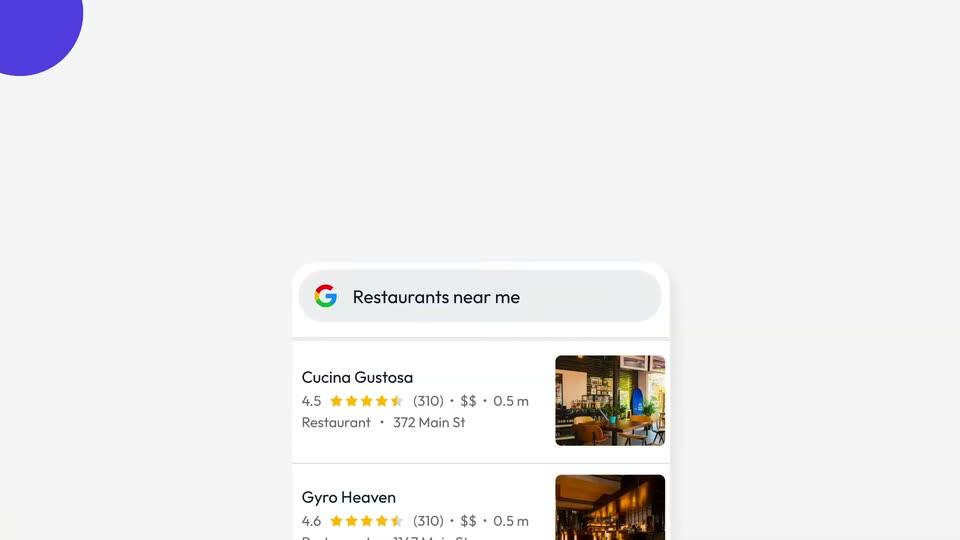
On a pale gray field, a flat Google search bar grows from a small pill into a wide rounded bar. The multicolor G logo sits at left while the query text scales in to read “Restaurants near me.” Locked-off frame.
Camera: Static
02 · Hook · 0:01–0:03
Floating white Google UI cards in 3D perspective: a restaurant search list in the center, two business profile cards at the sides, with Facebook, Google and Instagram logos hovering above. The camera pulls back from the center card to reveal the full composition.
Techniques: 3D mockup, Parallax
Camera: Pull out
03 · Hook · 0:03–0:04
Four interface cards for Google, Instagram, Facebook and Twitter float in 3D perspective, fanned across the frame with the Instagram profile in front. Brand logos hover above each card against a white background.
Techniques: 3D mockup
Camera: Pull out
04 · Hook · 0:04–0:09
Three tilted screens, an Instagram profile, a Google Business card with a pasta photo, and a Maps results list, float in 3D perspective on a light gray field. Brand logos hover above, then Facebook, Twitter, Yelp, Trustpilot, and Bing marks pop in around the edges.
Techniques: 3D mockup
Camera: Pull out
05 · Problem · 0:09–0:10
A man's headshot in a circle sits at the center of a pale background as review and social logos (Google, Instagram, Yelp, Trustpilot, Facebook, Twitter) float around it over faint app screens. The view zooms in and purple-outlined task boxes slide in on both sides of the face.
On-screen text: “Post content daily to all social media accounts”, “Get valuable insights from across platforms”, “Continuously monitor and analyze competitors”, “SEO optimize my Google Business Profile”
Techniques: UI zoom, Parallax
Camera: Static
06 · Problem · 0:10–0:12
A circular headshot of a bearded man anchors a light gray layout as eight white text boxes with blue borders drift from overlapping positions into a clean ring around him, each listing a marketing task.
On-screen text: “Optimize my social media campaigns for each platform”, “Post content daily to all my social media accounts”, “SEO optimize my Google Business Profile”, “Derive actionable insights from data spread across platforms”, “Consistently create engaging SEO optimized content”, “Continuously monitor and analyze competitors”, “Ensure my business information is consistent across dozens of platform”, “Respond to all my online reviews across multiple platforms”
Camera: Pull out
07 · Problem · 0:12–0:13
A circular portrait of a bearded man anchors a light gray field, ringed by eight purple-outlined white chips listing marketing tasks. The chips drift outward and the portrait shrinks as doubled, overlapping text in each box resolves into clean lines.
On-screen text: “Optimize my social media campaigns for each platform”, “Post content daily to all my social media accounts”, “SEO optimize my Google Business Profile”, “Derive actionable insights from data spread across platforms”, “Consistently create engaging SEO optimized content”, “Continuously monitor and analyze competitors”, “Ensure my business information is consistent across dozens of platform”, “Respond to all my online reviews across multiple platforms”
Techniques: Parallax
Camera: Push in
08 · Problem · 0:13–0:14
Two white invoice cards titled '$$$ Expensive Ineffective Marketing LLC.' sit on a light gray field. The front card slides up and left to expose the card behind it, while a circular avatar of a bearded man in a suit pops in at the lower right.
Camera: Static
09 · Problem · 0:14–0:17
A white invoice card on a light gray background crossfades its line items to a $3,500.00 balance due. A circular video of a bearded man in a suit gestures beside it, then the view zooms onto the card as the circle drifts up right.
Techniques: UI zoom
Camera: Push in
10 · Product intro · 0:17–0:23
The word Madison builds up letter by letter in bold purple at center, then the tagline types in below it word by word. Two purple circles drift slowly in the corners on a flat light gray background.
On-screen text: “Madison”, “Your New AI-Powered Digital Marketing Specialist”
Techniques: Kinetic type
Camera: Static
11 · Demo · 0:23–0:33
A white dashboard mockup scales up to fill the purple frame while three feature labels with icons pop in above it. A circular clip of a surprised man with a speech bubble appears in the corner, then the view shifts to the Integrations page under a hovering cursor.
On-screen text: “SEO”, “Social Media”, “Actionable Insights”, “How do they do it?”
Techniques: UI zoom, Cursor demo
Camera: Push in
12 · Demo · 0:33–0:37
The full dashboard zooms into the Integrations panel on a purple background. A cursor clicks each Connect button, and the rows update to show the connected account handle with a Remove link.
Techniques: UI zoom, Cursor demo
Camera: Push in
13 · Feature reveal · 0:37–0:38
A white integrations panel slides up and out as a blue circle sweeps in from the left, masking to a new view. A Google search bar reads Restaurants near me above two restaurant results with star ratings, prices and thumbnails set on a white circle.
Techniques: Masking
Camera: Static
14 · Feature reveal · 0:38–0:41
A white Google results card sits on a light gray field. The restaurant list scrolls upward, lifting the Your Business entry from third to first place, then a cursor glides in and hovers over it, the row brightens and expands.
Techniques: Cursor demo
Camera: Static
15 · Feature reveal · 0:41–0:45
A faint landscape business card scales and reflows into a tall portrait profile panel on a light gray field. As it settles, the photo grid, action buttons, tabs, and detail rows load in sequence, ending with social icons, while a cursor hovers at the card edge.
Techniques: Morph, Cursor demo
Camera: Static
16 · Feature reveal · 0:45–0:46
A white business profile card fills the center of a light gray field. The frame pulls back, the card sliding up and right, to reveal a full dashboard behind it with a left sidebar and a grid of stat panels.
Techniques: UI zoom
Camera: Static
17 · Feature reveal · 0:46–0:48
A light Madison dashboard card floats on a gray backdrop. The interface scrolls down from the top metric cards to the Pending Reviews list and a December campaigns calendar, while a cursor drifts along the right edge.
Camera: Pull out
18 · Feature reveal · 0:48–0:53
A dashboard UI with a centered modal showing a five-star customer review. The frame zooms in and the background blurs as a cursor types a reply into the response field, then glides to the purple Submit Response button.
Techniques: UI zoom, Cursor demo
Camera: Push in
19 · Feature reveal · 0:53–0:57
A flat Madison dashboard fills the frame, listing pending reviews on the left and a campaigns calendar on the right. The cursor drifts up the review rows, then to the sidebar, as the main panel fades to blank white.
Techniques: Cursor demo
Camera: Pull out
20 · Feature reveal · 0:57–1:01
A white dashboard panel fades in on a light gray field. A cursor clicks Select all, checking five reviewer rows, then clicks the purple Send Request button as the panel fades and slides out.
Techniques: Cursor demo
Camera: Static
21 · Feature reveal · 1:01–1:03
A white review card sits centered on a light gray field, asking how the experience with your business was above five yellow star outlines. A cursor clicks the stars left to right, filling them, then the card scales up as the cursor repeats the rating.
Techniques: Cursor demo, UI zoom
Camera: Static
22 · Feature reveal · 1:03–1:07
A review form fills in as a cursor clicks five stars for Food, Service and Atmosphere and types a glowing review, then moves to the Post button. A centered headline, “How was your experience with Your Business”, scales in over the form and fades out at the start.
On-screen text: “How was your experience with Your Business”
Techniques: Kinetic type, Cursor demo
Camera: Pull out
23 · Feature reveal · 1:07–1:10
A white social profile card slides up on a light gray background. The Posts and Followers numbers roll upward as the card rises, revealing the blue Follow and gray Message buttons, then a row of food photos at the bottom.
Camera: Pan
24 · Feature reveal · 1:10–1:13
A Gmail inbox mockup tilts into view on a white background with purple circles. A cursor moves to the top email row, which lifts out as a floating white card while the rest of the list dims, then the frame fades to white.
Techniques: 3D mockup, Cursor demo
Camera: Static
25 · Feature reveal · 1:13–1:16
An email from Madison, titled New Year's Eve Campaign with a for review tag, fills the frame. The view zooms into the message body, and a cursor drifts down toward the purple Review Now button.
Techniques: UI zoom, Cursor demo
Camera: Push in
26 · Feature reveal · 1:16–1:18
A white Madison dashboard panel scales up from a blurred, offset ghost into a full frame on a purple background. A cursor glides across the post scheduler, hovering the Twitter and Google tabs, then rests on a fireworks thumbnail.
Techniques: UI zoom, Cursor demo
Camera: Push in
27 · Feature reveal · 1:18–1:20
A close-up of a scheduling form shows a text box with event copy above three buttons. A black cursor glides down from the text box and clicks the purple Schedule button, triggering a small burst of dark dots. The red-outlined Delete button sits to the right.
Techniques: Cursor demo, Particles
Camera: Static
28 · Feature reveal · 1:20–1:21
A scheduling calendar fills the frame. The view starts tight on one white post card dated 31 with time, social icons and a preview line, then pulls back to reveal a multi day grid of scheduled posts, each row showing date, time, icon set and text snippet on a light gray background.
Techniques: UI zoom
Camera: Pull out
29 · Feature reveal · 1:21–1:27
A cursor opens the New Campaign dialog over the dimmed calendar, picks Celebratory from the tone dropdown, types a happy-hour discount message, then clicks the purple Generate Campaign button.
Techniques: Cursor demo
Camera: Pull out
30 · Feature reveal · 1:27–1:29
A scheduling dashboard UI fills the frame: a left sidebar of menu items and a main panel with a 50% off Happy Hour post, four image thumbnails and a Schedule button. Text labels overlap and settle into place while the cursor drifts from Reports to Social.
Techniques: Cursor demo
Camera: Push in
31 · Feature reveal · 1:29–1:31
A white Madison dashboard panel on a light gray background eases from a tight crop to a full frame. A cursor moves from the highlighted Reports item to the Review Performance heading, then to the Net Promoter Score card, which collapses.
Techniques: UI zoom, Cursor demo
Camera: Pull out
32 · Feature reveal · 1:31–1:32
A tilted 3D mockup of the Madison dashboard floats on a light gray background. A cursor moves across the right panel and the reports list swaps to a Net Promoter Score view with a bar chart.
Techniques: 3D mockup, Cursor demo
Camera: Static
33 · Feature reveal · 1:32–1:37
The Madison dashboard opens on the Reports page with a left sidebar, then dissolves into a two-by-two grid of analytics cards (Net Promoter Score, Google Performance, Google Actions, Social Actions) while the frame slowly zooms in.
Techniques: Morph, UI zoom
Camera: Pull out
34 · Feature reveal · 1:37–1:38
A white input card with a purple-bordered text field and a Send button floats on a light gray background. A cursor clicks into the field and types a question while the button darkens.
Techniques: Cursor demo
Camera: Static
35 · Feature reveal · 1:38–1:39
A white input bar with a purple Send button floats on a light gray background. The prompt inside the field crossfades between two survey questions while the cursor glides to the button and rests on it, and the card drifts slowly downward.
Techniques: Cursor demo
Camera: Static
36 · Feature reveal · 1:39–1:42
A light Madison chat dashboard resolves from a brief offset. A greeting bubble, a purple question bubble and a long AI answer appear in the center, while four customer review cards populate the right panel and a cursor hovers above the input bar.
Techniques: Cursor demo
Camera: Static
37 · Feature reveal · 1:42–1:43
A product dashboard UI settles into frame: a left navigation rail, a chat thread with a purple message bubble, and a right-hand reviews list. The interface scales from a small centered card to fill the screen.
Techniques: UI zoom
Camera: Pull out
38 · CTA · 1:43–1:53
Circle profile photos, emoji faces, red hearts, and thumbs-up icons drift across a light gray field, then blur and fade as the violet Madison wordmark scales in at the center. The tagline and a violet URL pill appear below, and a cursor hovers over the button.
On-screen text: “Madison”, “Get Started Today at”, “MeetMadison.ai”
Techniques: Kinetic type, Cursor demo
Camera: Pull out