0:13
Explore
LTX.io - Introducing Dubbing and Captions in LTX Studio. Now available for en
LTX Studio · Mar 2026 · 0:53 · AI-annotated
- Length
- 0:53
- Scenes
- 21 · 2.5 s avg
- Product on screen
- 0:05
- Features shown
- 2
- Call to action
- 0:45 · 86%
- Voiceover
- Yes
- Views
- 1.3M on X
as of November 19, 2026
00:00:00 / 00:53:01
- Length
- 0:53
- Scenes
- 21 · 2.5 s avg
- Product on screen
- 0:05
- Features shown
- 2
- Call to action
- 0:45 · 86%
- Voiceover
- Yes
- Views
- 1.3M on X
as of November 19, 2026
LTX Studio’s 0:53 launch film runs 21 scenes, about 2.5 s each. The product shows up at 0:05 and 2 features are revealed. The call to action lands at 0:45 (86% in), over a voiceover. The video interleaves live-action comedy skits with dark UI close-ups, re-dubbing the same footage in several languages to prove the feature. Pacing is brisk (about 17 cuts a minute) with word-by-word text builds, split-screen grids, and a flag icon marking each language switch.
Footage neededEstimated needs: 2 capture groups — your screens or recordings · 1 official logo — reused across the film · 14 filmed passages — shoot, supply or replace
Is this your launch? to your site or press kit.
More like this



Similar soundtrack
Films whose music sounds like this one, voice left out
3:25
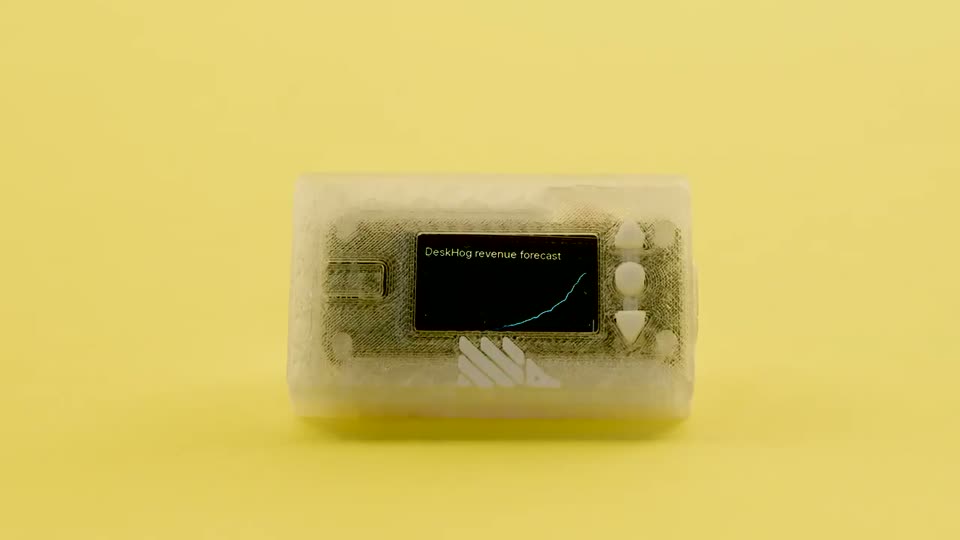

PostHog - Introducing... DeskHog! DeskHog is an open-source, 3D printed, pal
Posthog · Upbeat electronic
1:25


Sean Rich - We built a way to DM the ENTIRE internet this Black Friday Introduci
Blueberry · Upbeat electronic
2:07

Y Combinator - Wato (@watolabs) is building the collaboration layer for teams workin
Wato · Upbeat electronic
LTX.io - Introducing Dubbing and Captions in LTX Studio. Now available for en, scene by scene
· 21 scenes as text
01 · Hook · 0:00–0:02
A man in a beige shirt speaks to camera in front of a blue FlyNow.com step-and-repeat backdrop; the shot jumps to a close-up as a smiling woman in a sun hat appears behind his shoulder. White headline text builds word by word on the left.
On-screen text: “Translate your video into English”
Techniques: Kinetic type
Camera: Push in
02 · Hook · 0:02–0:05
A man and a woman in a straw hat stand before a blue FlyNow.com backdrop, smiling and talking to camera. White caption text reads into any, then language drops in below it on the left.
On-screen text: “into any”, “language”
Techniques: Kinetic type
Camera: Push in
03 · Feature reveal · 0:05–0:09
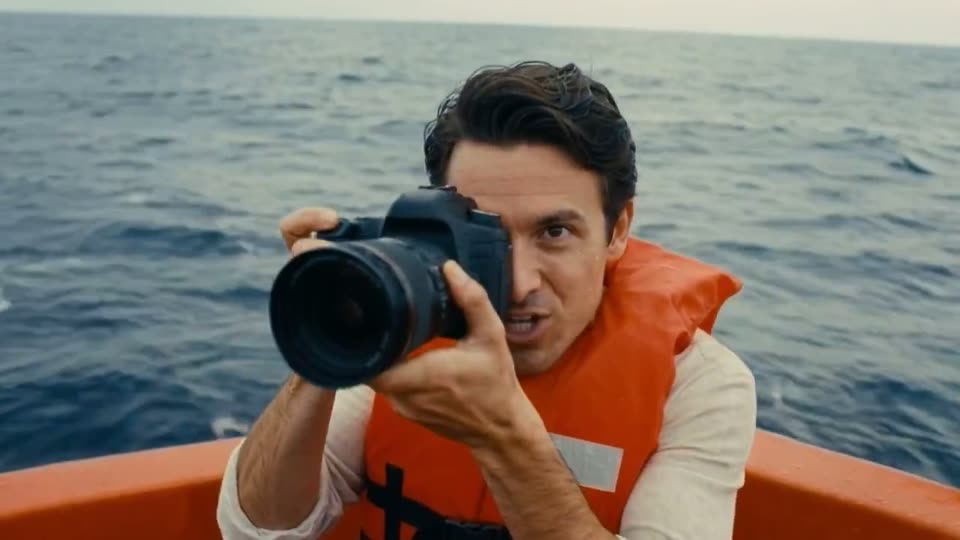
A man in an orange life vest sits in an orange boat on choppy open sea, holding a black DSLR with a long lens. He speaks to the camera, then lifts it to his eye and shouts as the frame tilts up to the sky.
Camera: Static
04 · Feature reveal · 0:09–0:13
A woman in an orange life vest films herself from a crowded small boat while a cruise ship sinks in the background. A white caption sits below her and swaps to “with FlyNow.com”, which scales in.
On-screen text: “This won't happen to you if you book”, “with FlyNow.com”
Techniques: Kinetic type
Camera: Static
05 · Feature reveal · 0:13–0:16
A woman in an orange life vest faces the camera from a crowded lifeboat, smiling, while a cruise ship lists and sinks behind her under grey clouds. The frame starts out of focus and pulls sharp. A French caption at the bottom swaps to a second line.
On-screen text: “Ça ne vous arrivera pas si vous réservez”, “avec FlyNow.com”
Camera: Static
06 · Feature reveal · 0:16–0:19
A woman in an orange life jacket sits in a raft on grey open water, hand to her cheek, smiling at the camera while a large cruise ship capsizes behind her under a cloudy sky. A white caption with a small Spain flag at the bottom swaps between two lines.
On-screen text: “Esto no te pasará si reservas”, “con FlyNow.com”
Camera: Static
07 · Feature reveal · 0:19–0:21
A dark settings menu lists Dubbing and Captions rows under a SCALING label, with a large outlined cursor hovering the Dubbing row. The view then zooms into the Dubbing panel, revealing an upload prompt with a blue Browse files button.
Techniques: Cursor demo, UI zoom
Camera: Static
08 · Feature reveal · 0:21–0:21
A dark navy upload screen: a clip of a woman speaking plays in a thumbnail at the top, with a large white cursor arrow above it that drifts upward. Below sit the heading, a gray caption, a dark Best practices button and a blue Browse files button, all still.
Techniques: Cursor demo
Camera: Static
09 · Feature reveal · 0:21–0:25
A woman with braided hair and gold hoops talks to the camera on a jungle road, gesturing to a smoking broken bus behind her. A translucent language dropdown menu fades in on the left, its list scrolling through options as a cursor hovers over German.
Techniques: Cursor demo
Camera: Static
10 · Feature reveal · 0:25–0:28
Split screen of the same woman with braids and a backpack in front of a smoking bus. Left panel holds a fixed smile; right panel she talks and gestures, a German flag and white subtitle slide in at the bottom right.
On-screen text: “Wird ihm das hier wahrscheinlich”, “nicht passieren”
Techniques: Split screen, Masking
Camera: Static
11 · Feature reveal · 0:28–0:31
A blonde woman in a straw hat holds the camera selfie-style in front of a thatched tropical hut, then turns her head to look behind her as smoke drifts across the background. A small caption stays locked on the frame.
On-screen text: “nicht passieren”
Camera: Pull out
12 · Feature reveal · 0:31–0:32
A light gray background holds a counting headline, the number rolling from 85 to 175 beside the static word languages. On the left, a video window of a woman in a straw hat widens and splits into two side-by-side clips of her smiling.
On-screen text: “175 languages”
Techniques: Masking, Kinetic type
Camera: Pull out
13 · Feature reveal · 0:32–0:34
A grid of six video clips shows a blonde woman in a straw hat speaking on a tropical beach, three across the top and three across the bottom. The bottom row slides up into place over the first second. A white band holds the centered caption between the rows.
On-screen text: “175 languages”
Techniques: Split screen
Camera: Static
14 · Feature reveal · 0:34–0:36
A 3x2 grid of clips shows the same woman in a straw hat on a beach, each panel showing a slightly different moment of her speaking. A white horizontal band cuts across the middle, holding the static caption “175 languages” in black.
On-screen text: “175 languages”
Techniques: Split screen
Camera: Static
15 · Feature reveal · 0:36–0:39
A woman in a white shirt sits in a private jet cabin, facing the camera. Below her, a caption line scales in and switches styles: a rounded orange font with red outline, then white text with a blue highlight on one word, then plain white.
On-screen text: “You can also add captions in different styles.”
Techniques: Kinetic type
Camera: Static
16 · Feature reveal · 0:39–0:41
A dark caption-customization panel scrolls upward, swapping its style previews from Simple White and word by word to Legacy Type and Light Glow, while a cursor hovers the Edit button on the right.
On-screen text: “You can also add captions in”, “different styles.”
Techniques: Cursor demo
Camera: Static
17 · Feature reveal · 0:41–0:42
A dark typography settings panel sits centered on a black background. A white cursor hand moves up from the weight field and clicks the font dropdown, which expands to list font names with Anton highlighted.
Techniques: Cursor demo
Camera: Static
18 · Feature reveal · 0:42–0:44
A dark typography settings panel shows font, size, weight and align controls. A white hand cursor taps the size field, a dropdown of pixel values opens, and the view zooms onto the list.
Techniques: Cursor demo, UI zoom
Camera: Pan
19 · Feature reveal · 0:44–0:45
A dark caption-style panel lists four preview tiles above a blue action button. A hand cursor rests on the button, the sparkle icon swaps to a loading spinner, and the preview tiles dim as generation starts.
Techniques: Cursor demo
Camera: Static
20 · CTA · 0:45–0:48
A woman with curly blonde hair in a white shirt sits in a private jet cabin, smiling and speaking to camera in a locked-off frame. A lavender caption box at the bottom center builds in word by word with white text reading “Try it in LTX Studio.”
On-screen text: “Try it in LTX Studio.”
Techniques: Kinetic type
Camera: Static
21 · Outro · 0:48–0:53
The black Ltx wordmark starts oversized with offset letterforms, then scales down and snaps into a centered lockup on a plain off-white field. It holds still for the remainder of the clip.
Techniques: Kinetic type
Camera: Static